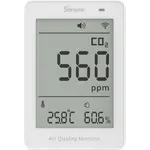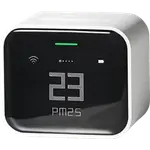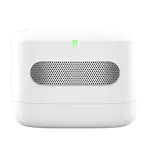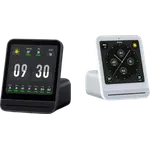




Qingping Air Monitor Lite Review: The Cheapest Real HomeKit CO2 Sensor
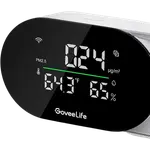
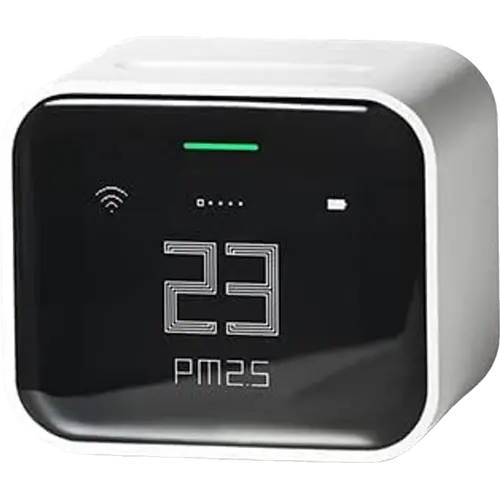
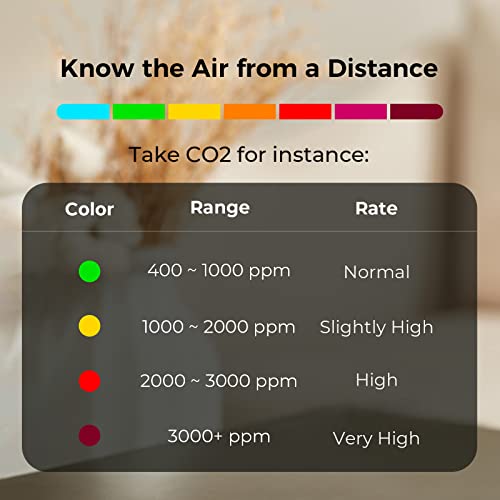
The Air Monitor Lite exists to fill a specific gap: native Apple Home support on a device that actually measures CO2, which almost nothing else does at this price. It reads five metrics, PM2.5, PM10, CO2, temperature and humidity, refreshes them every second, and shows them on a pixel-styled OLED with a colour indicator you can read from across the room. For HomeKit users it works standalone with no app required. The compromises are real though: owners report humidity and temperature readings needing calibration or being simply wrong, an internal fan that turns noisy after a month or so, and a screen with no HomeKit brightness control that is too bright at night.
- Apple Home and HomeKit households
- CO2 monitoring in bedrooms and offices
- Compact desk placement
- Buyers who want no app dependency
Pros
- Native Apple HomeKit support, usable without any vendor app
- Measures CO2 as well as PM2.5, PM10, temperature and humidity
- All five readings refresh every second
- Crisp OLED with a wide viewing angle and colour air-quality indicator
- Touch bar for switching readings
- Compact enough for a desk or nightstand
- Exportable history through the Qingping+ app
- Apple Home automations on temperature and humidity
Cons
- Humidity and temperature readings often need calibration or are simply off
- Internal fan reported turning noisy after about a month
- One owner had the unit fail at eleven months, running warm beforehand
- Screen stays bright at night with no HomeKit brightness control
- 2.4GHz Wi-Fi only
- No Alexa, Google Home or Matter support
- Not waterproof or dustproof
Who is the Qingping Air Monitor Lite for?
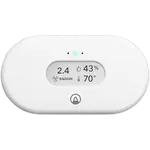
It is aimed at Apple households that want air data inside Home rather than in yet another vendor app. It tests five factors of indoor air, PM2.5, PM10, CO2, temperature and humidity, using sensors that refresh all five readings every second, with an air inlet grille on the back so air reaches them properly. The display is a pixel-style OLED with a wide viewing angle and a multi-coloured indicator that signals air quality, temperature and humidity level at a glance, plus a touch bar you tap or slide to change what is shown. It connects on 2.4GHz Wi-Fi only. With an Apple home hub you get remote readings and automations, and temperature or humidity automations need iOS 15.1 or later. The Qingping+ app adds exportable history for those who want it.
What buyers love
HomeKit is the reason people buy it and the thing satisfied owners rate highest, with one describing it working well both standalone and through Apple Home after a firmware update. CO2 is the other draw: owners like knowing the level at all times, and one buyer with two units in different rooms calls it excellent value overall. The display gets consistent praise for being readable at a distance, and the size makes it easy to place on a desk or shelf. For people who wanted a HomeKit thermometer that does not require an app at all, it delivers exactly that, which one owner notes explicitly even while grumbling about the price.
What to know before you buy
Sensor calibration is the recurring theme. Multiple owners report humidity noticeably off, one says temperature is inaccurate enough to make them doubt the other readings, and an owner who bought two found both needed relative-humidity calibration and that the two disagreed on CO2 by around eight percent after calibrating. Hardware longevity is the second concern: the unit contains a small fan, and separate owners report it becoming audibly noisy after about a month and, in one case, failing outright at eleven months with the device running warm to the touch. A third practical issue is the screen at night, which one owner rates down specifically because it is bright and HomeKit exposes no way to control the display state. One buyer also received units that had clearly been opened despite being sold as new. Note it is not waterproof or dustproof and should not sit in humidity above 90 percent.
Is the Qingping Air Monitor Lite worth it?
For an Apple Home user who mainly wants CO2 and particulate awareness, there is very little competition and it does the core job well. Go in expecting to calibrate humidity in the first week, to accept a display that stays bright at night, and to keep an ear on the fan. If you are not in the Apple ecosystem, the value case weakens considerably, and if you want noise, TVOC or a colour touchscreen, the larger Air Quality Monitor Gen 2 covers more ground for more money.
Frequently asked questions
Does the Qingping Air Monitor Lite work with Apple HomeKit?
Yes, natively. It appears in the Apple Home app and can be used without installing the Qingping app at all. An Apple home hub is required for remote access and for automations, and temperature or humidity automations need iOS 15.1 or later.
Does the Qingping Air Monitor Lite measure CO2?
Yes, and it is the main reason to choose it. Alongside CO2 it reads PM2.5, PM10, temperature and humidity, with all five values refreshing every second.
How accurate is the Qingping Air Monitor Lite?
CO2 and particulate readings generally satisfy owners, but humidity is the weak point, with several reporting it noticeably off. Calibration is available and one owner recommends doing it on arrival, then comparing against a reference.
Does the Qingping Air Monitor Lite have a fan?
Yes, a small internal fan draws air across the sensors through the rear grille. Several owners report it becoming noticeably noisy after about a month, which matters in a quiet bedroom or office.
Can you dim the Qingping Air Monitor Lite screen at night?
Not through Apple Home. At least one owner rates the device down specifically because the OLED stays bright at night and HomeKit exposes no control over the display state.
Does the Qingping Air Monitor Lite work on 5GHz Wi-Fi?
No. It is a 2.4GHz-only device, so a dual-band router may need a separate 2.4GHz network or a temporary band split during setup.