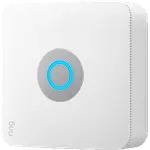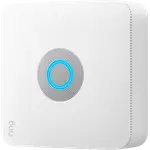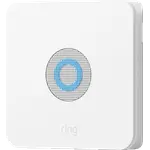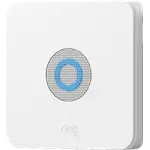



Ring Alarm Pro 14-Piece Kit Review: Big DIY Coverage, With a Router You Must Accept
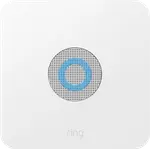
The Ring Alarm Pro 14-Piece Kit is the largest Alarm Pro bundle, built for a home with many doors, several rooms to watch and more than one place to arm the system. Owners find the alarm side easy to install and dependable, and like the backup internet and optional local video storage. The catch they raise most is the built-in eero Wi-Fi 6 router: the base station has to be the home's primary router, and households with a network they like often end up unhappy with its speed, coverage or lack of settings. Phone control, alerts and cellular backup also need a Ring subscription.
- Larger homes with many doors and windows
- Households ready to replace their router
- Homes with two main entrances
- Ring camera and doorbell households
Pros
- Largest Alarm Pro kit, with eight contact sensors and two motion detectors
- Two keypads included for homes with more than one entrance
- Quick, app-guided DIY setup that is easy to expand
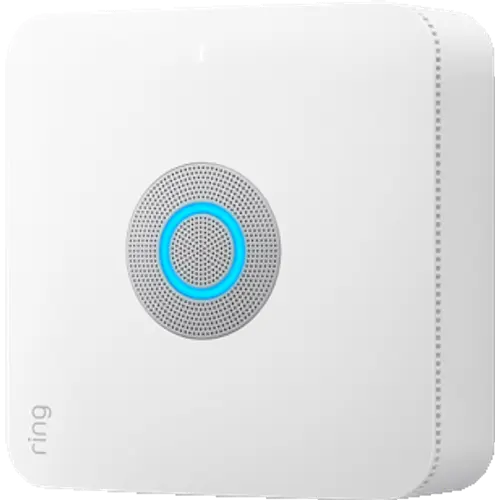
- Built-in eero Wi-Fi 6 router, dual-band, with Ethernet
- 104 dB siren and a 24-hour rechargeable backup battery
- Built-in LTE radio for cellular backup with a Ring plan
- Local video storage on a microSD card with Ring Edge
- Z-Wave radio for certified Works with Ring devices
- Alexa voice arm and disarm with a Ring subscription
Cons
- Base station must be the home's primary router, wired to the modem, and its Wi-Fi cannot be turned off
- Owners with an existing mesh network report slower or weaker Wi-Fi
- No app arming, phone alerts or event history without a subscription
- Cellular backup stays off until a plan is active
- Some sensor failures and poor adhesive fit on grooved trim reported
- No Apple Home or Matter support, and no Zigbee or Thread radio
- No key fob included
Who is the Ring Alarm Pro 14-Piece Kit for?
With eight contact sensors, two motion detectors and two keypads, this kit is sized for a larger home with several entry points and more than one room or hallway needing motion coverage. Two keypads suit a house with a front and a back entrance. Because the base station is also the home's Wi-Fi 6 router, it fits best a household that does not already have a network it wants to keep, such as someone moving into a new house, or an owner of Ring cameras who wants the backup internet and local video that the Pro base station adds.
What do owners like about the Ring Alarm Pro 14-Piece Kit?
Owners describe the setup as straightforward, with the app guiding pairing and the system easy to expand later by adding sensors. The alarm itself is described as reliable, works smoothly with Ring cameras, doorbells and Alexa, and several owners prefer a self-installed alarm with optional monitoring to a contract. Backup internet is praised: when the power or internet drops, the cellular backup keeps the system and connected devices reachable, though it needs a Ring subscription. The base station can also store camera video locally with Ring Edge on a microSD card that is not included. It carries a 104 dB siren and an internal battery rated for up to 24 hours.
What to know before you buy
The router is the most common complaint. Ring designs the Alarm Pro to be the primary router, wired to the modem, and owners with an existing mesh network report slower speeds, weaker coverage, devices dropping off or cameras struggling to stay connected, and no way to turn the Wi-Fi off or run it as a simple bridge. Others find the settings limited. Without a Ring subscription the keypads still arm and disarm and the siren still sounds, but the app cannot arm the system, no digital notification is sent and Alarm Event History is not recorded. Cellular backup also needs a plan, and some owners were unhappy about plan price increases. A few owners report sensors that stopped working after a year or two, adhesive sensors that sit poorly on grooved trim, and a base station that is hard to hear from a distant basement. There is no key fob in the kit, and the base station has no Apple Home, Matter or Zigbee support.
Is the Ring Alarm Pro 14-Piece Kit worth it?
For a large home that wants one box to cover both the alarm and the network, it is a capable bundle with the most sensors and keypads Ring sells in an Alarm Pro kit. Whether it is a good buy depends on the router: if you are happy to let it run your Wi-Fi, owners are mostly positive, and if you have a mesh system you love, the smaller non-Pro Ring Alarm kits avoid the problem. Budget for a Ring plan as well, since remote control, alerts and cellular backup rely on it.
Frequently asked questions
What is included in the Ring Alarm Pro 14-Piece Kit?
One Alarm Pro Base Station, two keypads, eight door/window contact sensors, two motion detectors and one range extender.
Does the Ring Alarm Pro 14-Piece Kit work without a subscription?
Partly. Without a subscription, either keypad still arms and disarms the system and the siren still sounds, but the app cannot arm or disarm it, no digital notifications are sent, and Alarm Event History is not kept.
Can I use the Ring Alarm Pro 14-Piece Kit with my existing router?
Not as Ring designs it. The Alarm Pro Base Station is meant to be the primary router, connected directly to the modem, replacing the existing network rather than joining it, and many owners say its Wi-Fi cannot be switched off.
Does it have cellular backup?
The base station has a built-in LTE radio, but Alarm Cellular Backup needs a compatible Ring subscription to activate.
Can it store video locally?
Yes. With Ring Edge, the base station stores video on a microSD card that is sold separately, and it needs a compatible Ring subscription.
Does it work with Alexa, Apple Home or Home Assistant?
Alexa can arm and disarm it by voice with a Ring subscription. Home Assistant reaches the base station and its sensors through the community ring-mqtt integration. Apple Home and Matter are not supported.