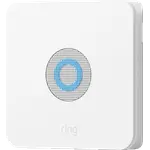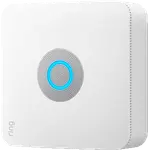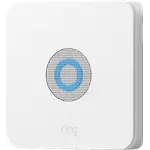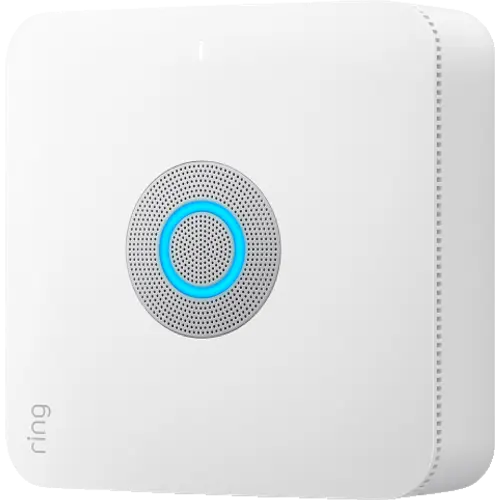


Ring Alarm Pro 8-Piece Kit Review: An Alarm and an eero Wi-Fi 6 Router in One Base Station
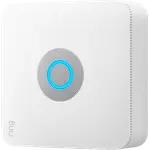
Ring Alarm Pro 8-Piece Kit is the Ring Alarm kit for a home that also wants its router replaced: the base station is an eero Wi-Fi 6 router with Ethernet, a 24-hour backup battery, a 104 dB siren and a built-in LTE radio. Buyers praise how quickly the system goes in and how much cheaper its optional monitoring is than a traditional alarm company. The trade-offs are real: it must be the primary router plugged into the modem, the app, alerts and cellular backup need a subscription, and a vocal share of owners report the base station or its network dropping offline.
- Ring households
- DIY installers
- Homes replacing their router
- People leaving a contract alarm company
Pros
- Most buyers set up the kit in about an hour
- Built-in eero Wi-Fi 6 router, dual-band, with Ethernet
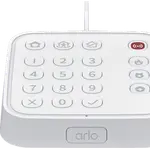
- Keypad included, so arming does not depend on the phone
- 104 dB siren at 1 ft
- 24-hour rechargeable backup battery, expandable with Power Packs
- Built-in LTE radio for cellular backup
- Z-Wave for certified locks and sensors from other makers
- Alexa voice arm and disarm
- Home Assistant control through the community ring-mqtt add-on
- Local video on a microSD card with Ring Edge
Cons
- Must be the primary router, wired straight to the modem
- Many owners report the base station or sensors dropping offline
- Wifi range draws mixed reports, and the wifi cannot be turned off
- No app control, alerts or event history without a subscription
- Cellular backup stays off until you subscribe
- Upgrading from the original Ring Alarm can mean pairing sensors again
- No Apple Home or Matter support
- No key fob in the 8-piece kit
Who is the Ring Alarm Pro 8-Piece Kit for?
The 8-piece kit holds one base station, one keypad, four contact sensors, one motion detector and one range extender, enough for a few doors plus one room. It suits a household that already uses Ring doorbells or cameras and is happy to let Ring's base station run the home network too, since the eero Wi-Fi 6 router inside is meant to replace the existing one. Buyers coming from contract alarm companies describe it as a way to keep professional monitoring at a far lower monthly cost, and some chose the larger kits to cover a big house.
What buyers love
Setup is the theme that comes up most, and it is overwhelmingly positive: buyers describe the sensors and keypad going in within an hour with clear instructions, and the Ring app as easy to use. Many like having the alarm, doorbell and cameras in one app, and owners with Z-Wave locks report pairing them to the base station and tying locking to arming through Alexa. Some owners find the eero network fast and strong enough to cover their home without an extender, and a few call the cellular backup and the optional Power Packs worthwhile additions. Owners upgrading from the original Ring Alarm mostly describe the move as smooth.
What to know before you buy
The base station has to be the primary router, wired to the modem by Ethernet: it will not join an existing wifi network, and buyers who expected otherwise, including one on Starlink, regretted the purchase. Reliability is where opinions split: a large share of owners report the base station going offline, sensors disconnecting, or the system staying on cellular backup after the internet returns, while others report months without trouble. The router's range draws mixed comments, from homes covered with no extender to signal that barely reaches the front door, and the wifi cannot be switched off if all you want is the alarm. Without a subscription you arm from the keypad and the siren still sounds, but the app, phone alerts, event history and cellular backup all need a plan. Some upgraders had to pair every sensor again, and Ring Edge local video needs a microSD card plus a compatible plan. Apple Home and Matter are not supported, and Zigbee and Thread are not on the base station's radio list.
Is the Ring Alarm Pro 8-Piece Kit worth it?
For a Ring household that is ready to replace its router, it is a complete starter kit: a loud siren, a keypad that works without a subscription, Z-Wave for certified locks, a 24-hour backup battery and a built-in LTE radio, with monitoring that buyers find cheap next to traditional alarm companies. If you want to keep your current router, or you are on a connection that is not a wired modem, the standard Ring Alarm is the simpler choice, and the reliability complaints are worth weighing before paying the premium for the Pro.
Frequently asked questions
Does the Ring Alarm Pro 8-Piece Kit work without a subscription?
Partly. Without a subscription you arm and disarm from the keypad and the siren still sounds. The app, digital notifications, Alarm Event History and cellular backup need a compatible Ring subscription.
Can I use the Ring Alarm Pro 8-Piece Kit with my existing router?
Not as Ring intends it. Ring says the Alarm Pro base station is designed to be the primary router and must be connected directly to the modem, replacing the existing network. Existing eero units can be added as extenders.
Does it have cellular backup?
Yes, the base station has a built-in LTE radio. Alarm Cellular Backup and 24/7 Backup Internet, which includes 3 GB of cellular data a month, need a compatible Ring subscription.
What is in the 8-piece kit?
One Alarm Pro base station, one keypad, four contact sensors, one motion detector and one range extender. There is no key fob.
Does it work with Alexa, Apple Home or Home Assistant?
Alexa can arm and disarm it by voice with a Ring subscription. Apple Home and Matter are not supported. Home Assistant reaches the alarm panel, base station and sensors through the community ring-mqtt add-on, which uses Ring's cloud.
Can it store camera video locally?
Yes, with Ring Edge, which processes and stores video from Ring cameras on a microSD card in the base station. It needs a compatible Ring subscription, and the card is sold separately.