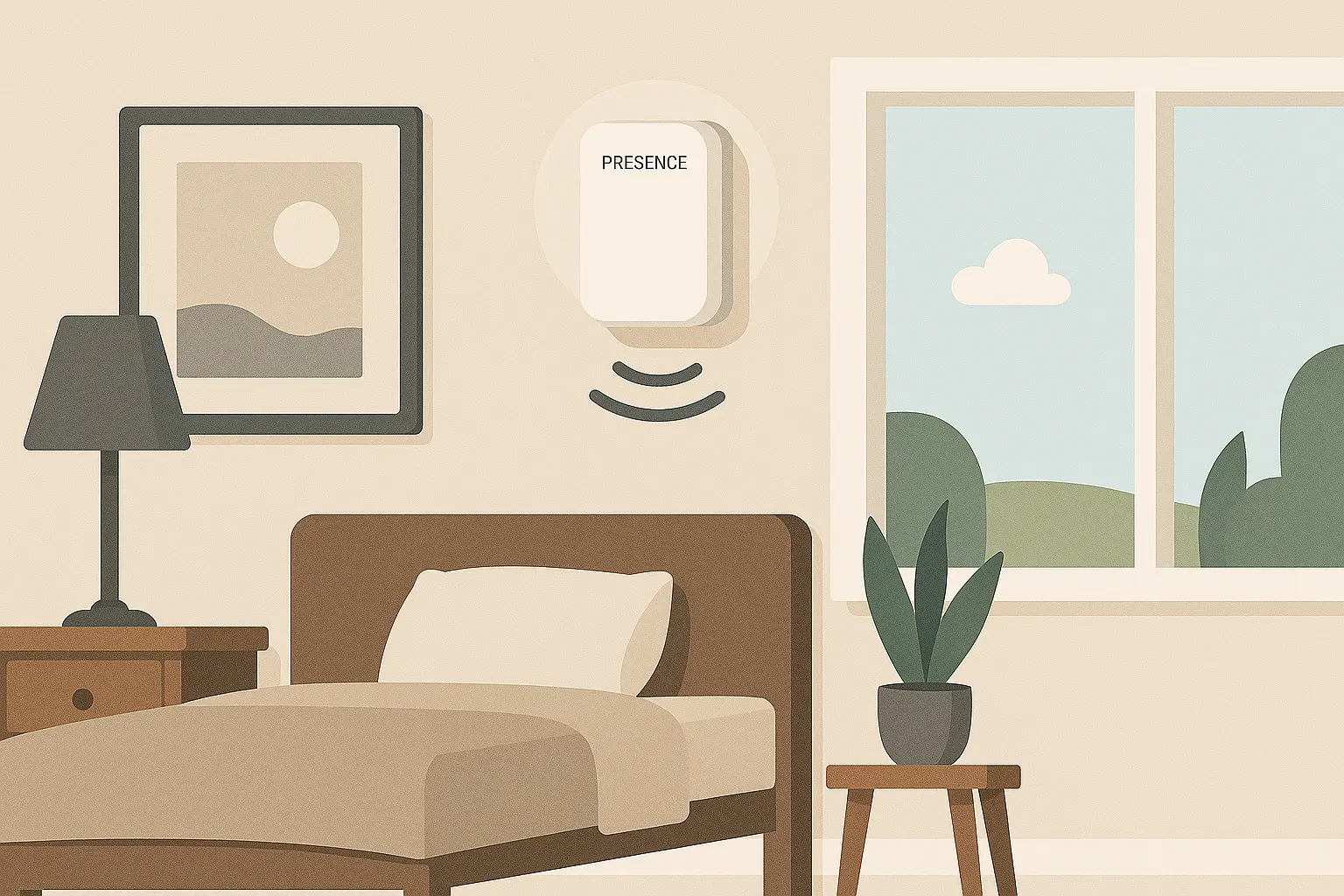
Presence sensors are a key component in smart home automation, offering security, convenience, and energy efficiency by detecting presence and triggering actions like turning on lights, activating alarms, or adjusting heating and cooling. Understanding the features and specifications of presence sensors can help you choose the right model for your home.
In this article, we’ll explore the most important aspects of presence sensors.
Detection
Multi-Person Detection
Basic presence sensors can detect movement, but more advanced models go a step further, they can identify multiple people in a room. This is crucial for smart automation scenarios like adjusting lighting, HVAC, or security based on actual occupancy.
Consider the following:
- Infrared (PIR) sensors detect presence but usually can't differentiate between one or several people.
- mmWave or radar-based sensors offer higher precision and can often detect stationary people and multiple occupants.
- AI-enhanced sensors use additional data (like sound or visual input) to estimate the number of people present.
Multi-person detection ensures your smart home reacts more intelligently-like keeping lights on if even one person is still in the room, or adjusting airflow depending on occupancy level.
Area of Detection
The area of detection focuses on the overall coverage zone, how much physical space the sensor can effectively monitor. This depends on both the sensor’s hardware design and its mounting position.
Important considerations:
- Horizontal and Vertical Coverage: Some sensors offer wide horizontal but narrow vertical coverage. This matters when mounted on walls versus ceilings.
- Room Layout: Obstacles like furniture, walls, or glass can block or reflect signals, affecting the detection area.
- Mounting Height: Most manufacturers specify optimal mounting heights (e.g., 2.5-3m for ceiling sensors). Mounting too high or too low can reduce coverage.
- Adjustable Zones: Advanced models allow fine-tuning of the detection area-useful for avoiding high-traffic zones like hallways or pets on the floor.
Choosing the right area of detection ensures the sensor only triggers when necessary, helping to reduce false alerts and unnecessary automation events.
Angle of Detection
The angle of detection refers to the horizontal and vertical field in which the sensor can detect presence. Different sensors offer varying angles, affecting how much area the sensor can cover:
- Wide-angle sensors generally have a detection field of 120° to 180°, making them ideal for large, open spaces like living rooms. They can cover a broader area, reducing the number of sensors needed.
- Narrow-angle sensors, typically around 90°, focus on smaller or specific zones, such as entryways or hallways, where you want to limit detection to a narrow area.
Choosing the right angle depends on the layout of the room and how much coverage you need. If the sensor will be mounted in a corner, a wide-angle sensor ensures complete room coverage, whereas a narrow-angle sensor is better for directed, specific presence detection.
Range of Detection
When selecting a presence sensor, one of the most important factors to consider is its detection range in terms of distance. A sensor with a longer range can monitor larger spaces more effectively, reducing the number of devices needed. Typical sensors range from 5 to 15 meters. Ensure it covers your room or hallway size.
Choose a sensor whose range aligns with your room size and layout. Over-specifying can lead to false positives, while under-specifying can create blind spots.
Additional Sensors
When considering presence sensors for your home, it’s important to understand that many devices offer more than just presence detection. Modern presence sensors often come equipped with additional sensors that can expand their functionality, enhancing the overall security and automation in your smart home. Here are some of the common types of sensors that you may find integrated into presence sensors:
Light Sensor
Some presence sensors come equipped with light sensors to detect changes in ambient light levels. This can be useful for automating lighting or adjusting smart blinds based on natural light conditions.
Temperature Sensor
Temperature sensors, sometimes integrated into presence sensors, can monitor the ambient temperature near the device. This is particularly useful for maintaining a comfortable and energy-efficient home environment.
Connectivity
When choosing presence sensors, understanding the different connectivity options is crucial to ensure they work effectively within your smart home ecosystem. The connectivity method you choose will determine the sensor’s range, power consumption, and integration capabilities with other smart devices. Here’s an overview of the most common connectivity technologies used in presence sensors:
2.4 GHz Wi-Fi
The 2.4 GHz band has the longest reach of any Wi-Fi band and passes through walls and ceilings better than 5 GHz. That helps with presence sensors, which are often mounted high on a ceiling or in a corner of a bedroom, office or bathroom, rooms that can sit several walls away from the router. The lower data rate is not a problem: a presence sensor reports occupancy states, target distance and light level, never a continuous stream.
Wi-Fi is a realistic option here more often than with other sensors, because most mmWave presence sensors are permanently powered over USB-C rather than running on batteries. The trade-off is interference: this band is shared with microwaves, Bluetooth devices and cordless phones, and congestion can add latency to a detection that is supposed to feel instant.
In practice, Wi-Fi presence sensors are 2.4 GHz only. If your router broadcasts both bands under a single network name, you will often need to split the SSIDs, or temporarily disable the 5 GHz band, to get the sensor through the pairing step.
Bluetooth
Bluetooth is used for short-range wireless communication, typically within 10 meters (33 feet). It allows for easy pairing with mobile devices for localized control and setup.
Z-Wave
Z-Wave is designed for low-power devices, making it perfect for smart home setups where battery life is a priority. Z-Wave devices can relay signals through each other, extending the range and improving reliability. Z-Wave is widely used in smart home automation, so if you already have a Z-Wave-enabled hub, this is a great option for seamless integration.
Zigbee
Similar to Z-Wave, Zigbee is energy-efficient and designed for low-power devices. It supports mesh networking, which allows devices to communicate with each other and extend range beyond individual device limits. Zigbee is a common standard in many smart home products, ensuring compatibility with other devices in your ecosystem. It offers slightly faster data rates than Z-Wave, up to 250 kbps.
Zigbee devices need a Zigbee-compatible hub to connect and communicate with other devices in your smart home setup.
Thread Protocol
Unlike Zigbee and Z-Wave, Thread is IP-based, meaning it integrates smoothly with your existing internet infrastructure. It’s specifically designed for Internet of Things (IoT) devices.
Like Zigbee and Z-Wave, Thread supports mesh networking, enhancing reliability and range by allowing devices to relay data through each other.
Thread is optimized for low power consumption and low-latency communication, making it perfect for battery-operated devices that need real-time responses.
Thread provides strong security with AES-128 encryption, ensuring that data from your device is safe from potential cyber threats.
Thread-enabled devices require a Thread Border Router (such as certain smart home hubs or routers) to connect to your home network and other Thread devices.
Integration with Smart Home Systems
When considering a smart device, one of the most important factors is its ability to integrate with existing smart home ecosystems. Integrations enable seamless communication and automation among various devices, enhancing convenience and functionality in your home. Here’s an overview of common smart home systems and how they can integrate with a wide range of devices:
Google Home
Google Home serves as a central hub for a variety of smart devices, including lights, thermostats, cameras, and speakers. It leverages Google Assistant for voice control, enabling users to manage their smart home with simple commands.
Alexa
Amazon Alexa is one of the most widely used smart home systems, known for its compatibility with a vast array of devices. Users can control everything from smart lights to appliances using voice commands through Echo devices.
Apple HomeKit
Apple HomeKit is designed for users in the Apple ecosystem, providing a seamless way to control compatible smart devices through iOS devices using the Home app or Siri. It emphasizes security and user privacy.
Samsung SmartThings
SmartThings is a flexible platform that connects a wide range of devices from different brands, offering a unified interface for control. It supports various communication protocols, allowing for extensive device compatibility.
Home Assistant
Home Assistant is an open-source platform that allows for extensive customization and integration of a wide variety of smart devices. It supports a multitude of protocols and brands, making it ideal for tech-savvy users.
Matter
Matter is a new, unified connectivity standard aimed at simplifying integration across different smart home devices and brands. By promoting interoperability, Matter seeks to enhance the user experience and reliability of smart home setups.
Power Considerations
Power is one of the biggest practical differences between presence sensors and traditional motion sensors. A PIR motion sensor only wakes up when something moves, so it can run on a coin cell for years. A presence sensor based on mmWave radar is continuously emitting and analyzing a signal to detect people who are sitting still, and that constant activity needs a constant power supply.
Continuous Power
Most presence sensors on the market are wired, and the vast majority are powered over USB-C with a small adapter. This has a direct impact on where you can install them: the sensor has to sit within cable reach of an outlet, which is easy on a wall near a desk or a sofa, and much harder in the middle of a ceiling.
Before buying, plan the run: check the length of the included cable, whether the manufacturer sells a longer one, and whether you can hide it along a corner or a baseboard. A ceiling-mounted sensor usually means either an existing outlet nearby or some in-wall wiring work.
On the plus side, mains power removes the main maintenance chore of battery sensors. There are no cells to replace and no low-battery alerts to react to, and the sensor keeps its full detection performance instead of throttling itself to save energy.
Battery-Powered Models
A few presence sensors do run on batteries, generally by using a lower duty cycle, a PIR sensor for movement plus radar only in short bursts, or a shorter detection range. They are a good fit for rooms where running a cable is not an option, but expect trade-offs: slower reaction to stationary presence, less frequent updates, and battery life measured in months rather than years.
If you go this route, prefer models that report battery level to your smart home platform and send low-battery alerts, so a dead sensor does not silently stop your automations.
Weather Resistance
Presence sensors are overwhelmingly indoor devices, and most carry no IP rating at all. That is fine for a living room or an office, but it becomes a problem in bathrooms, laundry rooms, garages, or covered porches, where humidity and splashes are part of daily life. If that is where you plan to install one, look explicitly for a rated model: a sensor rated IPX5, for example, can handle water jets and is safe to use in a steamy bathroom or outdoors under a roof.
What Is an IP Rating?
An IP rating (Ingress Protection rating) is a standardized way to describe how well a device is protected against solids (like dust) and liquids (like water). The rating consists of two digits:
- The first digit represents protection against solid particles (e.g., dust).
- The second digit represents protection against liquids (e.g., water).
An X in either position means the device was not tested for that type of protection, which is why a sensor can be rated IPX5 without any dust rating.
First Digit (Protection Against Solids)
- IP0X: No protection against solid objects.
- IP1X: Protection against solid objects larger than 50 mm (e.g., accidental touch by hand).
- IP2X: Protection against objects larger than 12.5 mm (e.g., fingers).
- IP3X: Protection against objects larger than 2.5 mm (e.g., tools or thick wires).
- IP4X: Protection against objects larger than 1 mm (e.g., thin wires or small tools).
- IP5X: Dust-protected. Limited ingress of dust is allowed, but it won’t interfere with operation.
- IP6X: Dust-tight. Complete protection against dust, ensuring no ingress of particles.
Second Digit (Protection Against Liquids)
- IPX0: No protection against water.
- IPX1: Protection against vertically falling water droplets (e.g., light rain).
- IPX2: Protection against vertically dripping water when tilted up to 15°.
- IPX3: Protection against water sprayed at an angle of up to 60° (e.g., light splashing).
- IPX4: Protection against water splashes from any direction.
- IPX5: Protection against water jets from any direction (e.g., a garden hose).
- IPX6: Protection against powerful water jets (e.g., heavy rain or washing with a hose).
- IPX7: Protection against temporary immersion in water up to 1 meter deep for up to 30 minutes.
- IPX8: Protection against continuous immersion in water beyond 1 meter.
Dimensions and Form Factor
Presence sensors live in the open, on a wall at chest height or on a ceiling, so their size and shape affect both how the room looks and how well the sensor works. Typical models measure between 50 and 110 mm per side and weigh from 30 to 120 grams, small enough to be held by an adhesive pad, a screw bracket, or a magnetic base.
Compact Designs for Discreet Placement
Smaller units blend into a bedroom or a living room instead of drawing attention, and they are easier to place on a bookshelf, above a door frame, or in the corner of a room. Ceiling-mount models are usually rounder and slightly bulkier, since they are designed to look like a smoke alarm rather than to disappear.
Bear in mind that the housing has to fit the radar module, the antenna, and any extra light or temperature sensor, so the most compact option is not always the one with the widest coverage. Weigh size against the detection area and angle you actually need.
Mounting and Placement
The form factor decides which mounting positions are available, and that in turn shapes the detection area described earlier. Wall-mount sensors generally offer wide horizontal coverage of the room in front of them, while ceiling-mount units cover a circular area below and are better at spotting people directly underneath.
Look for a bracket that lets you tilt or rotate the sensor after installation. Being able to aim the detection zone a few degrees away from a doorway or a hallway is often the difference between reliable automations and constant false triggers, and it is far easier than moving the whole device. Remember to factor in the power cable as well: the ideal spot for coverage is useless if there is no way to get power to it.
Conclusion
Choosing the right presence sensors for your smart home involves considering key factors like connectivity, detection area, power, weather resistance, and size. Sensors that use Wi-Fi, Zigbee, or Z-Wave each offer unique benefits in terms of range, reliability, and integration with smart home systems.
Because most presence sensors need continuous power, plan the cable run before you settle on a location, and look for an IP rating if the sensor is going into a bathroom or any other damp space. Compact designs allow sensors to blend into your home’s aesthetic, while additional features like light and temperature detection can enhance automation and security.
On our website, Smart Home Compared, you can find comparisons of the best Smart Home devices: thermostats, cameras, doorbells, lights, sensors, sirens, air quality monitors, smoke & CO alarms and more.
Take a look at our Presence Sensors comparison so you can decide wisely.