
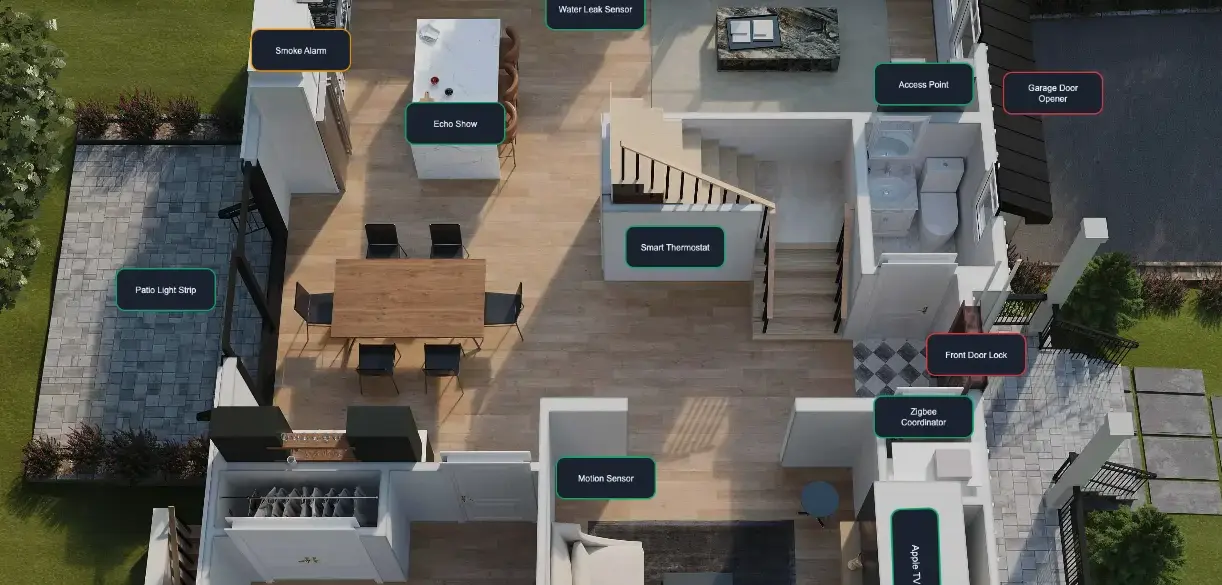
Discover Smart Home Planner, a Home Assistant app designed to plan, document, and visualize your entire smart home
If you have ever looked at your smart home and thought, "I know this works, but I do not have it documented well enough," Smart Home Planner was built for you.
Modern smart homes grow fast. A few lights become dozens of devices. A single hub becomes multiple integrations, access points, sensors, automations, batteries, labels, floors, and rooms. At some point, it becomes difficult to answer simple questions:
- Which devices are battery-powered?
- What is connected to what?
- Which area is missing coverage?
- Which devices are overdue for maintenance or testing?
- Where is the documentation for that one sensor you installed months ago?
Smart Home Planner is a Home Assistant app that helps solve that problem. It gives you a structured way to plan, document, organize, and visualize your smart home so your setup stays understandable as it grows.
At a Glance
Smart Home Planner is built to help you:
- Document every device in one place
- Track power, connectivity, and network details
- Visualize relationships between devices
- Attach files, manuals, and setup notes to each device
- Filter, audit, and bulk edit your inventory faster
- Sync devices, labels, areas, and floors with Home Assistant
- Keep app data inside the Home Assistant backup flow
Why Smart Home Planner Exists
Most smart home platforms are excellent at automation and device control, but they are not designed to be a complete planning and documentation layer for your physical setup.
That gap matters more than many people expect.
Without a dedicated planning view, it becomes harder to maintain consistency across your home. Device records become incomplete. Network details get lost. Manuals end up scattered across folders. Future upgrades take longer because you have to rediscover information you already knew once.
Smart Home Planner gives you a central place to keep that information together. Instead of relying on memory, spreadsheets, random notes, and screenshots, you get a focused environment built specifically for smart home organization.
With it, you can:
- Track devices across your home in a structured inventory
- Organize devices by floors, areas, labels, and categories
- Record important metadata such as connectivity, power details, notes, and files
- Visualize how devices relate to each other through a connection map
- Sync devices, labels, areas, and floors with Home Assistant
- Keep planning information alongside operational information
The result is a setup that is easier to understand, easier to expand, and much easier to maintain over time.
Built for Home Assistant Users
Smart Home Planner is designed to work as a Home Assistant app, which means it fits naturally into an existing Home Assistant workflow.
Instead of forcing you into a separate disconnected tool, it complements the platform you are already using. Devices, labels, areas, and floors can sync with Home Assistant, while Smart Home Planner adds the extra documentation and planning layer that many advanced setups are missing.
This is especially useful if:
- You manage a medium or large smart home
- You test devices regularly
- You maintain networked, battery-powered, or infrastructure-heavy equipment
- You want a clearer picture of your device relationships
- You share maintenance or setup responsibilities with someone else
Feature Tour
Below is a complete visual walkthrough of the main Smart Home Planner features.
Dashboard Overview
The dashboard is designed to show what matters most at a glance. Instead of opening multiple pages to understand the state of your smart home, you can immediately review totals, coverage, battery-related information, device categories, and structural metadata such as areas and floors.
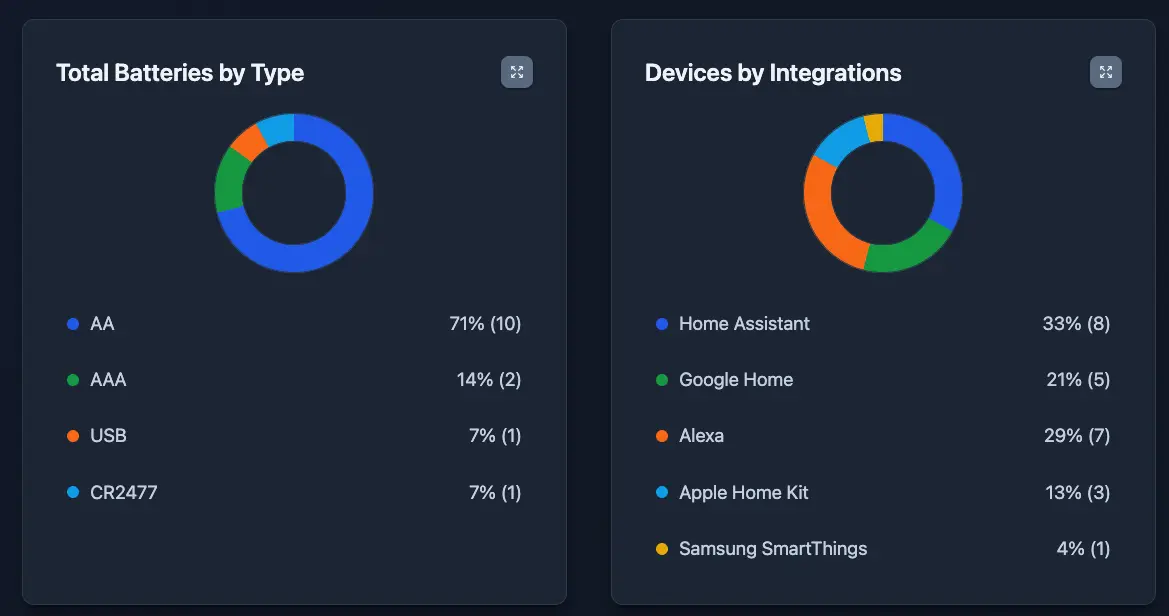
This feature is especially useful for:
- quick health checks
- identifying maintenance trends
- spotting inventory gaps
- understanding the overall shape of your setup
Visual planning and topology mapping
The connection diagram helps you visualize how devices relate to one another. This goes beyond a flat device list and gives you a clearer topology of hubs, bridges, routers, switches, access points, and endpoint devices.
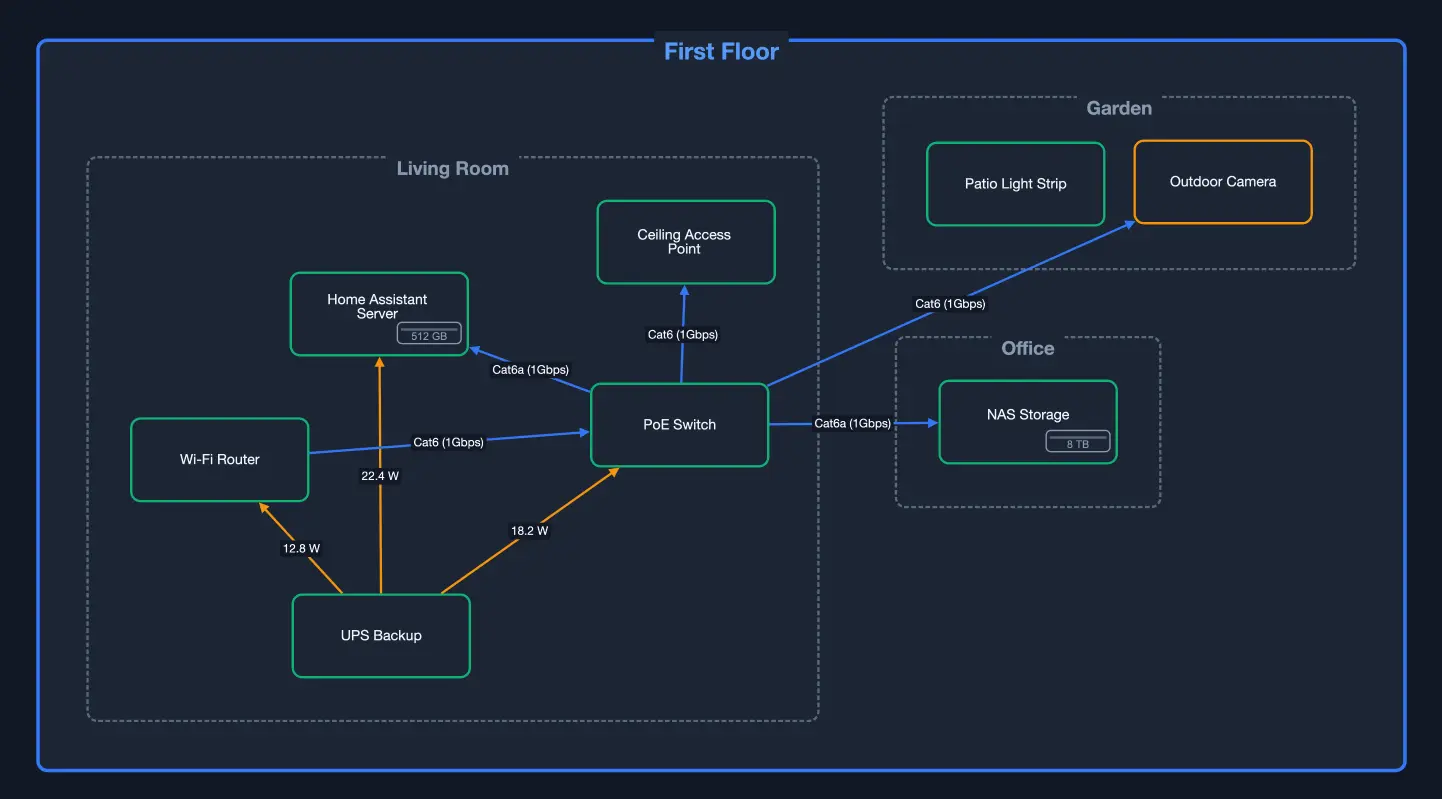
This feature helps with:
- planning expansions
- understanding dependencies
- troubleshooting connection paths
- explaining your setup to installers or family members
A floor plan style view is also supported, where devices can be placed on top of a home layout image. This gives you physical context, which is often missing in traditional smart home dashboards.
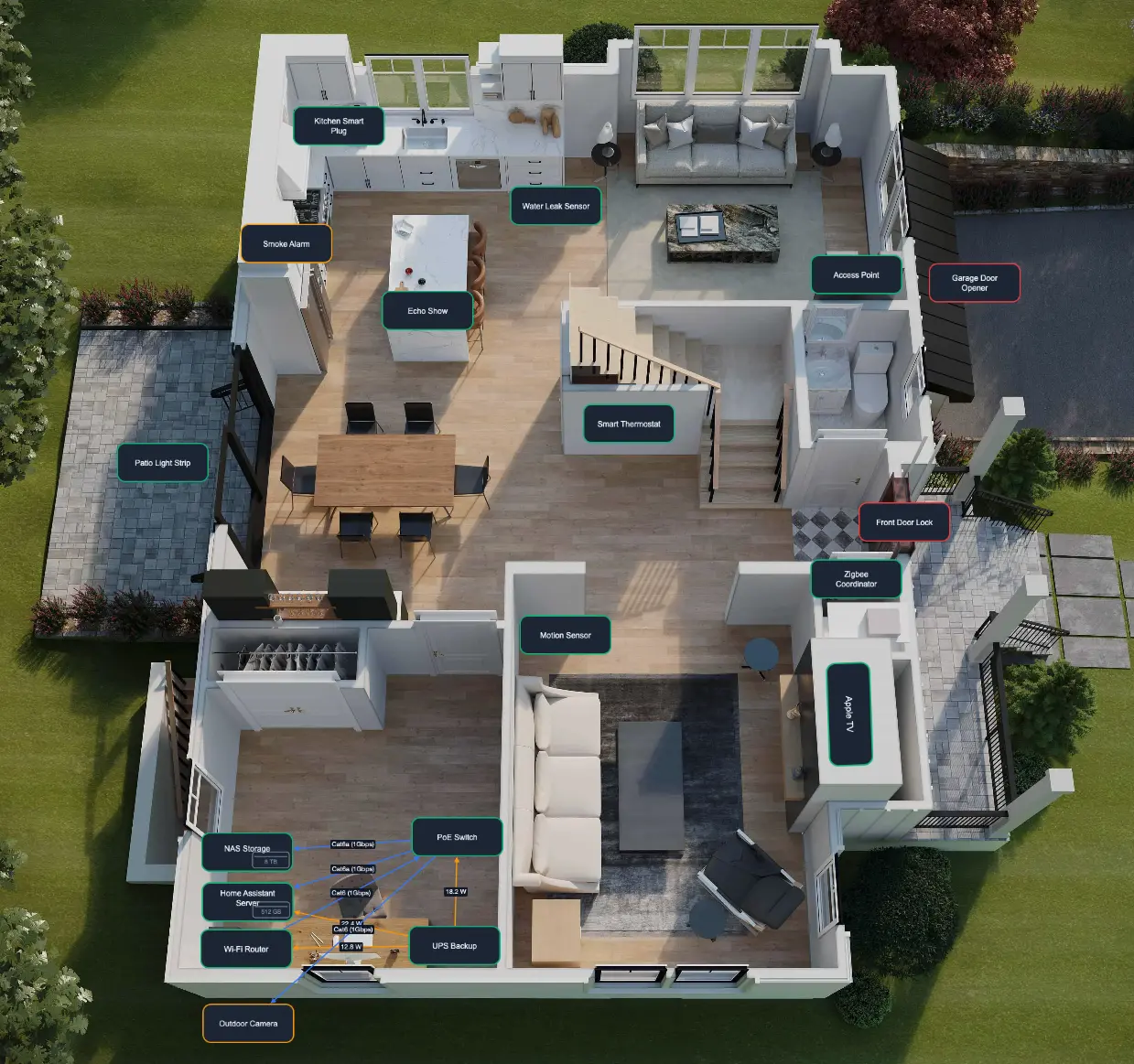
It is useful for:
- seeing room-by-room device placement
- planning sensor or access point coverage
- reviewing installation density
- documenting the home visually for future work
Devices Inventory
Every smart home becomes harder to manage as soon as device data is incomplete or scattered across too many apps, spreadsheets, and notes. A single structured inventory keeps all your device records organized, complete, and easily searchable in one place.
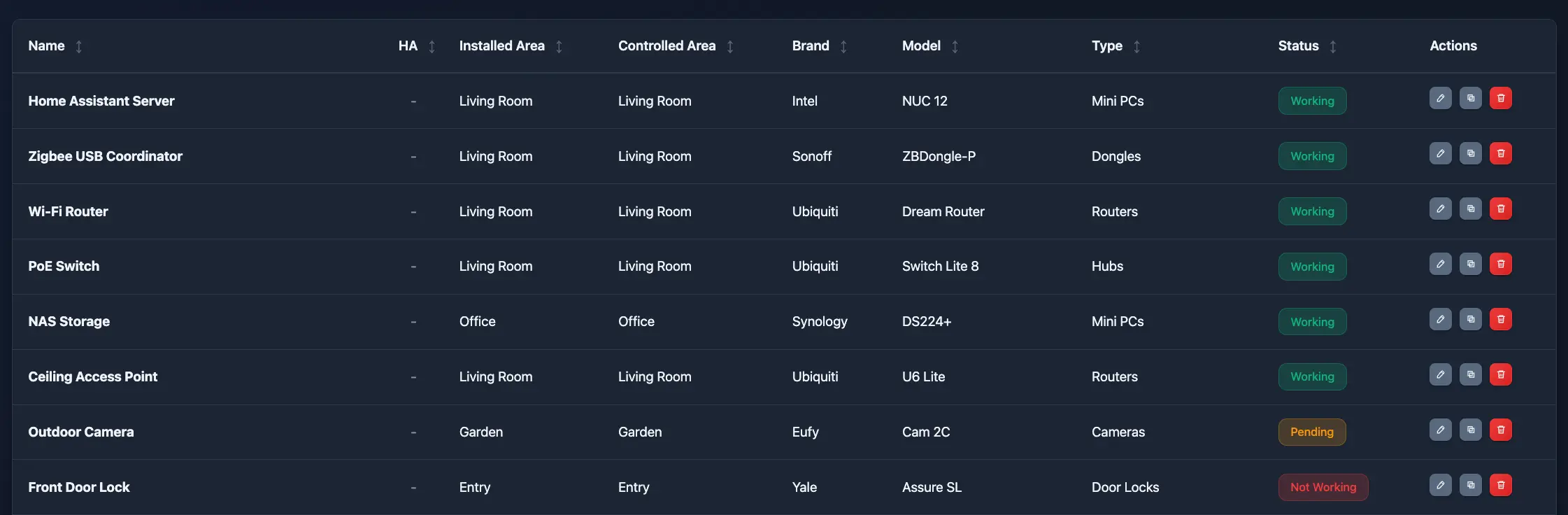
From this view, you can work more efficiently when you need to:
- audit a large number of devices
- compare records side by side
- sort through maintenance details quickly
- jump directly into edits
The card layout offers a more visual and mobile-friendly way to browse devices. It is a better fit for touch screens, walkthroughs, and review sessions where readability matters more than density.
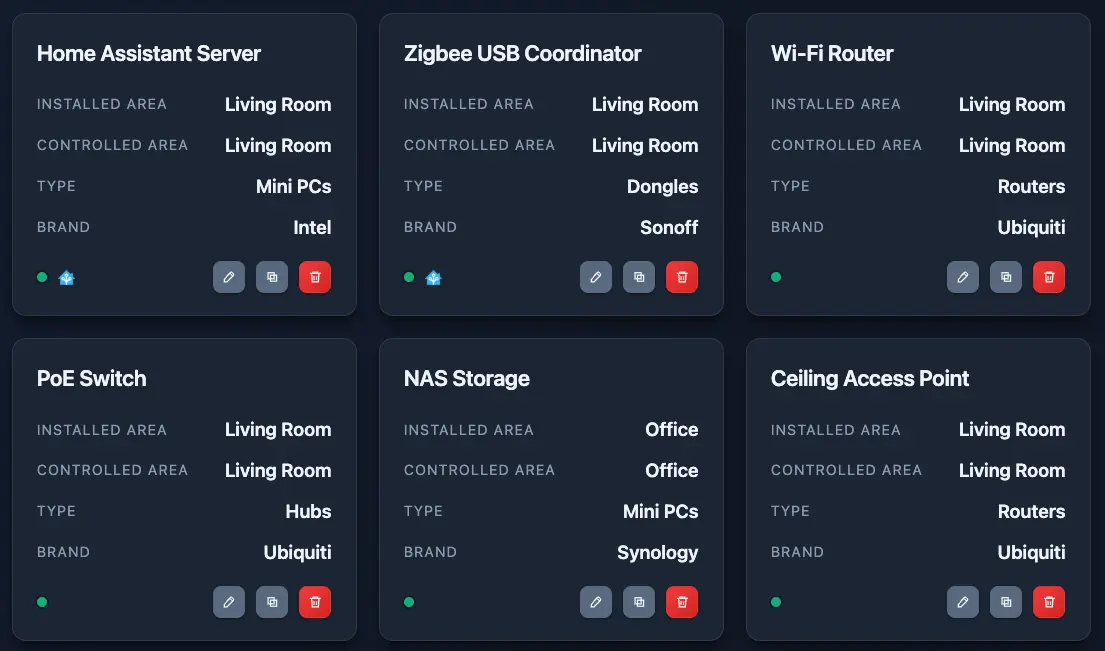
This view is ideal for:
- browsing from a phone or tablet
- reviewing devices room by room
- presenting the setup more clearly
Device Information
Each device has a structured record for core information such as identity, brand, type, labels, and other key metadata.
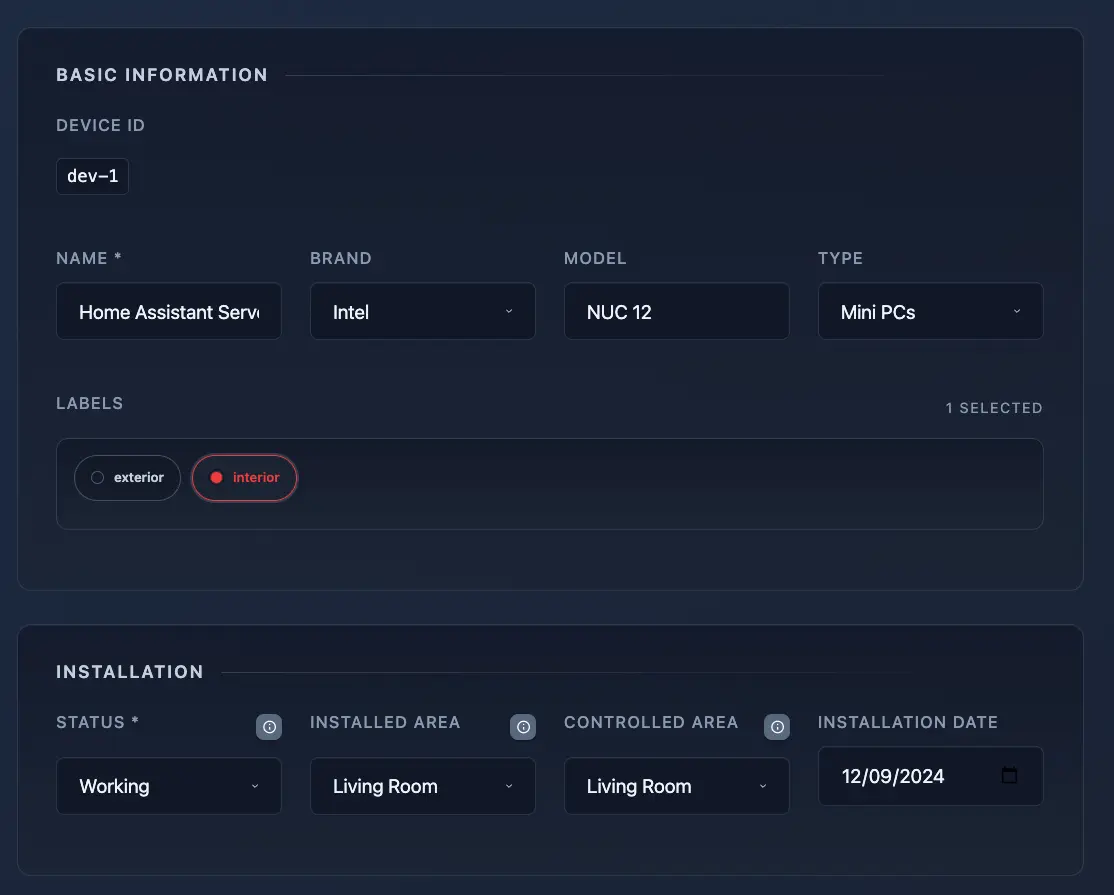
You can document whether each device is battery-powered, wired, or uses some other power source, along with relevant battery details when applicable.
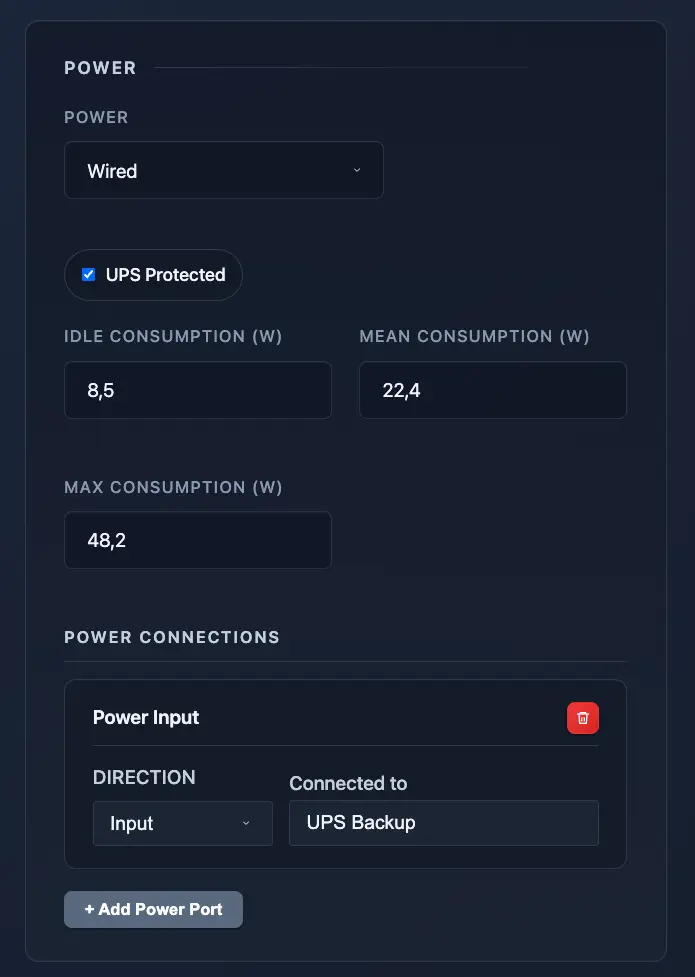
This helps with:
- replacement planning
- maintenance scheduling
- understanding reliability constraints
- reducing surprise outages from forgotten batteries
For devices with wired relationships or dependencies, you can include port-level documentation. This is especially valuable for network gear, bridges, controllers, and infrastructure components where physical connections matter.
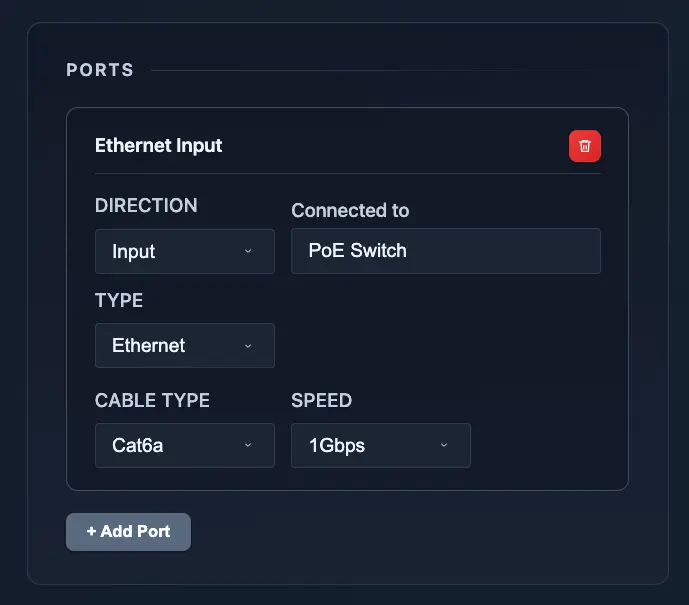
This feature makes it easier to:
- document what is plugged into what
- understand your wired topology
- reduce guesswork during maintenance
- recover faster after hardware changes
You can attach files directly to any device record. That can include manuals, invoices, photos, setup notes, diagrams, and warranty information.
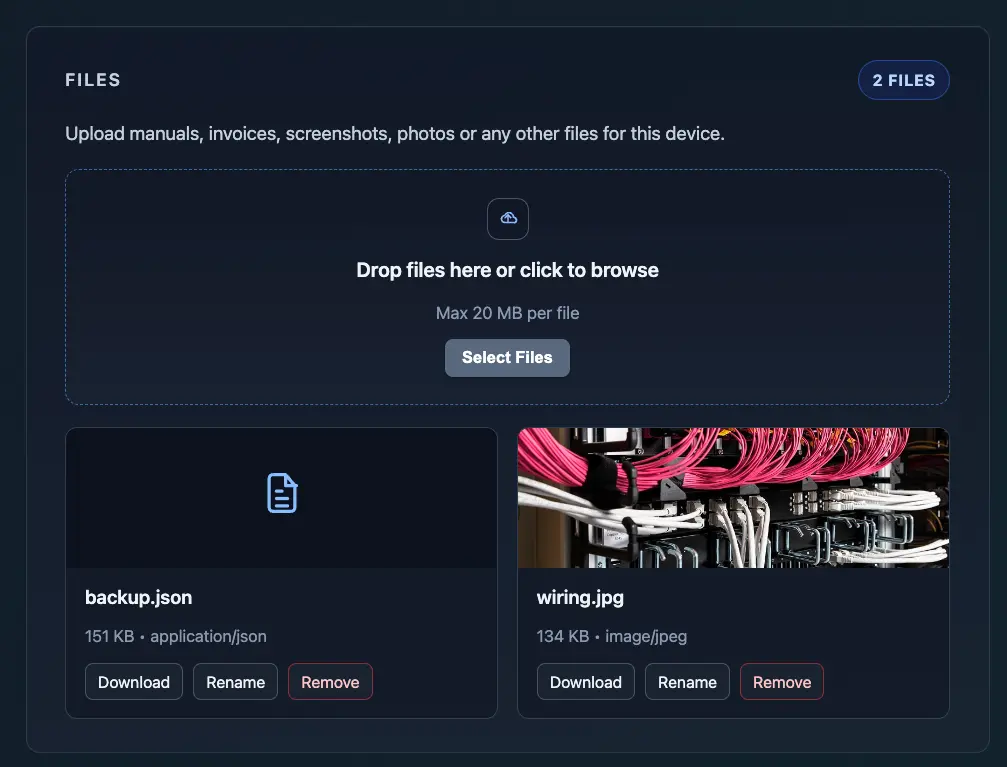
This is one of the most practical features in day-to-day use because it keeps supporting documentation where it belongs: next to the device itself.
Advanced Filters
Filtering is one of the most powerful features in any serious inventory tool. The ability to narrow your view by multiple dimensions-such as device status, connectivity type, custom labels, room/zone, or active integrations-lets you quickly find exactly what you need, even as your smart home grows to dozens or hundreds of devices.
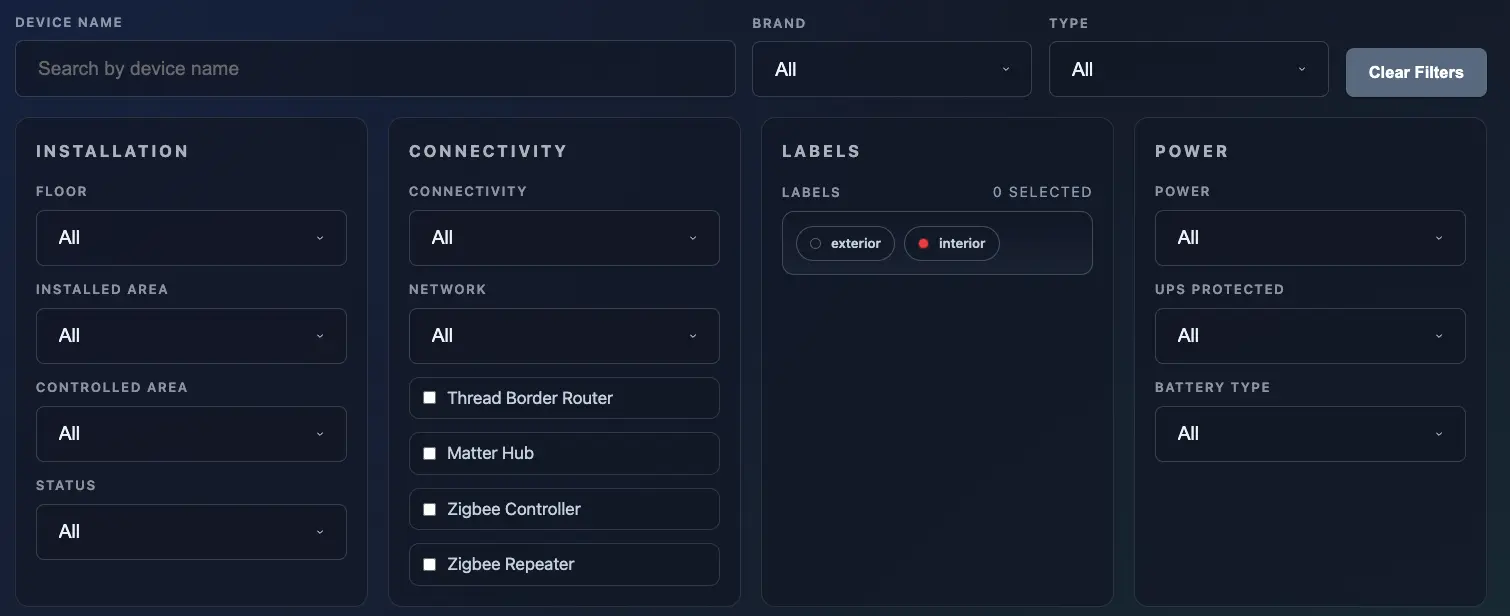
This makes it much easier to:
- find a specific class of devices fast
- isolate maintenance candidates
- audit network or connectivity groups
- review only the devices that matter for a given task
Bulk Changes
Bulk editing eliminates repetitive busywork. When multiple devices need the same update you shouldn’t have to open and edit each one individually. Applying shared changes across many records in a single action saves hours and keeps everything consistent as your smart home scales.
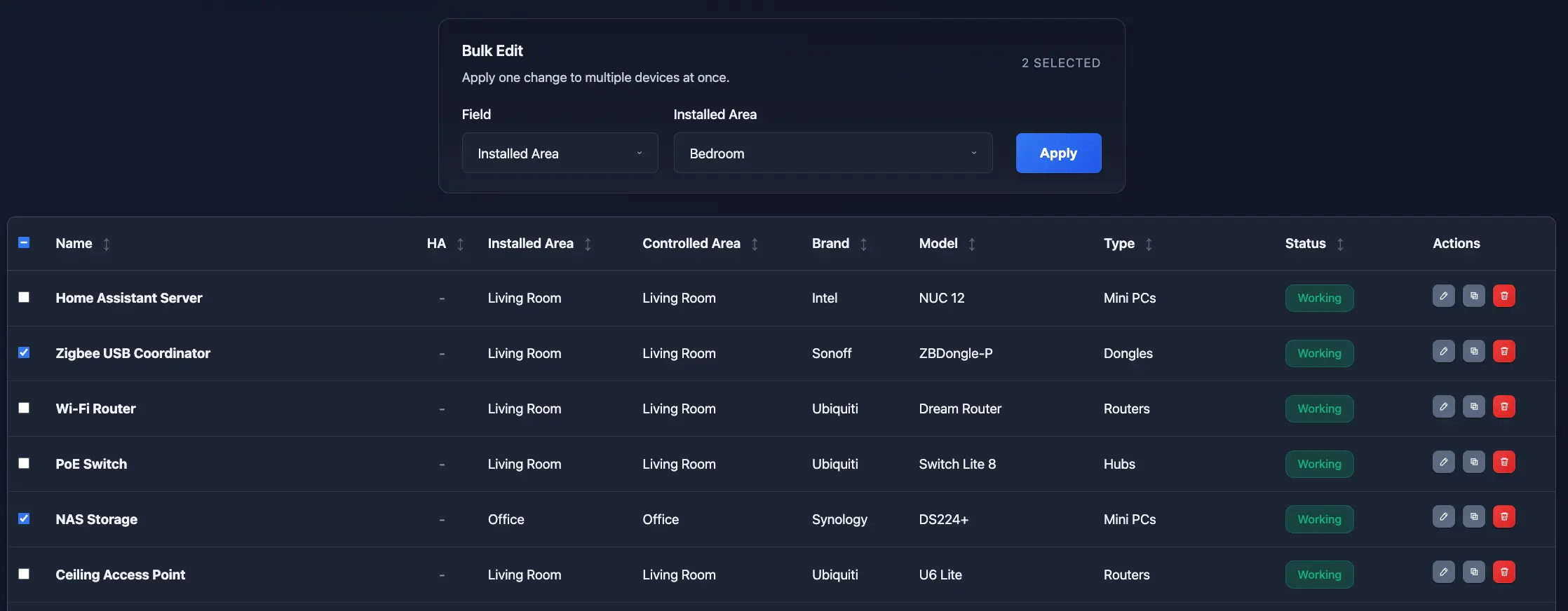
This is useful when:
- moving many devices to a new area
- updating labels after a reorganization
- cleaning up metadata after a deployment
Home Assistant synchronization
This app is designed to complement Home Assistant, not replace it. Structural data such as devices, labels, areas, and floors are automatically synced so your planning layer stays aligned with your operational platform.
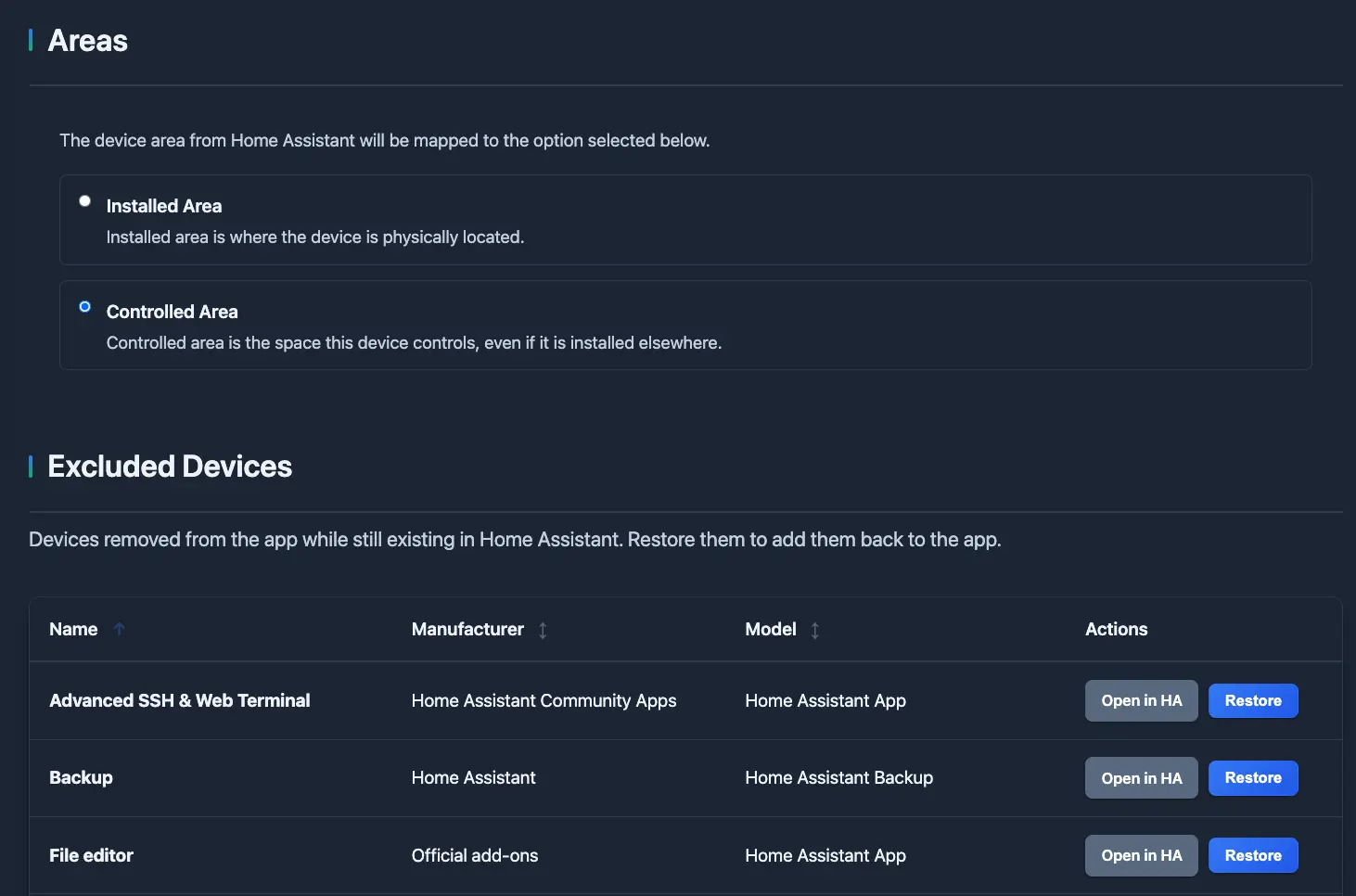
This keeps your workflow tighter by reducing duplication and helping you maintain consistency.
Automatic Backups
Data is stored within the app's own data volume, which integrates smoothly with standard Home Assistant backup workflows. That makes it a more practical long-term documentation layer than disconnected files or ad hoc notes.
Network Documentation
Network awareness is essential in more advanced smart home environments. You can document networks and assignments so you can keep track of where devices live across your infrastructure.
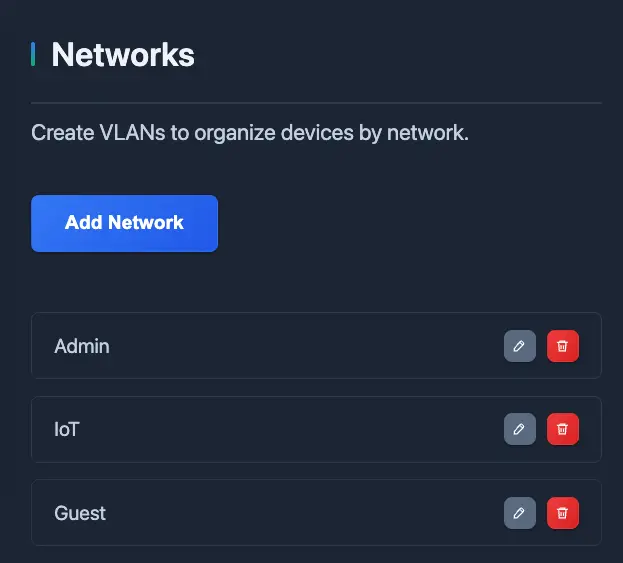
This is useful for:
- VLAN documentation
- segmented network planning
- security reviews
- troubleshooting devices across multiple network zones
Test Cases
The app also includes support for test cases, which adds an operational validation layer on top of your device inventory and documentation. This feature is designed for people who do not just want to record what exists, but also want to verify that critical parts of the smart home continue working as expected over time.
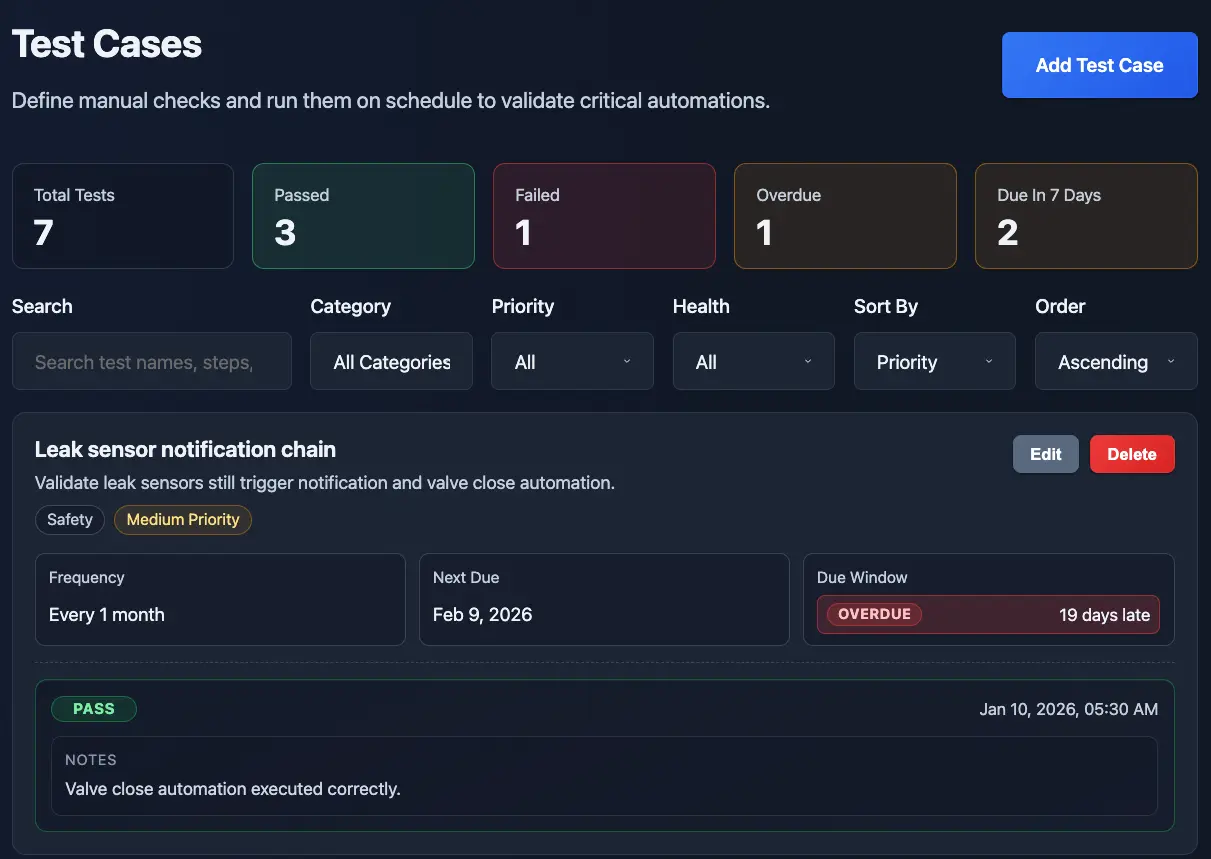
With test cases, you can define repeatable checks for automations, devices, alerts, sensors, and other important behaviors. You can describe the purpose of the test, document the manual steps, capture the expected result, assign a priority, and track execution history through test runs.
This is especially useful for:
- recurring validation of important automations
- maintenance workflows after hardware or network changes
- checking critical alerts, sensors, and safety-related behaviors
- keeping a repeatable QA process for complex smart home setups
By adding test cases, the app becomes more than a documentation tool. It becomes a practical system for ongoing smart home validation.
Who Should Use It
Smart Home Planner is especially useful for people who are serious about keeping their setup organized.
It is a strong fit for:
- Home Assistant users with many devices
- Enthusiasts planning future expansions
- Installers or consultants documenting client environments
- Households that want shared visibility into the setup
- Anyone tired of managing smart home details across spreadsheets and notes
If your smart home is growing, documentation is no longer optional. It becomes infrastructure.
Getting Started
Installing Smart Home Planner is straightforward if you already use Home Assistant.
The project is available as a Home Assistant App (previously called add-on), so the typical flow is to add the repository, install the app, start it, and then open the web UI.
You can find the source repository here:
If you want to open the Home Assistant Apps repository flow directly, use this link:
Once the repository is added, the installation flow is:
- Open the Home Assistant Apps Store
- Add the Smart Home Planner repository
- Install the Smart Home Planner App
- Start the App
- Open the web UI and begin documenting your smart home