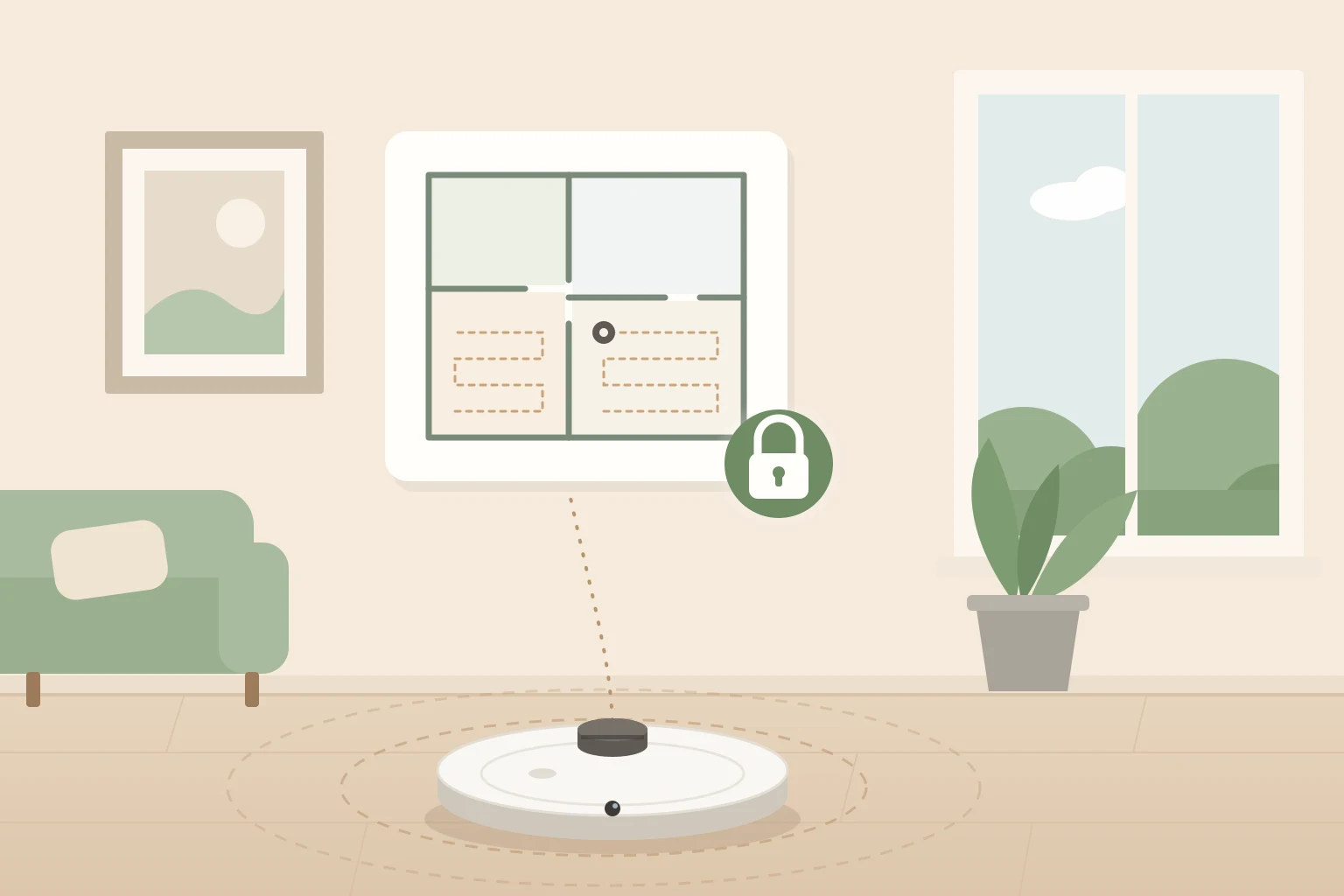
A robot vacuum is the most mobile sensor most people ever let into their home. It measures every room to the centimeter, knows which doors are open, learns when the house is empty, and on many current models looks at the floor through a camera and listens through a microphone. All of that is sent to an app, and in most cases to the manufacturer's servers, so you can see a map on your phone and start a cleaning from the office.
That is not a reason to give up on robot vacuums. They are some of the most useful devices in a smart home. But it is a reason to choose one carefully and set it up properly, because the incidents of the last few years were not hypothetical: photos taken inside homes ended up on social media, hijacked robots shouted abuse at families, and a single flaw exposed the cameras of thousands of vacuums around the world.
This guide explains what a robot vacuum actually collects, what has gone wrong and why, what to look for before buying, how to lock down the one you already have, and how to cut the cloud out completely with Home Assistant or Valetudo.
What a Robot Vacuum Knows About Your Home
It helps to list what is at stake, because a vacuum collects much more than "cleaning data".
- A floor plan of your home. Lidar and camera navigation build an accurate map: the size and shape of every room, where the furniture is, and where the doors are. Most apps also ask you to name the rooms, so the map ends up saying "Kids room" or "Office".
- Photos and video. Robots with AI obstacle avoidance carry a front camera to recognize socks, cables and pet waste. Some can stream that camera to your phone as a "remote view" or "video call" feature, which effectively makes the vacuum a moving security camera.
- Audio. Robots with built-in voice assistants have microphones, and some can play audio through their speaker for two-way calls.
- Your routine. Schedules, cleaning history and "start when I leave" automations reveal when the home is empty.
- Your network and identity. The robot stores your Wi-Fi password, and the app account holds your email, phone number and location.
CHOICE, the Australian consumer group, tested 12 robot vacuums and found that all but one map the home. Vendors' own privacy policies confirm they collect those maps: iRobot, for example, keeps Smart Maps in its cloud even after you delete the app, unless you turn the mapping features off.
What Has Gone Wrong So Far
The following cases are the ones every privacy discussion about robot vacuums comes back to. They are worth knowing because each one teaches a different lesson.
Test photos from inside homes, posted online (iRobot, 2022)
In December 2022, MIT Technology Review published 15 screenshots taken by development versions of the Roomba J7 in 2020, including a young woman sitting on a toilet and a child with his face visible. iRobot had sent them to Scale AI so that contractors could label objects for training its obstacle recognition, and some of those contractors shared them in private Facebook and Discord groups.
The robots involved were test units given to paid testers who had signed agreements, not retail robots. iRobot said the images were shared in violation of a non-disclosure agreement and ended its relationship with the provider. The lesson is not specific to iRobot: an image that leaves the robot can be seen by people you will never know about, including the humans who label data for AI training.
Bluetooth takeovers and hijacked robots (Ecovacs, 2023 to 2024)
Security researchers Dennis Giese and Braelynn Luedtke showed at the 37C3 conference in December 2023, and again at DEF CON in August 2024, that several Ecovacs Deebot models could be taken over. The PIN that protects the camera was only checked by the app, the warning sound that plays while someone watches could be switched off, and a Bluetooth flaw gave full control of the robot, camera and microphone included, from a distance of tens of meters (TechCrunch, Security Affairs). Ecovacs first said an attack needed physical access and specialized tools, then committed to fixing the issues.
In October 2024, ABC News Australia reported that in May of that year several Deebot X2 robots in the United States had been taken over remotely: one shouted racial slurs in front of a 13-year-old, another chased a family dog. Ecovacs attributed those cases to credential stuffing (passwords leaked from other services being tried on its accounts) and said it found no breach of its own systems. In November 2024 it published a security advisory with fixed firmware for the X2, X5 and T30 families.
Two lessons. First, reused passwords are enough to hijack a robot: no sophisticated attack required. Second, a certification is not a guarantee: the Deebot X2 had been certified against the European consumer IoT standard ETSI EN 303 645, and the flaws were outside the scope of what was tested (ABC).
An app that trusted any certificate (Dreame, 2025)
In August 2025, the US cybersecurity agency CISA published an advisory (CVE-2025-8393) about the Dreamehome and MOVAhome apps: they accepted self-signed certificates, so someone on the same network, such as public Wi-Fi at a café, could intercept logins, session tokens and home data. The advisory, updated in 2026, says Dreame has since fixed the app and that no public exploitation is known.
A government test of six robots (South Korea, 2025)
In September 2025 the Korea Internet and Security Agency and the Korea Consumer Agency tested six robot vacuums against 40 security criteria. They found that the Dreame X50 Ultra's camera feed and photo gallery could be reached remotely by outsiders, and that the Ecovacs Deebot X8 Pro Omni and the Narwal Freo Z Ultra had weak app authentication. Samsung and LG scored best. The agencies said the vendors have since applied fixes and that abuse under normal use was unlikely.
Thousands of cameras behind one token (DJI Romo, 2026)
In February 2026, an engineer writing his own app to drive his DJI Romo with a game controller found that the credentials for his own robot also gave him live camera, microphone, map and status data from nearly 7,000 other Romos in 24 countries (Popular Science, DroneDJ). He did not break into anything: the vendor's server simply did not check which robot each account was allowed to see. DJI says it shipped two automatic server fixes in early February and reportedly rewarded the researcher.
The lesson here is the most important one in this guide: when your robot depends on the cloud, a single mistake on the vendor's side can expose everyone at once, and there is nothing you can do on your end to prevent it.
A laser microphone, in the lab
For completeness: in 2020, researchers turned a rooted robot vacuum's lidar into a crude microphone that picked up vibrations from nearby objects (LidarPhone paper). It required full control of the robot first and has no known real-world use, so treat it as a curiosity rather than a threat.
The Cloud Is Also a Risk When Nothing Gets Hacked
Privacy is only half of the story. A robot that depends on its manufacturer's servers depends on that manufacturer's business decisions too.
- The servers can be switched off. When Vorwerk closed the Neato brand in 2023, it promised to run the cloud for five more years. In October 2025 it shut it down immediately, about three years early: Neato owners lost the app, the schedules and the maps, and their robots only clean from the button (heise).
- The owner can change. Amazon tried to buy iRobot in 2022, a deal that raised concerns about Amazon getting the maps of millions of homes, although the European Commission objected to it on competition grounds and the deal was abandoned in January 2024. In January 2026, after a Chapter 11 process, iRobot was taken over by its contract manufacturer, Shenzhen PICEA Robotics, and set up a US subsidiary to keep US customer data separate (iRobot's SEC filing). The privacy policy you accepted was written by a company that may not own your data a few years later.
- The vendor controls the device. In November 2025, an engineer reported that his iLife A11 stopped working days after he blocked its telemetry servers, and that its logs showed a remote command received the day it died (Tom's Hardware). That is his own account, iLife has not commented, and it may have been an automated check rather than retaliation. Either way it shows how much power a cloud-connected device leaves in the vendor's hands.
What the Rules Say in 2026
Regulation is catching up, slowly:
- United Kingdom. Since April 2024, the PSTI regulations ban universal default passwords, require a published way to report vulnerabilities, and require a stated minimum period of security updates. That period is printed in the product's Statement of Compliance, which makes it one of the most useful things to check before buying.
- European Union. Since August 2025, internet-connected radio equipment sold in the EU must meet cybersecurity and personal data requirements under the Radio Equipment Directive. The Cyber Resilience Act adds an obligation to report actively exploited vulnerabilities from September 2026 and applies in full from December 2027 (Jones Day). Under GDPR you can also ask any vendor for a copy of the data it holds about you, and for its deletion.
- United States. The voluntary Cyber Trust Mark label stalled in 2025 when its first administrator withdrew, and the FCC appointed a new one in April 2026 (Nextgov), so do not expect to find it on a robot vacuum box yet. Separately, in July 2026 the FCC added foreign-produced advanced robotic devices, robot vacuums included, to its Covered List. It only affects new models seeking authorization: robots already authorized can still be sold, robots already in homes are unaffected, and they can keep receiving firmware updates (K&L Gates).
How to Choose a Privacy-Friendly Robot Vacuum
No brand on the market has a perfect record, and almost every one has fixed something after a researcher found it. What separates them is how much they collect, how much they let you switch off, and how they respond when something is found. Before buying, check:
Does it need a camera?
A front camera gives the best obstacle avoidance, especially for pet waste and cables, and it is now common even on lidar robots. But a robot without one cannot leak a photo. If you have a tidy floor and no pets, a lidar-only robot with structured light or 3D sensors for obstacles is the conservative choice. If you want the camera, look for a model where you can turn off AI recognition, remote view and video calls, and where the vendor says obstacle photos are processed on the robot and not uploaded. Roborock, for example, states that obstacle photos stay encrypted on the robot and that video calling is off by default; Eufy says the X10 Pro Omni pixelates people in its photos on the robot itself. Those are the vendors' own claims, but they are the claims you should look for.
Does it work without the cloud?
Most robots still clean from the button without Wi-Fi, but schedules, maps, room selection and no-go zones usually need the app and an account. The more a robot can do locally, the less a server outage, a shutdown or a breach can affect you. That is exactly what local smart home integrations give you (see below).
Does the vendor take security seriously?
Look for a published vulnerability disclosure page, security advisories with fixed firmware versions, and a stated security update period. A vendor that publishes advisories is not necessarily less secure than one that does not: it is usually the one that is listening.
Is the data stored where you are comfortable with it?
Privacy policies usually say which data centers they use. Roborock, for instance, stores data in China, Germany, Russia or the US depending on the country you register in. Also look for an opt-out from "product improvement" or AI training programs, which is how photos and recordings from homes end up in training datasets.
How to Lock Down the Robot You Already Have
You do not need new hardware to reduce your exposure. In order of impact:
Use a unique password and two-factor authentication
The hijacked Deebots of 2024 were blamed on passwords reused from other services. Give the vendor account its own password from a password manager, and turn on two-factor authentication if the app offers it.
Keep the firmware and the app updated
Every fix mentioned in this guide reached owners through a firmware or app update. Turn on automatic updates in the app and check them after a big security story.
Turn off what you do not use
Go through the app's settings once: remote camera view, video calls, voice assistant and wake word, AI recognition photos, and any "product improvement" or "user experience" program. If your model has no physical camera shutter, AI recognition is usually the switch that turns the camera off when cleaning.
Be careful with the map
Name rooms generically ("Room 1" rather than a child's name), and delete old maps you no longer use. If you do not use room cleaning at all, some vendors let you disable mapping so it is never uploaded.
Keep the robot off your main network
Put the robot, like every other IoT device, on a guest network or a separate VLAN so that a compromised vacuum cannot reach your computers and phones. Do not control the robot from public Wi-Fi without a VPN.
Before you sell or give it away
Remove the robot from your account in the app and then factory reset it. The order matters: iRobot, for example, explains that a reset from the robot's buttons leaves the cloud data and the account link in place, while a reset from the app removes the robot from your account. Then check that it no longer appears in your account. If you buy a used robot, do the same reset before you connect it, and change your Wi-Fi password if the robot was ever connected to a network you do not control.
Home Assistant: Local Control Without Rooting
If you already run Home Assistant, you can drive most robot vacuums from it. How much of that stays local depends on the brand:
- Roborock has an official integration that prefers local communication, but setup requires a Roborock account login, and maps and routines always come through the cloud.
- iRobot Roomba has an official integration that works locally once you retrieve the robot's password, although its documentation says it does not support the newer 105, 405 and 505 Wi-Fi models.
- Ecovacs has an official integration that goes through the Ecovacs cloud, with an option to point it at a self-hosted server.
- Dreame and MOVA are covered by the community Dreame Vacuum integration, which uses the cloud account.
- Matter is the most promising path. Robot vacuums are a Matter device type since Matter 1.2, and Roborock, Ecovacs, Dreame, iRobot, SwitchBot and Eufy have shipped Matter support on some models. Matter control is local by design, and Home Assistant added room cleaning for Matter vacuums in 2026. The catch: Matter covers start, stop, return to dock and rooms, while maps, no-go zones and advanced settings stay in the vendor's app.
All of these improve reliability and let you build automations, but none of them removes the robot's own connection to its manufacturer. For that, you have to replace the cloud.
Valetudo: Taking the Cloud Out Completely
Valetudo is a free, open source project, maintained since 2018 by Sören Beye, that describes itself as "a cloud replacement for vacuum robots enabling local-only operation." It is installed on the robot itself, alongside the vendor's firmware, and blocks every connection to the vendor's cloud. You control the robot from a web interface on your local network instead of the vendor's app, with no account, no phone number and, according to the project, no telemetry. It was made possible by the security research of Dennis Giese, the same researcher behind several of the findings above.
What you get
- Room cleaning, zone cleaning, no-go zones and virtual walls, go-to-location, suction, water and mop modes, dock functions (auto-empty, mop washing and drying), consumables and statistics, depending on the model.
- Integration with Home Assistant through MQTT autodiscovery, with the map available in a dashboard card.
- A robot that keeps working when the vendor ends support, has an outage or shuts down its servers. In the project's words, "the robot will continue working even after the vendor has ended support for that model."
What you lose
- The vendor's app, which stops working entirely. The two cannot be used at the same time.
- Vendor firmware updates. A rooted robot no longer receives updates from the vendor's cloud, and newer firmware may not be rootable.
- Remote access, voice assistants and Matter. There is no built-in access from outside your home; you have to provide your own, such as a VPN.
- Multi-floor maps, translations and an iOS app. Valetudo explicitly does not aim for feature parity with the vendor.
- Your warranty. Installing it means opening the robot, and on most models connecting to its board with a USB-to-serial adapter or a breakout board. A mistake can permanently brick the robot, and "there is no way back."
Which robots it supports
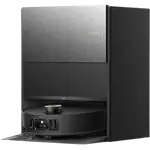
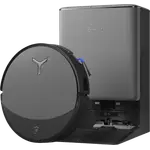
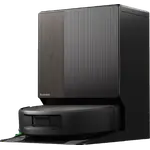
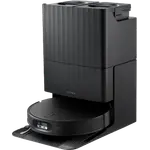
Only the models on its supported robots list, which the project calls exhaustive: robots not on it are not supported. Today that list includes several Dreame and MOVA models (such as the X40 Ultra, X30 Ultra, L40 Ultra, L10s Ultra, MOVA S20 Ultra, MOVA V50 Ultra and MOVA Z60 Ultra Roller Complete), older Roborock models (S5, S6, S7 and Q7 Max families), some Xiaomi and Eureka robots (including the J15 Pro Ultra and J15 Ultra), and a handful of others. Newer Roborock, Ecovacs and iRobot models are not on it. Getting a new model supported depends on someone finding a way into it, and manufacturers usually close those holes quickly, so the newest robots are rarely supported.
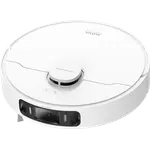
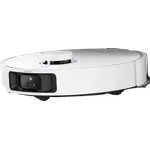
The project's buying advice recommends "probably a Dreame X40 or L40" as the first choice, a Eureka J15 Max for those who want to avoid working on the circuit board, and a discounted Dreame L10s Ultra on a budget. These are the supported models we compare:

X40 Ultra
3.9(897)X30 Ultra
3.9(197)$899.99L10s Pro Ultra Heat
4.1(1.9K)$398.99
S20 Ultra
3.9(32)$499.00P10 Pro Ultra
3.9(1.9K)$499.00
Is it for you?
Be honest with yourself here. The project itself says: "If you're unsure whether or not you should install Valetudo, the answer is no." It assumes you are comfortable with Linux and basic hardware work, its support is peer to peer, and the author is clear that it "does not exist to solve your problems." If you enjoy that kind of project and own, or are about to buy, a supported robot, it is the only way to get a modern robot vacuum with no cloud at all. If not, a well-configured robot with local Home Assistant or Matter control gets you most of the way with none of the risk to the hardware.
Conclusion
Robot vacuums are not uniquely dangerous, but they combine everything that makes a smart device sensitive: a map of your home, often a camera and a microphone, and a permanent connection to a company's servers. The incidents of the last few years show that the biggest risks are not exotic attacks but ordinary ones: reused passwords, apps that skip a check, servers that do not verify who is asking, and companies that change owners or turn off their cloud.
The good news is that the fixes are ordinary too. Choose a model whose camera and data collection you can switch off, from a vendor that publishes security updates; give it its own password and its own network; prefer local control through Home Assistant or Matter; and, if you have the skills and the right robot, take the cloud out completely with Valetudo.
On Smart Home Compared you can compare robot vacuums by navigation, obstacle detection, Home Assistant and Matter support, docks and much more.
Sources
- Valetudo: documentation and supported robots
- MIT Technology Review: A Roomba recorded a woman on the toilet. How did screenshots end up on Facebook?
- ABC News: Robot vacuum yells racial slurs at family after being hacked
- ABC News: Robot vacuum hacked, photos and audio
- TechCrunch: Ecovacs says it will fix bugs that can be abused to spy on robot owners
- Ecovacs security advisory, November 2024
- CISA advisory ICSA-25-219-06 (Dreame apps)
- Korea JoongAng Daily: Security flaws found in Ecovacs, Dreame robot vacuums
- Popular Science: Man accidentally gains control of 7,000 robot vacuums
- DroneDJ: DJI Romo security bug bounty
- heise: Neato cloud shutdown
- iRobot: completion of the PICEA transaction (SEC filing)
- K&L Gates: FCC adds foreign-produced advanced robotic devices to the Covered List
- UK government: product security regulations (PSTI)
- CHOICE: What your robot vacuum knows about you
- LidarPhone: Spying with Smart Vacuum Cleaners (SenSys 2020)