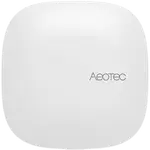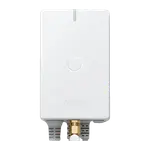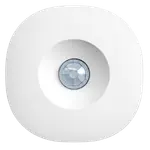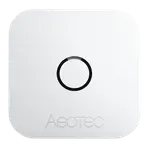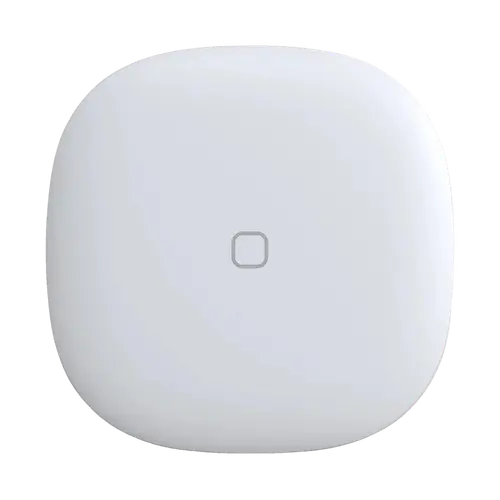


Aeotec Button Review: The Tiny SmartThings Zigbee Button That Also Reads the Temperature
The Aeotec Button is a single-key Zigbee button for SmartThings homes that runs three different actions (press, double press and hold) and doubles as a temperature sensor. Buyers praise how easily it pairs and how reliably it tells a double press from a single one, and it also works in Home Assistant through ZHA. The trade-offs are a Zigbee hub requirement, no Alexa, Apple Home or Matter path of its own, and a price above the cheapest Zigbee buttons.
- SmartThings users
- Home Assistant (ZHA) users
- Scene triggers by the door
- Temperature monitoring in a room
Pros
- Three press types: press, double press and hold
- Reliable recognition of double presses
- Built-in temperature sensor
- Quick setup in SmartThings, also works in Home Assistant through ZHA
- Compact design with a magnetic back and adhesive mounting
Cons
- Requires a Zigbee hub, no direct binding to lights
- No Alexa, Apple Home or Matter support of its own
- Pricier than budget Zigbee buttons
- Battery life of about a year on a CR2450 coin cell
- No wall bracket in the box
Who is the Aeotec Button for?
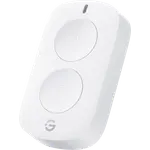
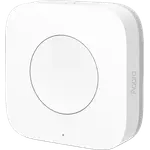
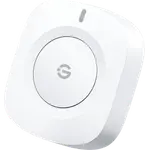
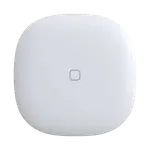
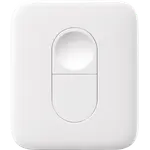
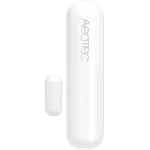
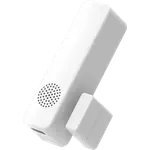
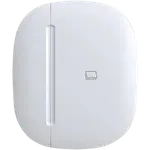
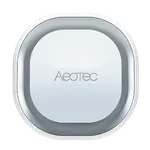
It is built for homes that already run a SmartThings hub, such as the Aeotec Smart Home Hub, and want a small wireless button to run routines: turning off the house on the way out, starting a scene by the bed or switching a lamp across the room. At 41 x 41 x 15 mm it is small enough to sit on a nightstand, stick to the fridge by its magnetic back or mount on a wall with an adhesive strip. It switches no load itself, it only sends its presses to the hub.
What buyers love
The most common praise is setup: owners describe adding it to the SmartThings app as quick and painless, and several run it just as easily in Home Assistant with ZHA or on a Hubitat hub. Buyers who tried several Zigbee buttons single it out for reliability, noting that it does not mistake a double press for a single one. The built-in temperature sensor is a welcome extra that owners find accurate, and the build quality and compact design get regular compliments.
What to know before you buy
It needs a Zigbee hub: Aeotec states it must be used with the Aeotec Smart Home Hub, and the button cannot be bound directly to a light without one. It is not an Alexa, Apple Home or Matter device, so those platforms only see the devices it controls through the hub. One buyer could not pair it with SilverCrest or NOUS gateways, so on any other gateway it is worth checking compatibility before buying. Some listings name a CR2 battery, but Aeotec specifies a CR2450 coin cell, rated for up to a year. A wall bracket to lift it off and on is not included, and several buyers find it pricey next to cheaper Zigbee buttons.
Is the Aeotec Button worth it?
For a SmartThings home it is one of the most dependable single-button options, with three press types, a temperature reading and a design that blends in, which is why many owners go back for a second or third. It costs more than budget Zigbee buttons, so if price matters most and you run Home Assistant, cheaper buttons will do the job; if you value reliable presses and a native SmartThings fit, it earns its price.
Frequently asked questions
Does the Aeotec Button need a hub?
Yes. It is a Zigbee button and Aeotec states it must be used with the Aeotec Smart Home Hub. It sends its presses to the hub, which runs the routines.
Does the Aeotec Button work with Home Assistant?
Yes. It is listed as working in ZHA, Home Assistant's Zigbee integration, with single, double and hold presses and its temperature reading.
Does the Aeotec Button work with Alexa or Apple Home?
Not directly. It is not an Alexa, Apple Home or Matter device; those platforms only see the lights and devices it controls through your hub.
What battery does the Aeotec Button use?
One CR2450 coin cell, which Aeotec rates for up to one year.
Can the Aeotec Button measure temperature?
Yes. It has a built-in temperature sensor, and the SmartThings app shows the reading so it can trigger heating or cooling routines.
How do you mount the Aeotec Button?
Its back is magnetic, so it sticks to a fridge or any metal surface, and it can be fixed to a wall with an adhesive strip. No wall plate is included.