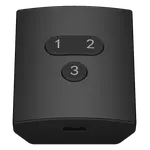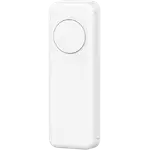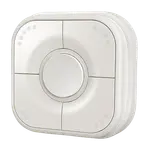



Aeotec Illumino WallMote 7 Review: A Handy Z-Wave Wall Remote With Pairing and Battery Complaints
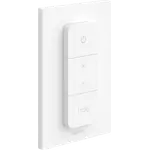
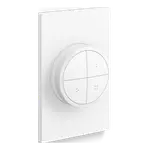
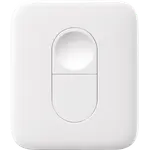
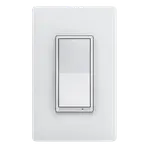
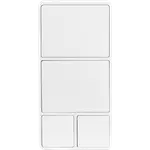
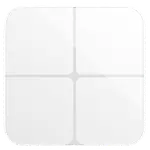
The Aeotec Illumino WallMote 7 is a two-button, battery-powered Z-Wave remote that looks like a wall switch and sends commands to a hub or to associated Z-Wave devices. Owners who run Hubitat, SmartThings or Home Assistant use it to add a switch to an open-plan room, create a three-way setup without new wiring, reach a hard-to-reach light or trigger scenes with up to five taps, and they find it works well once it is included. The complaints are consistent: pairing and especially re-pairing can be trial and error, some units lose connection, the coin cells can run down in weeks, a couple arrived dead, and documentation and support are thin. It suits a Z-Wave household that is comfortable with hub setup, and it is a poor first Z-Wave device.
- Z-Wave homes with a hub
- Virtual 3-way switching without new wiring
- Scene control with multi-tap buttons
- Hubitat, SmartThings and Home Assistant users
Pros
- Adds a switch where no wiring exists, including virtual 3-way setups
- Single, double, triple and up to five taps per button for scenes
- Works with Hubitat, SmartThings and Home Assistant
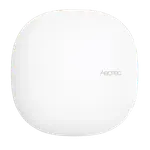
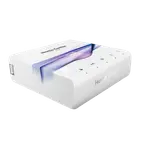
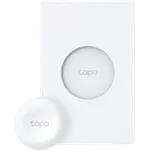
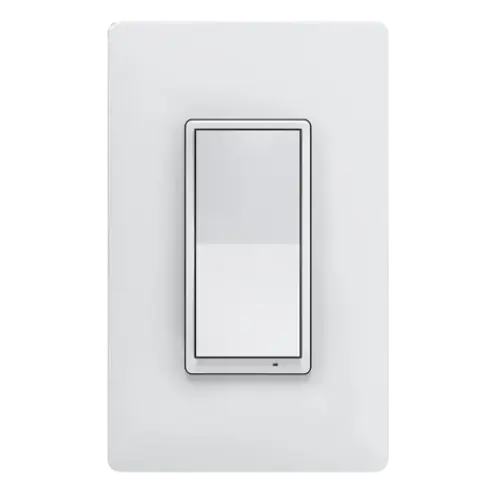
- Resembles a standard decora wall switch, with a magnetic mount and wall plate
- Takes common CR2032 coin cells
- LED indicator and low battery alerts
- Local control through the Z-Wave hub
Cons
- Pairing and re-pairing can be trial and error, and some units only connect near the hub
- Coin cells can run down within weeks for some owners
- A few units arrived dead or stopped working
- Documentation and support are weak, and some settings are not remembered
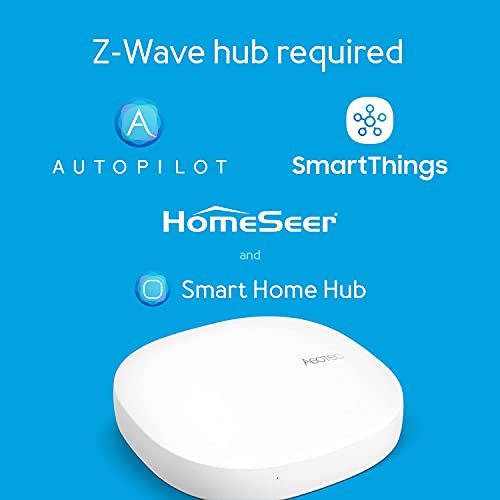
- Requires a Z-Wave hub, and Z-Wave is sold per frequency region
- No Alexa, Google Home, Apple Home or Matter support
- Switches no load by itself, and mounting screws can protrude into the wall
Who is the WallMote 7 for?
It is for a home that already runs a Z-Wave network and wants a control where no switch box exists. Owners use it beside an existing switch to run a second light, in a hallway, by a hard-to-reach light or near the bed, and to build a three-way setup in an open kitchen and living area without running wire. It switches no circuit on its own, so it is only useful alongside smart lights, relays or scenes that a Z-Wave hub, or a directly associated Z-Wave device, controls.
What do owners say about the WallMote 7?
The positive reviews are from hub users who got it included and put it to work. They praise how well it works with Hubitat, SmartThings and Home Assistant, the freedom to place a control anywhere, a clean look that resembles a standard decora switch, and scenes that can be triggered with single, double and up to five taps. The problems are practical. A few units would not connect unless the hub was in the same room, resetting was trial and error on Hubitat, and one needed a manual driver on SmartThings to act as a basic switch. One owner says the switch forgets what it was programmed to do, and another notes a delay of about a second. Batteries are the other recurring theme, with one owner getting a month to six weeks from a set of coin cells and finding them awkward to change, and two units arrived dead. Support and documentation are described as poor, and a mounting plate with protruding screws can leave small holes in a wall.
What to know before you buy
A Z-Wave hub is required, and Z-Wave radios are sold per frequency region, so buy the version for your country. SmartThings and Home Assistant are supported, but Alexa, Google Home, Apple Home and Matter are not; voice assistants only see the lights the remote controls. It runs on CR2032 coin cells, and the spec does not publish a battery life figure, so keep spares if you use it heavily. Because it does not switch a load, it needs smart lights or relays to control. Plan time for inclusion, keep the hub close at first, and write down how you paired it, since a reset can be harder than the first setup.
Is the WallMote 7 worth it?
For a Z-Wave household that wants flexible scene control and virtual three-way switching, it is a useful and good-looking solution, and owners who got it working are very pleased. The reviews also show enough dead units, drained batteries and pairing struggles that it is not a set-and-forget device. If you do not already have a Z-Wave hub, or you want an all-in-one Matter or Wi-Fi option, look elsewhere.
Frequently asked questions
Does the Aeotec WallMote 7 switch the light circuit itself?
No. It is a battery-powered Z-Wave remote with no wiring. It controls lights and devices through your Z-Wave hub, or directly through Z-Wave association with smart switches and dimmers.
Which hubs work well with the WallMote 7?
Owners report good results with Hubitat, SmartThings and Home Assistant. On SmartThings one owner needed the Edge driver for it to act as a basic switch, and on Hubitat resets were hard for one owner.
How many actions can each button trigger?
Each of the two buttons can report a single press, hold, release, and double, triple, four and five presses, so a hub can map many different scenes from one plate.
How long do the batteries last?
It uses two CR2032 coin cells and no battery life figure is published. One owner got a month to six weeks and found the cells awkward to change, and the spec sheet gives no estimate either way.
Does the WallMote 7 work with Alexa or Google Home?
Not directly. It is not supported by Alexa, Google Home, Apple Home or Matter, so voice assistants only see the lights it controls and not the remote itself.
Can I use it as a three-way switch without new wiring?
Yes. Owners pair it with a Z-Wave switch or smart bulbs so that a second location controls the same light, for example a kitchen or hallway light that previously had a single switch.