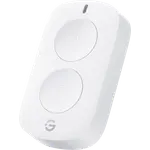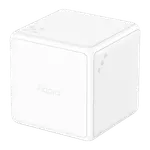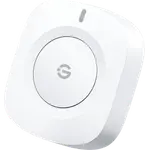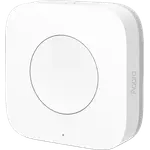

Image Slideshow Items

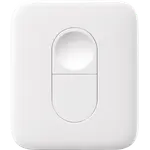
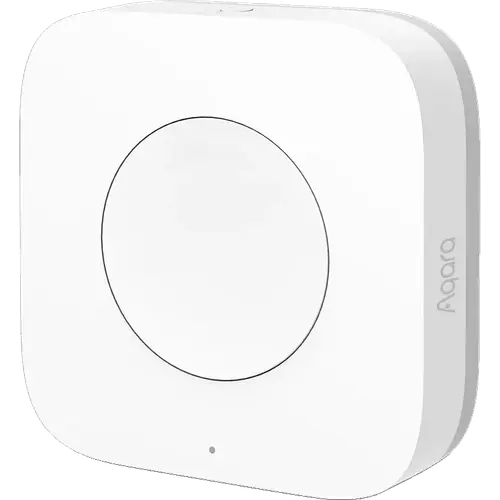
  • Aqara Wireless Mini Switch WXKG11LM
  • Aqara Wireless Mini Switch WXKG11LM photo 2
  • Aqara Wireless Mini Switch WXKG11LM photo 3
  • Aqara Wireless Mini Switch WXKG11LM photo 4
  • Aqara Wireless Mini Switch WXKG11LM photo 5
  • Aqara Wireless Mini Switch WXKG11LM photo 6
  • Aqara Wireless Mini Switch WXKG11LM photo 7
Last updated October 2026

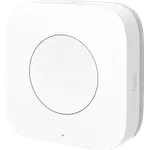
Aqara Wireless Mini Switch WXKG11LM

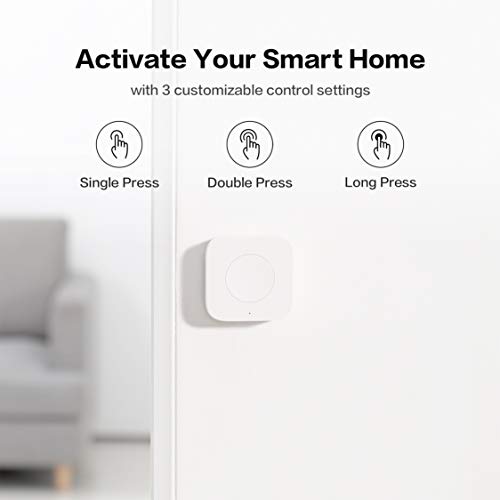
Three actions from one key, a coin-cell battery that lasts about two years and easy Home Assistant pairing, as long as you have a compatible Zigbee hub.

4.3
3,075 ratings

#4 Top Rated in Buttons

12% OFF
Prime exclusive deal
$17.99
$15.90

Join Prime to buy it at $15.90

Try Prime free
As an Amazon Associate I earn from qualifying purchases
Launch Year: 2017

Model: WXKG11LM

Open selection
News by email

Not buying today? Get what's new by email

New releases and the smart home news worth knowing, in your inbox.

Smart home news and new releases, straight to your inbox

New releases, comparisons and the smart home news worth knowing.

No spam. Unsubscribe in one click.

Your subscription could not be saved. Please try again.
Please enter a valid email address.
Tick the box above to finish signing up.
We couldn't verify you're human. Please try again.
Too many attempts. Please try again in an hour.
Your subscription has been successful.
Our review

Aqara Wireless Mini Switch WXKG11LM Review: The Original Zigbee Button That Still Earns Its Place

The verdict

The original Aqara Wireless Mini Switch is a small, budget-friendly Zigbee button that gives one key three separate actions (single press, double press and long press). It suits anyone already running an Aqara hub or a Zigbee coordinator with Home Assistant, where it pairs easily and works reliably as a light switch, scene trigger or doorbell. The trade-off is that it does nothing on its own: Apple Home, Google Home, Alexa and Matter all go through an Aqara hub, and it does not get along with generic Tuya hubs. For an existing Aqara or Zigbee setup it remains one of the easiest buttons to justify.

Best for
  • Aqara hub owners
  • Home Assistant users
  • Doorbell and scene buttons
  • Budget buyers

Pros

  • Three actions from one key: single, double and long press
  • Pairs easily with an Aqara hub or with Home Assistant over Zigbee
  • Compact, wall-mountable with the included adhesive sticker
  • Coin-cell battery rated for about two years, with battery level reported to the hub
  • Works as a doorbell or emergency button with an Aqara hub

Cons

  • Needs an Aqara hub or a Zigbee coordinator; no direct binding to lights
  • Apple Home, Google Home, Alexa and Matter only through an Aqara hub
  • Does not pair reliably with generic Tuya Zigbee hubs
  • Audible click and white only
  • Indoor use only

Who is the Aqara Wireless Mini Switch for?

This is a button for homes that already have a Zigbee network. It needs an Aqara hub, or a Zigbee coordinator running Zigbee2MQTT or ZHA in Home Assistant, and once paired it becomes a physical control you can stick on a wall, leave on a nightstand or hide by the door. Owners use it to switch lamps, run scenes, close curtains, open a garage door and, very often, as a doorbell that plays a chime on an Aqara hub or camera. It is the original WXKG11LM model, not the newer Wireless Mini Switch T1, which looks the same on the outside.

What buyers love

The recurring praise is how much one small key can do: single, double and long press each run their own action, so one button covers a lamp, a second light and the blinds. Many buyers say pairing took minutes, whether into the Aqara app, into Apple Home through an Aqara hub, or into Home Assistant through Zigbee2MQTT, ZHA, a ConBee or a SkyConnect stick. The build feels solid for the money, response is quick, and several owners have placed a handful around the house so family members can control the smart home without a phone. The CR2032 battery is rated for about two years, and buyers who have run it for a long time describe it as dependable.

What to know before you buy

It is not a standalone switch: there is no direct binding to lights, so a hub or coordinator has to stay in the loop. With the Aqara Home app you get three press types; Zigbee2MQTT can also report triple and quadruple presses, but not on every hardware version. A few buyers tried it with generic Tuya Zigbee hubs and could not get it to connect, and a handful had to re-pair it after a battery change or found the link less steady than other Zigbee buttons. The click is audible, it comes in white only, and some expected it to be smaller than its 45 mm square body. It has no buzzer, so a doorbell or alarm sound plays on the hub, not on the button.

Is the Aqara Wireless Mini Switch worth it?

For anyone already on Aqara or on a Zigbee coordinator with Home Assistant, yes: it is inexpensive, flexible and well proven, and it reaches Apple Home, Google Home, Alexa and Matter through an Aqara hub. The Wireless Mini Switch T1 is the newer model of the same design, and if you use a Tuya or other generic hub, choose a button known to work with it instead.

Frequently asked questions

Does the Aqara Wireless Mini Switch need a hub?

Yes. It is a Zigbee end device, so it needs an Aqara hub or another Zigbee coordinator, such as a Home Assistant setup running Zigbee2MQTT or ZHA.

Does the Aqara Wireless Mini Switch work with HomeKit, Alexa and Google Home?

Yes, through an Aqara hub. Once it is added to the hub, it can be used in Apple Home, Alexa and Google Home, and an Aqara hub with Matter support can also bring it into a Matter home.

Does it work with Home Assistant and SmartThings?

Yes. Zigbee2MQTT supports it as WXKG11LM, so it pairs with Home Assistant through a Zigbee coordinator, and SmartThings can run it with a community Zigbee driver or through an Aqara hub over Matter.

What actions does the Aqara Wireless Mini Switch support?

In the Aqara Home app it offers single press, double press and long press, each assignable to its own action. Zigbee2MQTT can also report triple and quadruple presses on some hardware versions.

What battery does it use and how long does it last?

It runs on a single CR2032 coin cell, which Aqara rates for about two years.

What is the difference between this and the Aqara Wireless Mini Switch T1?

This is the original model, WXKG11LM, launched years earlier. The Wireless Mini Switch T1 keeps the same square design but is a newer model with its own model number.


At a glance

Summary

Everything this button supports, grouped by category.

Size & Materials
1.8 × 1.8 × 0.5 in 45 × 45 × 12 mm0.6 oz 18 g
Controls
Buttons (1)Double PressLong PressTriple Press or More (Partially)
Mounting
Wall Mountable
Connectivity
Zigbee (Zigbee Hub required)
Integrations
Google Home (Aqara Hub required)Alexa (Aqara Hub required)Apple HomeKit (Aqara Hub required)Samsung SmartThingsHome AssistantMatter (Aqara Hub required)
Features
LED IndicatorLow Battery Alerts
Company
Aqara logo

Aqara

4.0/ 5 avg ratingChina flagHeadquartered in China

Aqara makes a broad and affordable range of smart home devices, including sensors, smart locks, cameras, switches and its own hubs. The brand is known for strong support of Apple HomeKit, Matter and Zigbee, making its products a favorite for users mixing ecosystems. Aqara hubs let inexpensive Zigbee sensors bridge into HomeKit, Alexa and Google Home.

Full specifications

Every spec, organized

Browse the full breakdown by category. Tap the on any row for what it means, or the for sources and documentation.

Size & Materials
Dimensions

1.8 × 1.8 × 0.5 in 45 × 45 × 12 mm

Weight

0.6 oz 18 g

Weather Resistance

NO

Indoor use only: rated for -10 to +50°C and 0 - 95% RH, non-condensing.

Available in colors

NO

Power
Battery Type

CR2032

Battery Life

2 years

Rechargeable Battery

NO

Battery-Free (Kinetic)

NO

Controls
Buttons

1

Rotary Dial

NO

Motion Gestures

NO

This model has no gyroscope; the shake gesture belongs to its sibling WXKG12LM.

Double Press

YES

The quick start guide lists single press, double press and long press, each assignable to its own action in the Aqara Home app.

Long Press

YES

Long press is the third of its configurable actions.

Triple Press or More

Partially

The Aqara Home app offers single, double and long press only; Zigbee2MQTT also reports triple and quadruple presses, though not on every hardware version of this model.

Dimming Control

NO

It switches lights and runs scenes, but has no hold-to-dim or dedicated keys to raise and lower brightness itself.

Mounting
Wall Mountable

YES

Ships with an adhesive sticker to fix it to a wall or any flat surface.

Wall Plate Included

NO

In the box: the switch, a sticker and the quick start guide.

Magnetic Mount

NO

Connectivity
2.4 GHz WiFi

NO

Bluetooth

NO

Z-Wave

NO

Zigbee

Zigbee Hub required

Thread Protocol

NO

Other

NO

Integrations
Google Home

Aqara Hub required

Works with Google Home once paired to an Aqara hub, per the Amazon listing.

Alexa

Aqara Hub required

Works with Alexa once paired to an Aqara hub, per the Amazon listing.

Apple HomeKit

Aqara Hub required

Aqara states an Aqara hub is required for it to work with HomeKit.

Samsung SmartThings

YES

Pairs with a SmartThings hub over Zigbee through the community Xiaomi Edge driver, which lists WXKG11LM (lumi.sensor_switch.aq2); also via Matter through an Aqara hub.

Home Assistant

YES

Supported by Zigbee2MQTT as WXKG11LM, so it pairs with Home Assistant through any Zigbee coordinator.

Matter

Aqara Hub required

Exposed to Matter controllers by a Matter-compatible Aqara hub acting as a bridge; WXKG11LM is on the list of Aqara devices bridged to Matter.

Features
Direct Device Control

NO

An Aqara hub (or another Zigbee coordinator) is required; it does not bind straight to lights.

LED Indicator

YES

Has an indicator light that blinks blue while pairing.

Sound Feedback

NO

The switch has no buzzer: doorbell and alarm sounds play on an Aqara hub with a speaker.

Low Battery Alerts

YES

Reports its battery level and voltage to the hub (battery percentage in Zigbee2MQTT).

OTA

?

Automations

YES

Each press type triggers its own automation or scene in Aqara Home, including a doorbell and an emergency alert with an Aqara hub.

History Records

?

Required to work

You need a Zigbee hub for this

View all
Why it needs a Zigbee coordinator

The Aqara Wireless Mini Switch WXKG11LM speaks Zigbee, not Wi-Fi. On its own it cannot reach your phone, your voice assistant or any automation: it needs a Zigbee coordinator to join. These are the ones in our catalog that can run it.

On sale now

7 other Buttons on sale

View all
Full comparison table

Compare the Aqara Wireless Mini Switch WXKG11LM with the other 30 Buttons

All Buttons in the catalog in one table: filter by what you need, sort by price or rating, and see exactly where this one lands.

  • 30 other Buttons
  • 42 specs compared
  • 39 filters
Open the full comparison
Head to head

Aqara Wireless Mini Switch WXKG11LM vs the competition

View all
Aqara

More from Aqara

View all