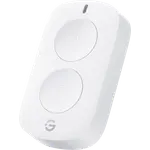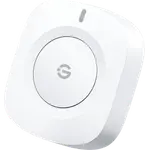


Arre Smart Button Review: A Hub-Free Matter over Thread Button for Apple Home and SmartThings
The Arre Smart Button is a single-key Matter over Thread scene button that joins Apple Home, SmartThings, Home Assistant and Alexa without a maker hub or app, as long as the home already has a Thread Border Router. Single, double and long press each run their own action, and it mounts magnetically on a small metal plate or any metal surface. The trade-offs are that Google Home does not support Matter buttons, it is not weather resistant, and it has one key where multi-key remotes offer more actions per device.
- Apple Home users
- Thread homes
- SmartThings users
- Renters
Pros
- Matter over Thread with no maker hub or app
- Works with Apple Home, SmartThings, Home Assistant and Alexa
- Single, double and long press as separate actions
- Magnetic mount on a metal plate or any metal surface
- Replaceable CR2032 battery rated for about a year
- Sticker pack to label what each button does
Cons
- Requires a Thread Border Router
- Not usable in Google Home, which does not support Matter buttons
- Not weather resistant, indoor use only
- Single key, no dial or hold-to-dim
- Cannot pair directly to lights without a controller
Who is the Arre Smart Button for?
It suits a home that already runs on Matter and Thread, typically one with a HomePod mini, an Apple TV 4K or a SmartThings hub acting as the Thread Border Router. Because it switches no load and needs no wiring, it works anywhere a physical control is handy: by the bed, at the front door, on a desk or stuck to the fridge. It is not a fit for a Google Home household, and anyone without a Thread Border Router has to add one first.
What the Arre Smart Button offers
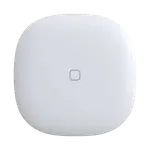
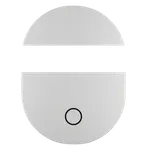
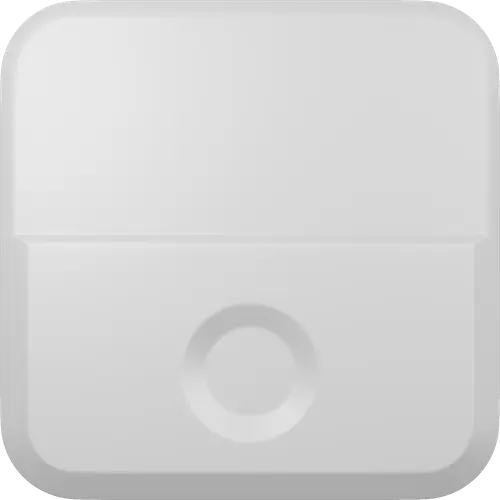
It is Matter certified as a Generic Switch and talks over Thread, with Bluetooth used only for commissioning, so it is added with the Matter setup code to the platform of choice rather than through a dedicated app. The one key reports a single press, a double press and a long press as separate actions, which gives three scenes or automations from one button. It runs on a replaceable CR2032 coin cell rated for about a year, and the battery level shows up in Apple Home. The 40 x 40 x 12.5 mm body has a magnet in the back, so it snaps onto the included metal backplate (fixed with an adhesive sticker or a screw) or straight onto any metal surface, and a sticker pack lets each button be labelled with what it does.
What to know before you buy the Arre Smart Button
A Thread Border Router is mandatory: without one the button cannot join the network. The button cannot be used in Google Home, which has no support for the Generic Switch device type Matter buttons rely on. It cannot pair straight to lights the way some Zigbee remotes bind to bulbs, there is no hold-to-dim or dial for brightness, and it has no buzzer. Arre states it is not waterproof rated, so it is an indoor device. With a single key it covers three actions, while multi-key remotes and dials control more devices from one place.
Is the Arre Smart Button worth it?
For an Apple Home or SmartThings user with Thread already in place, it is one of the simplest ways to add a battery-powered physical control without a maker hub, and Matter keeps it portable between platforms. It is mid-priced for a single-key button, so the value depends on wanting Matter over Thread specifically; Zigbee buttons cost less if a compatible hub is already in the house, and Google Home users should look elsewhere.
Frequently asked questions
Does the Arre Smart Button need a hub?
It needs no Arre hub, but as a Thread device it needs a Thread Border Router on the network, such as a HomePod mini, an Apple TV 4K (Wi-Fi + Ethernet), a SmartThings Hub v3 or a SmartThings Station.
Does the Arre Smart Button work with Google Home?
No. Google Home has no support for the Generic Switch device type that Matter buttons rely on, so the button cannot be added there.
Does the Arre Smart Button work with Alexa and Home Assistant?
Yes, through Matter. Alexa supports Matter buttons and can run routines from their presses, and Home Assistant exposes the presses as events, as long as a Thread Border Router is available.
What actions can the Arre Smart Button trigger?
Its single key reports a single press, a double press and a long press, and each can run its own scene or automation in the platform it is paired with.
What battery does the Arre Smart Button use?
It uses one replaceable CR2032 coin cell, rated for about a year depending on use. The backplate comes off to reach the battery.
Is the Arre Smart Button waterproof?
No. Arre states it is not waterproof rated, so it is meant for indoor use.