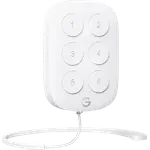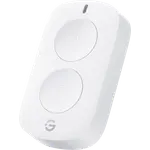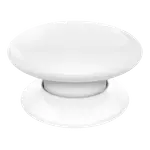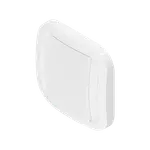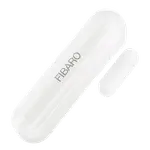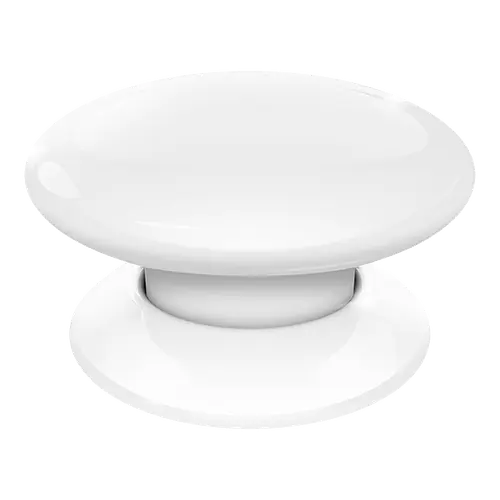
Image Slideshow Items

  • Fibaro The Button
  • Fibaro The Button photo 2
  • Fibaro The Button photo 3

Fibaro The Button

Up to five click counts plus hold, direct Z-Wave association and a choice of eight colors, held back by presses that sometimes need a second try.

3.3
104 ratings

Currently unavailable on Amazon USA

As an Amazon Associate I earn from qualifying purchases
Launch Year: 2016

Model: FGPB-101

See the 10 best selling buttons
Open selection
Connectivity
News by email

Not buying today? Get what's new by email

New releases and the smart home news worth knowing, in your inbox.

Smart home news and new releases, straight to your inbox

New releases, comparisons and the smart home news worth knowing.

No spam. Unsubscribe in one click.

Your subscription could not be saved. Please try again.
Please enter a valid email address.
Tick the box above to finish signing up.
We couldn't verify you're human. Please try again.
Too many attempts. Please try again in an hour.
Your subscription has been successful.
Our review

Fibaro The Button Review: A One-Key Z-Wave Scene Controller With Six Actions

The verdict

Fibaro The Button is a single round Z-Wave Plus key that turns one to five clicks, plus hold and release, into separate scenes on a Z-Wave hub, and can switch or dim up to five devices each directly through association. Owners running Fibaro Home Center, Home Assistant or homee praise the finish, the colors and how much one key can do. The recurring catch is reliability: a share of buyers report a first press that does nothing and a contact that wears, so it suits non-critical scenes better than an alarm trigger.

Best for
  • Z-Wave hub owners
  • Bedside all-off scenes
  • Fibaro Home Center users
  • Home Assistant tinkerers

Pros

  • Six actions from one key: one to five clicks plus hold
  • Direct Z-Wave association can switch and dim lights without the hub
  • Compact dome design in eight colors
  • Long battery life, about two years by Fibaro's estimate
  • Works with Fibaro Home Center, Home Assistant and SmartThings hubs

Cons

  • Some owners report a first press that is ignored after idle time
  • A few reports of the internal contact wearing out
  • Needs a Z-Wave hub on the matching frequency
  • Settings only apply after a manual four-click wake-up
  • No HomeKit, Matter, Alexa or Google Home support

Who is the Fibaro The Button for?

It is for homes that already run a Z-Wave hub, such as Fibaro Home Center, Home Assistant with Z-Wave JS or a SmartThings hub. The Button has no Wi-Fi, Bluetooth or Zigbee radio, so it cannot work on its own or pair with a phone. Owners use it on a bedside table to switch the whole house off, by the door to arm an alarm, in a mailbox to open a garage for a courier, or as a panic button for a family member.

What buyers love

The most praised point is how much one key can do: single, double, triple, four and five clicks plus hold and release each reach the hub as their own trigger, and the defaults can also switch and dim lights directly through Z-Wave association without the hub in the loop. Owners like the compact dome design, the build quality they expect from Fibaro and the eight colors. Several mention that the ER14250 battery lasts a long time, in line with Fibaro's estimate of about two years at ten presses a day.

What to know before you buy

The most common complaint is reliability: after the button has been idle for a while, some owners find the first press is ignored and the second or third one runs the scene, and a few report a contact inside that stops registering after months. Pairing needs six quick clicks, and settings only reach the button after a manual wake-up of four clicks, which confused buyers on non-Fibaro hubs. It is a Z-Wave device only, so it does not work with HomeKit, Matter, Alexa or Google Home directly. Order the right frequency: the EU version runs on 868 MHz and the US version on 908 MHz, and each only pairs with a hub on the same band.

Is the Fibaro The Button worth it?

For a Fibaro or Home Assistant Z-Wave setup it is one of the most flexible single buttons, with six actions, direct association with dimming, no wiring and a battery that rarely needs changing. Reviews are split, though, and the complaints about missed presses are consistent enough that it is the wrong choice for a safety-critical trigger. Buy it for convenience scenes, and look at a multi-key Z-Wave remote if you need more than one key on the wall.

Frequently asked questions

Does Fibaro The Button need a hub?

Yes. It is a Z-Wave Plus device and needs a Z-Wave controller such as Fibaro Home Center, Home Assistant with Z-Wave JS or a SmartThings hub. Once paired it can also control devices directly through Z-Wave association.

How many actions can Fibaro The Button trigger?

Up to seven: one, two, three, four and five clicks, plus hold and release, each sent to the hub as its own scene trigger.

Can Fibaro The Button dim lights?

Yes. Holding the button sends start and stop level change commands to the dimmers in its third association group, and it can also report the hold to the hub for a scene.

Does Fibaro The Button work with HomeKit?

No. The Z-Wave version does not work with Apple Home, Matter, Alexa or Google Home directly.

What battery does Fibaro The Button use?

One 3.6 V ER14250 (1/2 AA) lithium cell, included. Fibaro estimates about two years with default settings and up to ten presses a day.


At a glance

Summary

Everything this button supports, grouped by category.

Size & Materials
1.8 × 1.8 × 1.3 in 46 × 46 × 34 mm0.7 oz 20 gAvailable in colors
Controls
Buttons (1)Double PressLong PressTriple Press or MoreDimming Control
Mounting
Wall Mountable
Connectivity
Z-Wave (Z-Wave Hub required)
Integrations
Samsung SmartThingsHome Assistant
Features
Direct Device Control
Company
Fibaro logo

Fibaro

4.1/ 5 avg ratingPoland flagHeadquartered in Poland

Fibaro is a Polish smart home brand specializing in high-end Z-Wave devices such as motion sensors, relays, dimmers and flood sensors. Its products are known for compact design and deep automation capabilities, and work with the Fibaro Home Center hubs as well as third-party Z-Wave controllers. Fibaro appeals to advanced users building detailed, sensor-rich automations.

Full specifications

Every spec, organized

Browse the full breakdown by category. Tap the on any row for what it means, or the for sources and documentation.

Size & Materials
Dimensions

1.8 × 1.8 × 1.3 in 46 × 46 × 34 mm

A round button 46 mm (1.81 in) across and 34 mm (1.34 in) tall.

Weight

0.7 oz 20 g

Weather Resistance

NO

Fibaro publishes no IP rating and rates it for 0 to 40 C (32 to 104 F).

Available in colors

YES

Black, White, Red, Green, Blue, Yellow, Orange, Brown

Power
Battery Type

ER14250 (1/2 AA)

One 3.6 V ER14250 1/2 AA lithium cell, included.

Battery Life

2 years

Fibaro estimates about 2 years with the default settings and up to 10 presses a day; more associated devices shorten it.

Rechargeable Battery

NO

Battery-Free (Kinetic)

NO

Controls
Buttons

1

Rotary Dial

NO

Motion Gestures

NO

Double Press

YES

Reports 1 to 5 clicks as separate scene triggers.

Long Press

YES

Reports holding the button down and releasing it as scene triggers of their own.

Triple Press or More

YES

Up to 5 clicks in a row, each count its own action.

Dimming Control

YES

Holding the button sends start and stop level change commands to the dimmers in its third association group.

Mounting
Wall Mountable

YES

Sticks to any surface with the included self-adhesive pad; the US box also includes screws.

Wall Plate Included

NO

No wall plate: the button sits on its own round base.

Magnetic Mount

NO

The base is fixed with the adhesive pad or screws, and the button twists off it only to change the battery.

Connectivity
2.4 GHz WiFi

NO

Bluetooth

NO

Z-Wave

Z-Wave Hub required

Z-Wave Plus (500 series), up to 40 m (131 ft) indoors and 50 m (164 ft) outdoors. Sold in separate EU (868 MHz) and US (908 MHz) versions.

Zigbee

NO

Thread Protocol

NO

Other

NO

Integrations
Google Home

NO

Scene controllers are not Google Home devices: a hub keeps the presses as triggers and only the devices they control show up in Google Home.

Alexa

NO

Scene controllers are not Alexa endpoints: a hub keeps the presses as triggers and only the devices they control show up in Alexa.

Apple HomeKit

NO

The Z-Wave version does not work with HomeKit; Fibaro sells a separate Bluetooth version of The Button for Apple HomeKit.

Samsung SmartThings

YES

Recognized as Fibaro Button by the official SmartThings Z-Wave button Edge driver.

Home Assistant

YES

Supported through Z-Wave JS, with its association groups and parameters.

Matter

NO

Z-Wave only, with no Matter certification.

Features
Direct Device Control

YES

Z-Wave association switches up to 5 devices on or off and dims up to 5 more directly, without the controller.

LED Indicator

NO

Fibaro's manual describes no light or other visual feedback on the button.

Sound Feedback

NO

Low Battery Alerts

?

OTA

?

Automations

YES

Every click count, hold and release reaches the hub as a scene trigger, and can also trigger the FIBARO alarm in panic mode.

History Records

?

Required to work

You need a Z-Wave controller for this

View all
Why it needs a Z-Wave coordinator

The Fibaro The Button speaks Z-Wave, not Wi-Fi. It needs a Z-Wave controller to join your network and reach your phone or your automations. These are the controllers in our catalog that can run it.

On sale now

8 other Buttons on sale

View all
Full comparison table

Compare the Fibaro The Button with the other 30 Buttons

All Buttons in the catalog in one table: filter by what you need, sort by price or rating, and see exactly where this one lands.

  • 30 other Buttons
  • 42 specs compared
  • 39 filters
Open the full comparison
Head to head

Fibaro The Button vs the competition

View all
Fibaro

More from Fibaro

View all