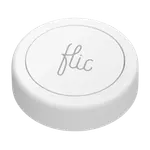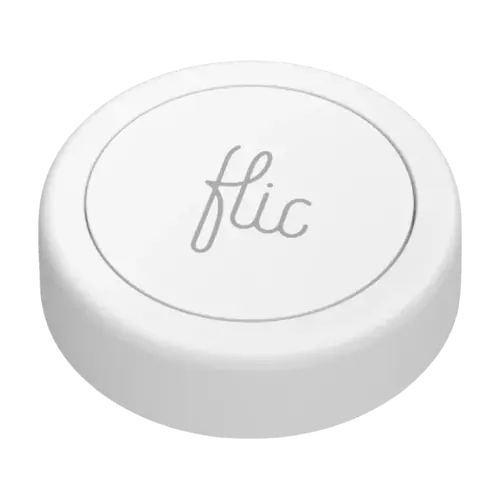
Flic 2

Flic 2

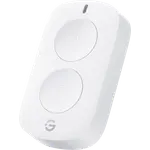
Three triggers per button, a replaceable coin cell and a huge list of integrations, with a phone or a Flic Hub always in the middle.

€39.99

Also sold in packs

  • Pack of 3€99.99€33.33 per unitYou save €19.98Buy
As an Amazon Associate I earn from qualifying purchases
Launch Year: 2020

Model: Flic 2

See the 10 best selling buttons
Open selection
News by email

Not buying today? Get what's new by email

New releases and the smart home news worth knowing, in your inbox.

Smart home news and new releases, straight to your inbox

New releases, comparisons and the smart home news worth knowing.

No spam. Unsubscribe in one click.

Your subscription could not be saved. Please try again.
Please enter a valid email address.
Tick the box above to finish signing up.
We couldn't verify you're human. Please try again.
Too many attempts. Please try again in an hour.
Your subscription has been successful.
Our review

Flic 2 Review: The Tiny Bluetooth Button That Triggers Almost Anything

The verdict

The Flic 2 is a small, stick-anywhere Bluetooth button whose push, double push and hold each run their own action, from Alexa routines and SmartThings scenes to music, lights and apps. Buyers like how quickly it sets up and how many things it can trigger, but it never works on its own: it relays through the Flic app on a nearby phone, or through a Flic Hub sold separately, which is also what Apple Home and Home Assistant need. It is a premium-priced button that rewards people who already use Alexa or plan to add a Flic Hub.

Best for
  • Alexa households
  • Musicians and presenters
  • Accessibility needs
  • Bedside and desk controls

Pros

  • Push, double push and hold each run a separate action
  • Quick setup in the Flic app
  • Alexa sees each click type as a routine trigger
  • SmartThings routines from a phone or a Flic Hub
  • Tiny, stick-anywhere design with a reusable adhesive
  • Replaceable CR2032 battery rated for up to 3 years
  • 2 year warranty

Cons

  • Needs a phone nearby or a Flic Hub sold separately
  • Apple Home only through the Flic Hub LR
  • Not a Matter device and no Google Home support
  • Some owners report missed presses and app glitches
  • Premium price for a single button
  • Only splash resistant (IP44)

Who is the Flic 2 for?

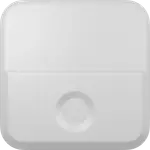
The Flic 2 suits anyone who wants a physical shortcut where a wall switch or a voice command is impractical: on the nightstand, under a desk, on a bike or stuck to a music stand. Buyers use it to run Alexa routines, pause the TV, arm an alarm on the way out, turn pages in sheet music apps and advance slides. It is a single key with three triggers (push, double push and hold), so one button can carry three different actions. Because it talks Bluetooth 5 Low Energy, it needs either the Flic app on a phone, tablet or Mac within range, or a Flic Hub that stays on at home.

What buyers love

Setup is the most common praise: the button pairs in a few minutes in the Flic app, and Alexa then sees each click type as its own trigger for routines. Owners also like how small and discreet it is, with a reusable adhesive pad that lets it sit almost anywhere, and how versatile it is beyond the smart home, from sheet music apps to one-click actions on the phone. Several owners who pair it with the Flic Hub LR report fast, reliable responses, and Flic itself rates the button at up to 50 m of Bluetooth range indoors.

What to know before you buy

Without a hub the Flic 2 depends on your phone: if the phone is away or asleep, presses go nowhere, a point several buyers learned after purchase. Apple Home needs the Flic Hub LR specifically, and Home Assistant needs a Flic Hub plus a community integration. Matter is the most confusing part of the marketing: the button is not a Matter device, a Flic Hub acts as a Matter controller so it can drive Matter devices, but the button cannot be added to Apple Home, SmartThings or Google Home over Matter, and Google Home is not supported at all. A minority of owners report missed presses, a buggy phone app or shorter battery life than the 3 years Flic quotes, and it is only splash resistant (IP44).

Is the Flic 2 worth it?

For an Alexa home, or for anyone happy to add a Flic Hub, the Flic 2 is one of the most flexible single buttons around: three triggers, a replaceable CR2032 cell, a long list of integrations and a 2 year warranty. It is expensive for a single button, and the hub raises the cost further, so buyers who only need to trigger Zigbee devices on an existing hub will find cheaper scene buttons. If you want a button that works across apps, phones and services rather than inside one ecosystem, it earns its price.

Frequently asked questions

Does the Flic 2 need a hub?

No, it can pair over Bluetooth with the Flic app on a phone, tablet or Mac, but then that device has to be nearby and running the app. A Flic Hub (Hub LR or Hub Mini) keeps the buttons working around the clock and is required for Apple Home and Home Assistant.

Does the Flic 2 work with Apple HomeKit?

Yes, through the Flic Hub LR, which is HomeKit certified and brings the button into Apple Home to trigger scenes. The Hub Mini does not support HomeKit.

Is the Flic 2 a Matter button?

No. A Flic Hub acts as a Matter controller, so a press can control Matter devices, but the button itself cannot be added to another Matter controller such as Apple Home, Google Home or SmartThings.

Does the Flic 2 work with Alexa and Google Home?

It works with Alexa: a push, double push or hold can start Alexa routines, from a phone or a Flic Hub. Google Home is not supported.

What battery does the Flic 2 use?

A replaceable CR2032 coin cell, which Flic rates for up to 3 years. The LED blinks one green and two red when the battery needs replacing.


At a glance

Summary

Everything this button supports, grouped by category.

Size & Materials
Ø1.2 × 0.3 in Ø30 × 8.5 mm0.3 oz 8 gWeather Resistance (IP44)Available in colors
Controls
Buttons (1)Double PressLong PressDimming Control
Mounting
Wall Mountable
Connectivity
Bluetooth
Integrations
AlexaApple HomeKit (Flic Hub LR required)Samsung SmartThingsHome Assistant (Flic Hub required)
Features
LED IndicatorLow Battery AlertsOTA
Company
Flic logo

Flic

Sweden flagHeadquartered in Sweden

Flic, made by Stockholm-based Shortcut Labs, builds small wireless smart buttons and remotes, including the Flic 2 button, the Flic Twist dial, the Flic Duo and the Flic Hub. A single press, double press, hold or twist can trigger lights, music, scenes and apps, either from a phone over Bluetooth or from a Flic Hub. Flic works with Amazon Alexa, Apple Home through the Flic Hub, Matter and Home Assistant, and offers open SDKs for developers and businesses.

Full specifications

Every spec, organized

Browse the full breakdown by category. Tap the on any row for what it means, or the for sources and documentation.

Size & Materials
Dimensions

Ø1.2 × 0.3 in Ø30 × 8.5 mm

Weight

0.3 oz 8 g

Weather Resistance

IP44

Flic rates the buttons IP44: splashproof, fine with wet hands or light splashes, but not waterproof.

Available in colors

YES

White, Black

Power
Battery Type

CR2032

Battery Life

3 years

Rechargeable Battery

NO

Battery-Free (Kinetic)

NO

Controls
Buttons

1

Rotary Dial

NO

Motion Gestures

NO

Double Press

YES

Push, Double Push and Hold are three separate triggers, each with its own actions.

Long Press

YES

Hold is its own trigger, separate from a push.

Triple Press or More

NO

Flic lists three triggers only: Push, Double Push and Hold.

Dimming Control

YES

Flic's Philips Hue integration lets a hold dim the lights.

Mounting
Wall Mountable

YES

Sticks to a wall, desk or any surface with its reusable adhesive, and twists off to move elsewhere.

Wall Plate Included

NO

Magnetic Mount

NO

It attaches with a reusable adhesive pad, not a magnet; a metal clip is sold separately.

Connectivity
2.4 GHz WiFi

NO

The button itself only speaks Bluetooth; Wi-Fi is the Flic Hub's link to the network.

Bluetooth

YES

Bluetooth 5 Low Energy with Long Range: up to 50 m indoors (200 m line of sight), paired straight to a phone, tablet or Mac running the Flic app, or to a Flic Hub.

Z-Wave

NO

Zigbee

NO

Thread Protocol

NO

Other

NO

Integrations
Google Home

NO

Flic lists no Google Home integration, and says its compatibility with Google Home is limited.

Alexa

YES

A push, double push or hold can trigger Alexa routines, with the button paired to a phone or to a Flic Hub.

Apple HomeKit

Flic Hub LR required

The Flic Hub LR is HomeKit certified and brings the button into Apple Home to trigger HomeKit scenes; the Hub Mini does not support HomeKit.

Samsung SmartThings

YES

Flic's SmartThings integration triggers SmartThings routines from a phone or a Flic Hub.

Home Assistant

Flic Hub required

Through a Flic Hub, with the community Flic Hub integration (HACS) or the flic2hass MQTT bridge, which publish each button's presses and battery to Home Assistant.

Matter

NO

The button is not a Matter device: a Flic Hub (LR or Mini) acts as a Matter controller so the button can control Matter devices, but Flic offers no Matter bridge, so the button cannot be added to Apple Home, Google Home or SmartThings over Matter.

Features
Direct Device Control

NO

It always needs the Flic app on a phone, tablet or Mac, or a Flic Hub, between the button and the devices it controls.

LED Indicator

YES

Red, green and yellow LED feedback for presses, pairing and battery state.

Sound Feedback

NO

Low Battery Alerts

YES

One green blink followed by two red blinks warns that the battery needs replacing soon.

OTA

YES

Firmware updates are installed over the air from the Flic app.

Automations

YES

Each trigger can run several actions, routines and scenes set up in the Flic app or on a Flic Hub.

History Records

?

On sale now

8 other Buttons on sale

View all
Full comparison table

Compare the Flic 2 with the other 30 Buttons

All Buttons in the catalog in one table: filter by what you need, sort by price or rating, and see exactly where this one lands.

  • 30 other Buttons
  • 42 specs compared
  • 39 filters
Open the full comparison
Head to head

Flic 2 vs the competition

View all