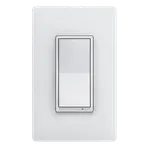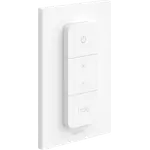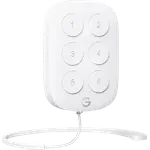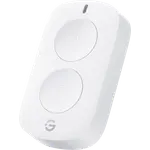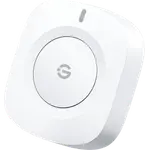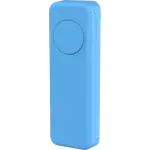
Image Slideshow Items

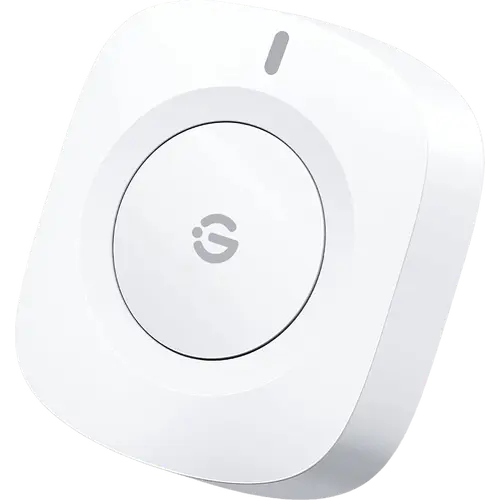
  • GoveeLife Wireless Button Sensor
  • GoveeLife Wireless Button Sensor photo 2
  • GoveeLife Wireless Button Sensor photo 3
  • GoveeLife Wireless Button Sensor photo 4
  • GoveeLife Wireless Button Sensor photo 5
  • GoveeLife Wireless Button Sensor photo 6
  • GoveeLife Wireless Button Sensor photo 7
  • GoveeLife Wireless Button Sensor photo 8
Last updated October 2026

GoveeLife Wireless Button Sensor

A tiny stick-anywhere Bluetooth button that runs one Govee command per press, as long as another Govee device is nearby to relay it.

4.2
456 ratings
20% OFF
$9.99
$7.99

Also sold in packs

  • Pack of 2$18.99$9.49 per unitBuy
As an Amazon Associate I earn from qualifying purchases
Launch Year: 2022

Model: H5122

See the 10 best selling buttons
Open selection
Works with
Connectivity
News by email

Not buying today? Get what's new by email

New releases and the smart home news worth knowing, in your inbox.

Smart home news and new releases, straight to your inbox

New releases, comparisons and the smart home news worth knowing.

No spam. Unsubscribe in one click.

Your subscription could not be saved. Please try again.
Please enter a valid email address.
Tick the box above to finish signing up.
We couldn't verify you're human. Please try again.
Too many attempts. Please try again in an hour.
Your subscription has been successful.
Our review

GoveeLife Wireless Button Sensor Review: A One-Click Scene Button for Govee Homes

The verdict

The GoveeLife Wireless Button Sensor is a budget-friendly way to put a physical switch next to Govee lights and plugs: it sticks to the wall with adhesive, runs on a coin cell and fires one command or scene per click. It only works inside the Govee ecosystem, with a Govee Wi-Fi and Bluetooth device nearby acting as its gateway, and it has no Alexa, Google Home, Apple Home or Matter support. For an existing Govee home it is an easy, cheap win; for anyone else it is the wrong button.

Best for
  • Govee smart home owners
  • Rooms without a wall switch
  • Budget buyers
  • Home Assistant tinkerers

Pros

  • Budget-friendly price for a smart button
  • Quick pairing in the Govee Home app
  • Sticks to any indoor surface with the included adhesive tape
  • Runs a whole Govee scene or several devices with one click
  • Talks Bluetooth straight to nearby Govee devices, no dedicated hub
  • Works in Home Assistant through the official Govee Bluetooth integration
  • Low battery notifications in the app

Cons

  • Needs another Govee Wi-Fi and Bluetooth device nearby to work
  • Single press only, one command per button
  • Alternate mode does not track the real state of the light
  • No Alexa, Google Home, Apple Home or Matter support
  • Some owners report lag or presses that need repeating
  • Indoor use only

Who is the GoveeLife Wireless Button Sensor for?

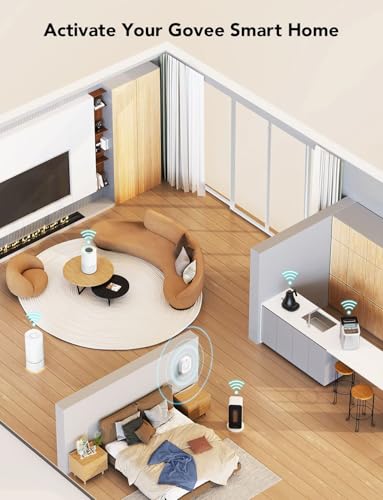
It is built for homes that already run Govee or GoveeLife lights, plugs and appliances. The button talks Bluetooth to the Govee devices around it, which act as a distributed gateway, so it cannot be used on its own: the box contains only the button, its CR2032 battery, adhesive tape and the manual. Buyers mostly use it as the light switch a room never had, next to a bed, in a basement, beside a lamp on a Govee smart plug, or to start a fan without reaching for the phone.

What buyers love

Setup is the most common praise: pairing in the Govee Home app is quick, and the adhesive mount puts it on a wall in seconds. Owners like turning a whole Govee scene into a single click, which ends the hunt for the app every time a lamp has to go off, and several call it the most affordable smart button they have found. The small coin cell is reported to last for months, and the app warns before it runs out.

What to know before you buy

Each press runs one command, and the alternate mode simply flips between running it and turning those devices off; the button does not know the real state of the light. Several owners note that if the light was switched from the app or from a second button, the next press does the opposite of what they expected and they have to press twice. A few report a short lag, devices not reacting in perfect sync, or a press that has to be repeated, and one could not pair it at all. It needs another Govee Wi-Fi and Bluetooth device within range to work, which buyers new to Govee say the packaging does not make clear. Alexa and Google Home cannot see it, and it offers no double or long press of its own.

Does the GoveeLife Wireless Button Sensor work with Home Assistant?

Yes. The official Govee Bluetooth integration in Home Assistant lists the H5122 and reads each press straight from its Bluetooth broadcasts, so a Home Assistant server with Bluetooth in range can use it as a trigger for any automation, Govee devices or not. That is the only route outside the Govee app: it has no Matter, Apple Home, SmartThings, Alexa or Google Home support.

Is the GoveeLife Wireless Button Sensor worth it?

For a Govee household, yes. It is one of the cheapest physical controls available, it mounts anywhere without wiring, and a single click that runs a whole scene is exactly what people buy it for. Its limits are equally clear: one press type, a toggle that can fall out of step, indoor use only and no support outside Govee and Home Assistant. Anyone building around Matter, Zigbee or another ecosystem should pick a button made for that platform instead.

Frequently asked questions

Does the GoveeLife Wireless Button Sensor need a hub?

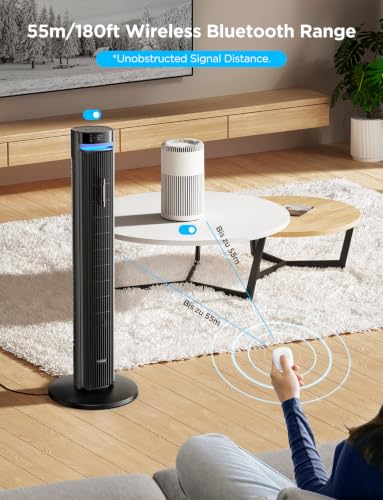
It needs no dedicated Govee hub, but it cannot work alone. It sends its signal over Bluetooth to nearby Govee devices that support both Wi-Fi and Bluetooth, which act as a distributed gateway, within about 55 m (180 ft). A Govee Wi-Fi device is also what lets you control it away from home.

Does it work with Alexa or Google Home?

No. Govee states the button cannot connect to Alexa or Google Assistant, and it has no Apple Home, SmartThings or Matter support either. It controls Govee devices through the Govee Home app, and Home Assistant can read it through its Govee Bluetooth integration.

Can the button do double press or long press?

No. The manual documents a single click as its only trigger, and holding it for 5 seconds puts it in pairing mode. Each button runs one command, which the alternate mode turns into an on and off toggle.

What battery does it use and how do I know when it is low?

It runs on one CR2032 coin cell, pre-installed in the box. The Govee Home app sends a notification when the battery is low.

Can it be mounted outdoors?

No. Govee publishes no water resistance rating, and the manual marks it for indoor use only. It mounts with the included adhesive tape on a clean, dry surface.


At a glance

Summary

Everything this button supports, grouped by category.

Size & Materials
1.7 × 1.5 × 0.5 in 44 × 38 × 12 mm1 oz 27 g
Controls
Buttons (1)
Mounting
Wall Mountable
Connectivity
Bluetooth
Integrations
Home Assistant
Features
Direct Device ControlLED IndicatorLow Battery Alerts
Company
Govee logo

Govee

4.5/ 5 avg ratingChina flagHeadquartered in China

Govee is a smart home brand best known for connected lighting, from LED light strips and TV backlights to floor lamps and color bulbs. Its GoveeLife line extends the catalog to sensors and small appliances, including hygrometers, leak detectors, presence sensors and air purifiers, all controlled through the Govee Home app with Alexa and Google Home support. Govee is popular for colorful, affordable lighting and easy-to-use sensors.

Full specifications

Every spec, organized

Browse the full breakdown by category. Tap the on any row for what it means, or the for sources and documentation.

Size & Materials
Dimensions

1.7 × 1.5 × 0.5 in 44 × 38 × 12 mm

Weight

1 oz 27 g

Weather Resistance

NO

Govee publishes no IP rating, and the user manual marks the button for indoor use only.

Available in colors

NO

Power
Battery Type

CR2032

Battery Life

?

Rechargeable Battery

NO

Battery-Free (Kinetic)

NO

Controls
Buttons

1

Rotary Dial

NO

Motion Gestures

NO

Double Press

NO

The manual documents a single click as the only trigger, and Govee notes each button sensor can only trigger one command.

Long Press

NO

Holding the button for 5 seconds puts it in Bluetooth pairing mode; it is not an action of its own.

Triple Press or More

NO

Dimming Control

NO

A press runs one fixed command set in the Govee Home app, alternating between running it and turning the devices in it off on the next press; there is no hold-to-dim or brightness up and down.

Mounting
Wall Mountable

YES

It sticks to most indoor surfaces with the included adhesive tape.

Wall Plate Included

NO

In the box: the button, a pre-installed CR2032 battery, the adhesive tape and the manual.

Magnetic Mount

NO

It mounts with adhesive tape, not a magnet.

Connectivity
2.4 GHz WiFi

NO

The button itself only speaks Bluetooth; the 2.4 GHz Wi-Fi Govee lists is the Govee device that relays it to the app and the cloud.

Bluetooth

YES

Bluetooth LE sensor with no dedicated gateway: it reaches the Govee Home app through any Govee Wi-Fi + Bluetooth device (sold separately) within 55 m / 180 ft, which acts as a distributed gateway. Remote control away from home needs one of those Wi-Fi devices.

Z-Wave

NO

Zigbee

NO

Thread Protocol

NO

Other

NO

Integrations
Google Home

NO

Govee states the button cannot connect to Google Assistant: it only controls other Govee devices.

Alexa

NO

Govee states the button cannot connect to Alexa: it only controls other Govee devices.

Apple HomeKit

NO

Samsung SmartThings

NO

Home Assistant

YES

The official Govee Bluetooth integration lists the H5122 and reports each press as an event, read straight from its Bluetooth broadcasts.

Matter

NO

Features
Direct Device Control

YES

Pressing the button sends its signal over Bluetooth straight to the Govee devices it controls, with no Wi-Fi and no Govee hub needed; a Govee Wi-Fi device is only needed for remote control.

LED Indicator

YES

An indicator light flashes red while the button is in Bluetooth broadcast (pairing) mode and goes off when the battery is flat.

Sound Feedback

NO

The manual lists the button, the indicator light and the battery compartment as its only parts; there is no buzzer.

Low Battery Alerts

YES

The Govee Home app sends a notification when the battery is low.

OTA

?

Automations

YES

A press is a trigger for automations and scenes in the Govee Home app that run commands on other Govee devices.

History Records

?

On sale now

7 other Buttons on sale

View all
Full comparison table

Compare the GoveeLife Wireless Button Sensor with the other 30 Buttons

All Buttons in the catalog in one table: filter by what you need, sort by price or rating, and see exactly where this one lands.

  • 30 other Buttons
  • 42 specs compared
  • 39 filters
Open the full comparison
Head to head

GoveeLife Wireless Button Sensor vs the competition

View all
Govee

More from Govee

View all