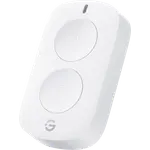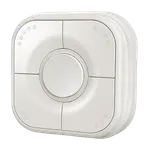


Onvis Smart Button HS2 Review: Fifteen HomeKit Actions on One Thread Remote
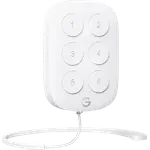
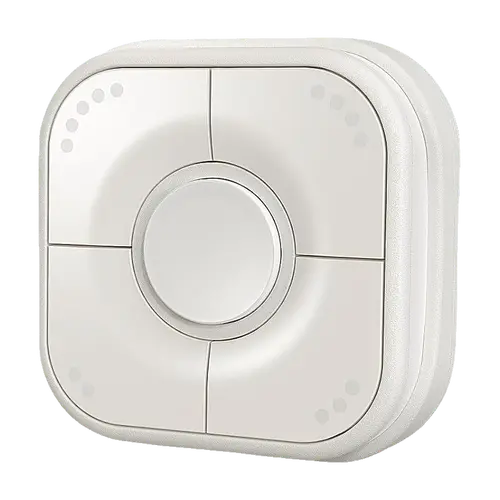
The Onvis Smart Button HS2 is a five-key HomeKit over Thread scene controller that packs up to 15 actions into one small remote, and it is one of the few Thread buttons made for Apple Home. Buyers praise how quickly it pairs from its QR code, how fast it usually reacts over Thread and the magnetic base that lets it work as a wall switch or a handheld remote. The trade-offs are a mixed reliability record (some owners report delays of several seconds or dropped connections), keys that feel less premium than the frame, and no Alexa, Google Home, SmartThings or Matter support, so it suits Apple Home and Home Assistant users only.
- Apple Home users
- Thread homes
- Multi-scene rooms
- Home Assistant tinkerers
Pros
- Five keys with single, double and long press for up to 15 actions
- Quick setup from a QR code in the Home app
- Fast response over Thread for most owners
- Magnetic base works as a wall switch or handheld remote
- Long-lasting, easy-to-replace CR2450 battery
- Firmware updates and battery level in the Onvis app
Cons
- Some owners report delays of several seconds or dropped connections
- Keys feel less premium than the frame
- No Alexa, Google Home, SmartThings or Matter support
- Needs a Thread Border Router such as a HomePod mini or Apple TV 4K
- Indoor use only
Who is the Onvis Smart Button HS2 for?
It is built for homes that run on Apple Home and already have a Thread home hub, such as a HomePod mini, a HomePod (2nd Gen) or a recent Apple TV 4K. Its five keys each report a single, double and long press, so one device can run 15 different scenes or accessory actions, which suits a living room, a bedside table or a hallway where several lights and scenes are controlled from one spot. Home Assistant users can add it too, as a HomeKit over Thread accessory through the HomeKit Device integration, provided Home Assistant has its own Thread border router. It does not reach Alexa, Google Home, SmartThings or Matter.
What buyers love
Setup is the most repeated compliment: owners scan the code in the Home app, the button appears, and each key and press type is assigned to a scene or an accessory in a few minutes, with the Onvis app needed only for firmware updates. Many buyers say presses land almost instantly over Thread, and they like having 15 actions in a device smaller than a wall switch. The magnetic base is a favourite detail, since the button can sit on the wall with the adhesive pad or screws and still be lifted off and carried around the house, and the included stickers and raised dots help tell the keys apart. A few owners also point out that the CR2450 battery lasts longer than the coin cells of smaller buttons and is easy to reach.
What to know before you buy
Reliability is the recurring complaint. A minority of owners report presses that take several seconds to act, or a button that sometimes does not respond, drops off HomeKit or needs a reset, and a few say theirs stopped working after some months. Several reviews find the keys themselves feel plasticky compared with the frame, and some find the button thicker than they expected. Each press type runs one action, so toggling a light on and off usually takes two of the 15 slots (or a Home app shortcut). Ecosystem support is narrow: it needs a Thread Border Router, it is a HomeKit device rather than a Matter one, and Alexa, Google Home and SmartThings cannot use it. It is rated for indoor use only.
Is the Onvis Smart Button HS2 worth it?
For an Apple Home with a Thread hub it is one of the most capable buttons available: five keys, three press types each, local control with no Onvis cloud, a battery-level readout and firmware updates from the app, at a mid-range price for a scene controller. Its middling average rating reflects that most owners are happy while a vocal group fights delays or dropouts. If you want a button that also works with Alexa or Google Home, or one Matter remote for several ecosystems, look elsewhere; if you live in Apple Home and want many actions in one place, it is easy to recommend.
Frequently asked questions
Does the Onvis Smart Button HS2 work with Matter?
No. The HS2 is a HomeKit over Thread accessory, not a Matter device, so it cannot be added to a Matter controller as a Matter button.
What hub does the Onvis HS2 need?
It needs a Thread Border Router. In Apple Home that is a Thread home hub set as the connected hub: an Apple TV 4K (2nd Gen, or 3rd Gen Wi-Fi + Ethernet), a HomePod mini or a HomePod (2nd Gen). It also has Bluetooth Low Energy 5.0 for setup and as a fallback.
Does the Onvis Smart Button work with Alexa or Google Home?
No. Alexa, Google Home and SmartThings do not support it. It works with Apple Home, and Home Assistant can add it as a HomeKit over Thread accessory through its HomeKit Device integration.
How many actions can the Onvis HS2 trigger?
Up to 15: each of its five keys reports a single press, a double press and a long press, and each of those can run its own scene, accessory action or automation.
What battery does the Onvis Smart Button HS2 use?
One CR2450 coin cell, rated by Onvis for about 1 year, and the Onvis Home app shows the battery level.
Can the Onvis HS2 be mounted on a wall?
Yes. It ships with a magnetic base that fixes to the wall with an adhesive pad or screws, and the button can be pulled off the base to use as a handheld remote or stuck to any metal surface.