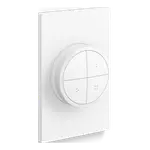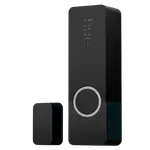


Philips Hue Tap Dial Switch Review: Four Scene Buttons and a Dimming Dial in One Wireless Switch
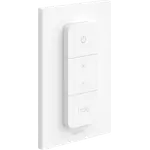
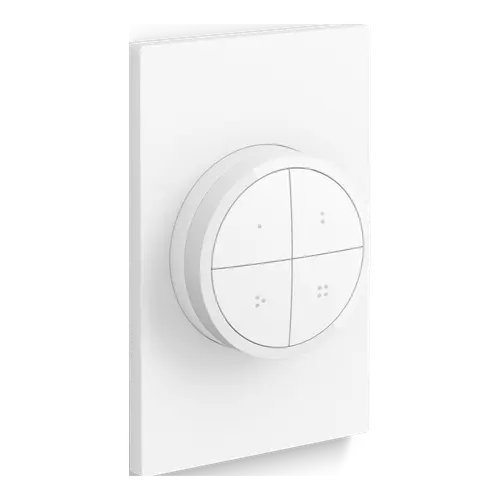
The Philips Hue Tap Dial Switch is the most capable wireless switch for a Hue home: four buttons that each recall scenes in their own room or zone, plus a dial that dims smoothly, on a wall plate that needs no wiring. Buyers praise the build quality, the instant response and being able to lift it off its magnetic plate to use as a remote. The trade-offs are the price, which owners repeatedly call high, and the Hue Bridge it needs to be customized.
- Hue Bridge owners
- Open-plan rooms with several zones
- Renters (no wiring)
- Home Assistant and Zigbee users
Pros
- Smooth, precise dimming with the rotary dial
- Four programmable buttons, each for its own room, zone or scenes
- Magnetic dial lifts off the wall plate to work as a remote
- Premium build and fast, lag-free response
- Wall plate included, no wiring needed
- Works with Home Assistant, including direct Zigbee2MQTT pairing
Cons
- Expensive for a wireless switch
- Customizing the buttons requires a Hue Bridge
- The dial controls only one room or zone
- Configuration can feel unintuitive at first
- Indoor use only (IP20)
Who is the Philips Hue Tap Dial Switch for?
It suits homes that already run Hue lights on a Hue Bridge and want one switch to handle several rooms or zones, such as a living room split into sofa, TV and dining areas, a bedroom with many bulbs, or a whole floor. It mounts on a wall plate sized like a regular switch, so it can cover the box of a removed switch or sit anywhere with adhesive or screws, and the dial lifts off to work as a remote. It also gives family members and guests who never open the Hue app a simple way to control the lights.
What buyers love
The dial is the favourite feature: owners describe dimming as smooth and precise, far nicer than stepping brightness with buttons. The four buttons are praised for their flexibility, each one assigned to a room, a zone or a set of scenes that repeated presses cycle through, with a hold to switch the lights off. Buyers repeatedly mention the solid, premium build, a response with no noticeable lag, and the magnetic plate that lets them carry the dial to the sofa and snap it back. Setup in the Hue app takes a few minutes, and several owners run it in Home Assistant or trigger Alexa routines with its buttons.
What to know before you buy
Price is the most common complaint: many owners like it but call it expensive for a switch. A Hue Bridge is needed to configure what each button does; without one it can only be connected to up to 10 Hue lights with fixed behaviour. The dial controls one room or zone at a time, and a few buyers found the configuration less intuitive than expected. It runs on a CR2032 coin cell rated for about 2 years, is rated IP20 for indoor use only, and gives no sound feedback. It comes in white or black.
Which platforms does it work with?
Through the Hue Bridge it works with Alexa, where its buttons can start routines, as well as Google Home and Apple Home, and it reaches Matter only through the Hue Bridge, which is also how SmartThings gets it. Home Assistant reads its buttons and dial through the official Philips Hue integration, and Zigbee2MQTT supports it directly. Firmware updates arrive over the air through the Hue app, and each button can also start or stop Hue automations.
Is the Philips Hue Tap Dial Switch worth it?
For a Hue home with more than one group of lights to control, yes: it replaces several simpler switches, the dial makes dimming effortless and the build feels built to last. It costs clearly more than generic Zigbee buttons and the basic Hue Dimmer Switch, so it makes most sense where its four buttons and dial will actually be used.
Frequently asked questions
Does the Philips Hue Tap Dial Switch need a Hue Bridge?
A Hue Bridge is needed to customize what each button and the dial do. Without a Bridge it can be connected to up to 10 Hue lights directly, with fixed behaviour.
How many rooms can the Tap Dial Switch control?
Each of its four buttons can be set to its own room or zone, and the dial can dim another group of lights, so one switch can manage several areas or even the whole home.
Does it need wiring?
No. It is battery powered and wireless: the wall plate attaches with the included adhesive or screws, and the dial snaps onto it magnetically.
What battery does it use and how long does it last?
It uses one CR2032 coin cell, included, rated for a minimum of about 2 years, and the Hue app shows the expected battery lifetime.
Does it work with Home Assistant, Alexa, Google Home and Apple Home?
Yes. Through the Hue Bridge it works with Alexa, Google Home and Apple Home, and with Matter and SmartThings via the Bridge. Home Assistant supports it through the Philips Hue integration or directly through Zigbee2MQTT.