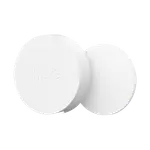
TP-Link Tapo S200B
Last updated October 2026

TP-Link Tapo S200B

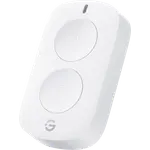
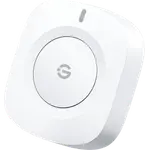
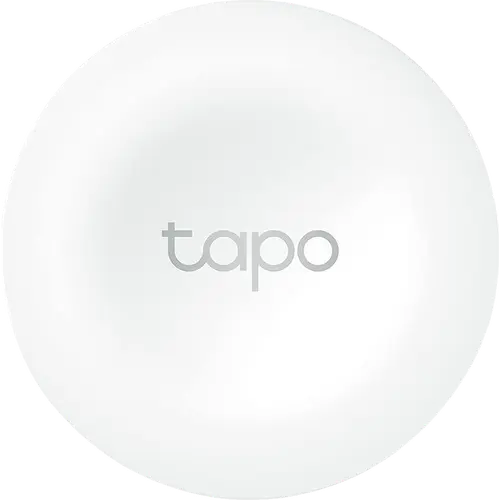
A tiny magnetic button that runs four Tapo Smart Actions and dims lights with a turn, as long as a Tapo Hub is on hand.

4.6
1,564 ratings

4.6 vs the 4.2 average of 28 buttons we track

23% OFF
€21.90
€16.90
As an Amazon Associate I earn from qualifying purchases
Launch Year: 2022

Model: S200B

See the 10 best selling buttons
Open selection
News by email

Not buying today? Get what's new by email

New releases and the smart home news worth knowing, in your inbox.

Smart home news and new releases, straight to your inbox

New releases, comparisons and the smart home news worth knowing.

No spam. Unsubscribe in one click.

Your subscription could not be saved. Please try again.
Please enter a valid email address.
Tick the box above to finish signing up.
We couldn't verify you're human. Please try again.
Too many attempts. Please try again in an hour.
Your subscription has been successful.
Our review

TP-Link Tapo S200B Review: A Tap, Double-Tap and Twist Button for Tapo Homes

The verdict

The Tapo S200B is a small battery-powered button that triggers Tapo Smart Actions with a single tap, a double tap or a turn in either direction, and turning it dims Tapo bulbs. It is an inexpensive, reliable way to add a physical switch by the bed, the door or the kitchen in a home that already runs Tapo devices. The trade-offs are the Tapo Hub it needs and an ecosystem it rarely leaves: Alexa can use it, but Google Home, Apple Home and SmartThings cannot, and Home Assistant does not see its presses.

Best for
  • Tapo smart home owners
  • Bedside light control
  • Renters
  • Elderly or emergency alerts
  • Alexa homes

Pros

  • Single tap, double tap and rotation each trigger their own Tapo Smart Action
  • Turning it dims the brightness of Tapo lights
  • Built-in magnet plus adhesive: mounts almost anywhere or works as a remote
  • Can ring the Tapo Hub as a doorbell or trigger its alarm
  • Works with Alexa routines through the Tapo Hub
  • Coin-cell battery rated for over a year, with low-battery notifications

Cons

  • Requires a Tapo Hub (sold separately)
  • No Google Home, Apple Home, SmartThings or Matter support
  • Home Assistant lists it but cannot see button presses
  • No long press or triple press
  • EU version does not work with North American hubs

Who is the TP-Link Tapo S200B for?

It is built for homes that already have a Tapo Hub (such as the H100 or H200) and Tapo bulbs, plugs, switches or cameras. The button talks to the hub over TP-Link's own Sub-1G radio and the hub runs whatever you assign to it: lights on and off, a lamp dimmed by turning the button, Away Mode for every device, the hub's alarm or its doorbell chime. Buyers use it as a bedside switch, a light switch for children, a doorbell button, a panic button for an elderly relative, and as a way to keep smart bulbs powered while still having a switch on the wall.

What buyers love

Setup is the most praised part: once the hub is in place, the Tapo app finds the button in minutes. Owners like that one button does four jobs (single tap, double tap, turn clockwise, turn anticlockwise), and many describe a bedside routine where a tap switches one lamp, a double tap another and a turn dims a third. The built-in magnet and the included adhesive let it sit on a fridge, a bed frame or a wall, or come off and work as a remote. Most reviewers report fast, dependable responses and range across the house, and several say the coin cell lasted around a year or more.

What to know before you buy

A Tapo Hub is mandatory, and the button only drives what that hub can reach. Google Home, Apple Home and SmartThings cannot use it as a trigger, and Matter bridging on the hub does not cover it yet. Home Assistant's official TP-Link integration lists it, but it does not report button presses, which several owners only found out after buying. There is no long press or triple press, double tap has to be switched on in the settings, and some find the rotation hard to judge or the double-tap rhythm fussy. A minority report units that became unresponsive. The battery level is not shown in the app, only a low-battery notification. Finally, the EU version runs on 868 MHz and does not pair with North American hubs, so buy the version sold for your region.

Is the TP-Link Tapo S200B worth it?

For a Tapo household it is one of the cheapest ways to put a physical control anywhere, with four actions, rotary dimming, a year-plus battery life and over-the-air updates through the hub. If you want a button that works across Google Home, Apple Home, SmartThings or Home Assistant automations, a Zigbee or Matter button is the better buy. If you need a wall plate that looks like a light switch, the sibling Tapo S200D includes one.

Frequently asked questions

Does the Tapo S200B need a hub?

Yes. It connects to a Tapo Hub (such as the H100 or H200) over TP-Link's Sub-1G radio, and the hub runs its Smart Actions. It cannot pair directly with bulbs or plugs.

What can the Tapo S200B do with each press?

It offers four actions: single tap, double tap, and turning the button clockwise or anticlockwise. Turning it can change the brightness or color temperature of Tapo lights.

Does the Tapo S200B work with Alexa or Google Home?

Through the Tapo Hub it works with Alexa, where it can start routines. Google Home cannot use it as a routine trigger, and it does not reach Apple Home or SmartThings.

Can I use the Tapo S200B in Home Assistant?

Home Assistant's official TP-Link integration lists it as a hub-connected device, but it does not currently report button presses, so it cannot start Home Assistant automations.

What battery does the Tapo S200B use?

A single CR2032 coin cell, included. TP-Link rates it for over a year based on 30 presses a day, and the Tapo app notifies you when the battery is low.

What is the difference between the Tapo S200B and the S200D?

Both are the same round button with tap, double tap and rotation. The S200D adds a wall plate that makes it look like a light switch; the S200B mounts with its magnet or adhesive.


At a glance

Summary

Everything this button supports, grouped by category.

Size & Materials
Ø1.7 × 0.7 in Ø43.5 × 16.9 mm1.4 oz 40 g
Controls
Buttons (1)Rotary DialDouble PressDimming Control
Mounting
Wall MountableMagnetic Mount
Integrations
AlexaHome Assistant (Partially)
Features
LED IndicatorLow Battery AlertsOTAHistory Records
Company
TP-Link logo

TP-Link

4.5/ 5 avg ratingUSA flagHeadquartered in USA

TP-Link is a major networking company whose smart home presence spans its Kasa and Tapo lines plus its Wi-Fi routers and Deco mesh systems. Kasa and Tapo cover smart plugs, switches, bulbs, cameras and sensors at affordable prices, with Alexa and Google Home support. TP-Link is popular for combining solid home networking with an easy, low-cost smart home ecosystem.

Full specifications

Every spec, organized

Browse the full breakdown by category. Tap the on any row for what it means, or the for sources and documentation.

Size & Materials
Dimensions

Ø1.7 × 0.7 in Ø43.5 × 16.9 mm

Weight

1.4 oz 40 g

Item weight on the Amazon Germany and India listings (0.04 kg); TP-Link does not publish a weight.

Weather Resistance

?

No IP rating is published; TP-Link restricts it to indoor use (0-40 °C, 10-90% RH non-condensing).

Available in colors

NO

Power
Battery Type

CR2032

Battery Life

1 year

1 year+, based on 30 triggers a day.

Rechargeable Battery

NO

Battery-Free (Kinetic)

NO

Controls
Buttons

1

Rotary Dial

YES

The whole button rotates: turning it changes the brightness or the color temperature of Tapo lights, and is a Smart Action trigger of its own.

Motion Gestures

NO

Double Press

YES

Single tap and double tap are separate Smart Action triggers.

Long Press

NO

TP-Link lists single tap, double tap and rotation as the actions; a 5 second hold is only the reset procedure.

Triple Press or More

NO

Dimming Control

YES

Rotate the button to change the brightness or light temperature of Tapo lights through the hub.

Mounting
Wall Mountable

YES

Sticks to a wall with the included 3M adhesive, or attaches to any magnetic surface.

Wall Plate Included

NO

The box holds the button, a CR2032 battery, a mounting template, anti-slip tape and double-sided tape: no wall plate.

Magnetic Mount

YES

A built-in magnet attaches it to any magnetic surface.

Connectivity
2.4 GHz WiFi

NO

Bluetooth

NO

Z-Wave

NO

Zigbee

NO

Thread Protocol

NO

Other

Sub-1G (Tapo Hub required)

Wireless: 868 MHz (EU version), 922 MHz (US version). A Tapo Hub is required (sold separately).

Integrations
Google Home

NO

TP-Link staff state the S200B does not support Google Home: the hub can bridge it into Google Home, but it cannot start a Google routine. TP-Link's general Google Home setup guide lists it, yet owners report it never shows up there.

Alexa

YES

TP-Link's Amazon Alexa setup guide lists the Tapo S200B among its applicable models, through the Tapo Hub.

Apple HomeKit

NO

No native HomeKit profile, and TP-Link states the S200B/S200D buttons are not yet covered by the Tapo Hub's Matter Bridging.

Samsung SmartThings

NO

Not among the models TP-Link lists for its SmartThings integration, and not covered by the Tapo Hub's Matter Bridging.

Home Assistant

Partially

The official TP-Link Smart Home integration lists the S200B among the hub-connected devices, but it does not currently report button presses.

Matter

NO

TP-Link states the S200B/S200D buttons are not yet compatible with the Tapo Hub's Matter Bridging.

Features
Direct Device Control

NO

A Tapo Hub is required: the button does not pair straight to bulbs or plugs.

LED Indicator

YES

A status LED blinks at power-up and pairing and stays solid during reset.

Sound Feedback

NO

The button has no buzzer; as a doorbell button the ringtone plays on the Tapo Hub.

Low Battery Alerts

YES

The Tapo app sends a notification when the battery is low (the level itself is not shown).

OTA

YES

TP-Link's firmware update guide for the Tapo app lists the S200B among its applicable models.

Automations

YES

Single tap, double tap and rotation each trigger Tapo Smart Actions: lights, plugs, switches, Away Mode, the hub alarm or its doorbell chime.

History Records

YES

The device's status page in the Tapo app shows its event log, with the complete activity history.

On sale now

7 other Buttons on sale

View all
Full comparison table

Compare the TP-Link Tapo S200B with the other 30 Buttons

All Buttons in the catalog in one table: filter by what you need, sort by price or rating, and see exactly where this one lands.

  • 30 other Buttons
  • 42 specs compared
  • 39 filters
Open the full comparison
Head to head

TP-Link Tapo S200B vs the competition

View all
TP-Link

More from TP-Link

View all