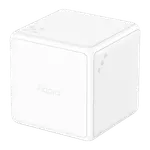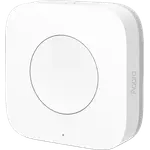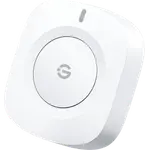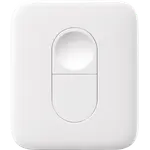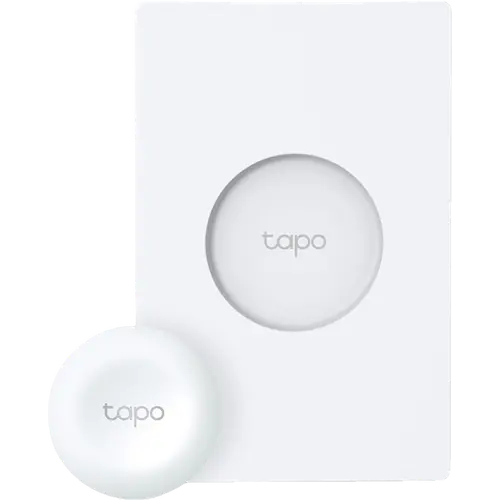


TP-Link Tapo S200D Review: A Tap-and-Twist Dimmer for Tapo Lights, Hub Required
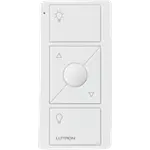
The Tapo S200D is a wireless knob that sits on a switch-style wall plate and triggers Tapo Smart Actions with a single tap, a double tap or a turn. It is an easy, budget-friendly way to put a physical dimmer next to Tapo bulbs, light strips and plugs without touching the wiring. The catch is that it needs a Tapo Hub, stays inside the Tapo ecosystem (Alexa can use it, Google Home and Apple Home cannot), and dimming by rotation can feel slow and steppy.
- Tapo smart light owners
- Renters
- No-wiring switch locations
- Alexa homes
Pros
- Tap, double tap and rotate each trigger their own Tapo Smart Action
- Dims Tapo bulbs and light strips by turning the knob
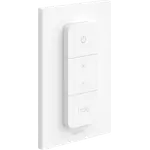
- Magnetic button lifts off its wall plate to work as a remote
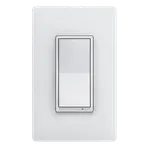
- Switch-style wall plate mounts with adhesive or screws, no wiring
- Shows up in Alexa as a routine trigger through the Tapo Hub
- Coin-cell battery rated for over a year, with over-the-air updates
Cons
- Requires a Tapo Hub (sold separately)
- Rotation dimming can lag and move in coarse steps
- No long press or triple press
- Controls Tapo devices only; no Google Home, Apple Home or SmartThings
- No published IP rating; indoor use only
Who is the TP-Link Tapo S200D for?
It is built for homes that already run Tapo bulbs, light strips, plugs or switches and want a physical control that does not need an app or a voice command. The button pairs with a Tapo Hub over TP-Link's own Sub-1G radio, so a hub such as the H100 or H200 is mandatory. Owners use it to dim a table lamp, give children their own light switch, add a switch where the wiring makes a smart wall switch impossible, or as a doorbell button that rings the hub. It is not a wired dimmer: it never connects to mains and cannot dim an ordinary bulb.
What buyers love
Setup is the most praised part: once the hub is in place, the Tapo app pairs the button in minutes and each action (single tap, double tap, turning left or right) can run its own Smart Action. Many owners say it is quicker than opening the app, and like that the button lifts off its magnetic plate to work as a handheld remote, then snaps back. The wall plate mimics a standard light switch plate and goes up with the included adhesive or screws, which buyers in rented homes appreciate. Several owners also confirm it appears in Alexa as a routine trigger once the hub is linked.
What to know before you buy
The hub requirement surprises some buyers, so budget for one if you do not have it. The most common complaint is lag: a number of owners report a noticeable delay between turning the knob and the light changing, and dimming that moves in coarse steps rather than smoothly. There are only three triggers, with no long press or triple press, and the button only drives Tapo devices. Google Home does not see it as a trigger, Apple Home and SmartThings have no path at all, and Matter bridging on the hub does not cover it yet. A minority report short battery life from the CR2032 cell, and a few say the magnet is weak enough that the base can turn with the knob.
Is the TP-Link Tapo S200D worth it?
For a Tapo household it is a cheap, tidy way to add tap-and-twist control anywhere, with a one year warranty, over-the-air updates and an event history in the app. If you want instant, smooth dimming or a button that works across Google Home, Apple Home or SmartThings, look at a Zigbee or Matter remote instead. If you do not own a Tapo Hub yet, factor its cost into the decision.
Frequently asked questions
Does the Tapo S200D work without a hub?
No. It talks to a Tapo Hub (such as the H100 or H200) over TP-Link's Sub-1G radio, and the hub runs the Smart Actions. It cannot pair directly with bulbs or plugs.
Can the Tapo S200D dim regular bulbs?
No. It is a battery-powered remote, not a wired dimmer. It dims Tapo smart bulbs and light strips through the hub, and can switch Tapo plugs and switches on and off.
Does the Tapo S200D work with Alexa or Google Home?
Through the Tapo Hub it works with Alexa, where it can start routines. Google Home cannot use it as a trigger, and it does not reach Apple Home or SmartThings.
Does the Tapo S200D support Matter?
No. TP-Link's Matter bridging on the Tapo hubs covers its motion, contact and climate sensors, but not the S200 buttons yet.
What battery does the Tapo S200D use and how long does it last?
A single CR2032 coin cell, included. TP-Link rates it for over a year based on 30 presses a day.
Can I install it over an existing light switch?
Yes. The included wall plate can replace an old switch plate with screws or stick anywhere with adhesive, and the button attaches to it magnetically. The circuit behind it has to stay powered for any smart bulbs it controls.