



Aqara Camera E1 Review: An Affordable 2K Pan/Tilt HomeKit Camera With Subscription Catches
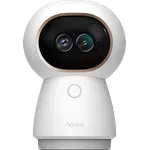
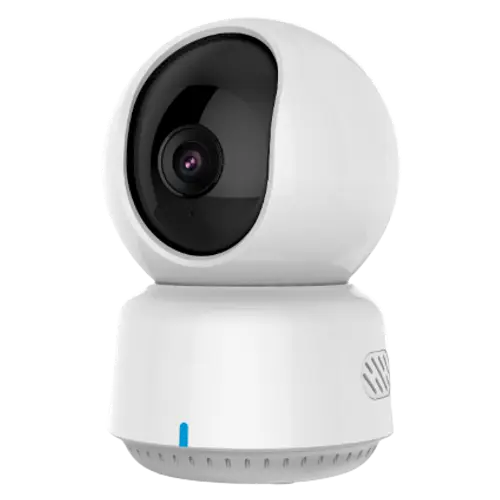
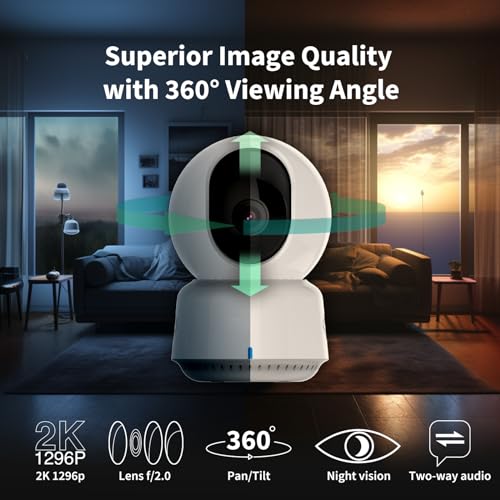
The Aqara Camera E1 is an affordable indoor pan/tilt security camera with 2K video, 360-degree coverage, black-and-white night vision, two-way audio, a built-in siren and local microSD recording. Its biggest draw is HomeKit Secure Video: it plugs into Apple's Home app with end-to-end encryption and no third-party subscription needed for HKSV, and owners in the Apple ecosystem love the seamless setup, Siri control and privacy. Video quality is good, pan/tilt is smooth, person and pet detection work, and it integrates broadly (HomeKit, Alexa, Google Home, SmartThings, Home Assistant and IFTTT), all at a low price. The catches: without an Aqara subscription, event recording is capped (short clips with a cooldown between detections and no pre-roll), HomeKit automations do not reliably trigger the camera's pan or recording, and the Aqara app's own automations are separate from HomeKit. A few owners raise privacy and network-traffic concerns, and there is no power adapter in the box. For an inexpensive HomeKit pan/tilt camera with local storage, it is a strong buy; for advanced event recording without a subscription, look closer first.
- Apple HomeKit households
- Affordable indoor pan/tilt monitoring
- Local microSD recording without cloud fees
- Aqara ecosystem owners
Pros
- Affordable 2K pan/tilt camera with smooth 360-degree coverage
- HomeKit Secure Video with easy Apple Home setup, encryption and Siri control
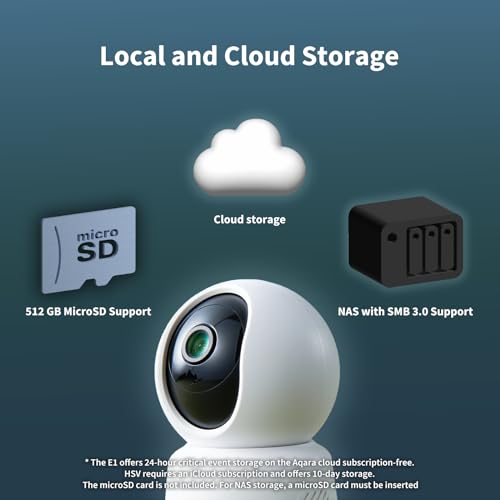
- Local microSD recording (plus FTP or NAS) without mandatory cloud fees
- Person and pet detection, two-way audio, siren and a physical privacy shutter
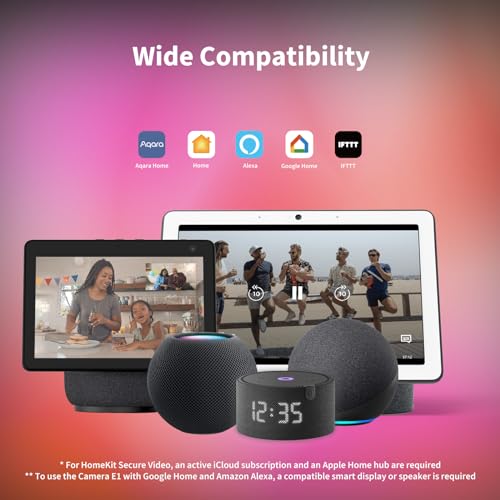
- Broad integrations: HomeKit, Alexa, Google Home, SmartThings, Home Assistant, IFTTT
- Excellent value and responsive customer support
Cons
- Full motion event recording (shorter cooldown) requires an Aqara subscription
- HomeKit automations do not reliably trigger the camera's pan or recording
- Some owners raise photo-access and network-traffic privacy concerns
- Night vision can show grain; siren speaker and two-way audio are weak
- No power adapter or magnetic base in the box (USB-C to USB-A cable only)
- Indoor only, with no weather resistance
Who is the Aqara Camera E1 for?
This is a budget indoor security camera for people who want 2K pan/tilt coverage that plugs into their smart home, especially Apple HomeKit. It offers 360-degree pan and tilt, 2K video, black-and-white night vision, two-way audio, a built-in siren and person and pet detection, and records locally to a microSD card (with cloud as a paid option). It is plug-in powered over USB-C and connects over Wi-Fi. It integrates with HomeKit, Alexa, Google Home, SmartThings, Home Assistant and IFTTT, and supports HomeKit Secure Video so recordings show up in Apple's Home app. It best suits Apple households wanting an affordable camera, anyone who wants local storage without a subscription, and existing Aqara owners. If you need robust event recording or reliable HomeKit-triggered automations, read the caveats first.
What buyers love
The HomeKit integration is the headline. Apple users describe setup through the Home app as incredibly simple, praise the end-to-end encryption and privacy, and like viewing HomeKit Secure Video recordings without needing a microSD card or a third-party subscription, plus Siri voice control. Video quality is called good and clear at 2K, pan/tilt is smooth and covers the whole room from the app, and person and pet detection and tracking work well. Local microSD recording is a favorite, with some owners also using FTP or a NAS, and the camera doubles as an alarm and a door chime when paired with Aqara door sensors, with a physical privacy shutter that closes the lens. Owners running large Aqara setups (door locks, sensors and dozens of devices) praise how tightly it fits the ecosystem. The price is repeatedly called excellent value, and Aqara's customer service earns praise for issuing refunds and fixing issues quickly.
What to know before you buy
The most important limitation is event recording without a subscription. Owners report that on motion the camera records only a short clip and then will not detect again for a few minutes, with no pre or post-event footage, and shortening that cooldown or unlocking more requires an Aqara subscription (continuous recording is the free workaround). HomeKit integration also has gaps: several owners find that HomeKit automations and scenes do not reliably trigger the camera's pan, tilt or recording, and the Aqara app's own automations run independently of HomeKit. A minority raise real concerns, one detailed review citing the app requesting full photo-library access and unexplained upload traffic even with cloud disabled, so privacy-focused buyers should read carefully. Night vision can show some grain on certain units, the built-in siren speaker is not very loud, two-way audio quality is mediocre, and the box includes only a USB-C to USB-A cable with no power adapter and no magnetic base. It is also indoor only, with no weather resistance.
Is the Aqara Camera E1 worth it?
For an inexpensive indoor pan/tilt camera that works with HomeKit Secure Video and records locally to microSD, the E1 is a genuinely strong value, and Apple households in particular get a lot for the money. Buy it with clear eyes about the trade-offs: full-strength motion event recording is gated behind an Aqara subscription, HomeKit automations may not trigger the camera as you expect, and a few owners flag privacy and network behavior worth checking. It also skips a power adapter and a magnetic base. Choose it if you want an affordable HomeKit pan/tilt camera with local storage and broad platform support; if you need advanced event recording without paying a subscription, or fully reliable HomeKit automation control, weigh those limits first.
Frequently asked questions
Does the Aqara Camera E1 work with HomeKit Secure Video?
Yes, and it is one of its main selling points: it integrates with Apple HomeKit and HomeKit Secure Video, so recordings appear in the Home app with end-to-end encryption and no third-party subscription needed for HKSV. Setup through the Home app is easy and Siri control works. Note that HomeKit automations may not reliably trigger the camera's pan, tilt or recording.
Do I need a subscription?
Not for basic use or local microSD recording, but a subscription matters for motion events. Without one, owners report the camera records only a short clip per event and then pauses detection for a few minutes with no pre-roll; shortening that cooldown or unlocking more requires an Aqara subscription. Setting recording to continuous is the free workaround.
Does it record locally, or do I have to use the cloud?
It records locally to a microSD card, and some owners also save to FTP or a NAS, so you can avoid cloud fees. Cloud storage is available as a paid option. HomeKit Secure Video also lets Apple users store recordings via iCloud instead.
How good is the night vision and video quality?
Video quality at 2K is generally described as good and clear. Night vision is black-and-white (there is no color night vision) and performs adequately, though some units show grain in the image. Two-way audio quality is a weaker point, and the built-in siren is not very loud.
Is it weatherproof for outdoor use?
No. The Camera E1 is an indoor plug-in camera with no weather resistance, so it is not suitable for outdoor installation. It needs a nearby power outlet and covers a room with its 360-degree pan and tilt.