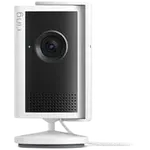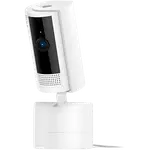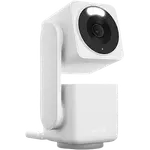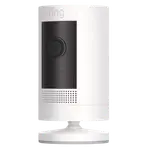



Aqara Camera Hub G2H Pro Review: A HomeKit Camera and Zigbee Hub in One, If It Stays Online
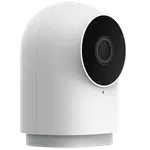
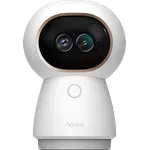
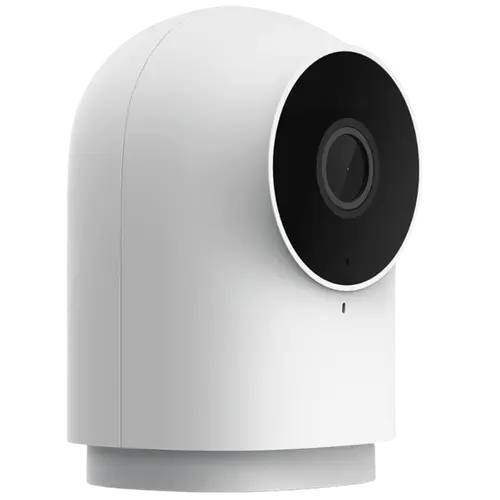
The Aqara Camera Hub G2H Pro is an indoor 1080p HD camera that doubles as a Zigbee smart-home hub, its standout trick. Owners love that a single plug-in device gives them HomeKit Secure Video (encrypted recordings to iCloud, no Aqara app or subscription strictly required) and a hub that onboards Aqara door and window sensors for automations. Video quality is good day and night, the wide-angle view covers a room, two-way audio with a loud speaker works well, and it also acts as a siren. The recurring problem, and the reason it is not rated higher, is stability: many owners report it going offline for minutes at a time, several times a day, which undermines its job as a security camera. It is a fixed camera (no pan or tilt), connects on 2.4GHz Wi-Fi only, can skip frames, and as a hub supports Zigbee but not Thread. For an affordable HomeKit camera that also hubs your Aqara sensors, it is a smart buy; just know that connection reliability is the gamble.
- Apple HomeKit households
- Aqara Zigbee sensor hubs
- Affordable indoor monitoring with local or iCloud storage
- All-in-one camera plus hub setups
Pros
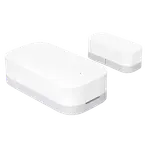
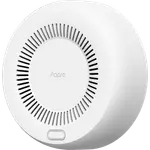
- Doubles as an Aqara Zigbee hub for sensors and automations
- HomeKit Secure Video with encrypted iCloud recording and easy Apple Home setup
- Good 1080p picture and night vision with a wide-angle view
- Loud, clear two-way audio and a built-in siren
- Compact design with a magnetic, adjustable base; saves to microSD or NAS
- Good value, especially for building out multiple cameras
Cons
- Frequently drops offline for minutes at a time, the most common complaint
- Fixed camera with no pan or tilt; placement matters
- 2.4GHz Wi-Fi only (may need to disable 5GHz during setup)
- Frame skipping and weak saturation can blur faces or plates; 15-second event clips
- Zigbee hub only, not Thread; no SmartThings support
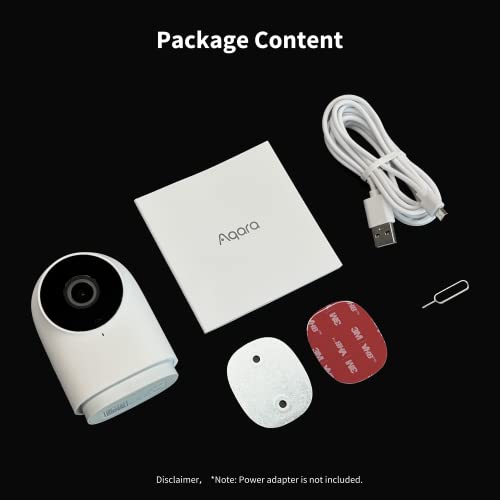
- No power adapter included; indoor only with no weather resistance
Who is the G2H Pro for?
This is an indoor plug-in camera that is also a Zigbee hub, aimed at Apple HomeKit users who want to consolidate. It shoots 1080p HD with a wide 146-degree view and black-and-white night vision, offers two-way audio, a siren, customizable motion and privacy zones, and records to a microSD card, a NAS, or iCloud via HomeKit Secure Video (cloud is otherwise a paid option). It connects on 2.4GHz Wi-Fi, is fixed (no pan or tilt), and crucially acts as an Aqara Zigbee hub to bring door and window sensors and automations into your setup. It works with HomeKit, Alexa, Google Home, Home Assistant and IFTTT, but not SmartThings. It best suits HomeKit households, people who want one device to both watch a room and hub their Aqara sensors, and anyone wanting affordable local or iCloud storage. If you need pan/tilt or rock-solid uptime, read the caveats first.
What buyers love
The dual role is the highlight. Owners praise that it is both a camera and a Zigbee hub, with one running two units to onboard 16 door and window sensors and build automations, replacing a separate hub. HomeKit Secure Video integration is a favorite: setup through Apple's Home app is easy, recordings are encrypted to iCloud, and one owner even confirmed it makes zero outbound internet traffic when used HomeKit-only, a privacy plus. Video quality is called good in both daylight and night vision, the wide-angle lens covers a room, and two-way audio comes through a loud, clear speaker (handy for talking to a pet), with the camera also acting as a siren. The compact design with a magnetic, adjustable base makes placement easy, it can save event clips and time-lapses to a NAS, and buyers repeatedly call it good value, especially for building out multiple cameras.
What to know before you buy
The biggest complaint is connection stability: a significant number of owners report the camera dropping offline for anywhere from five minutes to an hour, several times a day, which they find unacceptable for a security device, and some return it over this. A few also see the image freeze until they power-cycle the camera. It is fixed, with no pan or tilt, so placement matters, and it connects on 2.4GHz Wi-Fi only, so you may need to temporarily disable your 5GHz band during setup. Some owners note frame skipping and weak color saturation, meaning it may capture that an event happened but not a clear face or license plate, and motion event clips are a fixed 15 seconds regardless of how long the motion lasts. As a hub it supports Zigbee but not Thread, so newer Thread-based Aqara devices still need a separate hub. Features are richest inside HomeKit and thinner outside it, there is no SmartThings support, no power adapter is included, and it is indoor only with no weather resistance.
Is the G2H Pro worth it?
If you are in HomeKit and want an affordable camera that also hubs your Aqara Zigbee sensors, the G2H Pro is a genuinely clever value: HomeKit Secure Video, a built-in hub, good picture and a loud speaker in one small plug-in unit. The catch you have to accept is reliability. Enough owners report frequent offline drops that you should treat stability as the main risk, and it is a fixed camera with no pan/tilt, 2.4GHz-only Wi-Fi, and some frame skipping. Buy it if the camera-plus-Zigbee-hub combination and HomeKit integration are what you want and your Wi-Fi is solid where it will live. If you need pan/tilt, Thread hubbing, SmartThings, or guaranteed uptime, weigh those limits first.
Frequently asked questions
Does the G2H Pro really work as a smart-home hub?
Yes. It is a Zigbee hub as well as a camera, so it can onboard Aqara door and window sensors and run automations, replacing a separate hub for many users. Note it supports Zigbee only, not Thread, so newer Thread-based Aqara devices will still need a separate Thread hub.
Does it work with HomeKit Secure Video?
Yes, and it is a key strength: it integrates with Apple HomeKit and HomeKit Secure Video, storing encrypted recordings to iCloud, and setup through the Home app is easy. One owner confirmed it makes no outbound internet traffic when used HomeKit-only. It also works with Alexa, Google Home, Home Assistant and IFTTT, but not SmartThings.
Why does my camera keep going offline?
Frequent disconnects are the most common complaint, with many owners seeing it drop for minutes at a time several times a day. It connects on 2.4GHz Wi-Fi only, so weak signal can contribute; a Wi-Fi repeater or better placement helps some users, but others could not resolve it and returned the unit, so treat uptime as the main risk.
Can it pan and tilt to follow motion?
No. The G2H Pro is a fixed camera with no pan or tilt, so you need to aim it carefully to cover the area you want. Its wide 146-degree lens helps cover a room, but it cannot rotate to track movement like Aqara's pan/tilt models.
Where does it store recordings?
It records locally to a microSD card, can save event clips and time-lapses to a NAS, and supports iCloud storage through HomeKit Secure Video. Aqara's own cloud storage is available as a paid subscription. Motion event clips are a fixed 15 seconds each.