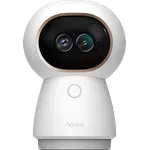





Aqara Camera Hub G3 Review: A Feature-Packed 2K HomeKit Camera, Hub and IR Blaster in One
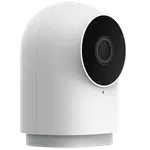
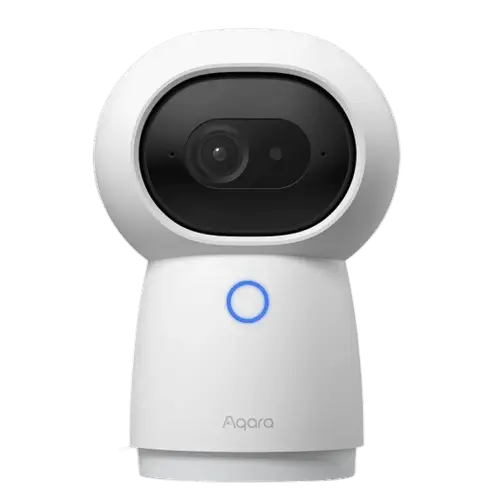
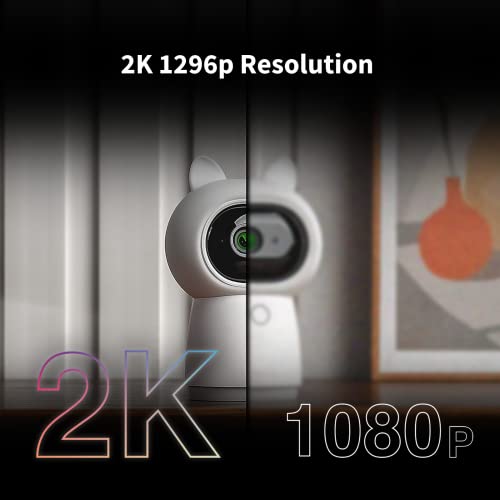
The Aqara Camera Hub G3 is a do-it-all indoor camera: 2K video, pan and tilt, black-and-white night vision, AI facial, human, animal and gesture recognition, a built-in Zigbee hub, an infrared remote-control blaster, and a siren. Owners repeatedly rate its picture and night vision above cheaper rivals like Eufy, Blink and Tapo, and love that HomeKit Secure Video setup is a quick QR scan that stores recordings to iCloud with no third-party app. As a Zigbee hub it centralizes Aqara automations (locks, alarms, sensor chimes), and Aqara's customer service earns exceptional praise for free, no-fuss replacements. The catches: HomeKit setup can be fiddly (order of operations matters), pan/tilt and AI tracking need the Aqara app rather than HomeKit, AI features cannot all run at once, and a minority of units drop offline, overheat or arrive faulty. It does not support SmartThings and is indoor only. For a HomeKit power user who wants a camera, hub and IR remote in one affordable device, it is one of the best options going.
- Apple HomeKit power users
- Camera plus Zigbee hub plus IR remote in one
- AI human, animal and gesture tracking
- Aqara ecosystem automations
Pros
- Excellent 2K video and night vision, rated above many cheaper rivals
- HomeKit Secure Video with quick QR setup and iCloud storage
- Built-in Zigbee hub and infrared remote blaster in one device
- AI facial, human, animal and gesture recognition plus patrol mode
- Outstanding customer service with free, no-fuss replacements
- Wide pan and tilt, sturdy build and great value
Cons
- HomeKit setup can be fiddly; order of operations matters
- Pan/tilt and AI tracking need the Aqara app, not HomeKit
- AI features cannot all run at once; cruise mode lasts only ~5 hours
- A minority of units drop offline, overheat or arrive faulty
- Inserting a microSD disables iCloud/HomeKit video history
- No SmartThings support; siren is not very loud; indoor only
Who is the Camera Hub G3 for?
This is Aqara's feature-loaded indoor camera for people who want one device to do several jobs. It shoots 2K video with a wide view, pans and tilts (about 340 degrees), has black-and-white night vision, a siren and customizable motion zones, and adds AI facial, human, animal and gesture recognition plus a cruise/patrol mode. Beyond the camera, it is a Zigbee smart-home hub and an infrared remote-control blaster for legacy AV and appliances. It connects over 2.4GHz or 5GHz Wi-Fi, records to microSD or the cloud (subscription) and supports HomeKit Secure Video for iCloud storage, and works with HomeKit, Alexa, Google Home, Home Assistant and IFTTT, but not SmartThings. It best suits HomeKit power users, anyone wanting a camera, hub and IR remote combined, and Aqara ecosystem owners. If you want everything controllable purely through HomeKit, read the caveats first.
What buyers love
Picture quality is the headline: owners call the 2K video and night vision excellent, repeatedly rating it above Eufy, Blink, Tapo and ecobee cameras they replaced. HomeKit Secure Video integration is a favorite, with setup often as simple as scanning a QR code in Apple's Home app and recordings saved to iCloud, no third-party app needed. The device's versatility wins praise: it acts as a Zigbee hub to centralize Aqara automations like locking a smart lock, arming an alarm or chiming when a door sensor opens, and it includes an IR blaster. The AI features stand out too, with human and animal tracking (handy for pets), facial recognition to distinguish household members, gesture shortcuts and a patrol mode. Perhaps most notably, Aqara's customer service is described as outstanding, replacing dead-on-arrival or failed units for free with no hassle even months after purchase. The build feels sturdy, it is fast to load and notify, and the price is considered great value, complete with removable cat-ear covers.
What to know before you buy
Setup is the most common friction: several owners went through repeated factory resets before finding the right order, and the reliable path is to add the camera to HomeKit first and then to the Aqara app, since doing it the other way can leave it stuck offline in HomeKit. Note that pan, tilt and AI human tracking are controlled in the Aqara app, not HomeKit, so you cannot move the camera from Apple's Home app, and the two apps do not always show a synced state. The AI features also cannot all run simultaneously (for example, gesture shortcuts disable while tracking is active), and cruise mode only lasts about five hours. Reliability is mostly good but not universal: a minority report the camera dropping offline or freezing until power-cycled (awkward when you are away), one cited overheating, and a few units arrived dead or with poor audio recording, though Aqara replaced them. Inserting a microSD card disables iCloud/HomeKit video history, so you scrub recordings in the Aqara app instead. The siren is not very loud, there is no SmartThings support, and it is indoor only.
Is the Camera Hub G3 worth it?
For a HomeKit household that wants maximum capability from one affordable device, the G3 is hard to beat: a sharp 2K camera, HomeKit Secure Video, a Zigbee hub, an IR remote and genuinely useful AI tracking, backed by customer support owners rave about. Just go in knowing the trade-offs. The initial HomeKit setup can be fiddly and rewards doing it in the right order, pan/tilt and tracking live in the Aqara app rather than HomeKit, AI features are not all simultaneous, and a minority of units have connectivity or hardware hiccups. It also skips SmartThings and is indoor only. Buy it if you want a versatile HomeKit camera-hub-IR combo and do not mind using the Aqara app for the advanced features; if you need everything through HomeKit alone or guaranteed uptime, weigh those limits first.
Frequently asked questions
Does the Camera Hub G3 work with HomeKit Secure Video?
Yes, and it is a key strength: setup is often as easy as scanning a QR code in Apple's Home app, and recordings are stored to iCloud via HomeKit Secure Video with no third-party app required. For the smoothest result, add it to HomeKit first and then to the Aqara app. Note that pan, tilt and AI tracking are controlled in the Aqara app, not HomeKit.
Is it really a smart-home hub and IR remote too?
Yes. Beyond being a camera, the G3 is a Zigbee hub that can bring Aqara sensors and devices into automations (locks, alarms, door chimes) and includes an infrared remote-control blaster for legacy AV gear and appliances. It works with HomeKit, Alexa, Google Home, Home Assistant and IFTTT, but not SmartThings.
How reliable is it?
Mostly good, but not universal. Many owners find it more stable and faster than Eufy or Blink cameras they replaced, while a minority report it dropping offline or freezing until power-cycled, one case of overheating, and a few dead-on-arrival units. Aqara's customer service is widely praised for replacing faulty units for free.
Can I use its AI features all at the same time?
Not all of them. Owners note the AI functions cannot run simultaneously; for example, gesture shortcuts are disabled while human or animal tracking is active. The cruise/patrol mode also only runs for about five hours before stopping, which limits it for long absences.
Where does it store video?
It records to a microSD card or to the cloud with a subscription, and supports iCloud storage through HomeKit Secure Video. One caveat: inserting a microSD card disables the iCloud/HomeKit video history, so you scrub recorded footage in the Aqara app instead, while live viewing still works in HomeKit.