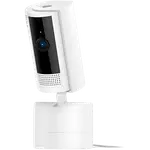
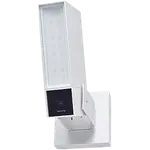
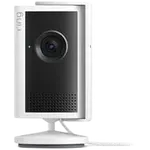
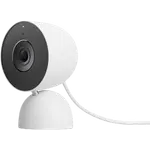
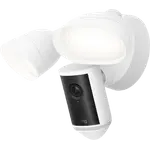
Winner
30% OFF
$159.99
$229.99

Full Smart Cameras comparison in 2026
New releases and the smart home news worth knowing, in your inbox.
No spam. Unsubscribe in one click.
| Feature | Aqara Camera Hub G5 Pro PoE | Aqara Camera Hub G5 Pro WiFi | Winner |
|---|---|---|---|
| Rating | 4.5 | 4.2 | Aqara Camera Hub G5 Pro PoE |
| PoE | YES | NO | Aqara Camera Hub G5 Pro PoE |
| Connectivity | Ethernet | 2.4 GHz WiFi, 5 GHz WiFi | Aqara Camera Hub G5 Pro WiFi |
| Warranty | 1 year | 1 year | Tie |
| Weather Resistance | IP65 | IP65 | Tie |
| Solar Charging | NO | NO | Tie |
| Storage | MicroSD Card Slot, Cloud | MicroSD Card Slot, Cloud | Tie |
| 2K Video | YES | YES | Tie |
| 4K Video | NO | NO | Tie |
| HDR | NO | NO | Tie |
| Color Night Vision | YES | YES | Tie |
| Multiple Lenses | NO | NO | Tie |
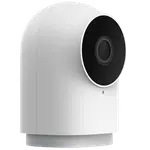
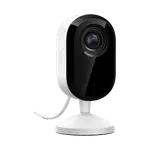
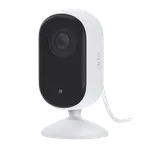
The Aqara Camera Hub G5 Pro PoE connects and powers over a single Ethernet cable. The Aqara Camera Hub G5 Pro WiFi connects over dual-band Wi-Fi and is powered by USB-C, with no Ethernet option at all.
A wired PoE connection is inherently more stable than Wi-Fi, which is part of why the PoE version rates slightly higher among owners. The WiFi version still supports both 2.4 and 5GHz bands for flexible placement.
The Aqara Camera Hub G5 Pro WiFi is powered through an exposed USB-C port with a short cable and no included power brick. The Aqara Camera Hub G5 Pro PoE draws power over the same shielded Ethernet cable that carries its data.
The Aqara Camera Hub G5 Pro PoE needs a PoE switch or injector and cable routing to the mounting spot. The Aqara Camera Hub G5 Pro WiFi only needs a nearby power source and a Wi-Fi signal.
PoE gives the Aqara Camera Hub G5 Pro PoE a more stable connection with power and data on one cable.
The Aqara Camera Hub G5 Pro WiFi connects over dual-band Wi-Fi instead.
The Aqara Camera Hub G5 Pro PoE's Ethernet connector is more sheltered than the WiFi version's exposed USB-C power port.
The Aqara Camera Hub G5 Pro WiFi only needs a power source and a Wi-Fi signal.
Since the two cameras are otherwise the same hardware, owners describe near-identical praise for the night vision and the smart-home hub features, and the difference shows up mainly in how each is wired. Aqara Camera Hub G5 Pro PoE owners say the wired connection ended the Wi-Fi disconnects they had with earlier cameras entirely, crediting a single stable Ethernet cable for near-zero lag; their main complaint stays the same as any G5 Pro, no free 24/7 recording without a subscription or a NAS. Aqara Camera Hub G5 Pro WiFi owners, several of whom switched from other HomeKit brands, praise the dual-band Wi-Fi for staying connected where Eufy, Logitech and Arlo cameras kept dropping, but flag the exposed USB-C power connector and its short cable as a weak point for an outdoor camera, wanting a proper weatherproof power setup.
Only how they connect and power on. The PoE version runs on a single Ethernet cable; the WiFi version connects over dual-band Wi-Fi and is powered by USB-C, with no Ethernet option. Every camera and hub feature is otherwise the same.
The Aqara Camera Hub G5 Pro PoE, by a small margin, mainly because a wired connection is more stable than Wi-Fi. Pick the WiFi version instead if running Ethernet to the camera is not realistic.
No. It connects over 2.4 and 5GHz Wi-Fi only and is powered by USB-C. Ethernet, with Power over Ethernet, is exclusive to the Aqara Camera Hub G5 Pro PoE.
Yes. Both share the same 2K sensor, true-color night vision, Zigbee coordinator, Thread border router, Matter bridge, and RTSP and ONVIF support. The only difference is how each one connects and gets power.
Anyone who can run an Ethernet cable to the camera and wants the most stable possible connection, with power and data on one line.
Anyone who cannot run Ethernet to the mounting spot and needs the flexibility of dual-band Wi-Fi instead, while planning a weatherproof USB-C power setup outdoors.
Spotted something wrong on this page? Tell us and we will fix it.
 Our store on AmazonShop our ideas on AmazonLists of the smart home setups we would put together ourselves, ready to add to your Amazon cart.Shop on Amazon
You are looking at two of them. The full table lines up all Cameras in the catalog with the same specs, so you can filter by what you need and sort by price or rating.