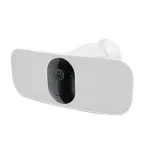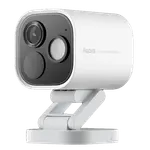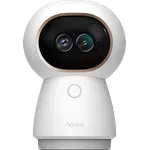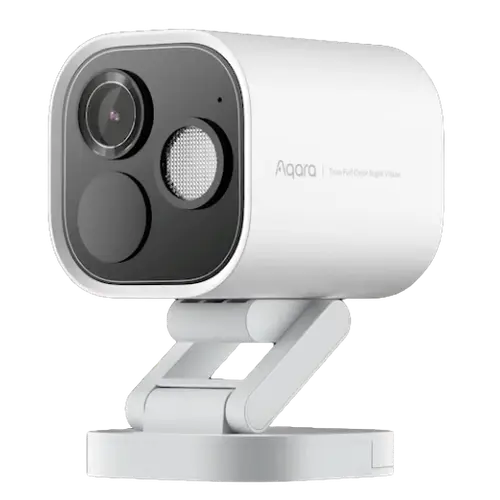



Aqara Camera Hub G5 Pro WiFi Review: The Reliable HomeKit Camera With Day-Like Night Vision
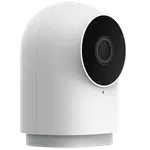
The Aqara Camera Hub G5 Pro WiFi is one of the most reliable HomeKit cameras you can buy, pairing native HomeKit Secure Video with genuinely excellent true-color night vision and a dual-band (2.4/5GHz) Wi-Fi connection that owners say simply does not drop the way rival HomeKit cameras do. It also acts as a Zigbee coordinator, Thread border router and Matter bridge, and supports NAS recording over RTSP with no forced subscription. The main weakness is outdoor power: it relies on an exposed USB-C port and a short cable, which some buyers find vulnerable to weather.
- Apple HomeKit users
- Wi-Fi installs
- Low-light & night monitoring
- No-subscription / NAS recording
Pros
- Excellent true-color night vision, near-daylight at night
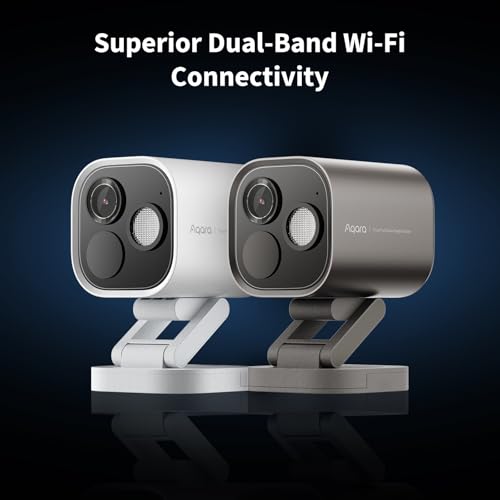
- Very reliable dual-band (2.4/5GHz) Wi-Fi that rarely drops
- Native HomeKit Secure Video, plus Alexa, Google Home, SmartThings, Home Assistant and IFTTT
- Built-in Zigbee coordinator, Thread border router and Matter bridge
- NAS / RTSP recording with no forced subscription
- Accurate local AI detection (people, animals, vehicles, packages) and IP65 build
Cons
- Exposed USB-C outdoor power, short cable and no power brick included
- Integrated spotlight is weaker than some rivals
- Mount is sturdy but not freely articulating
- Pricey at full price; best bought on sale
- Occasional brief disconnects around scheduled firmware updates
- HomeKit caps the stream at 1080p
Who is the Aqara Camera Hub G5 Pro WiFi for?
This is the wireless sibling of Aqara's G5 Pro line, aimed at people who want a deeply integrated camera without running Ethernet. It is the version to pick when you want flexible placement on dual-band Wi-Fi (2.4 or 5GHz) but still want a wired Ethernet option available. Apple households are the core audience thanks to native HomeKit Secure Video, but it also works with Alexa, Google Home, Samsung SmartThings, Home Assistant and IFTTT, and exposes RTSP for NAS recording. As a Zigbee coordinator, Thread border router and Matter bridge, it doubles as a smart-home hub, so it suits anyone who wants one device to both watch the home and extend their automation network.
What buyers love
Reliability and night vision dominate the praise. Owners who have cycled through Eufy, Logitech, Arlo and Eve HomeKit cameras repeatedly say the G5 Pro is the one that stays online, crediting the dual-band Wi-Fi (the 5GHz band in particular) and an automatic quality setting that steps the stream down rather than dropping it. The true-color night vision is the other star, described again and again as making nighttime footage look almost like daylight. People also value the local AI detection (people, animals, vehicles, packages) without constant false alerts, the bright schedulable spotlight, the option to record continuously to a NAS with no subscription, and the built-in Zigbee/Thread hub. Several reviewers run many units and have replaced entire rival fleets with these.
What to know before you buy
The recurring concern is outdoor power. The camera is fed by an exposed USB-C port with a fairly short included cable and no power brick in the box, and a few owners worry the connector is vulnerable to rain and freezing temperatures, with one isolated report of a cable connector overheating. Plan a weatherproof power setup for outdoor installs. The integrated spotlight is a touch weaker than some competitors, the mount is sturdy but not freely articulating (angled spots may need an aftermarket bracket), and at full price it is on the expensive side, so it is best bought on sale. A minority noted occasional brief disconnects tied to scheduled firmware updates, and through HomeKit the stream is capped at 1080p (an Apple limitation, not the camera's 4MP sensor).
Is the Aqara Camera Hub G5 Pro WiFi worth it?
For Apple HomeKit users who want a camera that stays connected and a night image that genuinely impresses, it is an easy recommendation, and it earns consistently high ratings from a large number of buyers. The no-subscription NAS recording and built-in Zigbee/Thread/Matter hub add value a plain camera cannot match. If you can run Ethernet, the PoE sibling solves the outdoor-power worry; otherwise, mind the USB-C connector for outdoor use and try to buy on discount, and this is one of the best HomeKit cameras available.
Frequently asked questions
Does the Aqara G5 Pro WiFi need a subscription?
No, not for core use. HomeKit Secure Video runs on your iCloud+ plan, and you can record continuously to a NAS over RTSP with no subscription. A subscription is only needed if you want Aqara's cloud storage.
What is the difference between the WiFi and PoE versions?
This WiFi model connects over dual-band 2.4/5GHz Wi-Fi (and also offers Ethernet) and is powered by USB-C, giving flexible placement. The PoE version is Ethernet-only and draws power over the network cable, which is more stable and avoids the exposed USB-C power but needs structured cabling and a PoE switch.
Does it work with Apple HomeKit, Alexa and Google Home?
Yes. It supports Apple HomeKit (including HomeKit Secure Video), Amazon Alexa, Google Home, Samsung SmartThings, Home Assistant and IFTTT, and it also offers RTSP streaming.
Can it act as a smart-home hub?
Yes. It works as a Zigbee coordinator, a Thread border router and a Matter bridge, so it can connect and extend your Aqara and other compatible devices.
Is it good for outdoor use?
It is IP65 weather-rated and many owners use it outdoors successfully, but it is powered by an exposed USB-C connector with a short cable, so you should set up weatherproof power and ideally place the connector in a sheltered spot.