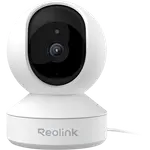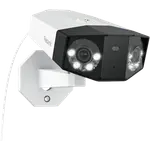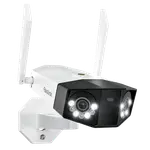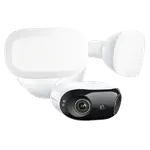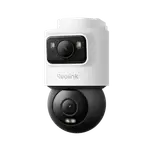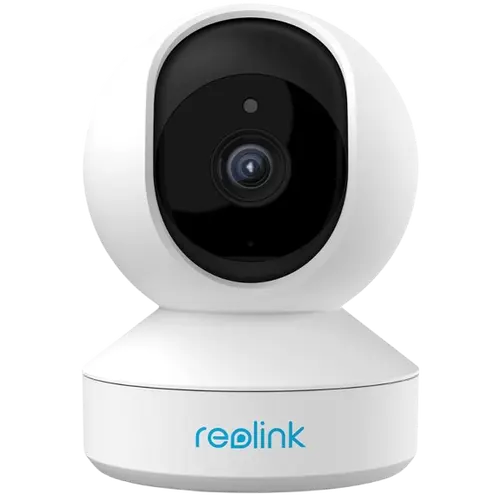






Reolink E1 Pro Review: A Cheap, Flexible Pan-Tilt Indoor Camera With No Fees and Home Assistant Support
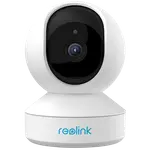
The Reolink E1 Pro is an inexpensive indoor pan-and-tilt camera that covers a whole room, records locally with no subscription, and, unusually at its price, supports RTSP, FTP-to-NAS, Reolink NVRs and Home Assistant. Owners love the sharp video, the value at a budget price, the two-way audio for baby, pet and elderly monitoring, and the freedom from proprietary cloud lock-in, with many buying several and going all-in on Reolink. Setup can take under ten minutes and it supports both 2.4GHz and 5GHz Wi-Fi plus wired Ethernet. The frustrations: Wi-Fi setup can be fiddly (often needing an Ethernet-first trick, and painful when you change networks), the pan/tilt lags and cannot be fine-tuned, there is a little live-view lag, and one detailed owner reports a serious privacy quirk where someone with the Reolink app on your network could see your cameras. It works with Google, Alexa and Home Assistant, but not HomeKit. For a cheap, flexible indoor camera with local storage and Home Assistant support, it is a strong pick.
- Affordable indoor pan/tilt monitoring
- Home Assistant and RTSP users
- Local storage with no fees
- Baby, pet and elderly cams
Pros
- Excellent value with sharp video and selectable quality modes
- 355-degree pan and tilt with auto-tracking covers a whole room
- No fees: local microSD storage, plus RTSP, FTP-to-NAS and Reolink NVR support
- Home Assistant integration and open, non-proprietary access
- Two-way audio and AI detection; good for baby, pet and elderly monitoring
- Wired Ethernet or dual-band 2.4/5GHz Wi-Fi; phone and PC apps
Cons
- Wi-Fi setup can be fiddly (Ethernet-first trick) and painful when changing networks
- Pan/tilt lags and cannot be fine-tuned, moving more than intended
- Minor live-view lag; HD mode can use data even on Wi-Fi
- One detailed report of a privacy quirk (app seeing cameras on a shared network)
- Alert-scheduling UI is not user-friendly; do not mount flush against a wall
- No HomeKit, SmartThings or IFTTT; no built-in light
Who is the E1 Pro for?
This is a low-cost wired indoor camera on a motorized pan-and-tilt base, for people who want full-room coverage without a subscription. It shoots sharp video with selectable quality modes, pans about 355 degrees and tilts, and has black-and-white night vision, two-way audio, a siren, auto-tracking, and AI person, pet and baby-cry detection. It records locally to a microSD card (up to 512GB) with no monthly fee, and also supports RTSP, FTP-to-NAS and Reolink NVRs. It connects over wired Ethernet or dual-band 2.4/5GHz Wi-Fi, and works with Google Home, Alexa and Home Assistant, but not HomeKit, SmartThings or IFTTT. It best suits affordable full-room monitoring, Home Assistant and RTSP users, and baby, pet or elderly cams. If you want a simple, foolproof Wi-Fi setup or HomeKit support, read the caveats first.
What buyers love
Value and flexibility win owners over. At its budget price it is repeatedly called excellent value, and many buy several and switch their whole system to Reolink. The video is sharp day and night with selectable Fluent, mid and HD quality, the pan/tilt covers a whole room with auto-tracking and two-finger zoom, and two-way audio makes it a favorite for baby, pet and elderly monitoring. The biggest draw is openness: it records locally to microSD with no cloud subscription, and it supports RTSP, FTP-to-NAS, Reolink NVRs and Home Assistant, with one owner calling the Home Assistant integration flawless, so you are not locked into proprietary software. Setup is quick (often under ten minutes), it supports both 2.4GHz and 5GHz Wi-Fi plus wired Ethernet, and there are both phone and PC apps. It comes with a mounting template and a long power cord, and many owners report years of reliable use across several cameras, with customer service praised by some.
What to know before you buy
Setup and control are the main friction. Wi-Fi connection can be fiddly: several owners had to connect via Ethernet first, then switch the camera to Wi-Fi in settings, and moving the camera to a new network is time-consuming, one owner spent hours re-setting them up after each move over three years. The pan/tilt lags between pressing and moving and cannot be fine-tuned, moving more than you want, and there is a small live-view lag (with the HD mode using data even on Wi-Fi). Some owners had a microSD card that would not work, and two-way audio quality is decent but not the best in its class. One detailed reviewer reports a serious privacy quirk, that someone with the Reolink app who joins your network could see your cameras, and describes their app syncing to a workplace's cameras, so security-sensitive users should weigh this. Phone support was unreachable at times for that owner, the alert-scheduling UI is not user-friendly, and you should not mount it flush against a wall as that distorts the image. It has no HomeKit, SmartThings or IFTTT, and no built-in light.
Is the E1 Pro worth it?
For a cheap, flexible indoor pan-and-tilt camera that records locally with no fees and plugs into RTSP, NVRs and Home Assistant, the Reolink E1 Pro is a strong value, and owners consistently buy more after trying one. Just go in knowing the trade-offs: Wi-Fi setup can be fiddly (keep an Ethernet cable handy, and expect effort if you change networks), the pan/tilt is laggy and imprecise, and there is minor live-view lag. Weigh the single but detailed privacy report if you are in a sensitive environment. Buy it if you want an affordable full-room camera with local storage and Home Assistant support and do not mind some setup fuss; if you need a foolproof Wi-Fi experience, precise pan/tilt, or HomeKit, weigh those limits first.
Frequently asked questions
Do I need a subscription?
No. It records locally to a microSD card (up to 512GB) with no monthly fee, and it also supports FTP-to-NAS and recording to a Reolink NVR. Reolink offers optional cloud storage, but most owners rely on the microSD and value not being locked into a subscription.
Does it work with Home Assistant?
Yes, and it is a key strength. It supports RTSP and integrates with Home Assistant (one owner calls it flawless), as well as Google Home. Reolink also lists Google Home and Alexa for this model, while Apple HomeKit, SmartThings and IFTTT are not supported.
Why won't it connect to my Wi-Fi?
Wi-Fi setup can be fiddly. Many owners succeed by first connecting the camera to the router via Ethernet, completing setup, then switching it to Wi-Fi (2.4GHz or 5GHz) in the app's settings before unplugging Ethernet. Changing networks later, such as after a move, can also require redoing setup, which some find time-consuming.
How good is the pan and tilt?
It covers a whole room (about 355 degrees of pan plus tilt) and includes auto-tracking, but the control is laggy and imprecise, with a delay between pressing and moving and a tendency to move more than you intend, so you cannot fine-tune the position. It is fine for repositioning, less so for precise aiming.
Is there a privacy concern?
One detailed owner reported that someone with the Reolink app who joins your network could see your cameras, and described their app inadvertently syncing to a workplace's Reolink cameras. This is a single but specific account, so privacy-sensitive users should research current firmware and account settings, and secure their network, before relying on it in sensitive environments.