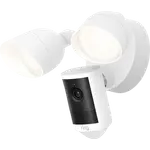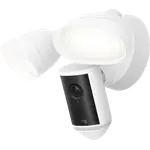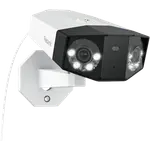




Reolink Elite Floodlight WiFi Review: Sharp 4K, 180-Degree View and No Fees, but a Night Flashing Flaw
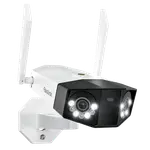
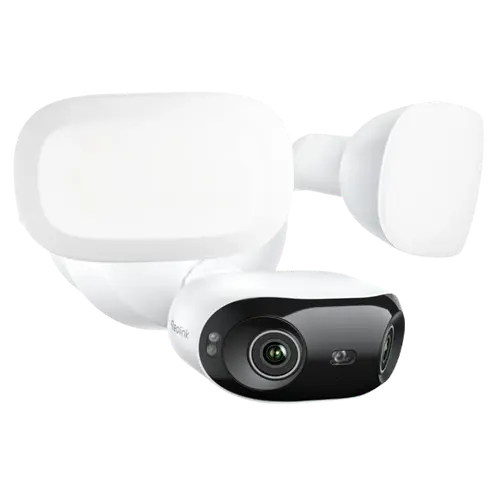
The Reolink Elite Floodlight WiFi is a hardwired floodlight camera with a sharp 4K/8MP sensor, a 180-degree dual-lens view, and a bright, adjustable 3000-lumen floodlight, all with no monthly fees. Owners love the crisp image (a clear step up from Eufy and other budget cameras), the easy roughly 30-minute install that replaces an existing floodlight (with a built-in level and a hook to hold it while wiring), the local microSD storage (up to 512GB), and the open RTSP/ONVIF support that works with Home Assistant, Frigate, Blue Iris and third-party NVRs. The frustrations: some owners report the floodlight flashing on and off at night when motion triggers, leaving alternating bright and black frames with no fix (a firmware update was promised but slow to arrive), out-of-the-box AI detection is oversensitive (rain, wind, insects), Google Home integration is limited, and Reolink's newer account and stream changes annoy advanced NVR users. It works with Google and Home Assistant, but not Alexa or HomeKit officially. For a bright, sharp, subscription-free floodlight camera, it is a strong pick, if the night flashing does not affect your unit.
- Subscription-free floodlight coverage
- Home Assistant, Frigate and NVR users
- Wide 4K single-camera coverage
- Replacing an existing wired floodlight
Pros
- Sharp 4K/8MP video, a clear step up from budget cameras
- 180-degree dual-lens view covers a whole area with no blind spots
- Bright, adjustable 3000-lumen floodlight (intensity and color temperature)
- Very easy ~30-minute install with a built-in level and hold hook
- No fees: local microSD storage (up to 512GB) plus open RTSP/ONVIF
- Works with Home Assistant, Frigate, Blue Iris and third-party NVRs
Cons
- Reported night flashing: floodlight strobes with black frames, with no fix on some units
- Out-of-the-box AI detection is oversensitive (rain, wind, insects)
- Limited Google Home integration (no in-app camera viewing)
- Newer share-based accounts complicate NVR logins; go2rtc H265 can be broken
- Brief black screen switching from IR to floodlight; no two-way audio
- No Alexa or SmartThings; HomeKit only via unofficial workarounds
Who is the Elite Floodlight for?
This is a hardwired outdoor floodlight camera for people who want bright light plus a sharp, wide camera with no fees. It shoots 4K/8MP with a 180-degree dual-lens view, has an adjustable 3000-lumen floodlight (brightness and color temperature), a siren, customizable motion and privacy zones, and local AI person, vehicle and animal detection. It records locally to a microSD card (up to 512GB) with no subscription, and supports open RTSP/ONVIF for Home Assistant, Frigate, Blue Iris and third-party NVRs, as well as Reolink's own hubs and NVRs. It wires into mains power in place of a wall light, connects over dual-band Wi-Fi 6, and works with Google Home and Home Assistant, but not Alexa or HomeKit officially. Note there is no two-way audio. It best suits subscription-free floodlight coverage, Home Assistant and NVR users, and anyone replacing an existing wired floodlight. If night-time reliability or Google Home viewing is critical, read the caveats first.
What buyers love
Image quality, the light and the openness win owners over. The 4K/8MP picture is called sharp and a clear upgrade from Eufy and other budget cameras, and the 180-degree dual-lens view covers a whole driveway and yard with no blind spots. The 3000-lumen floodlight is very bright and fully adjustable in both intensity and color warmth. Installation is a repeated highlight: around 30 minutes to replace an existing floodlight, with three same-color wires, a base that includes a built-in level and a hook to hold the unit while you wire it, and QR-code app setup, many did it themselves and saved on an electrician. Local microSD storage (up to 512GB) means no fees, and the open RTSP/ONVIF support is a big draw for privacy-minded users running Home Assistant, Frigate, Blue Iris or third-party NVRs, all local with no cloud. AI detection labels people, vehicles and animals right in the app before you open the clip, with adjustable zones and sensitivity, Wi-Fi 6 holds a stable connection even through thick walls, and the build is solid and modern. Several owners run many Reolink cameras and view them on phone, tablet or PC.
What to know before you buy
The most serious complaint is night-time flashing: one owner reports that when motion triggers the floodlight, the camera cannot adjust fast enough, producing minutes of alternating bright-white and black frames with nothing visible, and there was no setting to disable it, with a promised firmware fix still missing after months (Reolink offered a partial refund). Not everyone sees this, but it is worth checking during a return window. More broadly, out-of-the-box AI detection is oversensitive, triggering on rain, wind, spiders, webs and insects drawn to the light until you carefully tune sensitivity and object size (an NVR or hub helps). Google Home integration is limited, you can stream to a hub by voice but Google removed viewing the camera in the Google Home app, and connecting it requires the camera to be wired (not in initial setup) plus the extra Reolink app. Advanced users note Reolink's newer share-based accounts make giving an NVR its own login harder (share links expire after three years, no extractable password), and the go2rtc H265 stream can be broken (needing H264/FLV). There is a brief black screen (about a second) as it switches from IR to the floodlight at night, HomeKit only works via unofficial workarounds like Scrypted, and there is no two-way audio. It also has no Alexa or SmartThings support.
Is the Elite Floodlight worth it?
For a bright, sharp, subscription-free floodlight camera with a genuinely wide 180-degree view and open RTSP support for Home Assistant and NVRs, the Reolink Elite Floodlight WiFi is a strong value, and most owners are very happy with the image, light and easy install. The big caveat is the reported night-time floodlight flashing, which renders night footage useless on affected units and lacked a timely fix, so test yours in the dark during the return window. Also plan to tune the oversensitive detection, and know Google Home viewing is limited, HomeKit needs workarounds, and there is no two-way audio. Buy it if you want a wide 4K floodlight camera with local storage and Home Assistant or NVR integration and your unit behaves at night; if you need reliable night motion lighting out of the box, full Google Home viewing, or Alexa/HomeKit, weigh those limits first.
Frequently asked questions
Do I need a subscription?
No. It records locally to a microSD card (up to 512GB) with no monthly fee, and it supports open RTSP/ONVIF so you can integrate it with Home Assistant, Frigate, Blue Iris or third-party NVRs, plus Reolink's own hubs and NVRs. There is no cloud requirement, which privacy-minded owners specifically value.
Does the floodlight flash at night?
Some units do. One owner reports that when motion triggers the floodlight, the camera cannot adjust quickly enough, producing minutes of alternating bright and black frames that make night footage useless, with no setting to disable it and a promised firmware fix still missing after months. Not all owners see this, so test your unit in the dark during the return window.
How well does it work with Google Home?
Only partially. You can ask Google to stream it to a hub, but Google removed the ability to view the camera in the Google Home app itself, so you rely on the Reolink app for full control. Connecting it to Google Home also requires the camera to be wired and set up first, plus the extra Reolink app.
Is it hard to install?
No, it is a repeated highlight. It replaces an existing floodlight in around 30 minutes, with three same-color wires, a base that includes a built-in level and a hook to hold the unit while wiring, and QR-code app setup. Many owners installed it themselves and skipped hiring an electrician.
Does it work with HomeKit or have two-way audio?
HomeKit is not officially supported, though some owners get it working through unofficial bridges like Scrypted. There is also no two-way audio on this model. It does work with Google Home and Home Assistant, but not Alexa or SmartThings.