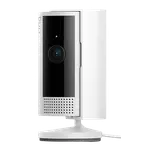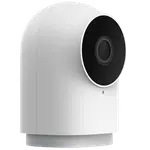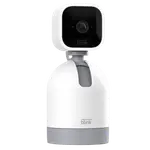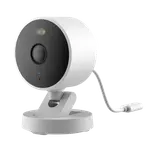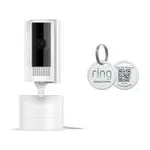
Ring Pan-Tilt Indoor Cam Review: One Plug-In Camera That Sees the Whole Room
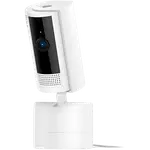
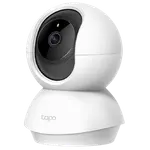
The Ring Pan-Tilt Indoor Cam is an affordable plug-in camera whose motorised head turns 360° and tilts 169°, so one unit covers a whole living room, nursery or pet area. Owners across Europe praise the five-minute setup, the clear daytime and night image, responsive app controls, two-way talk and a physical privacy cover, and many use it to watch dogs, cats and babies. The recurring complaint is storage: there is no microSD slot, so recordings and person alerts need a Ring subscription, and a couple of owners also wanted it to follow movement on its own.
- Pet owners
- Parents and baby monitoring
- Existing Ring households
- Alexa homes
Pros
- 360° pan and 169° tilt cover a whole room from one spot
- Sharp 1080p image with color night vision
- Plug-in setup in minutes through the Ring app
- Clear two-way talk, popular for checking on pets
- Physical privacy cover that disables camera and microphone
- Siren, motion zones and privacy zones
- Works with Alexa, and with Home Assistant via ring-mqtt
Cons
- No microSD or internal storage: recordings need a Ring subscription
- Person alerts are subscription only
- Does not follow movement on its own, it is steered by hand
- 2.4 GHz Wi-Fi only, with weak reception far from the router for some
- Short power lead
- No Google Home, Apple HomeKit, SmartThings or Matter
Who is the Ring Pan-Tilt Indoor Cam for?
It is built for rooms where a fixed camera always points at the wrong half. Owners use it most to keep an eye on dogs and cats while they are out, often talking to them through the speaker, and several use it as a baby monitor, one replacing a monitor whose app had been discontinued. It fits best in a home that already runs Ring: owners who add it to a Ring doorbell or older Ring cameras say it joins the same app in minutes, and a number of them bought a second or third unit. It works with Alexa for viewing on Echo screens, and Home Assistant can reach it through the community ring-mqtt integration.
What owners like about the Ring Pan-Tilt Indoor Cam
Coverage is the reason people buy it, and it delivers: with 360° of pan, 169° of tilt and a 143° diagonal lens, owners report no blind spots in a living and dining room from one position, and the camera responds quickly when steered from the app. Image quality is repeatedly called sharp for 1080p, both by day and at night with color night vision, and two-way talk is described as clear enough to hold a conversation. Setup is the other constant: plug it in, add it in the Ring app and follow the steps. Owners also like the sliding privacy cover, which cuts both the lens and the microphone, the weighted base with an included ceiling mount, and a connection that rarely drops.
What to know before you buy
Almost every critical review is about the subscription. There is no microSD slot and no internal storage, so saved video, event history and person alerts all require a Ring plan once the trial ends; without one you get live view and motion alerts only, and one owner returned it for lack of local storage. It does not track movement on its own in the way some owners expected, so it is mostly aimed by hand. Other isolated complaints: a lead of about two metres, Wi-Fi reception that struggles far from the router (it is 2.4 GHz only), a delay of up to a minute after opening the privacy cover, poor microphone quality in recordings for one owner, and a login process that one owner found tedious. It does not support Google Home, Apple HomeKit, SmartThings or Matter, has no RTSP, and the warranty is one year.
Is the Ring Pan-Tilt Indoor Cam worth it?
As hardware it is excellent value, which is why owners rate it so highly: whole-room coverage, a good 1080p image, a siren, motion and privacy zones and a privacy shutter at a low price, especially on sale. The real cost is the plan. If you already pay for Ring, it is one of the easiest ways to cover a room; if you want recordings without a subscription, a camera with a card slot is the better buy.
Frequently asked questions
Does the Ring Pan-Tilt Indoor Cam need a subscription?
To record, yes. Live view, motion alerts and two-way talk work without a plan, but saved video, event history and person alerts need a Ring subscription, and there is no memory card slot or local storage.
How far does the Ring Pan-Tilt Indoor Cam turn?
It pans a full 360° and tilts 169°, steered from the Ring app, with a 143° diagonal field of view, so one camera can cover an entire room.
Does the Ring Pan-Tilt Indoor Cam follow motion automatically?
Not in the way some owners expected: it is mainly aimed by hand from the app, and two owners were disappointed that it does not follow people or pets around the room on its own.
Does it have a privacy shutter?
Yes. A sliding privacy cover blocks the lens and turns off the camera and microphone. Privacy zones in the app can also mask parts of the room from recording.
Does the Ring Pan-Tilt Indoor Cam work with Google Home or Apple HomeKit?
No. It works with Alexa, and Home Assistant can reach it through the community ring-mqtt integration. Google Home, Apple HomeKit, SmartThings and Matter are not supported.
Is it good as a pet or baby camera?
It is one of its most common uses. Owners use the pan and tilt to find pets anywhere in the room, talk to them through the speaker, and rely on the color night vision for a clear view of a child's room in the dark.