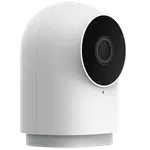



YoLink Uno Review: A No-Fee Pan/Tilt Camera That Shines Inside the YoLink Ecosystem
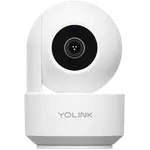
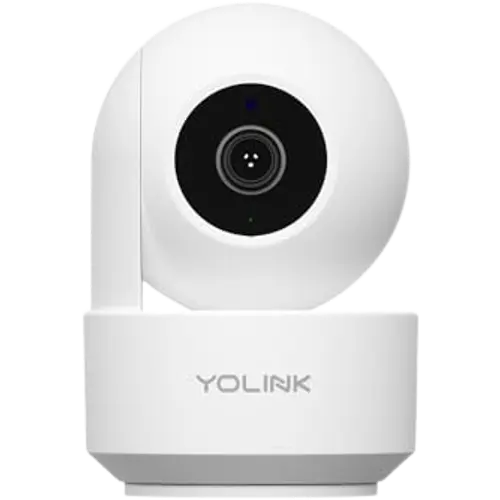
The YoLink Uno is a 1080p indoor pan/tilt camera aimed squarely at people already invested in the YoLink smart-home and alarm ecosystem, where it appears alongside switches, plugs and sensors and can be built into arming scenes and automations. Its strengths are the no-fee local storage (a microSD card is included, with 24/7 looping recording), smooth and responsive 360-degree pan/tilt with saved view presets, clear daytime 1080p video, customizable detection zones (including a privacy 'neutral' zone), and genuinely excellent phone support. The weaknesses are notable: initial Wi-Fi setup is frustrating and often needs multiple factory resets, live view can lag up to a minute (it is pure 2.4GHz Wi-Fi, not YoLink's long-range LoRa), night vision is black-and-white and not great, and it triggers on moths and dust at night. It is indoor-only, and works with Alexa and IFTTT, plus Google Home and Home Assistant through the YoLink ecosystem, but not HomeKit. For YoLink owners wanting a no-subscription monitor, it is a natural fit; as a standalone security camera, it is only fair.
- Existing YoLink ecosystem owners
- Subscription-free indoor monitoring
- Baby, pet and workshop cams
- Pan/tilt coverage of one room
Pros
- Integrates into the YoLink ecosystem, app, scenes and automations
- Subscription-free local storage with an included microSD and 24/7 looping
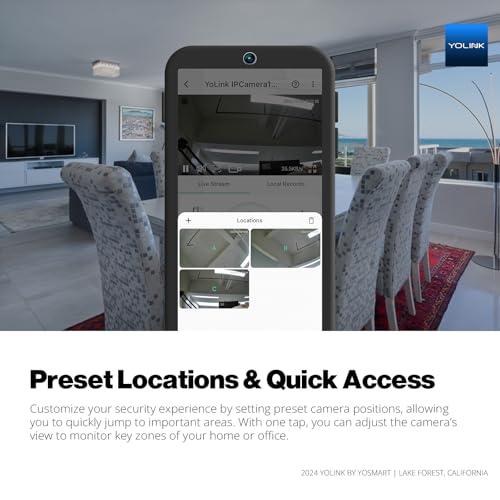
- Smooth, responsive 360-degree pan with saved view presets
- Clear daytime 1080p video and customizable detection zones (with a privacy zone)
- Two-way audio for baby/pet monitoring; remote viewing off your network
- Excellent, phone-based customer support
Cons
- Frustrating Wi-Fi setup that often needs multiple factory resets
- Live view can lag up to a minute (pure 2.4GHz Wi-Fi, not LoRa)
- Black-and-white night vision that is only okay in the dark
- Nighttime false triggers from moths and dust; mediocre person detection
- Indoor-only, basic 2MP sensor, and limited mounting (no tripod thread)
- 2.4GHz Wi-Fi only; no HomeKit or SmartThings
Who is the YoLink Uno for?
This is a 1080p indoor camera on a motorized pan/tilt base, designed to plug into the YoLink smart-home and alarm ecosystem. It offers smooth 360-degree pan with saved view presets, black-and-white night vision, two-way audio, and person, motion and sound detection with customizable zones and sensitivity. It connects over 2.4GHz Wi-Fi and records locally to a microSD card (a 64GB card is included, up to 128GB) with no subscription and automatic looping. It integrates into the YoLink app as a widget alongside other YoLink devices, and works with Alexa and IFTTT, plus Google Home and Home Assistant through YoLink, but not HomeKit or SmartThings. It is indoor-only. It best suits existing YoLink owners, subscription-free indoor monitoring, and baby, pet or workshop cams. If you want a polished setup, low-latency live view, or strong night vision, read the caveats first.
What buyers love
For YoLink households, ecosystem integration is the draw: the Uno appears in the YoLink app beside switches, plugs, hubs and sensors, can be tied into arming and disarming scenes, and pairs with YoLink's controllable outlets for automations (owners running 3D-print farms use it to monitor and power off machines). Owners with dozens of YoLink devices praise how naturally it fits. The no-fee local storage is a big plus, with an included microSD card, 24/7 looping recording and easy in-app playback, so there are no monthly cloud charges. The pan/tilt is smooth and responsive with saved 'favorite' positions, and the movement stays within the housing (handy in tight spots). Daytime 1080p video is clear, detection zones are customizable (including a neutral bottom zone so it does not film when the family is home), and two-way audio makes it a capable baby or pet monitor. It supports remote viewing off your network, video flip for upside-down mounting, and, standout for the category, YoLink's phone support is repeatedly praised as excellent and fast.
What to know before you buy
The most common complaint is setup: many owners, including long-time YoLink users, struggle to get it onto Wi-Fi, needing multiple factory resets, and the reset button is awkwardly on the bottom (requiring you to turn the head by hand, which you are told not to do), with QR scanning that often fails, spending an hour or more before it connects. The instructions are widely called unclear, and owners wish for an install video. Live view can lag, up to a minute in some cases, because it is pure 2.4GHz Wi-Fi rather than YoLink's long-range LoRa, so its range is limited by your network and owners hope for a future LoRa model. Night vision is black-and-white and only okay, poor in true darkness, and at night moths and dust particles trigger false recordings even at low sensitivity, while person detection can fire with no one present. It is indoor-only with no outdoor enclosure, uses a basic 2MP sensor, has limited plastic-base mounting (no universal tripod thread), and does not auto-notify firmware updates. One buyer received a unit missing the promised microSD card. It is 2.4GHz-only, cloud-free, and has no HomeKit or SmartThings.
Is the YoLink Uno worth it?
If you already run YoLink devices, the Uno is a natural, no-subscription addition: it slots into your app and automations, records locally for free, pans smoothly, and is backed by support you can actually phone. For baby, pet or workshop monitoring, it does the job well and cheaply. As a standalone security camera, though, it is only fair, expect a frustrating first setup, some live-view lag, mediocre black-and-white night vision, and nighttime false triggers, and know it is indoor-only. Buy it if you are in the YoLink ecosystem and want a subscription-free monitor with good support; if you need a polished setup, low latency, strong night vision, outdoor use, or HomeKit, a more camera-focused brand will serve you better, at least until YoLink expands the lineup with the LoRa and outdoor models owners are asking for.
Frequently asked questions
Do I need a subscription?
No. It records locally to a microSD card (a 64GB card is included, supporting up to 128GB) with automatic 24/7 looping and easy in-app playback, so there are no monthly cloud fees. Owners specifically praise avoiding the recurring charges of other camera brands.
Does it work with the YoLink hub?
It integrates into the YoLink app and ecosystem, appearing alongside your other YoLink devices and usable in scenes and automations, but it connects over Wi-Fi rather than YoLink's long-range LoRa. So unlike LoRa-based YoLink devices, its range is limited by your Wi-Fi network, and owners are hoping for a future LoRa camera.
Is setup difficult?
Often, yes. Many owners, even experienced YoLink users, report the camera failing to connect to Wi-Fi on the first attempts, requiring multiple factory resets, with an awkwardly placed reset button and QR scanning that can fail. It usually works after some persistence, but budget time and expect unclear instructions.
How is the night vision?
It is black-and-white only and just okay, described as poor in true darkness. It also produces nighttime false recordings from moths and dust particles even at low sensitivity. It is fine for a lit room or a baby monitor, but not a strong choice if reliable dark-room security footage is your priority.
Can I use it outdoors?
No. The YoLink Uno is indoor-only with no weatherproof enclosure, so it is meant for rooms, nurseries, workshops or a print farm rather than outdoor security. Owners have asked YoLink for an outdoor-rated version, but this model should stay inside.