
Displays · Head to head

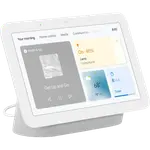
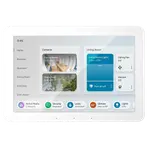
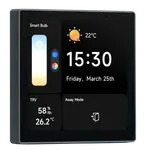
Google Nest Hub Max vs SwitchBot Smart E-Ink Home Dashboard

Full Smart Displays comparison in 2026

Updated August 2026
Data from Amazon and official Google and SwitchBot sites.
2026 verdict
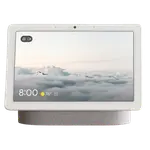
The Google Nest Hub Max outclasses the SwitchBot Smart E-Ink Home Dashboard on nearly every spec that involves interactivity: a 10-inch touchscreen against 7.5 inches, a built-in camera with a 120-degree lens for video calls, Google Assistant, and hub duties as a Thread border router and Matter bridge that the E-Ink Dashboard simply does not have. The SwitchBot Smart E-Ink Home Dashboard answers with a lower price, more integrations on paper (through a separate SwitchBot Hub), and its own temperature and humidity sensors, which the camera-focused Nest Hub Max lacks entirely. The contrast in purpose is stark: the Nest Hub Max is an always-on color display for calls, music and smart-home control, while the E-Ink Dashboard sips power for months at a time showing weather and calendars with no touch or voice input. Households that want an interactive, voice- and camera-equipped display should buy the Google Nest Hub Max; buyers who mainly want a glanceable, low-power weather and calendar panel with local temperature and humidity readings should look at the SwitchBot Smart E-Ink Home Dashboard instead.
Price alerts

Display prices change while you decide

We check the price of every Display in the catalog daily and email you the drops, whichever one you pick.

Your subscription could not be saved. Please try again.
Your subscription has been successful.

Smart home deals and news, straight to your inbox

Price drops, new releases and the smart home news worth knowing.

No spam. Unsubscribe in one click.

FeatureGoogle Nest Hub MaxSwitchBot Smart E-Ink Home DashboardWinner
Price$444.98$84.99SwitchBot Smart E-Ink Home Dashboard
Rating4.13.6Google Nest Hub Max
Connectivity2.4 GHz WiFi, 5 GHz WiFi, Bluetooth2.4 GHz WiFi, BluetoothGoogle Nest Hub Max
IntegrationsGoogle Home, Home AssistantGoogle Home, Alexa, Apple HomeKit, Samsung SmartThingsSwitchBot Smart E-Ink Home Dashboard
HubThread Border Router, Matter BridgeNoneGoogle Nest Hub Max
Screen Size10"7.5"Google Nest Hub Max
Voice AssistantGoogle AssistantNoneGoogle Nest Hub Max
CameraYESNOGoogle Nest Hub Max
SensorsAmbient LightTemperature, HumiditySwitchBot Smart E-Ink Home Dashboard
Winner
  • + Rating: 4.1
  • + Connectivity: 2.4 GHz WiFi, 5 GHz WiFi, Bluetooth
  • + Hub: Thread Border Router, Matter Bridge
  • - Price: $444.98 vs $84.99
  • - Integrations: Google Home, Home Assistant vs Google Home, Alexa, Apple HomeKit, Samsung SmartThings

Frequently Asked Questions

Which is better overall: Google Nest Hub Max or SwitchBot Smart E-Ink Home Dashboard?

The Google Nest Hub Max wins clearly, taking rating, connectivity, hub features, screen size, voice control and camera. The SwitchBot Smart E-Ink Home Dashboard answers with price, integrations and its own sensors.

What is the biggest difference between them?

The Google Nest Hub Max is an interactive color touchscreen with a camera and Google Assistant, built for video calls and voice control. The SwitchBot Smart E-Ink Home Dashboard has none of that, it is a passive E-Ink panel with no touch and no voice assistant.

Does the SwitchBot Smart E-Ink Home Dashboard have a camera?

No. It has no camera at all. The Google Nest Hub Max includes a built-in 120-degree camera for video calls, one of its clearest advantages over the SwitchBot dashboard.

Which has its own environmental sensors?

The SwitchBot Smart E-Ink Home Dashboard has built-in temperature and humidity sensors, something the Google Nest Hub Max lacks (it only has an ambient-light sensor). If local environmental readings on screen matter to you, that favors the SwitchBot dashboard.

Who should buy the Google Nest Hub Max?

Anyone wanting an interactive, camera-equipped display for video calls, music and voice-driven smart-home control should choose the Google Nest Hub Max over the passive SwitchBot dashboard.

Who should buy the SwitchBot Smart E-Ink Home Dashboard?

Choose the SwitchBot Smart E-Ink Home Dashboard if you mainly want a glanceable, low-power weather and calendar panel with local temperature and humidity readings, and do not need a camera or voice control.

Full comparison table

Compare all 13 Displays side by side

You are looking at two of them. The full table lines up all Displays in the catalog with the same specs, so you can filter by what you need and sort by price or rating.
  • 13 Displays
  • 42 specs compared
  • 38 filters
Open the full comparison
More Displays

Top Displays to compare next

Compare top smart displays by screen, connectivity, voice assistants, smart home integrations, and more. Find the best display for your setup.

All Displays
Google

More Google products

A sharper look at other Google products worth comparing.

Explore Google
SwitchBot

More SwitchBot products

A sharper look at other SwitchBot products worth comparing.

Explore SwitchBot