18% OFF
€121.33
€147.56

Full Smart Displays comparison in 2026

We check the price of every Display in the catalog daily and email you the drops, whichever one you pick.
No spam. Unsubscribe in one click.
| Feature | Shelly Wall Display | SwitchBot Smart E-Ink Home Dashboard | Winner |
|---|---|---|---|
| Price | €121.33 | $84.99 | SwitchBot Smart E-Ink Home Dashboard |
| Rating | 4.4 | 3.9 | Shelly Wall Display |
| Integrations | Google Home, Alexa, Samsung SmartThings, Home Assistant | Google Home, Alexa, Apple HomeKit, Samsung SmartThings | SwitchBot Smart E-Ink Home Dashboard |
| Screen Size | 4” | 7.5" | SwitchBot Smart E-Ink Home Dashboard |
| Sensors | Temperature, Humidity, Ambient Light | Temperature, Humidity | Shelly Wall Display |
| Connectivity | 2.4 GHz WiFi, Bluetooth | 2.4 GHz WiFi, Bluetooth | Tie |
| Camera | NO | NO | Tie |
Every price change of both, in the same store, so the gap between the two lines is what one costs more than the other.
Loading price history...
By the spec sheet, the SwitchBot Smart E-Ink Home Dashboard edges ahead on price, integrations and screen size. But the two serve different jobs: the Shelly Wall Display is an active touch control panel and thermostat, while the SwitchBot is a passive weather and calendar screen, so the better one depends on which job you need done.
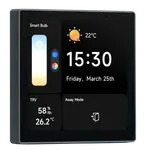
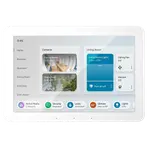
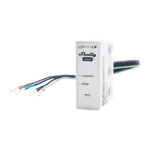
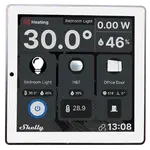
The Shelly Wall Display has a touchscreen, a built-in relay for switching a circuit, and native Home Assistant dashboards. The SwitchBot Smart E-Ink Home Dashboard has no touch input and no relay, it is purely a display for weather, sensor readings and calendars.
Only in a limited way, through two customizable shortcut buttons that can trigger SwitchBot devices, IR appliances or scenes, and it needs a separate SwitchBot Hub for full integration. The Shelly Wall Display is a genuine touch control panel with a built-in relay, giving it far more direct control.
The Shelly Wall Display carries the higher average owner rating of the two, reflecting its role as a capable touch control panel and thermostat rather than a simple display.
Home Assistant households that want an in-wall touchscreen panel that can also switch a circuit and manage a thermostat should choose the Shelly Wall Display over the SwitchBot dashboard.
Choose the SwitchBot Smart E-Ink Home Dashboard if you want an affordable, low-power screen for weather, calendars and light SwitchBot control, and you do not need touch input or a relay.
You are looking at two of them. The full table lines up all Displays in the catalog with the same specs, so you can filter by what you need and sort by price or rating.