
Updated October 2026
Data from the official Sonoff and SwitchBot sites.
2026 verdict
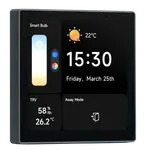
A wall touch panel against a paper-like screen, and the SwitchBot Smart E-Ink Home Dashboard wins this one on breadth.
It costs less, adds Bluetooth to its Wi-Fi, carries a larger 7.5-inch display with built-in temperature and humidity sensors, and reaches Google Home, Alexa, HomeKit and SmartThings through a SwitchBot Hub. The Sonoff NSPanel Pro is the more capable control surface, though: an in-wall color touchscreen that doubles as a Zigbee coordinator and router with a Matter bridge, and can run Home Assistant dashboards. Choose the SwitchBot Smart E-Ink Home Dashboard for an always-on, low-power weather and calendar board, and the Sonoff NSPanel Pro when you need a touch panel that is also a hub.
vs
Winner

News by email
Still comparing? Get what's new by email
New releases and the smart home news worth knowing, in your inbox.
No spam. Unsubscribe in one click.
| Feature | Sonoff NSPanel Pro | SwitchBot Smart E-Ink Home Dashboard | Winner |
|---|---|---|---|
| Price | $129.90 | $84.99 | SwitchBot Smart E-Ink Home Dashboard |
| Rating | 4.1 | 4.0 | Sonoff NSPanel Pro |
| Connectivity | 2.4 GHz WiFi | 2.4 GHz WiFi, Bluetooth | SwitchBot Smart E-Ink Home Dashboard |
| Integrations | Google Home, Alexa, Apple HomeKit, Home Assistant | Google Home, Alexa, Apple HomeKit, Samsung SmartThings | SwitchBot Smart E-Ink Home Dashboard |
| Hub | Zigbee Coordinator, Zigbee Router, Matter Bridge | None | Sonoff NSPanel Pro |
| Screen Size | 3.95" | 7.5" | SwitchBot Smart E-Ink Home Dashboard |
| Sensors | Ambient Light | Temperature, Humidity | SwitchBot Smart E-Ink Home Dashboard |
| Camera | NO | NO | Tie |
What the differences mean
Touch or paper
The Sonoff NSPanel Pro is an in-wall color touchscreen you tap to control scenes and devices and can load Home Assistant dashboards on. The SwitchBot Smart E-Ink Home Dashboard has no touch, just two shortcut buttons, and most changes happen in its app.
Hub and bridge
The Sonoff NSPanel Pro is a Zigbee coordinator and router with a Matter bridge, so it hosts Zigbee devices and shares them onward to Apple Home. The SwitchBot Smart E-Ink Home Dashboard has no Zigbee, Thread or Matter hardware and needs a SwitchBot Hub for platform integration.
Onboard sensors
The SwitchBot Smart E-Ink Home Dashboard has temperature and humidity sensors built in. The Sonoff NSPanel Pro carries only an ambient-light sensor, so it does not report the room's temperature or humidity itself.
Power
Because it is e-paper, the SwitchBot Smart E-Ink Home Dashboard runs about a year on a charge and can sit on a desk or a wall. The Sonoff NSPanel Pro is an in-wall unit wired to live and neutral, so no charging but no moving it either.
Screen quality
Both screens draw complaints for opposite reasons. The Sonoff NSPanel Pro is a color touch panel but low quality with poor viewing angles at switch height, while the SwitchBot Smart E-Ink Home Dashboard is crisp in good light yet dim and glossy without it.
Connectivity
The SwitchBot Smart E-Ink Home Dashboard connects over 2.4 GHz Wi-Fi and Bluetooth. The Sonoff NSPanel Pro is 2.4 GHz Wi-Fi only, with no Bluetooth or Ethernet.
Which one to buy if
- you want a touch panel that also acts as a Zigbee hub
The Sonoff NSPanel Pro is a Zigbee coordinator and router with a Matter bridge, the only one of the two that hosts devices itself.
- you want to see indoor temperature and humidity without extra sensors
The SwitchBot Smart E-Ink Home Dashboard has temperature and humidity built in, where the Sonoff NSPanel Pro does not sense them.
- you want an always-on desk or wall board you rarely charge
The SwitchBot Smart E-Ink Home Dashboard runs about a year per charge and can be placed on a desk; the Sonoff NSPanel Pro is wired into a wall box.
- you run Home Assistant dashboards on a wall panel
The Sonoff NSPanel Pro can load Home Assistant dashboards and hosts Zigbee devices, though owners warn the interface runs slowly.
- you mainly want weather and calendar at a glance
The SwitchBot Smart E-Ink Home Dashboard syncs Google, iCloud, Outlook and Yahoo calendars and shows weather on e-paper with no blue light.
$129.90
- + Rating: 4.1
- + Hub: Zigbee Coordinator, Zigbee Router, Matter Bridge
- - Price: $129.90 vs $84.99
- - Connectivity: 2.4 GHz WiFi vs 2.4 GHz WiFi, Bluetooth
Winner
23% OFF
$84.99
$109.99
- + Price: $84.99
- + Connectivity: 2.4 GHz WiFi, Bluetooth
- + Integrations: Google Home, Alexa, Apple HomeKit, Samsung SmartThings
- - Rating: 4.0 vs 4.1
- - Hub: None vs Zigbee Coordinator, Zigbee Router, Matter Bridge
What owners say
The two devices are bought for different jobs, and the reviews reflect that. Sonoff NSPanel Pro owners describe it as a single wall command center, value that it is both a Zigbee hub and a Matter bridge, and many run Home Assistant dashboards on it without rooting; their complaints are that it is underpowered and slow, that the screen is low quality with poor viewing angles at switch height, and that some units wake on their own or drop sensors, with some features behind a subscription. SwitchBot Smart E-Ink Home Dashboard owners love the e-ink approach, charging it about once a year with no blue light, and the easy calendar sync plus two shortcut buttons for SwitchBot devices; their warnings are a dim, glossy screen that reflects glare, slow full-screen refreshes, confusing setup and a main view that shows internet weather rather than their local sensors.
Frequently Asked Questions
Which is better overall: Sonoff NSPanel Pro or SwitchBot Smart E-Ink Home Dashboard?
On paper the SwitchBot Smart E-Ink Home Dashboard, taking price, connectivity, integrations, screen size and its built-in temperature and humidity sensors. The Sonoff NSPanel Pro is the one to choose when you need an in-wall touch panel that is also a Zigbee hub and Matter bridge, since the SwitchBot has none of that hardware.
What is the biggest difference between the Sonoff NSPanel Pro and the SwitchBot Smart E-Ink Home Dashboard?
One is a control surface and one is a display. The Sonoff NSPanel Pro is a color touchscreen with a Zigbee coordinator, router and Matter bridge inside, while the SwitchBot Smart E-Ink Home Dashboard is a non-touch e-paper board with two shortcut buttons and no Zigbee, Thread or Matter hardware.
Does the SwitchBot Smart E-Ink Home Dashboard need a hub?
For full functionality, yes. It reaches Google Home, Alexa, HomeKit and SmartThings through a SwitchBot Hub. On its own it shows weather, indoor temperature and humidity from its own sensors, and synced calendars.
Does the Sonoff NSPanel Pro work with Home Assistant?
Yes. Owners run Home Assistant dashboards on it without rooting, adding it through its web page, and use its Zigbee hub to bring in devices. The repeated catch is speed: it is underpowered, so Home Assistant dashboards run slowly.
Which one shows my local sensor readings?
The SwitchBot Smart E-Ink Home Dashboard has temperature and humidity sensors built in, though its main view shows internet weather and external SwitchBot sensors sit on a secondary screen. The Sonoff NSPanel Pro senses only ambient light and displays readings from the devices it hosts.
Who should buy the Sonoff NSPanel Pro?
Sonoff and eWeLink households and Home Assistant users who want a cheap in-wall touch panel that doubles as a Zigbee hub and Matter bridge, and who can tolerate a slow interface, a low-quality screen and no switch relay.
Who should buy the SwitchBot Smart E-Ink Home Dashboard?
Anyone who wants a low-power, eye-friendly board for weather, indoor temperature and humidity and calendars, especially SwitchBot owners who will use its two shortcut buttons to control devices and scenes.
 Our store on AmazonShop our ideas on AmazonLists of the smart home setups we would put together ourselves, ready to add to your Amazon cart.Shop on Amazon
Full comparison table
Compare all 16 Displays side by side
You are looking at two of them. The full table lines up all Displays in the catalog with the same specs, so you can filter by what you need and sort by price or rating.
- 16 Displays
- 42 specs compared
- 38 filters
 Amazon
Echo Show 10 (3rd Gen)
Unavailable Amazon
Echo Show 8 (3rd Gen)
Unavailable Amazon
Echo Show 21
$499.99 Amazon
Echo Show 15
$349.99 Shelly
Wall Display
€130.72 Google
Nest Hub Max
Unavailable Amazon
Echo Show 5 (3rd Gen)
$99.99 Amazon
Echo Show 11
$249.99 Amazon
Echo Show 8 (2025)
$199.99 Google
Nest Hub (2nd Gen)
$299.99- Sonoff
NSPanel Pro
$129.90 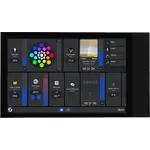 Shelly
Wall Display XL
$349.99- SwitchBot
Smart E-Ink Home Dashboard
23% OFF$109.99$84.99  Shelly
Wall Display X1i
€188.35 Amazon
Echo Hub
$179.99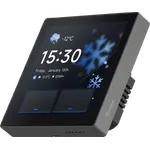 Sonoff
NSPanel Pro Gen2
€149.90
 Air Quality MonitorsSonoff
SAWF-07P Air Quality Monitor
3.8(196)$39.90 Air Quality MonitorsSonoff
SAWF-08P Air Quality Monitor
4.3(174)$49.90 ButtonsSonoff
RM433R2 Remote Controller
€16.95 ButtonsSonoff
SNZB-01P Zigbee Wireless Switch
4.2(966)$16.90 CamerasSonoff
CAM GlassView
4.0(51)$34.90 CamerasSonoff
Cam Outdoor DUO
4.0(3)$79.90 CamerasSonoff
Cam Slim Gen2
4.4(181)$19.90 CamerasSonoff
GK-200MP2-B
4.0(149)Unavailable- DisplaysSonoff
NSPanel Pro Gen2
3.2(11)€149.90 - DisplaysSonoff
NSPanel Pro
4.1(77)$129.90  DonglesSonoff
Dongle Lite MG21
4.5(462)$24.90 DonglesSonoff
Dongle Max
4.3(632)$42.90 DonglesSonoff
Dongle Plus MG24
4.7(702)$35.90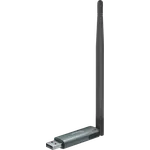 DonglesSonoff
Dongle Plus PP10
4.5(102)$35.90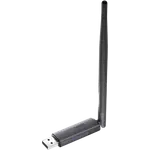 DonglesSonoff
Dongle-PZG23
4.5(176)$39.90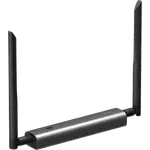 DonglesSonoff
Z-Wave 800 PoE Dongle Max
4.5(28)$44.90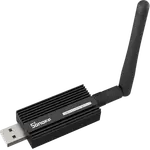 DonglesSonoff
ZBDongle-E
4.7(3,752)$24.90 DonglesSonoff
ZBDongle-P
4.6(5,695)16% OFF$39.99$33.52 Door & Window SensorsSonoff
DW2-WIFI
3.6(153)$12.90 Door & Window SensorsSonoff
SNZB-04 ZigBee Wireless Door/Window Sensor
3.7(101)Unavailable
 Air PurifiersSwitchBot
Air Purifier Table
4.3(17)$189.99 Air Quality MonitorsSwitchBot
Meter Pro (CO2 Monitor)
4.3(326)15% OFF$69.99$59.48 ButtonsSwitchBot
Remote
4.2(5,310)$24.99 CamerasSwitchBot
Outdoor Pan/Tilt Cam 3K
4.5(104)$79.99- DisplaysSwitchBot
Smart E-Ink Home Dashboard
4.0(176)23% OFF$109.99$84.99  DoorbellsSwitchBot
Smart Video Doorbell
3.6(714)$99.99 Door LocksSwitchBot
SwitchBot Lock Pro
4.1(341)Unavailable Door LocksSwitchBot
SwitchBot Lock Ultra Vision Combo
4.4(724)Unavailable Door LocksSwitchBot
SwitchBot Lock Vision Pro
4.1(75)26% OFF$229.99$169.99 Door LocksSwitchBot
Lock Vision
4.2(11)24% OFF$169.99$129.99 Door LocksSwitchBot
SwitchBot Lock
3.4(82)Unavailable Door & Window SensorsSwitchBot
Contact Sensor
4.4(1,193)$16.99 HubsSwitchBot
AI Hub
3.9(5)15% OFF$259.99$219.99 HubsSwitchBot
SwitchBot Hub 2
4.3(11,521)14% OFF$69.99$59.99 HubsSwitchBot
Hub 3
3.8(1,868)$99.99 HubsSwitchBot
Hub Mini
4.2(55,782)7% OFF$39.00$36.10 IR Remote ControlsSwitchBot
SwitchBot Hub 2
4.3(11,521)14% OFF$69.99$59.99 IR Remote ControlsSwitchBot
Hub 3
3.8(1,868)$99.99 IR Remote ControlsSwitchBot
Hub Mini
4.2(55,782)7% OFF$39.00$36.10 LED BulbsSwitchBot
Color Bulb
$15.99