


SMLIGHT SLZB-06M Review: A Rock-Solid Ethernet/PoE Zigbee Coordinator That Ends USB-Dongle Woes
The SMLIGHT SLZB-06M is a Zigbee 3.0 coordinator that connects over Ethernet (with PoE), Wi-Fi or USB, and owners consistently praise it for one thing above all: letting you place the Zigbee radio wherever coverage is best, decoupled from your Home Assistant server. That, plus a strong external antenna, fixes the constant disconnects and dropped automations that plague cheap USB dongles, with many owners replacing ConbeeII sticks, Ikea and Hue bridges and flaky dongles and reporting rock-solid results afterward. It integrates cleanly with Home Assistant via ZHA or Zigbee2MQTT (plug-and-play detection, a snappy web interface for firmware and config), works with every major Zigbee brand, and can also serve as a Zigbee router, Thread border router and Bluetooth proxy. The main caveats: it is not fully plug-and-play (you need some familiarity with ZHA or Zigbee2MQTT, and the docs could be clearer), and a few owners had the Ethernet connection drop periodically (USB was rock-solid for them). It is Zigbee only, with no Z-Wave. For Home Assistant users tired of USB-dongle unreliability, it is a superb upgrade.
- Home Assistant Zigbee networks
- Placing the coordinator away from the server
- Replacing flaky USB dongles or old bridges
- PoE / Ethernet installations
Pros
- Ethernet, PoE, Wi-Fi or USB, place the coordinator anywhere on the network
- Ends USB-dongle disconnects and dropped automations for many owners
- Strong external antenna and range; works as a repeater and Thread border router
- Clean Home Assistant integration (ZHA/Z2M) with a snappy web interface
- Compatible with every major Zigbee brand; fast pairing
- Highly recommended by homelab and technical users
Cons
- Not fully plug-and-play; assumes ZHA or Zigbee2MQTT familiarity, docs could be clearer
- A few owners had the Ethernet connection drop periodically (USB was reliable)
- Software updates may require switching back to Ethernet for the web config
- Occasional device fails to pair (often the device's fault)
- Zigbee only, no Z-Wave; PoE needs a PoE switch
Who is the SLZB-06M for?
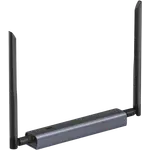
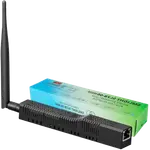
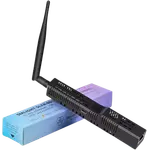
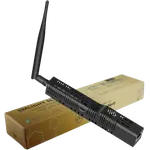
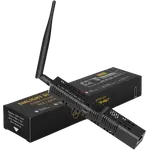
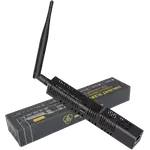
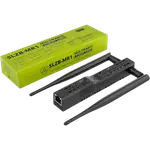
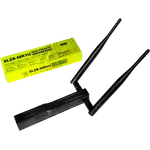
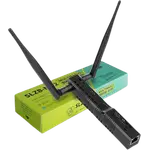
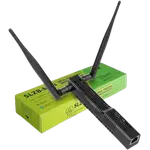
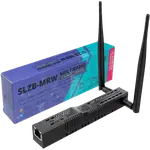
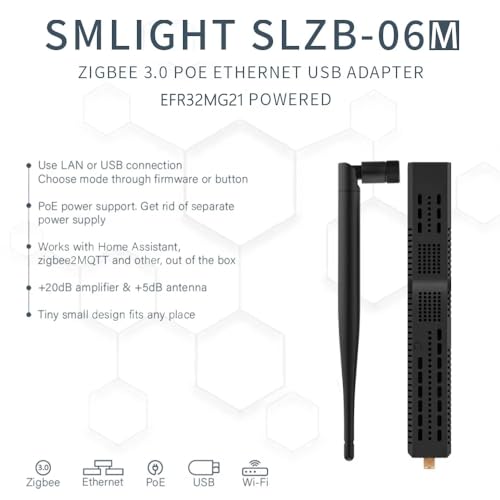
This is a Zigbee 3.0 coordinator (Silicon Labs EFR32MG21) for DIY smart homes that want their Zigbee radio on the network rather than plugged into a USB port. It connects over Ethernet (with PoE), Wi-Fi or USB, has a strong external antenna (+5dB) and amplifier for range, and also works as a Zigbee router, Thread border router and Bluetooth proxy. It is designed for Home Assistant with ZHA or Zigbee2MQTT. It has no Z-Wave. It best suits Home Assistant Zigbee networks, anyone wanting to place the coordinator centrally away from the server (for example running HA on a NAS, VM or remote machine), those replacing flaky USB dongles or old Ikea/Hue bridges, and PoE/Ethernet installations. If you want a fully plug-and-play device, Z-Wave, or use a commercial hub, read the caveats first.
What buyers love
The network connectivity is the headline, and owners rave about it: connecting over Ethernet (and PoE) lets you place the coordinator wherever Zigbee coverage is best, decoupled from your Home Assistant server, which owners call about four times better than a USB version and a big reliability win when HA runs on a NAS, VM or remote machine (one runs HA in a detached garage with the coordinator in the main house). Combined with the strong external antenna, this ends the disconnects and dropped automations that plague cheap USB dongles, with owners replacing ConbeeII sticks, Ikea and Hue bridges and USB dongles and finding their networks rock-solid afterward (some run several to blanket a large property). Home Assistant integration is excellent: it is detected on plug-in, works with ZHA or Zigbee2MQTT, and has a snappy web interface for fast firmware updates and configuration. It is compatible with every major Zigbee brand (SONOFF, Tuya, Sengled, Aqara, MOES, Inovelli, Ewelink), pairs devices quickly, and doubles as a Zigbee repeater and Bluetooth proxy. Homelab and technical users highly recommend it as the best option in its class.
What to know before you buy
The main caveat is that it is not fully plug-and-play. As one owner puts it, it is a great upgrade but requires some familiarity with ZHA or Zigbee2MQTT, and the documentation could do a better job explaining common setups, so it is easy for a comfortable Home Assistant user but may take beginners some time to configure. A few owners also had trouble with the Ethernet connection specifically: it would lose the connection every few days and need a reset, whereas the USB connection was rock-solid, and note that to update the software you may need to switch it back to Ethernet for the web configuration, which is a minor hassle. Occasionally a device will not pair (usually blamed on the device rather than the coordinator, such as one of a pair of no-name power strips). Beyond these, complaints are scarce. It is Zigbee only, with no Z-Wave, and PoE requires a PoE switch, otherwise use USB or an adapter.
Is the SLZB-06M worth it?
For a Home Assistant Zigbee setup, the SMLIGHT SLZB-06M is an excellent, high-rated coordinator, and for many owners it is the fix that finally ended years of USB-dongle unreliability. Putting the radio on Ethernet/PoE lets you place it for optimal coverage, the antenna is strong, it integrates cleanly with ZHA or Zigbee2MQTT with a helpful web interface, and it works with essentially every Zigbee device. The trade-offs are modest: expect a non-trivial setup that assumes some ZHA or Zigbee2MQTT knowledge, know that a minority hit Ethernet-connection hiccups (USB was reliable for them), and remember it is Zigbee only. Buy it if you run Home Assistant, want a network-connected coordinator you can place anywhere, and are done with flaky dongles; if you need a beginner-friendly plug-and-play device, Z-Wave, or commercial-hub support, weigh those points first.
Frequently asked questions
Why choose this over a USB Zigbee dongle?
Because it connects over the network (Ethernet with PoE, or Wi-Fi), you can place the Zigbee radio wherever coverage is best rather than beside your server, which owners say is far more reliable, especially when Home Assistant runs on a NAS, VM or remote machine. Combined with its strong antenna, it typically ends the disconnects USB dongles suffer.
Is it plug-and-play with Home Assistant?
Almost, but not entirely. Home Assistant detects it on plug-in and it works with ZHA or Zigbee2MQTT, but you need some familiarity with those to configure it, and owners note the documentation could better explain common setups. It is straightforward for experienced HA users, but beginners should expect a learning curve.
Should I use Ethernet or USB?
Ethernet (with PoE) is the main draw and works well for most, but a few owners found the Ethernet connection dropped every few days and needed a reset, while USB was rock-solid for them. If you do not specifically need network placement, USB is a reliable fallback; note that updating the software may require switching to Ethernet for the web interface.
Does it work with all Zigbee brands?
Effectively yes. Owners report devices from SONOFF, Tuya, Sengled, Aqara, MOES, Inovelli and Ewelink all pairing and working well. The occasional device that will not pair is usually a fault of that specific device (for example a no-name power strip) rather than the coordinator.
Does it support Z-Wave?
No. The SLZB-06M is a Zigbee 3.0 coordinator only (it also acts as a Zigbee router, Thread border router and Bluetooth proxy), with no Z-Wave. If you need Z-Wave, pair it with a separate Z-Wave controller.