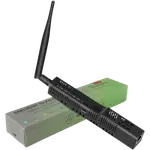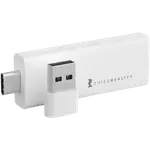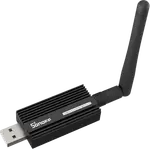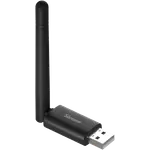



SMLIGHT SLZB-07 Review: The Plug-and-Play USB Zigbee Coordinator Home Assistant Owners Keep Recommending
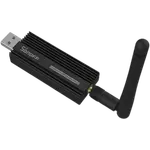
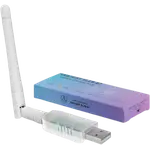
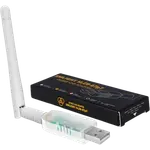
The SLZB-07 is a small USB Zigbee 3.0 coordinator on the Silicon Labs EFR32MG21, with +20 dBm of transmit power and a +3 dB external antenna, and owners overwhelmingly describe it as plug and play with Home Assistant and Zigbee2MQTT. Its range and stability draw repeated praise, and it can be reflashed as a Zigbee router or a Thread border router. The trade-offs are that it is USB only, so it lives at your server, some units needed a firmware update before they worked well, and a few owners had one fail or drop out.
- Home Assistant and Zigbee2MQTT setups
- Raspberry Pi and mini PC servers
- First Zigbee coordinator
- Budget self-hosted smart homes
Pros
- Plug and play with Home Assistant and Zigbee2MQTT
- Strong, stable range from +20 dBm of transmit power and a +3 dB external antenna
- Silicon Labs EFR32MG21 Zigbee 3.0 chip
- Can run as a Zigbee coordinator, a Zigbee router or a Thread border router
- Easy firmware updates through the maker's web tools
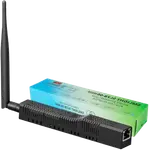
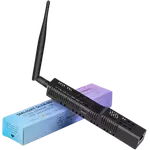
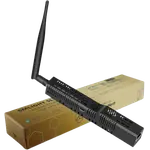
- Tiny at 18 x 54 x 10 mm and 14 g
- Budget-friendly
Cons
- USB only: no Ethernet, PoE or Wi-Fi, so it must sit at the server
- Some units need a firmware update before they work reliably
- No dual network mode, so Zigbee and Thread cannot run at once
- A few reports of units failing or dropping out until replugged
- No Bluetooth proxy, Z-Wave or Matter bridging
- One year warranty
Who is the SMLIGHT SLZB-07 for?
It is aimed at anyone running their own Zigbee network on Home Assistant or Zigbee2MQTT, and most owners plug it straight into a Raspberry Pi, a Home Assistant Green or a mini PC. Many describe it as their first coordinator, or a replacement for a stick that never held its network together. At 18 x 54 x 10 mm and 14 g it disappears into a USB port, while the external antenna still gives it a proper radio.
What buyers love
Setup is the theme that comes up most: owners say Home Assistant recognises it immediately in its Zigbee integration and that pairing the first sensors takes a minute or two, which suits the Zigbee 3.0 coordinator role and the explicit Home Assistant and Zigbee2MQTT support. Range and stability are next, with owners reporting a solid connection across the house, even with the server tucked in a cabinet, and networks of 30 or more devices running without trouble; that fits the +20 dBm amplifier and +3 dB antenna. Enthusiasts like that firmware updates are easy through SMLIGHT's web tools and that alternative firmware turns it into a dependable Zigbee router or a Thread border router for Matter devices in Home Assistant.
What to know before you buy
It is USB only, with no Ethernet, PoE or Wi-Fi, so the radio sits wherever your server sits; if that is a basement or a rack, a network-connected coordinator may cover the house better. Several owners say their unit only worked smoothly after a firmware update, so plan to update it before building a network on it. There is no dual network mode: Zigbee and Thread need separate firmware and cannot run at once. A few owners report a unit failing within months, or one that occasionally stopped responding until it was unplugged and plugged back in. There is no Bluetooth proxy, no USB-over-Ethernet, no Z-Wave and no Matter bridging, and the warranty is one year.
Is the SMLIGHT SLZB-07 worth it?
For a Home Assistant or Zigbee2MQTT server in a reasonable spot, yes: owners rate it very highly, it is budget-friendly, and the amplified radio with an external antenna is what keeps distant battery sensors connected. Update the firmware on arrival and keep the stick away from noisy USB ports. If your server lives somewhere the radio cannot reach the house, or you want Zigbee and Thread from one device at the same time, look at a network-connected or dual-radio coordinator instead.
Frequently asked questions
Does the SMLIGHT SLZB-07 work with Home Assistant?
Yes. Home Assistant supports it as a Zigbee coordinator, and owners say it is detected as soon as it is plugged in. It also works with Zigbee2MQTT.
Do I need to update the firmware?
It ships ready to use, but several owners only got stable operation after updating the firmware, which the maker's web tools make straightforward. Updating before you pair devices is a sensible first step.
Can it be a Thread border router?
Yes, with its Thread firmware. It has no dual network mode, so it runs either Zigbee or Thread, not both at the same time.
Can I use it as a Zigbee router instead of a coordinator?
Yes. It supports the router role, and owners who reflashed it as a repeater report good range.
Does it need to be plugged into my server?
Yes. It is a USB stick with no Ethernet, PoE or Wi-Fi, so it plugs into the machine running your Zigbee software.
Does it support Z-Wave?
No. It is a Zigbee and Thread device only.