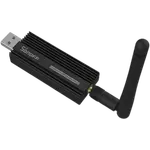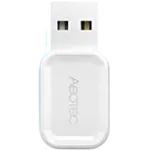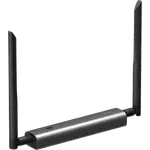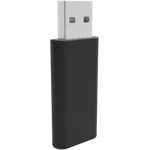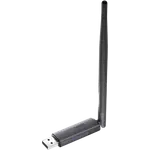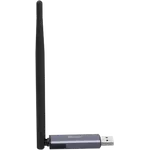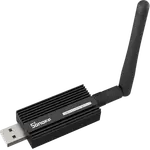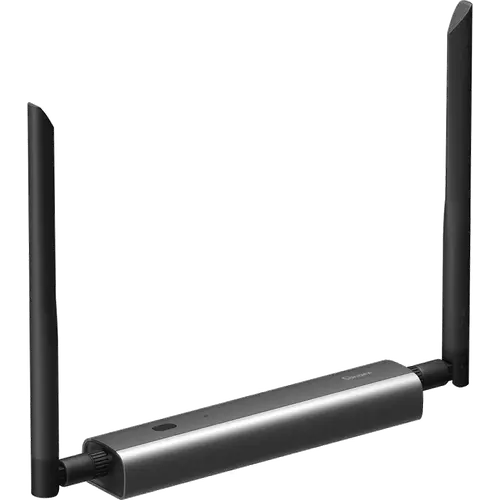


Sonoff Z-Wave 800 PoE Dongle Max Review: A Networked Z-Wave Coordinator You Can Put Anywhere
The Sonoff Z-Wave 800 PoE Dongle Max is a Z-Wave coordinator built for Home Assistant users who refuse to keep the radio plugged into the server. Its Ethernet port, PoE power, Wi-Fi and USB-C options let it sit in a hallway, a garage or a basement while the host stays in the rack, and owners report it pairs quickly and holds a stable mesh. The trade-offs are practical rather than technical: the aluminium body gets warm, the PoE/TCP setup expects some Home Assistant experience, and the web console is protected by a password alone. If you want Z-Wave placement freedom, it is one of the cleanest options at its price tier.
- Home Assistant users placing the Z-Wave radio away from the server
- Homes where USB dongles suffer from USB 3.0 interference
- Garages, basements and outbuildings that need better Z-Wave reach
- PoE networks with a spare switch port
Pros
- Runs over PoE Ethernet, plain Ethernet, 2.4 GHz Wi-Fi or USB-C for flexible placement
- Z-Wave 800 controller on a Silicon Labs EFR32ZG23 with Z-Wave Long Range and S2 security
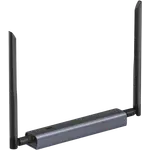
- Two adjustable external antennas for better reach through walls
- Local web console for status, settings and firmware updates, no phone app required
- Works with Home Assistant, openHAB and Z-Wave JS
- Solid aluminium body with a mounting bracket included
Cons
- The aluminium body runs warm and a minority report PoE overheating and lock-ups
- Getting it onto Home Assistant over Ethernet or TCP expects some experience and a static IP
- Web console is password-only, with no username or two-factor option
- No MAC address printed on the case
- Z-Wave only: no Zigbee, Thread or Matter bridge
Who is the Sonoff Z-Wave 800 PoE Dongle Max for?
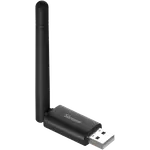
This is a dedicated Z-Wave 800 coordinator on a Silicon Labs EFR32ZG23 radio paired with an ESP32D0WD, and its whole reason to exist is placement. A conventional USB stick has to live beside the machine running Home Assistant, which is often a cupboard, a rack or a basement where USB 3.0 noise and thick walls wreck the mesh. Because the Dongle Max can be powered over PoE and reached over Ethernet, or run on 2.4 GHz Wi-Fi or straight USB-C, the radio can be moved to wherever the Z-Wave signal is best. It is aimed at Home Assistant, openHAB and Z-Wave JS users who already understand how a networked coordinator is wired up, not at someone who wants a plug-and-forget stick.
What buyers love
Owners keep coming back to the same theme: being able to put the coordinator where the signal matters. One reviewer runs it in a garage workshop through its Serial-over-IP mode and finds it recovers cleanly from network glitches and software reboots, while others mounted it centrally to cover a detached garage or a far corner of the house. Setup through the local web console is widely described as straightforward, with a firmware update and Wi-Fi configuration done in a browser and no phone app required. Range is another consistent highlight: Z-Wave Long Range and the two adjustable antennas are credited with reaching a mailbox a hundred feet from the house where a Zigbee sensor used to drop. Buyers also like the aluminium build, the mounting bracket and the fact that a Z-Wave-only stick can run alongside an existing Zigbee setup without disturbing it.
What to know before you buy
The most common caveat is heat. A few owners, one of whom returned two units, report that the aluminium body gets noticeably warm and that under PoE it can become hot enough to lock up, even though it behaves on Wi-Fi, Ethernet with USB power, or plain USB. Getting it onto Home Assistant over Ethernet is also not entirely plug-and-play: reviewers describe setting a static IP first and using Z-Wave JS or Z-Wave JS UI over TCP, and the online help pages lean on USB-over-serial examples, so a beginner may need to dig. The local web interface is protected by a single password with no username or two-factor option, and there is no MAC address printed on the case to speed up finding its IP. Finally, this is a Z-Wave-only device: no Zigbee, no Thread and no Matter bridge.
Is the Sonoff Z-Wave 800 PoE Dongle Max worth it?
For the specific job it was designed for, moving a Z-Wave radio away from the server and giving it clean power over a single cable, the Dongle Max is a strong value. It brings a modern Z-Wave 800 radio, Z-Wave Long Range, S2 security, dual adjustable antennas, a local web console with webhooks and firmware flashing, and a rugged aluminium body, and it works with Home Assistant, openHAB and Z-Wave JS. If your Home Assistant box already sits in the ideal spot and you just need a basic Z-Wave stick, it is more hardware than you need. If you are chasing dead zones in a garage, a basement or a metal rack, the placement freedom is exactly what you are paying for.
Frequently asked questions
Does the Sonoff Z-Wave 800 PoE Dongle Max work with Home Assistant?
Yes. It integrates with Home Assistant through Z-Wave JS or Z-Wave JS UI, and owners report pairing Z-Wave devices quickly and running them in the same automations as the rest of the home. It also works with openHAB and Z-Wave JS directly.
Can it be placed away from the Home Assistant server?
That is its main advantage. It can be powered over PoE and reached over Ethernet, run on 2.4 GHz Wi-Fi, or used as a standard USB-C dongle, so the radio can sit in a central spot, a garage or a basement while the host stays wherever it is.
Does it need PoE, or can it run on USB power?
PoE is optional. It can be powered from the USB-C port while connecting over Ethernet or Wi-Fi, or run fully over USB. PoE is what lets it work from a single cable with no separate power adapter.
Is it Zigbee or Thread?
No. The Dongle Max MZG23 is a Z-Wave 800 controller only, so it does not do Zigbee or Thread. Those need a separate coordinator such as the Sonoff Zigbee/Thread Dongle-M.
Does it support Z-Wave Long Range?
Yes. It supports Z-Wave Long Range (ZWLR) for point-to-point communication beyond the home, alongside the Z-Wave S2 security standard.
Can it run two Z-Wave networks at once?
Sonoff notes that you cannot run two Z-Wave adapters under the same Home Assistant integration, so a second network needs a second integration such as Z-Wave JS UI.