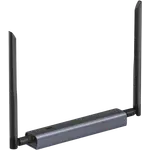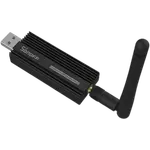



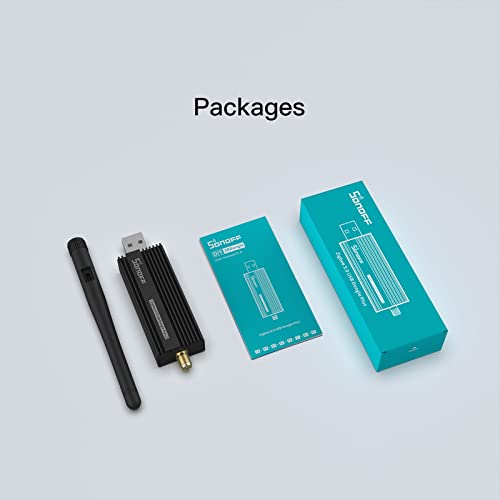
Sonoff ZBDongle-P Review: The Go-To USB Zigbee Coordinator for Home Assistant
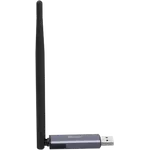
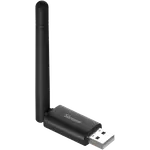
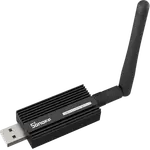
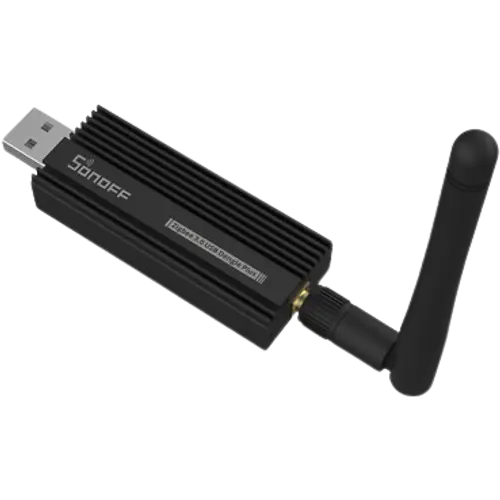
The Sonoff ZBDongle-P is the reference USB Zigbee 3.0 coordinator for DIY smart homes, built on the well-supported Texas Instruments CC2652P chip with an external antenna and +20 dBm of transmit power for extended range. It is a near-must-have for running Zigbee devices in Home Assistant without proprietary hubs (Philips Hue without its bridge, IKEA, sensors, locks and more), and owners consistently praise how cleanly it works with ZHA or Zigbee2MQTT across HAOS, Docker, Proxmox, Synology and mini-PC setups, its fast, responsive control, and its strong range that covers multi-floor homes. Migration from other sticks is quick, and it usually works out of the box with no firmware flash required. The caveats are minor: the aluminum case is bulky (a USB extension helps with clearance), passing it through to a VM can take some troubleshooting, and it has no Thread/Matter or Z-Wave. For a reliable, community-backed Zigbee coordinator, it is one of the best and best-value choices around.
- Home Assistant Zigbee networks
- Zigbee2MQTT or ZHA setups
- Replacing proprietary hubs (Hue, IKEA)
- Medium-to-large homes needing range
Pros
- The reference USB Zigbee coordinator, replaces proprietary hubs like Hue and IKEA
- Excellent, well-supported compatibility (ZHA, Zigbee2MQTT, HAOS, Docker, NAS, Proxmox)
- Fast and responsive, noticeably smoother than a ConBee II for many
- Strong range from the external antenna and +20 dBm transmit power
- Usually plug-and-play with no mandatory firmware flash; quick migration
- Premium aluminum case and excellent value
Cons
- Bulky case can cause clearance issues (use a USB extension)
- VM passthrough can require troubleshooting (blacklisting, config)
- Firmware-flash instructions are rough (though flashing is optional)
- No Thread/Matter (unlike newer SLZB-07 sticks)
- No Z-Wave; USB-only rather than network-connected
- Some accessories have caveats, check the Zigbee2MQTT device list
Who is the ZBDongle-P for?
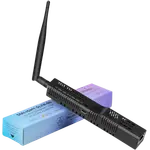
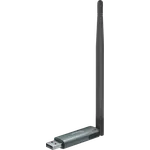
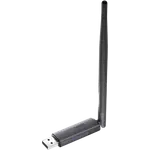
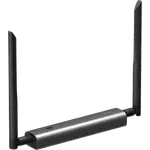
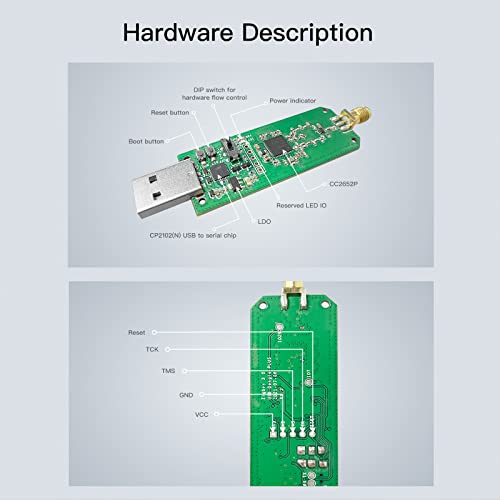
This is a USB Zigbee 3.0 coordinator on the Texas Instruments CC2652P chip, with a screw-on external antenna and +20 dBm of transmit power for range, aimed at DIY smart homes. It works as a Zigbee coordinator (and router) via ZHA or Zigbee2MQTT in Home Assistant, and also with ioBroker and similar platforms. It is USB-A, plugging directly into a Pi, mini-PC, NAS or server, and has no Z-Wave, Thread or Matter. It best suits Home Assistant Zigbee networks, Zigbee2MQTT or ZHA users, anyone replacing proprietary hubs like the Philips Hue or IKEA bridges, and medium-to-large homes that need the extra range. If you want Thread/Matter, Z-Wave, or a network-connected (Ethernet/PoE) coordinator, read the caveats first.
What buyers love
It is the community's go-to Zigbee coordinator, and owners treat it as essential for running Zigbee in Home Assistant without proprietary hubs, freeing them from the Philips Hue bridge while keeping Hue, IKEA, sensors, plugs and locks on an open, self-controlled network. Compatibility is a highlight: the well-supported CC2652P chip is detected instantly when you reboot Home Assistant, and it works cleanly with ZHA or Zigbee2MQTT across HAOS, Docker, Proxmox, Synology and QNAP NAS, and mini-PC setups, with owners moving their HA install between machines with no issue. It is fast and responsive, several found it noticeably quicker and smoother than a ConBee II (detecting and controlling lights faster, with no lag even under heavy RGB changes), and the external antenna plus amplifier deliver strong range, covering multi-floor and roughly 3000-square-foot homes with a few range extenders. Migration from another stick is quick (about ten minutes, and IEEE addresses do not change so many automations keep working), setup is largely plug-and-play with no mandatory firmware flash, the aluminum case feels premium, and it is excellent value.
What to know before you buy
The caveats are modest. The aluminum case is bulky, so plugging it directly into a machine can cause clearance issues, use a short USB extension to fix that (and to reduce interference). Passing it through to a virtual machine can take troubleshooting: one owner running Home Assistant in VMware on Debian had to blacklist the Sonoff hardware in modprobe (and add generic USB lines) to get it to pass through, and Proxmox or Docker setups require configuring USB passthrough. Firmware flashing is optional (it works out of the box), but if you do flash it, owners note the written Zigbee2MQTT instructions are a bit rough (random .docx files), though they work; a Python method is also available. It is wise to personalize your Zigbee network key before adding devices, and to check the Zigbee2MQTT supported-device list for caveats before buying accessories, since not every device works perfectly. It has no Thread/Matter (unlike newer SLZB-07 sticks) and no Z-Wave, and it is a USB stick rather than a network-connected coordinator.
Is the ZBDongle-P worth it?
For a reliable, community-backed Zigbee coordinator, the Sonoff ZBDongle-P is one of the best and safest choices: the well-supported CC2652P chip works cleanly with Home Assistant, ZHA and Zigbee2MQTT across virtually any host, it is fast and responsive, and its external antenna and amplifier give the range to cover a whole home. It usually just works out of the box, migration is quick, and it is great value. The trade-offs are minor: the bulky case may need a USB extension, VM passthrough can require some fiddling, and it does not do Thread/Matter or Z-Wave. Buy it if you want a proven, high-power USB Zigbee coordinator for Home Assistant; if you specifically need Thread/Matter, Z-Wave, or a network-connected (Ethernet/PoE) coordinator you can place anywhere, look at the SLZB-07 or SLZB-06 instead.
Frequently asked questions
Does it work with Home Assistant?
Yes, and it is the community standard for it. The CC2652P chip is detected instantly when you reboot Home Assistant and works cleanly with ZHA or Zigbee2MQTT across HAOS, Docker, Proxmox, Synology and QNAP NAS, and mini-PC setups. It also works with ioBroker and similar platforms.
Do I need to flash the firmware?
No, it works out of the box for most owners with no firmware flash. You can flash it if you want the latest firmware, but note the written Zigbee2MQTT instructions are a bit rough (a Python method is also available). Simply plugging it in and using ZHA or Zigbee2MQTT is enough for typical use.
What is the difference between the P and E models?
The ZBDongle-P (this model) uses the TI CC2652P chip with a power amplifier for stronger range and very well-proven Home Assistant and Zigbee2MQTT support, making it the recommended choice for medium-to-large homes with many devices. The E model has less power and is generally suggested for simpler installs.
Why won't it pass through to my virtual machine?
USB passthrough can need configuration. One owner running Home Assistant in VMware on Debian had to blacklist the Sonoff hardware in modprobe (and add generic USB lines) before it passed through to the VM, and Proxmox or Docker setups also require configuring USB passthrough. Once passed through, it appears in the integrations and pairs devices without issue.
Does it support Thread, Matter or Z-Wave?
No. It is a Zigbee 3.0 coordinator only, with no Thread, Matter or Z-Wave. If you need Thread/Matter, consider a newer SLZB-07 stick, and for Z-Wave you would use a separate Z-Wave controller. For pure Zigbee, though, it is a top choice.