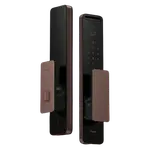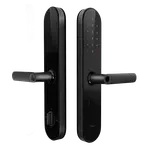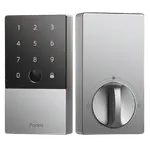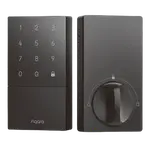



Aqara Smart Lock U300 Review: A Premium Matter-over-Thread Lever Lock With Real Support and Reliability Caveats
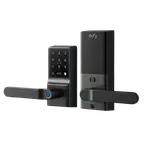
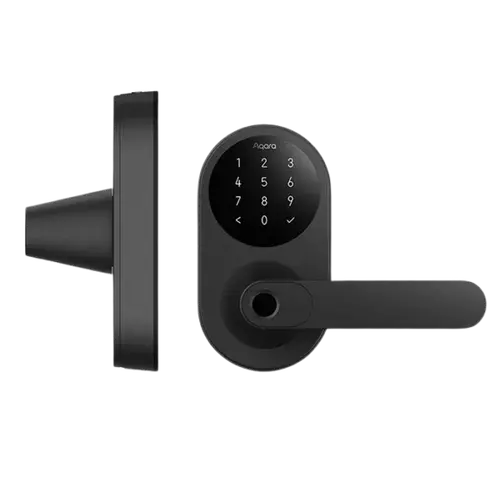
The Aqara Smart Lock U300 is a premium lever-handle lock that owners repeatedly compare to something Apple would build: sleek, solid, with native Apple HomeKit and a Home Key that appears automatically in Wallet for the whole household, plus a fast fingerprint reader and Matter over Thread for future-proof, multi-platform pairing. Unlock options are plentiful (fingerprint, PIN, iPhone or Apple Watch, NFC, Bluetooth, and a hidden physical key), it works with Home Assistant, and it can run without an Aqara hub if you have an Apple TV or HomePod as a Thread border router. When it works, people love it enough to buy two or three. But the middling average rating reflects real friction: installation instructions are widely called terrible (confusing screws, a dense manual, and the Apple Home QR code not working so you must type the Matter code), the auto-lock re-locks very aggressively with only a cumbersome Passage Mode workaround, and a notable minority report quality problems such as a malfunctioning latch, a loosening exterior handle, or units failing within weeks. The most consistent complaint is poor customer support. If you are an Apple household comfortable with a fiddly install and buying from a seller with easy returns, it can be excellent; just go in aware of the caveats.
- Apple HomeKit and Home Key households
- Matter over Thread smart homes
- Lever-handle door setups
- Users who want many unlock options
Pros
- Premium, sleek design with a disappearing touchscreen keypad
- Seamless Apple HomeKit and Home Key (tap iPhone or Apple Watch)
- Fast fingerprint reader and many unlock options
- Future-proof Matter over Thread; pairs to multiple platforms at once
- Works without an Aqara hub if you have an Apple Thread border router
- USB-C emergency power on both sides and a hidden physical key
Cons
- Poorly written installation instructions; Apple Home QR often fails
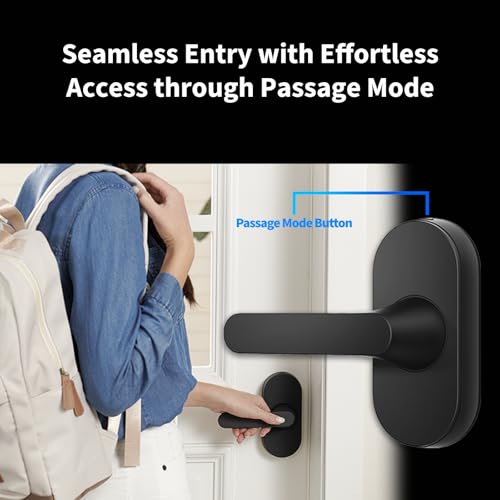
- Aggressive auto-lock with only a cumbersome Passage Mode workaround
- A minority report latch, handle, or early-failure quality issues
- Customer support is a frequent complaint; limited warranty in some regions
- Needs the Aqara app in Bluetooth range (or a hub) to manage users and NFC
Who is the Aqara U300 for?
This is a premium keyless lever lock (with a handle) aimed at Apple households and Matter/Thread smart homes. It supports Apple HomeKit and Apple Home Key natively, Matter over Thread, fingerprint, a keypad PIN, NFC, Bluetooth, and a hidden physical key, and it works with Home Assistant. Google, Alexa, SmartThings and IFTTT need an Aqara hub. It runs on 4 AA batteries (rated around 10 months) with USB-C emergency ports on both sides, and it is IPX4 rated. It best suits HomeKit and Home Key households, Matter-over-Thread setups, lever-handle doors, and anyone who wants many unlock methods. If you want dead-simple installation, a relaxed auto-lock, or guaranteed rock-solid support, read the caveats first.
What buyers love
The U300 wins praise for feeling premium and for its Apple integration. Owners call it the best-looking smart lock they have seen, sleek with no bulging interior battery pack and a touchscreen keypad that disappears when idle, and several say it feels like a lock Apple would build. HomeKit setup is seamless: add it to Apple Home and a Home Key is added to Wallet automatically for every family member, so you just tap an iPhone or Apple Watch on the keypad and it opens instantly, without even waking the device. The fingerprint reader is quick and sets up like Touch ID, and there are many ways in (fingerprint, PIN, phone or watch, NFC, Bluetooth, and a discreet physical keyhole). It is genuinely future-proof via Matter over Thread, which owners use to pair the same lock to an Aqara M3 hub, Apple Home, and Home Assistant at once, and it can work without an Aqara hub if you have an Apple TV or HomePod acting as a Thread border router, enabling remote lock and unlock. Bluetooth range is strong (one owner controls it across a 2,200 sq ft home), and it can even inherit passcodes and automations from another Matter lock through Apple Home. Happy owners frequently buy multiple units.
What to know before you buy
Several recurring issues explain the mixed rating. Installation instructions are widely criticized: you get many similar-looking screws with little guidance, a dense manual without helpful diagrams, and measurements that require converting inches to metric, and adding it to Apple Home often fails via the QR code, so you must manually enter the Matter code. Many owners only succeeded after googling for real-world tips. The auto-lock is aggressive, re-locking very soon after unlocking, and the only workaround, Passage Mode, requires pressing an inside button and verifying each time, which owners find cumbersome and wish were a simple always-on setting. Quality and durability are a real concern for a minority: reports include a latch that malfunctioned and jammed the door after about 45 days, an exterior handle that loosened or fell off within a couple of months, flimsy plastic clips breaking during install, and units failing within weeks. The single most consistent complaint is customer support, described by multiple owners as slow, unhelpful, quick to blame installation, or unresponsive, with warranty coverage lacking in some regions. Finally, to add or manage users, passcodes and fingerprints you need the Aqara app within Bluetooth range (or an Aqara hub), and NFC and some features require a hub, and running multiple U300 locks on the same Thread network can be problematic (owners report duplicate MAC addresses and migration headaches after pairing to an M3 hub). Test thoroughly on arrival and buy where returns are easy.
Is the Aqara U300 worth it?
For an Apple household that wants a premium, future-proof lever lock, the Aqara U300 can be excellent: gorgeous design, seamless HomeKit and Home Key, a fast fingerprint reader, Matter over Thread, and many ways in, with no Aqara hub strictly required if you have an Apple home hub. The reasons for its lower rating are equally real, poorly written install instructions, an aggressive auto-lock with a clunky Passage Mode workaround, a minority of latch, handle and reliability failures, and notably poor customer support. Buy it if you are comfortable with a potentially fiddly installation, want deep Apple and Matter integration, and purchase from a seller with an easy return policy. If you need effortless setup, a relaxed daytime unlock, or dependable after-sales support, consider a simpler or better-supported alternative.
Frequently asked questions
Do I need an Aqara hub?
Not strictly. With an Apple TV or HomePod acting as a Thread border router, you get Apple Home Key and remote lock/unlock without an Aqara hub. However, adding or managing users, passcodes and fingerprints requires the Aqara app within Bluetooth range, and NFC and full remote management need an Aqara hub.
Why does it re-lock so quickly, and can I stop it?
The U300 auto-locks aggressively soon after you unlock it. The only workaround is Passage Mode, which you enable by pressing an inside button and verifying with fingerprint, NFC or passcode, and set for a chosen duration. Owners find this cumbersome and wish there were a simple setting to keep the door unlocked during the day.
How is the build quality and reliability?
In use most owners find it solid and premium, but a minority report real problems: a latch that malfunctioned and jammed the door after about 45 days, an exterior handle that loosened or fell off within months, and units failing within weeks. Combined with mixed support experiences, this drives the lower rating, so test it thoroughly and keep your return option open.
How hard is installation?
It can be frustrating. Owners cite many similar screws with little guidance, a dense manual, inch-to-metric conversions, and needing to manually enter the Matter code because the Apple Home QR scan often fails. Experienced installers may breeze through it, but novices frequently had to google real-world tips to succeed.
Does it support Matter, Thread and Home Assistant?
Yes. It supports Matter over Thread (needing a Thread border router such as an Aqara M3, Apple TV or HomePod), and owners pair the same lock to Aqara, Apple Home and Home Assistant simultaneously. Note that running multiple U300 locks on one Thread network can be problematic due to reported duplicate MAC addresses and migration limits after pairing to an M3 hub.