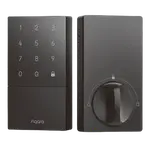


Aqara Smart Lock U50 Review: An Affordable Apple Home Key Deadbolt With a Few Rough Edges
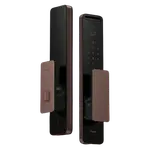
The Aqara Smart Lock U50 is the affordable, no-fingerprint member of Aqara's lock line, and its big appeal is Apple Home Key at a budget price: just tap your iPhone or Apple Watch on the keypad, like a hotel key, and the door opens without even waking the phone. Owners love the clean, non-bulky look, the easy HomeKit setup (you can pair it to Apple Home without even installing the Aqara app), the keypad and physical-key backup, and native Home Assistant support. The trade-offs are why it lands around four stars rather than higher: there is no fingerprint reader (step up to the U100 for that), the auto-lock and door sensor can be inconsistent (a notable share of owners report it failing to lock on close), battery life can be short with some replacing the 4 AA cells several times a year, and the battery cover is notoriously hard to pry open. Because it has no built-in Wi-Fi, reliable Apple Home status and automations depend on a strong Bluetooth link to your Apple home hub, and an Aqara hub only helps with Google/Alexa/Matter, not Apple Home. For an Apple household on a budget that mainly wants Home Key entry, it is a good pick; if you want fingerprint, rock-solid auto-lock, or built-in Wi-Fi, look higher up the range.
- Apple Home Key on a budget
- iPhone and Apple Watch households
- Keyless entry without a camera
- HomeKit and Home Assistant users
Pros
- Apple Home Key at a budget price; tap iPhone or Apple Watch to unlock
- Easy HomeKit setup, even without the Aqara app
- Clean, non-bulky design that looks good on the door
- Keypad, NFC and physical-key backup, plus USB-C emergency power
- Native Home Assistant support and pairs with Aqara gear
Cons
- No fingerprint reader (step up to the U100 for that)
- Auto-lock and door sensor can be inconsistent
- Battery-hungry, with a notoriously hard-to-open battery cover
- No built-in Wi-Fi; Apple Home reliability depends on Bluetooth to your hub
- Needs an Aqara hub for Google, Alexa, Matter and IFTTT
Who is the Aqara U50 for?
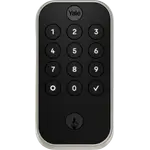
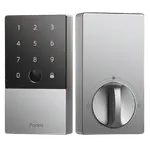
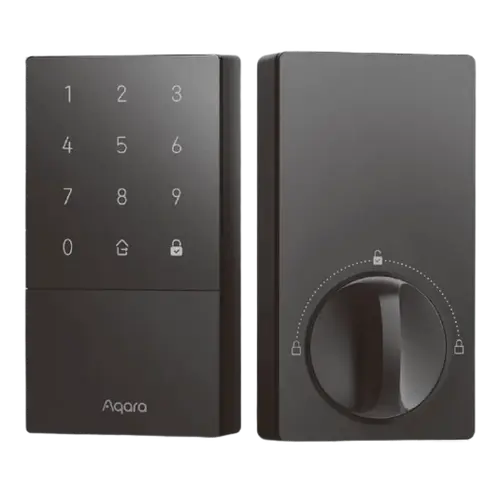
This is the budget deadbolt in Aqara's lineup, focused on Apple Home Key entry at a budget price. It unlocks with an iPhone or Apple Watch (Home Key), a keypad passcode, an NFC tag, Bluetooth, and a physical key, but it has no fingerprint reader. It supports Apple HomeKit and Home Assistant natively, while Google, Alexa, Matter and IFTTT require an Aqara hub, and it runs on 4 AA batteries with a USB-C emergency port. It best suits Apple households on a budget who mainly want tap-to-unlock Home Key, people who prefer a keyless lock without a camera, and HomeKit or Home Assistant users. If you want a fingerprint reader, dependable auto-lock, or built-in Wi-Fi, consider the U100 or a Wi-Fi lock instead.
What buyers love
The headline is value: owners repeatedly call it the best lock for Apple people because you get Apple Home Key for far less than the Apple-friendly competition. Tapping an iPhone or Apple Watch on the keypad opens the door instantly, like a hotel key, without waking the device, which owners love when their hands are full. Setup is easy, and you can pair it to Apple Home in a standalone HomeKit mode without even creating an Aqara account. The design draws praise for being clean and not bulky, fitting neatly with existing handles and feeling well built, and owners like the responsive keypad, the physical-key backup, and the USB-C emergency port. It integrates smoothly with Home Assistant and pairs nicely with other Aqara gear such as the G410 doorbell, and when the auto-lock works it secures the door within seconds of closing. For the price, satisfied owners find it reliable, convenient and a strong upgrade over fumbling with keys.
What to know before you buy
A few recurring issues explain the mixed reviews. First, there is no fingerprint reader, so if you want that you need the U100. Second, the auto-lock and door sensor can be inconsistent: a notable share of owners report it failing to lock a fraction of the time on close, or the gyroscopic sensor not registering that the door shut, so you end up checking it. Third, battery life can be disappointing, with some owners replacing the 4 AA cells several times in under a year, and the underpowered motor means you may need to align the door for near-zero friction. Fourth, the battery cover is widely described as very hard to remove, needing a special pry tool (easy to misplace) and feeling like it might snap. Because the lock has no built-in Wi-Fi, dependable Apple Home status and automations rely on a strong Bluetooth link to your Apple home hub, so locks placed far from that hub can show inconsistent status and failed automations, and an Aqara hub does not fix Apple Home connectivity (it only adds Google, Alexa, Matter and IFTTT). A couple of owners also saw glitches in direct sunlight and a slightly slow keypad, and support responses can be slow. Buy from a seller with easy returns and test the auto-lock thoroughly.
Is the Aqara U50 worth it?
For an Apple household on a budget, the Aqara U50 is a good buy: Apple Home Key at a budget price, a clean design, easy HomeKit setup, a keypad and physical-key backup, and native Home Assistant support. The compromises are real, no fingerprint, sometimes-inconsistent auto-lock and door sensing, shorter-than-hoped battery life with a stubborn battery cover, and Apple Home reliability that hinges on strong Bluetooth to your Apple hub since there is no built-in Wi-Fi. Buy it if tap-to-unlock Home Key is your priority and you can place it within good range of an Apple home hub. If you need a fingerprint reader, dependable auto-lock, or Wi-Fi that keeps Apple Home status solid regardless of placement, step up to the U100 or a Wi-Fi lock like a Schlage Encode.
Frequently asked questions
Does the U50 have a fingerprint reader?
No. The U50 is the more affordable model and unlocks via Apple Home Key (iPhone or Apple Watch), a keypad passcode, NFC, Bluetooth and a physical key, but it has no fingerprint scanner. If you want fingerprint entry, Aqara's U100 adds it.
Do I need an Aqara hub?
Not for Apple Home Key or HomeKit, which work directly, and Home Assistant is supported too. But Google Home, Alexa, Matter and IFTTT require an Aqara hub. Importantly, an Aqara hub does not improve Apple Home connectivity, that relies on a strong Bluetooth link to your Apple home hub since the lock has no built-in Wi-Fi.
How reliable is the auto-lock?
It is a common complaint. When it works, it locks within seconds of the door closing, but a notable share of owners report it failing to lock a fraction of the time, or the door sensor not registering that the door was shut. Careful door alignment helps, but it is worth checking the lock rather than assuming it engaged.
How is the battery life and the battery cover?
Mixed. Some owners get many months on a set of 4 AA batteries, while others replace them several times in under a year. The battery cover is widely described as very hard to remove, requiring a special pry tool that is easy to misplace, and there is a USB-C port for emergency power if the batteries die.
Will it work well with Apple Home if it's far from my hub?
Possibly not. With no built-in Wi-Fi, the lock depends on Bluetooth range to your Apple home hub. Owners who installed it on doors far from an Apple TV or HomePod reported inconsistent status updates and failed automations, though Home Key itself often still worked. For a far or exterior door, a lock with built-in Wi-Fi may be more dependable.