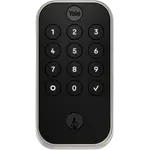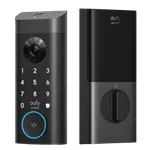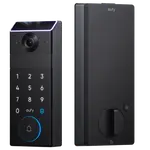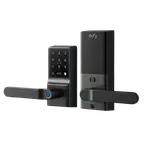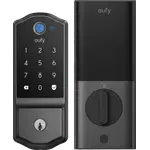



eufy Smart Lock C220 Review: An Affordable Wi-Fi Fingerprint Deadbolt That Just Works
The eufy Smart Lock C220 is a standout budget-to-midrange deadbolt that owners repeatedly say simply works. It installs in about 25 to 30 minutes on a standard deadbolt with just a screwdriver, and because Wi-Fi is built in you get remote control (lock, unlock, check status, and issue scheduled, time-limited codes) without buying a separate hub. The fingerprint reader is fast and, for most owners, reliable one time every time, even with damp or cold hands, and the auto-lock is dependable, with the eufy app notifying you if the door did not fully close. It also keeps an access log with alerts, works with Alexa, Google Home and Home Assistant, and pairs neatly with the wider eufy ecosystem. Build quality feels solid and premium, battery life on the 8 AA cells commonly runs close to a year, and owners consistently call it excellent value, often the best of several locks they compared. The main caveats are minor: fingerprint recognition can be inconsistent for a small number of users (who fall back on the keypad), the keypad can be hard to see at night, and Wi-Fi setup may take a couple of tries. Note it is not an Apple HomeKit or Matter lock. For keyless entry without spending a fortune, it is an easy recommendation.
- Keyless entry on a budget
- Homes without a smart-home hub
- Alexa, Google Home or Home Assistant users
- Existing eufy ecosystem owners
Pros
- Built-in Wi-Fi for remote control and scheduled codes, no hub required
- Easy 25 to 30 minute install on a standard deadbolt
- Fast, reliable fingerprint entry for most owners
- Dependable auto-lock with app alerts if the door didn't close
- Access log, alerts, and Alexa/Google/Home Assistant support
- Solid build and long battery life on 8 AA cells, at a value price
Cons
- No Apple HomeKit, Apple Home Key, Matter or Bluetooth
- Fingerprint recognition can be inconsistent for a small number of users
- Keypad can be hard to see at night without a porch light
- Wi-Fi setup may take a few tries to connect initially
- May require chiseling the bolt hole for the longer deadbolt
Who is the eufy C220 for?
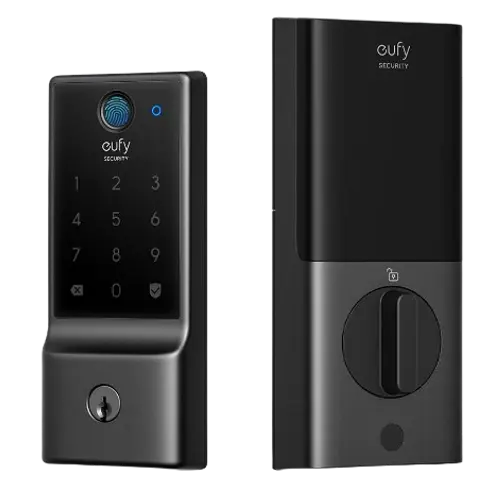
This is an affordable keyless deadbolt with built-in Wi-Fi, aimed at people who want remote control and fingerprint entry without adding a hub. It unlocks via fingerprint, a keypad passcode, the eufy app (remotely), and a physical key backup, and it works with Alexa, Google Home and Home Assistant. It runs on 8 AA batteries (rated around 8 months, with a USB port for emergency power) and is IP53 rated, BHMA Grade 3. It best suits budget-minded buyers who want keyless entry, homes without a smart-home hub, Alexa/Google/Home Assistant users, and existing eufy owners who want everything in one app. Note that it does not support Apple HomeKit or Matter, so Apple-first households should look elsewhere.
What buyers love
The recurring theme is that it just works. Installation is easy, commonly 25 to 30 minutes on a standard deadbolt with only a screwdriver, and the eufy app is intuitive to set up and use. Built-in Wi-Fi is a major plus because it means full remote control with no separate hub: owners lock and unlock from work, check whether the door is secured at night, and generate scheduled, time-limited codes for guests, cleaners, pet sitters or an Airbnb, all from their phone. The fingerprint reader is a favorite, described as quick and reliable (one time every time for most), even with damp or cold fingers, so many owners rarely bother with the code. The auto-lock is dependable, engaging shortly after the door closes, and the app helpfully alerts you if it could not lock because the door was not fully shut. Owners also value the access log and open/close alerts, integration with Alexa, Google Home and Home Assistant, a solid, heavy, premium-feeling build, an illuminated and volume-adjustable keypad, and a physical-key and USB backup. Battery life on the 8 AA cells frequently approaches a year, batteries are easy to swap with no tools, and buyers repeatedly call it the best value among locks they compared, with several liking it enough to buy another or recommend it to neighbors and family. Customer service also drew praise from multiple owners.
What to know before you buy
The caveats are mostly minor. Fingerprint recognition, while excellent for most, is inconsistent for a small number of users, in one case reading one household member reliably but not their spouse, who then uses the keypad instead. The keypad can be a little hard to see at night unless a porch light is on, and initial Wi-Fi setup took a few tries for some owners before becoming stable. A rare glitch when locking on the way out is fixed by waiting a beat and trying again. The auto-lock depends on the door closing fully, so worn weather stripping that prevents a complete close can cause a failed lock (the app tells you when this happens). Depending on your existing bolt hole, you may need to chisel it out slightly to fit the longer deadbolt, and some owners suggest professional installation for a perfect fit. It uses 8 AA batteries, which seems like a lot but contributes to the long life. Finally, this lock has no Apple HomeKit, Apple Home Key, Matter or Bluetooth support, it is Wi-Fi and app based, so confirm it matches your ecosystem before buying.
Is the eufy C220 worth it?
For keyless entry without spending a fortune, the eufy Smart Lock C220 is an easy recommendation. It is easy to install, the built-in Wi-Fi delivers full remote control and scheduled codes with no hub, the fingerprint reader and auto-lock are reliable for most owners, and the access log, alerts and Alexa/Google/Home Assistant support add real convenience, all in a solid, good-looking body at a value price. The downsides are small: occasional fingerprint inconsistency for a few users, a keypad that is dim at night, and a Wi-Fi setup that may need a couple of attempts. The bigger consideration is ecosystem, there is no Apple HomeKit or Matter here. If you are on Alexa, Google Home, Home Assistant, or already in the eufy ecosystem and want a dependable, affordable fingerprint deadbolt, buy it with confidence; if you need HomeKit or Matter, choose a different lock.
Frequently asked questions
Do I need a hub for remote control?
No. The C220 has built-in Wi-Fi, so you get full remote control, lock and unlock, status checks, and scheduled, time-limited codes, straight from the eufy app without buying a separate hub. This is one of the features owners value most.
How reliable is the fingerprint reader?
For most owners it is fast and reliable, one time every time, and works even with damp or cold hands, so they rarely use the code. A small number of users find it inconsistent for certain fingerprints, in which case they fall back on the keypad passcode. Re-enrolling a print usually helps.
Does it work with Alexa, Google Home or Apple HomeKit?
It works with Alexa, Google Home and Home Assistant, so you can check the lock status and control it by voice or app. It does not support Apple HomeKit or Matter, so Apple-first households should choose a different lock.
How is the battery life and what if they die?
It uses 8 AA batteries, and owners commonly report them lasting close to a year with regular use. Swapping them requires no tools, and there is a USB emergency port so you can power the lock with a battery bank to get in if the batteries are fully depleted. A physical key is also included as backup.
Is installation and auto-lock straightforward?
Yes. Most owners install it in about 25 to 30 minutes on a standard deadbolt with a screwdriver, and the app guides setup. Auto-lock is dependable and engages after the door closes, though it needs the door to close fully, if worn weather stripping prevents that, the app will notify you that it could not lock.