



Google Nest x Yale Lock Review: A Solid Key-Free Keypad Deadbolt Tied to Aging Google Nest Connectivity
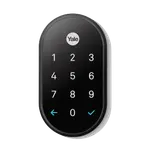
The Google Nest x Yale Lock is a well-made, tamper-proof key-free keypad deadbolt that owners like for its classy look, durable build, and family-friendly code management, you can assign each person a unique code, create temporary guest codes for a pet sitter, and see a log of who locked or unlocked the door. Because it is fully keyless, there is a 9V terminal on the outside to power it in an emergency, and it warns well ahead of low battery on its 4 AA cells. The recurring weakness is connectivity: the lock has no built-in Wi-Fi and reaches Google Home through a Nest Connect bridge, which multiple owners report dropping offline (sometimes leaving them without remote access), though Google has replaced faulty units. Installation can also be fiddly, occasionally requiring you to chisel the strike-plate area for a clean auto-lock. It works only with Google Home (Google Assistant can lock but not unlock by voice, by design), with no Alexa, HomeKit, Home Assistant or Matter, and there is no fingerprint or physical key. It is an older product on Google's legacy platform, so if you want fingerprint entry, built-in Wi-Fi, or broad ecosystem support, newer locks are worth considering. But as a dependable keypad deadbolt for a Google household, most owners are happy with it.
- Google Home households
- Key-free keypad entry
- Families needing per-person codes
- A classic, tamper-proof deadbolt look
Pros
- Well-built, tamper-proof, classy key-free deadbolt
- Strong code management: per-person, guest and temporary codes
- Logs who locked or unlocked the door
- 9V emergency terminal and early low-battery warnings
- Google Home integration (voice lock via Google Assistant)
Cons
- Relies on a Nest Connect bridge that can drop offline
- No fingerprint reader and no physical key
- Google Home only; no Alexa, HomeKit, Home Assistant or Matter
- Installation and setup can be fiddly
- Older product on Google's legacy platform
Who is the Nest x Yale Lock for?
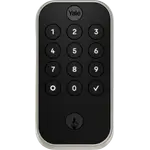
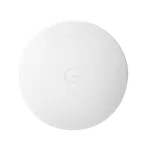
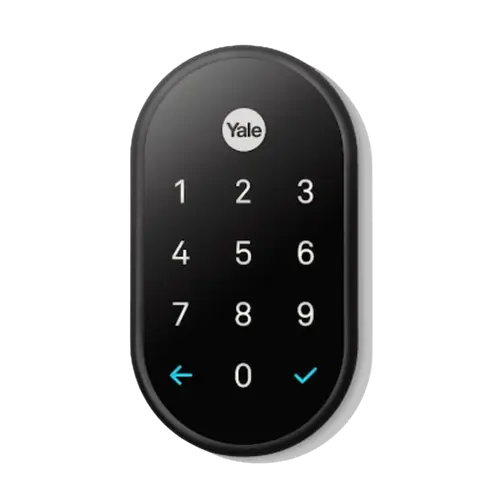
This is a key-free keypad deadbolt that connects to Google Home through a Nest Connect bridge (included). It unlocks via a keypad passcode or the app, with no fingerprint and no physical key, and it is designed for Google households, it does not work with Alexa, Apple HomeKit, Home Assistant or Matter. It runs on 4 AA batteries (rated about a year) with a 9V emergency terminal for power if they die. It best suits Google Home users, people who want keyless keypad entry, families who need per-person and guest codes, and anyone who likes a classic, tamper-proof deadbolt look. If you want fingerprint entry, built-in Wi-Fi, or broad smart-home support, note that this is an older lock on Google's legacy platform.
What buyers love
Owners praise the lock itself as well built, durable and classy-looking, and appreciate that it is tamper-proof and comes in multiple finishes. The standout feature is code management: you can assign a unique code to each family member, create temporary or guest codes (for example for a pet sitter, then change them after a trip), and the lock logs who locked or unlocked the door, which families with different schedules value highly. Being fully key-free means no more hiding a key, and the 9V emergency terminal plus early low-battery warnings make it hard to get locked out, with the 4 AA batteries lasting around a year. It integrates with Google Home so Google Assistant can lock the door by voice (for security it will not unlock by voice), and you can lock or unlock remotely from the app. You can also grant others either administrative access or home-entry-only access with their own codes. Overall, once installed and set up, owners find it reliable and foolproof to use day to day.
What to know before you buy
The biggest caveat is connectivity. The lock has no built-in Wi-Fi and depends on the included Nest Connect bridge to reach Google Home, and several owners report the Connect (or the lock) going offline even with a strong Wi-Fi signal, which can cut off remote access and, in bad cases, leave you unable to control it remotely. Google has swapped out faulty Connect units for some owners, but it remains the weak link. Installation can be tricky too: the hardware is manageable but the software setup and instructions confuse some, and if the strike plate is misaligned or the weather stripping is thick, the motor may stop just short and report that it did not lock, usually fixed by chiseling a little wood so the bolt seats fully. There is no fingerprint reader and no physical key (keypad or app only), and no Bluetooth or Wi-Fi proximity unlock, so you enter a PIN or open the app. Critically, this is an older product on Google's legacy platform: it works only with Google Home, not Alexa, HomeKit, Home Assistant or Matter. Finally, buy from Amazon directly where possible, as some owners had warranty trouble with third-party sellers.
Is the Nest x Yale Lock worth it?
For a Google Home household that wants a dependable, good-looking key-free keypad deadbolt with strong per-user code management, the Google Nest x Yale Lock is a solid choice, and its logging, guest codes and 9V emergency backup are genuinely useful. The trade-offs are real: it relies on a Nest Connect bridge that can drop offline, installation can be fiddly, and it is limited to Google Home with no fingerprint, no physical key, and no Alexa, HomeKit or Matter. As an older lock on Google's legacy platform, it is best for those already committed to Google. If you want fingerprint entry, built-in Wi-Fi, or a lock that will work across many ecosystems, a newer model will serve you better.
Frequently asked questions
Does it have Wi-Fi, or do I need the Nest Connect?
It has no built-in Wi-Fi. It reaches Google Home through the included Nest Connect bridge, which is required for remote access and app control. Some owners report the Connect dropping offline, which is the lock's main weak point, so place it well within range and be aware Google has replaced faulty units.
Does it have a fingerprint reader or a physical key?
No to both. It is a key-free keypad deadbolt, so you unlock with a PIN code or the app, and there is no fingerprint sensor and no keyhole. If the batteries die, you power it temporarily using a 9V battery held against the outside terminal.
Which smart-home platforms does it work with?
Only Google Home. Google Assistant can lock the door by voice but, for security, will not unlock it by voice. It does not work with Amazon Alexa, Apple HomeKit, Home Assistant or Matter, so it is best suited to Google households.
Can I give family and guests their own codes?
Yes, and it is a highlight. You can assign each family member a unique code, create temporary or guest codes (then change them later), and grant either administrative or home-entry-only access. The lock also logs who locked or unlocked the door and when.
Is it hard to install?
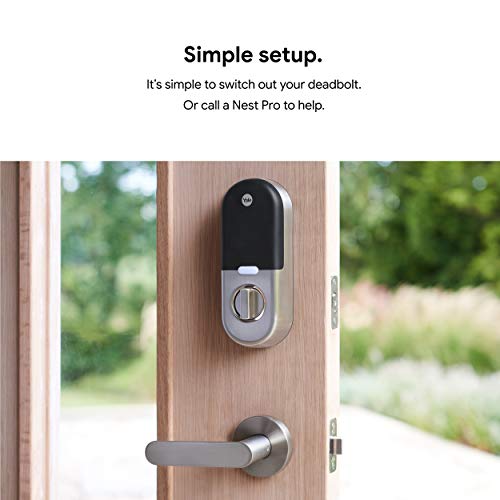
The hardware install is manageable but can take a couple of hours, and the software setup confuses some owners. If your strike plate is misaligned or your weather stripping is thick, the bolt may stop just short and report a failed lock, usually resolved by chiseling a little wood so the deadbolt seats fully.