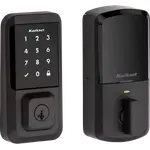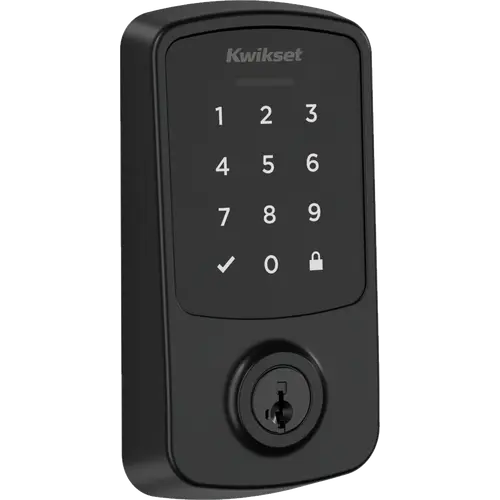



Kwikset Aura Reach Review: A Matter-over-Thread Deadbolt With Easy Install and Patchy Connectivity
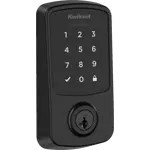
The Kwikset Aura Reach is a full-replacement smart deadbolt that talks Matter over Thread and Bluetooth instead of Wi-Fi, and owners like its easy install, quiet smooth motor, tactile keypad and the ability to re-key it to existing keys. The recurring complaints are connectivity: a short Bluetooth range, remote control that depends on a Thread border router, and a Kwikset app that loses code management once the lock is added to a Matter platform. Reviews are polarised, so it fits best a Matter home that mainly wants a keypad lock with simple app control, and less well one that expects flawless remote control.
- Matter homes with a Thread border router
- Replacing an older Kwikset lock
- Rentals and households that share codes
- DIY installers
Pros
- Easy to install as a replacement for an older lock
- SmartKey cylinder re-keys to an existing key in seconds
- Smooth, quiet motor and tactile backlit keypad
- Up to 250 access codes, including temporary and scheduled ones
- Matter over Thread support, with no Wi-Fi radio to crowd the 2.4 GHz band
- Four AA batteries for about a year
Cons
- Short Bluetooth range reported by several owners
- Remote control needs a Thread border router and is unreliable for some owners
- Kwikset app loses code management once the lock is added to Matter
- Geofence auto-unlock and re-pairing problems reported
- Reports of failed units and unanswered warranty claims
- No Apple home key, no door position sensor and no fingerprint reader
Who is the Kwikset Aura Reach for?
It is aimed at someone replacing a standard deadbolt in a home that already runs a Matter platform with a Thread border router, such as an Apple TV, a HomePod or a compatible Echo. Because the lock has no Wi-Fi radio, it suits people who would rather not add another always-on 2.4 GHz device to the network. The 250-code limit with temporary and scheduled codes suits landlords, families and anyone handing out access to cleaners, guests or contractors, and a property manager reports it works great.
What do owners like about the Aura Reach?
Owners praise how easy it is to install, including as a replacement for an older lock, and how it can be re-keyed to the keys they already have. An owner upgrading from a Kwikset Halo calls it smoother, quieter and faster to lock, with tactile keypad buttons that click and make entering a code easier. Bluetooth control from the app is described as convenient when you are standing at the door. Mechanically it uses Kwikset's SmartKey cylinder, power comes from four AA batteries rated for about a year, and the exterior is rated from -40°F to 185°F.
What to know before you buy
Connectivity is where owners run into trouble. With no Wi-Fi, control from the app works only over Bluetooth, and owners describe a short reach (one puts it at about 10 feet, another says it is weaker than older Kwikset locks), so status and control disappear once they walk away. Remote lock and unlock needs a Matter platform and a Thread border router, and some owners could not make that work: one added it to Apple Home over Thread and saw only no response, another lost the ability to manage users and codes in the Kwikset app once the lock joined Matter, while a controller such as a HomePod can add codes but with limits such as no schedules. Geofence auto-unlock did not work for one owner, a lock that would not re-pair after a factory reset left one owner using it as a plain deadbolt, and one finds the motor weak when the door does not line up with the strike, so auto-lock sometimes fails. One owner reports a failed unit with claims left unanswered, and another finds it louder than a Schlage Sense. There is no Apple home key, no door position sensor and no fingerprint reader, and the electronics carry a one-year warranty.
Is the Kwikset Aura Reach worth it?
When it works it is a solid keypad deadbolt with easy install, re-keying and a good feel, and some owners are happy. But the smart features are what draw people to it, and those are where many owners report problems, so it is a gamble for anyone counting on reliable remote control or full code management through Matter. If you already own a Thread border router and mainly use the keypad and Bluetooth, it is reasonable value; if remote access is the point, check how your platform handles it, or consider a Wi-Fi lock.
Frequently asked questions
Does the Kwikset Aura Reach need Wi-Fi?
No. The lock has no Wi-Fi radio at all. It uses Bluetooth for local setup and control, and Matter over Thread for smart home integration and remote access, so some owners who expected Wi-Fi control from the app were disappointed.
Does the Kwikset Aura Reach need a hub?
It needs a Thread border router to join a Matter smart home, but not a proprietary hub. Bluetooth works on its own for local control from the Kwikset app, within a short range according to owners.
Does it work with Apple Home, Alexa and Google Home?
Yes, through Matter over Thread. Apple Home, Amazon Alexa, Google Home, SmartThings and Home Assistant can all commission the lock as a Matter device once a Thread border router is on the network, though some owners report that Apple Home showed no response.
Can I still manage codes in the Kwikset app after adding it to Matter?
Owners report that managing users and codes in the Kwikset app stops working once the lock is added to a Matter platform, and that controllers such as a HomePod can add codes but with limits like no schedules.
Can I keep my existing house key?
Yes. The cylinder uses Kwikset SmartKey, so you can re-key it to a key you already carry in seconds, which owners confirm. Two SmartKey keys come in the box.
Does it have a door sensor or a fingerprint reader?
No. There is no door position sensor, so the app reports the deadbolt state rather than whether the door is open, and there is no fingerprint reader. Entry is by keypad code, the app or the physical key.