Still comparing? Get what's new by email
New releases and the smart home news worth knowing, in your inbox.
No spam. Unsubscribe in one click.
| Feature | Nuki Smart Lock Go | SwitchBot Lock Pro | Winner |
|---|---|---|---|
| Rating | 3.8 | 4.1 | SwitchBot Lock Pro |
| Warranty | 2 years | 1 year | Nuki Smart Lock Go |
| Connectivity | 2.4 GHz WiFi, Bluetooth, Thread Protocol | Bluetooth | Nuki Smart Lock Go |
| Lock/Unlock System | Remote, Bluetooth, Passcode, Fingerprint, Physical Key | Remote, Bluetooth, Passcode, Fingerprint, Face Recognition, NFC Tag, Physical Key | SwitchBot Lock Pro |
| One-Time Password | Keypad required | YES | SwitchBot Lock Pro |
| Periodic Password | Keypad required | YES | SwitchBot Lock Pro |
| Anti-peep Password | NO | YES | SwitchBot Lock Pro |
| Emergency Fingerprint | NO | YES | SwitchBot Lock Pro |
| Weather Resistance | NO | NO | Tie |
| Integrations | Google Home, Alexa, Apple HomeKit, Samsung SmartThings, Home Assistant, Matter | Google Home, Alexa, Apple HomeKit, Samsung SmartThings, Home Assistant, Matter | Tie |
| Doorbell | NO | NO | Tie |
What the differences mean
Entry methods
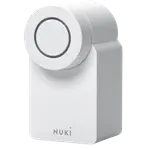
The SwitchBot Lock Pro supports NFC tags, one-time, periodic and anti-peep codes, and, with its Keypad and Vision Keypad, fingerprint and face unlock. The Nuki Smart Lock Go relies on the app, auto-unlock and your key, with codes and fingerprint only through a separate Nuki Keypad.
Connectivity
The Nuki Smart Lock Go has Wi-Fi, Bluetooth and a Matter over Thread path built in, so smart-home control does not need another device. The SwitchBot Lock Pro runs on Bluetooth alone, with a SwitchBot Hub required for remote access and most integrations.
Remote access cost
On the Nuki Smart Lock Go, control away from home needs Nuki's paid remote-access add-on, which owners find misleading given the no-bridge wording. The SwitchBot Lock Pro includes remote control in the lock but needs a SwitchBot Hub, a one-time purchase.
Warranty
The Nuki Smart Lock Go carries a two-year warranty against one year on the SwitchBot Lock Pro. On a security device that some owners report failing, that extra year is worth weighing alongside the lower purchase price.
Guest access
Giving a visitor entry usually means each guest installs an app. The SwitchBot Lock Pro leans on the SwitchBot app unless you add its Keypad for standalone codes, and the Nuki Smart Lock Go does the same through its app or its Keypad accessory.
Which one to buy if
- you want the most entry options
The SwitchBot Lock Pro adds NFC tags and a full set of code types, plus fingerprint and face unlock through its Keypad accessories, where the Nuki Smart Lock Go is thinner on ways in.
- you want built-in Wi-Fi and no separate hub
The Nuki Smart Lock Go has Wi-Fi, Bluetooth and Matter over Thread on board, so it needs no extra hardware for smart-home control, though remote access still needs the paid add-on.
- you want the lower purchase price
The SwitchBot Lock Pro is the cheaper lock, and its remote features come from a one-time hub rather than a recurring or separate unlock purchase.
- you want the longer warranty
The Nuki Smart Lock Go carries two years of cover against one on the SwitchBot Lock Pro, useful given the motor failures some Nuki owners report.
- you already use SwitchBot or Home Assistant
The SwitchBot Lock Pro integrates directly with Home Assistant and the SwitchBot app, so it slots into an existing setup with the least friction.
- + Warranty: 2 years
- + Connectivity: 2.4 GHz WiFi, Bluetooth, Thread Protocol
- - Rating: 3.8 vs 4.1
- - Lock/Unlock System: Remote, Bluetooth, Passcode, Fingerprint, Physical Key vs Remote, Bluetooth, Passcode, Fingerprint, Face Recognition, NFC Tag, Physical Key
- + Rating: 4.1
- + Lock/Unlock System: Remote, Bluetooth, Passcode, Fingerprint, Face Recognition, NFC Tag, Physical Key
- + One-Time Password: YES
- - Warranty: 1 year vs 2 years
- - Connectivity: Bluetooth vs 2.4 GHz WiFi, Bluetooth, Thread Protocol
What owners say
Owners of both retrofit locks like the tool-free install that leaves the key and the door hardware untouched, then differ on what annoys them. Nuki Smart Lock Go owners praise hands-free auto-unlock as they approach and the polished app, but many are frustrated that remote access and some integrations need a paid add-on, and a notable share report motor failures within a year. SwitchBot Lock Pro owners like the stronger motor, Bluetooth operation during an outage, useful logs and the optional rechargeable pack, while they warn that the mounting plate is plastic, that remote and guest access depend on a hub and the app, and that a few units miss the final turn of the bolt.
Frequently Asked Questions
Which is better overall: Nuki Smart Lock Go or SwitchBot Lock Pro?
The SwitchBot Lock Pro wins on entry options and price, with NFC, coded access and fingerprint or face unlock through its Keypad accessories. The Nuki Smart Lock Go is the pick if you want built-in Wi-Fi and the longer two-year warranty, and accept that remote access costs extra.
What is the biggest difference between the Nuki Smart Lock Go and the SwitchBot Lock Pro?
How they reach the network. The Nuki Smart Lock Go has Wi-Fi and a Matter over Thread path built in but charges for remote access, while the SwitchBot Lock Pro is Bluetooth only and needs a SwitchBot Hub for remote control and most integrations.
Do the Nuki Smart Lock Go and SwitchBot Lock Pro replace my existing lock?
No. Both are retrofit locks that mount over the inside of your existing deadbolt or European cylinder, so your exterior hardware and key stay the same. That makes both a fit for renters who cannot swap the whole lock.
Does the Nuki Smart Lock Go or SwitchBot Lock Pro need a hub?
The Nuki Smart Lock Go does not need a hub for Wi-Fi, but remote access and some integrations need its paid add-on. The SwitchBot Lock Pro works over Bluetooth alone, and a SwitchBot Hub adds remote control, Alexa, Google Home, HomeKit and Matter.
Who should buy the Nuki Smart Lock Go?
A European renter who wants hands-free auto-unlock, built-in Wi-Fi and a Matter path, values the two-year warranty, and is willing to pay for remote access separately.
Who should buy the SwitchBot Lock Pro?
A renter or home that wants the widest set of entry methods, a strong motor, Bluetooth operation during outages and a lower price, and does not mind adding a SwitchBot Hub for remote and guest access.
Our store on AmazonShop our ideas on AmazonLists of the smart home setups we would put together ourselves, ready to add to your Amazon cart.Shop on AmazonCompare all 54 Door Locks side by side
You are looking at two of them. The full table lines up all Door Locks in the catalog with the same specs, so you can filter by what you need and sort by price or rating.
- 54 Door Locks
- 55 specs compared
- 51 filters