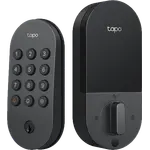
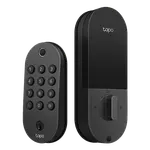
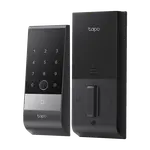
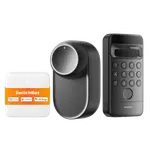
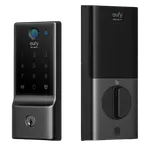
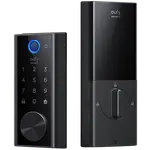
Winner
35% OFF
Prime exclusive deal$109.99
$169.99
 Join Prime to buy it at $109.99

Full Smart Door Locks comparison in 2026
Join Prime to buy it at $109.99
New releases and the smart home news worth knowing, in your inbox.
No spam. Unsubscribe in one click.
| Feature | Philips 4200 Series Smart Deadbolt with Door Lever | Wyze Palm Lock | Winner |
|---|---|---|---|
| Price | $109.99 | $129.98 | Philips 4200 Series Smart Deadbolt with Door Lever |
| Rating | 4.4 | 4.6 | Wyze Palm Lock |
| Lock/Unlock System | Remote, Bluetooth, Passcode, Fingerprint, Physical Key | Remote, Passcode, Physical Key | Philips 4200 Series Smart Deadbolt with Door Lever |
| Weather Resistance | YES | IP53 | Tie |
| Battery Life | 6 months | 6 months | Tie |
| Connectivity | 2.4 GHz WiFi, Bluetooth | 2.4 GHz WiFi | Tie |
| Integrations | Google Home, Alexa, Home Assistant | Google Home, Alexa | Tie |
| One-Time Password | YES | YES | Tie |
| Anti-peep Password | YES | YES | Tie |
| Emergency Fingerprint | NO | NO | Tie |
| Doorbell | NO | NO | Tie |
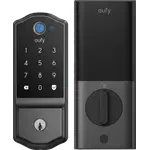
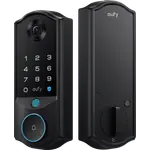
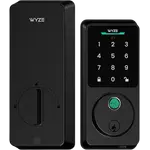
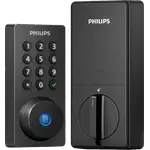
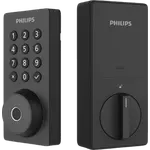
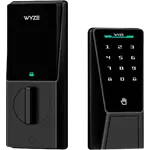
The Philips 4200 Series Smart Deadbolt with Door Lever opens by fingerprint, keypad, app, voice or key, and stores up to 50 prints that read in under 0.3 seconds. The Wyze Palm Lock swaps the fingerprint reader for palm-vein recognition, keeping the keypad, app and mechanical key.
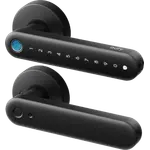
The Philips 4200 Series Smart Deadbolt with Door Lever is sold as a set: the deadbolt plus a matching passage lever with its latch, so the whole door shares a finish. The Wyze Palm Lock is the deadbolt alone, leaving you to match the handle underneath.
The Wyze Palm Lock runs on a rechargeable built-in pack with a backup that takes over during charging and a USB-C port for a power bank, so a flat battery is unlikely to lock you out. The Philips 4200 Series Smart Deadbolt with Door Lever runs on eight AA cells with no backup and is rated for about six months.
The Wyze Palm Lock uses a gyroscope to sense the door actually closing before it locks, so it will not throw the bolt while the door is open. The Philips 4200 Series Smart Deadbolt with Door Lever has no door sensor and relocks on a timer between 10 and 180 seconds.
The Philips 4200 Series Smart Deadbolt with Door Lever adds recurring codes scheduled to set days and hours and code sets that expire on a date, on top of one-time codes. The Wyze Palm Lock covers one-time guest codes and permanent codes but does not document scheduled recurring ones.
The Wyze Palm Lock's palm-vein recognition reads a hand in total darkness and is the reason owners with children pick it.
The Philips 4200 Series Smart Deadbolt with Door Lever has a fingerprint reader that stores up to 50 prints; the Wyze Palm Lock does not read fingerprints.
The Philips 4200 Series Smart Deadbolt with Door Lever ships with a matching lever set, so one purchase finishes the door.
The Wyze Palm Lock can be kept awake by a storm door in its default mode and drain fast; the Philips 4200 Series Smart Deadbolt with Door Lever has no proximity radar to trigger.
The Wyze Palm Lock's dual-battery system and USB-C emergency port are built for exactly that, where the Philips 4200 Series Smart Deadbolt with Door Lever has no backup pack.
Both groups describe the same easy install, done in an evening with a screwdriver, and both celebrate not carrying keys, with a physical key hidden away as backup and no subscription on either. Philips 4200 Series Smart Deadbolt with Door Lever owners single out the fingerprint reader as fast and reliable, the matte finish that reads more expensive than it is, and the activity log that rental hosts lean on, while their chief complaint is battery life, with the eight AA cells often alarming well before the rated six months. Wyze Palm Lock owners single out the palm-vein reader that works in the dark and succeeds for kids who could not manage codes, and the dual-battery peace of mind, while their warning is that a storm or screen door can keep the lock awake and drain it overnight in the default mode.
The Philips 4200 Series Smart Deadbolt with Door Lever, on the strength of its wider entry methods, a fingerprint reader, scheduled codes and the matching lever set in the box. The Wyze Palm Lock is the better fit if you specifically want touchless palm-vein entry and a dual-battery backup against lockouts.
The biometric. The Wyze Palm Lock uses palm-vein recognition, which reads a hand in total darkness, while the Philips 4200 Series Smart Deadbolt with Door Lever uses a fingerprint reader, which the Wyze does not have.
No. The Wyze Palm Lock works with Alexa and Google Home and the Wyze app, but not Apple HomeKit, SmartThings or Matter. The Philips 4200 Series Smart Deadbolt with Door Lever is the same on HomeKit, SmartThings and Matter, and adds Home Assistant through a community integration.
The Wyze Palm Lock is built for it: a backup pack takes over while the main battery recharges over USB-C, and a power bank can power the lock through its USB-C port. The Philips 4200 Series Smart Deadbolt with Door Lever uses eight AA cells with no backup, so keep spares on hand.
No. Both have Wi-Fi built in, so remote lock, unlock and alerts work through their own apps with no bridge to buy. Both connect to 2.4 GHz networks only.
Households that want fast, touchless palm-vein entry that works in the dark, especially for kids or family members who struggle with codes or fingerprints, and anyone who wants a rechargeable dual-battery lock that resists lockouts.
Buyers who want the most ways in, including a fingerprint reader, scheduled and single-use codes for guests, and a matching lever handle set for the entire door, in the Philips Home Access app.
Spotted something wrong on this page? Tell us and we will fix it.
 Our store on AmazonShop our ideas on AmazonLists of the smart home setups we would put together ourselves, ready to add to your Amazon cart.Shop on Amazon
You are looking at two of them. The full table lines up all Door Locks in the catalog with the same specs, so you can filter by what you need and sort by price or rating.