

Philips Wi-Fi Smart Deadbolt Review: Built-In Wi-Fi and a Fast Fingerprint Reader Without the Flagship Price
This deadbolt covers the features people actually pay flagship prices for, at roughly a third of the cost: a fast fingerprint reader, a backlit keypad with up to 100 schedulable codes, remote lock and unlock over built-in Wi-Fi with no bridge, and a physical key hidden under the fingerprint pad. Owners consistently describe a twenty minute screwdriver-only install and an app that makes handing time-limited codes to dog walkers, cleaners or guests genuinely easy. The trade-offs are the power draw of eight AA batteries, no door sensor so auto-lock is purely on a timer, and scattered reports of Wi-Fi connection trouble.
- Rentals and homes with cleaners, walkers or guests
- Buyers replacing a failed premium lock
- Alexa and Google Assistant households
- Anyone who wants Wi-Fi without a bridge
Pros
- Fingerprint, keypad, app, voice and physical key entry in one lock
- Wi-Fi built in, so remote access needs no bridge or hub
- Up to 100 passcodes with day, time and date-range scheduling, plus access history
- Fast, reliable fingerprint reader by owner accounts
- About a twenty minute install with only a screwdriver
- Backup keyhole hidden under the fingerprint pad, two keys included
- Away Mode and configurable 10 to 180 second auto-lock, with a two-year warranty
Cons
- Runs on eight AA batteries, not included, and battery life disappoints some owners
- 2.4GHz Wi-Fi only, with recurring connectivity complaints
- The app enforces Wi-Fi password length limits that block some networks
- No door sensor, so auto-lock is timer based only
- No geofenced auto-unlock as you approach
- No Apple Home, SmartThings or Matter support
- Mixed long-term reliability reports
Who is the Philips Wi-Fi Smart Deadbolt for?
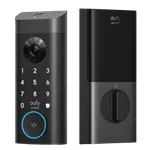
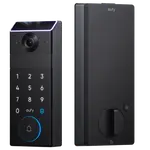
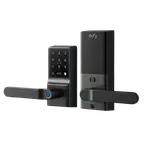
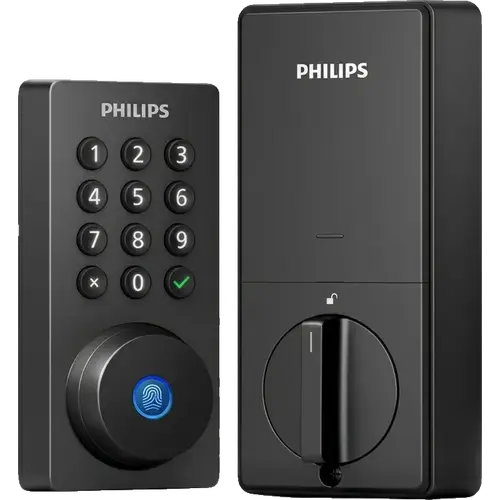
This is a keyless entry deadbolt aimed at people who want every unlock method without a hub. It opens by fingerprint, by backlit touchscreen keypad, from the Philips Home Access app, by voice through Alexa or Google Assistant, or with one of the two included physical keys, whose keyhole sits hidden beneath the fingerprint reader. Wi-Fi is built in on 2.4GHz so remote access works anywhere without a bridge, and Bluetooth handles nearby control. Up to 100 passcodes can be created and scheduled by day, time window or date range, with a full access history in the app. Auto-lock is configurable from 10 to 180 seconds, and Away Mode disables every unlock method except the master code. It fits doors 38mm to 50mm thick and runs on eight AA batteries, which are not included.
What buyers love
Installation is the most repeated praise: owners describe swapping an old deadbolt in about twenty minutes with nothing more than a Phillips screwdriver, and they call the manual and diagrams unusually clear. The fingerprint reader is the standout feature in daily use, described as fast and consistent, and the scheduled codes come up constantly, with owners giving a regular dog walker permanent access and a backup walker a weekday window only. Remote unlocking gets specific praise for letting owners let someone in from work. Several buyers arrived here after premium locks from other brands failed within a year and rate the build and the two-year warranty highly given the price. The hidden keyhole under the fingerprint pad is a repeatedly noted design touch.
What to know before you buy
It takes eight AA batteries and none are included, which owners flag as both a running cost and a surprise on unboxing, and some report battery life falling short of expectations. Wi-Fi is 2.4GHz only, and connectivity is the most common complaint after batteries, including one owner blocked by the app refusing Wi-Fi passwords outside an 8 to 12 character range. There is no door sensor, so auto-lock is a timer rather than a reaction to the door closing, and the lock will keep extending if the door is left open. There is no geofenced auto-unlock as you approach, which one owner specifically wishes for. Apple Home, SmartThings and Matter are not supported, and long-term reliability feedback is mixed, with most owners happy but a minority reporting the lock stopping working.
Is the Philips Wi-Fi Smart Deadbolt worth it?
For the money, buyer sentiment is strong: it delivers fingerprint entry, built-in Wi-Fi and proper code scheduling for well under what comparable locks cost, and several owners explicitly rate it above premium locks they replaced. It suits rentals, shared access and anyone tired of buying a separate bridge. Look elsewhere if you need Apple Home or Matter, want geofenced auto-unlock, or would rather not feed a lock eight AA cells.
Frequently asked questions
Does the Philips Wi-Fi Smart Deadbolt need a hub or bridge?
No. Wi-Fi is built into the lock, so remote lock, unlock and notifications work directly from the Philips Home Access app. It uses 2.4GHz networks only.
How many batteries does it use?
Eight AA alkaline batteries, and they are not included. Owners consistently recommend having them ready before installing.
Can I still use a key?
Yes. Two physical keys are included, and the keyhole is concealed under the fingerprint reader, which rotates up to reveal it.
Does it lock automatically when the door closes?
It auto-locks on a timer you set between 10 and 180 seconds. There is no door sensor, so it does not detect the door closing, and the timer restarts while the door is held open.
Does it work with Apple Home?
No. It works with Alexa and Google Assistant for voice control, but there is no Apple Home, SmartThings or Matter support.
Can I give temporary codes to cleaners or guests?
Yes, and owners rate this as one of its best features. Codes can be one-time, limited to specific days and hours, or valid for a date range, and every use appears in the access log.