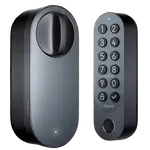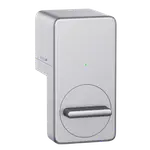


SwitchBot Lock Pro Review: A Renter-Friendly Retrofit Smart Lock With a Strong Motor and a Plastic-Plate Caveat
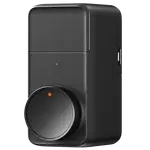
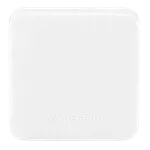
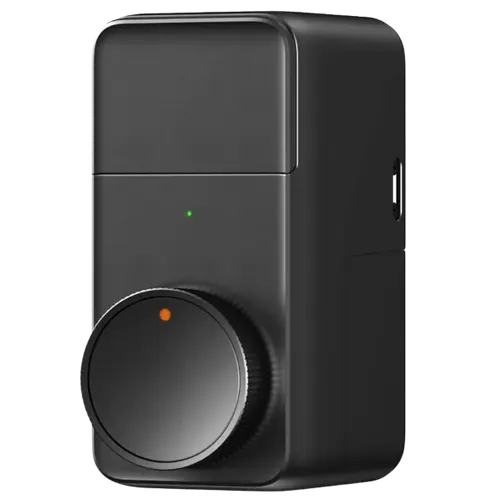
The SwitchBot Lock Pro is a retrofit smart lock that fits over the inside of your existing deadbolt, so you keep your original key and exterior hardware, which makes it a favorite for renters and apartments where you cannot swap the whole lock. Owners praise the quick roughly 10-minute install (with adapters for many cylinders), a motor noticeably stronger than a Nuki, operation over Bluetooth even during an internet or power outage, and an optional rechargeable Power Pack (sold separately) so you can charge one battery while the other runs. Add a SwitchBot Hub and you get remote lock/unlock, status, push alerts, auto-lock and low-battery warnings, plus Alexa, Google Home, HomeKit and (with Hub 2) Matter, while Home Assistant works directly. The caveats are real: the deadbolt mounting plate is plastic, which several owners find flimsy and a security concern, and there are scattered reports of the final turn of the bolt not completing (a software issue SwitchBot has improved via updates) and of units failing within weeks to months. Auto-lock needs a door-frame magnet and a flush frame, guest access requires others to install the SwitchBot app, and passcode, fingerprint and facial recognition are all separate Keypad accessories. For renters or anyone who wants keyless entry without replacing their lock, it is compelling, just weigh the plastic-plate and reliability notes.
- Renters and apartments
- Keeping your existing key and lock
- Quick retrofit installation
- Home Assistant or SwitchBot ecosystem users
Pros
- Renter-friendly retrofit: keeps your existing deadbolt and key
- Quick ~10-minute install with adapters for many cylinders
- Strong motor, smooth even on stiffer locks
- Works over Bluetooth during internet or power outages
- Optional rechargeable Power Pack and useful auto-lock and logs
- Broad integrations via a hub, plus direct Home Assistant support
Cons
- Plastic mounting plate that some find flimsy and a security concern
- Reports of the bolt not completing its final turn (improved by updates) and some early failures
- Remote control and most integrations require a SwitchBot Hub
- Keypad, fingerprint and facial recognition are separate accessories
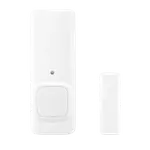
- Auto-lock needs a door-frame magnet and a flush frame; guest access needs the app
Who is the SwitchBot Lock Pro for?
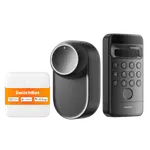
This is a retrofit smart lock that mounts over the inside of your existing deadbolt rather than replacing it, so your exterior hardware and physical key stay the same, ideal for renters. It runs over Bluetooth, with remote control and most integrations (Alexa, Google Home, HomeKit, SmartThings, IFTTT, and Matter via Hub 2) requiring a SwitchBot Hub, while Home Assistant is supported directly. Passcode, fingerprint and facial recognition are provided by separate SwitchBot Keypad accessories, and NFC tag and physical-key entry are supported (Apple Home Key is not). It runs on 4 AA batteries (rated around 9 months) with an optional rechargeable Power Pack sold separately, plus auto-lock, geolocation and door-open detection. It best suits renters and apartments, anyone who wants to keep their existing key, quick retrofit installs, and Home Assistant or SwitchBot users. If you want a built-in keypad, a fully metal build, or Wi-Fi without a hub, read the caveats first.
What buyers love
The retrofit design is the biggest draw: it installs over your existing deadbolt in about 10 minutes (with adapters that fit many cylinders), keeps your original key, and is invisible as a smart lock from outside, which owners repeatedly call renter-friendly and perfect for apartments where the landlord needs key access. The motor is a highlight, described as stronger than a Nuki and smooth even on stiffer locks, and the lock keeps working over Bluetooth during an internet or power outage. Battery life is good, and the optional rechargeable Power Pack (sold separately) lets you charge one battery while the other is in use. Paired with a SwitchBot Hub Mini, owners get remote lock/unlock, accurate door status, push notifications, timely low-battery alerts, and auto-lock (with a configurable geolocation radius and a recently added auto-unlock), and it integrates with Alexa, Google Home and HomeKit through the hub, plus Home Assistant directly. The app's access logs are called very helpful, it is quieter than expected, there is a one-touch lock/unlock button, and multiple owners praise responsive support that sends fast replacements and pushes updates to fix issues. Several are on their second or third unit or have recommended it to friends.
What to know before you buy
The most pointed complaint is the mounting plate: the part that holds the lock to your deadbolt is plastic, which some owners find flimsy and a security worry (the bolts can bend if overtightened, and they feel it could be pried), despite marketing that emphasizes metal construction. Reliability is mixed: a recurring issue is the bolt not completing its final turn so the door will not open, which SwitchBot has addressed with software updates, and some owners report units failing within a few days to several months (with replacements provided). Setup can be frustrating, a few found the Hub Mini instructions wrong and the app unintuitive, often resolved by rebooting and starting over. Auto-lock requires installing a magnet on the door frame, and the frame must sit flush with the door or it will not work reliably (one owner had to modify their frame). Giving guests access requires them to install and configure the SwitchBot app (there is no simple standalone guest code without the Keypad). Importantly, keypad passcodes, fingerprint and facial recognition are not built in, they need the separate SwitchBot Keypad or Vision Keypad. Other notes: the tiny mounting screws can be fiddly with the included allen wrench, the unit is somewhat bulky, and remote features depend on a hub.
Is the SwitchBot Lock Pro worth it?
For renters and anyone who wants keyless entry without replacing their lock, the SwitchBot Lock Pro is a strong option: a fast retrofit install that keeps your key, a powerful motor, Bluetooth operation that survives outages, an optional rechargeable Power Pack, useful auto-lock and logs, and broad integrations through a hub plus direct Home Assistant support. The trade-offs to weigh are the plastic mounting plate that some find flimsy, scattered reliability and final-turn issues (improved by updates), a hub-dependent and app-dependent workflow for remote and guest access, and the fact that keypad, fingerprint and face unlock are separate accessories. Buy it if the renter-friendly retrofit approach and SwitchBot or Home Assistant ecosystem fit your needs; if you want a rugged all-metal lock with a built-in keypad and no extra hub, consider a full-replacement smart lock instead.
Frequently asked questions
Do I need to replace my existing lock?
No, and that is the point. The Lock Pro mounts over the inside of your existing deadbolt, so your exterior hardware and physical key are unchanged. This makes it popular with renters and apartment dwellers, since the landlord keeps their key and there is no sign of a smart lock from outside.
Does it need a hub, and does it work without internet?
The lock itself works over Bluetooth, including during an internet or power outage. However, remote lock/unlock and most integrations (Alexa, Google Home, HomeKit, and Matter via Hub 2) require a SwitchBot Hub. Home Assistant is supported directly. Without a hub you are limited to nearby Bluetooth control.
Does it include a keypad or fingerprint reader?
No. Passcode entry, fingerprint and facial recognition all require a separate SwitchBot Keypad (or Vision Keypad for face). The lock itself supports NFC tags and your physical key (it has no Apple Home Key), plus app and Bluetooth control, so budget for the Keypad if you want code or biometric entry.
Is the build secure and durable?
The motor is strong, but the mounting plate that holds the lock to your deadbolt is plastic, which some owners find flimsy and a security concern. Reliability is mixed too: some report the bolt not completing its final turn (addressed by software updates) or units failing within weeks to months, though SwitchBot's support is praised for fast replacements.
How does auto-lock and guest access work?
Auto-lock relies on a magnet you install on the door frame, and the frame needs to sit flush with the door for reliable open/close detection. There is also geolocation-based auto-lock and a newer auto-unlock. Guest access requires each guest to install and set up the SwitchBot app, unless you add a Keypad for standalone codes.