Winner

Full Smart Door Locks comparison in 2026
New releases and the smart home news worth knowing, in your inbox.
No spam. Unsubscribe in one click.
| Feature | SwitchBot Lock Ultra Vision Combo | Wyze Auto-Lock Bolt v2 | Winner |
|---|---|---|---|
| Rating | 4.4 | 4.5 | Wyze Auto-Lock Bolt v2 |
| Weather Resistance | NO | IP53 | Wyze Auto-Lock Bolt v2 |
| Battery Life | 9 months | 8 months | SwitchBot Lock Ultra Vision Combo |
| Connectivity | Bluetooth | 2.4 GHz WiFi | Wyze Auto-Lock Bolt v2 |
| Integrations | Google Home, Alexa, Apple HomeKit, Samsung SmartThings, Home Assistant, Matter | Alexa | SwitchBot Lock Ultra Vision Combo |
| Lock/Unlock System | Remote, Bluetooth, Passcode, Fingerprint, Face Recognition, NFC Tag, Physical Key | Remote, Passcode, Fingerprint, Physical Key | SwitchBot Lock Ultra Vision Combo |
| Emergency Fingerprint | YES | NO | SwitchBot Lock Ultra Vision Combo |
| Anti-peep Password | YES | YES | Tie |
| Doorbell | NO | NO | Tie |
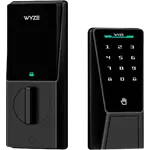
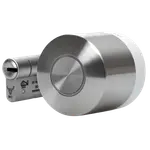
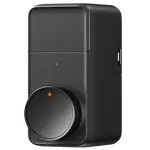
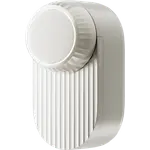
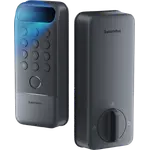
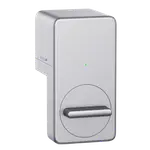
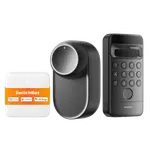
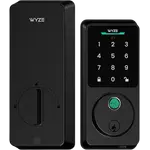
The SwitchBot Lock Ultra Vision Combo is a drill-free retrofit for euro-cylinder doors. The Wyze Auto-Lock Bolt v2 replaces a standard deadbolt. Check which door you have before comparing features.
The SwitchBot Lock Ultra Vision Combo works with Matter, Apple Home, Google Home, Alexa, SmartThings and Home Assistant. The Wyze Auto-Lock Bolt v2 works with Alexa and has no HomeKit, Matter or SmartThings; Google Home and Home Assistant are not documented.
The SwitchBot adds face recognition and NFC to fingerprint, passcode and key, plus an emergency fingerprint. The Wyze Auto-Lock Bolt v2 sticks to fingerprint, keypad and key.
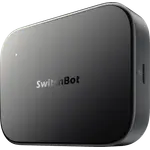
The Wyze Auto-Lock Bolt v2 has Wi-Fi built in for remote control. The SwitchBot lock itself uses Bluetooth, and Wi-Fi and Matter come through the hub included in the combo.
The SwitchBot runs on rechargeable 18350 cells rated for 9 months with a CR123A backup. The Wyze Auto-Lock Bolt v2 uses eight AA cells rated for 8 months with a USB-C emergency port, close enough that battery life should not decide it.
The SwitchBot Lock Ultra Vision Combo retrofits it without drilling.
Only the SwitchBot Lock Ultra Vision Combo supports them.
The Wyze Auto-Lock Bolt v2 is the cheaper lock, and owners praise its fingerprint reader.
The Wyze Auto-Lock Bolt v2 is rated IP53; the SwitchBot has no weather rating.
Owners of both locks rate their biometric reader as the feature they use most and describe installation as easy. SwitchBot Lock Ultra Vision Combo owners single out face unlock with full hands, drill-free fitting on a euro cylinder and calibration that finally ends the lockouts they had with the older Pro Lock, but a few received faulty units, and isolated reports mention face unlock opening for a similar-looking relative and one lock unlocking by itself. Wyze Auto-Lock Bolt v2 owners talk about a fingerprint reader that gets quicker with use, an install under ten minutes and a USB-C emergency port they prefer to 9V terminals, while they note the bulky housing, a 2.4 GHz Wi-Fi setup that can mean pausing other bands and no easy way to hold off auto-lock.
The SwitchBot Lock Ultra Vision Combo has more entry methods, including face unlock, and far wider integrations through Matter. The Wyze Auto-Lock Bolt v2 is cheaper, better reviewed, IP53 rated and has built-in Wi-Fi, and it fits a standard deadbolt rather than a euro cylinder.
The type of door and the ecosystem. The SwitchBot Lock Ultra Vision Combo retrofits a euro cylinder and works with every major platform through Matter; the Wyze Auto-Lock Bolt v2 replaces a deadbolt and works with Alexa and the Wyze app.
No. The Wyze Auto-Lock Bolt v2 has no HomeKit or Matter support. The SwitchBot Lock Ultra Vision Combo supports both.
A hub is included in the combo, and Wi-Fi and Matter run through it. The Wyze Auto-Lock Bolt v2 connects to Wi-Fi on its own.
Owners of euro-cylinder doors who want face unlock and Matter in one kit.
Buyers with a standard deadbolt who want an affordable, well reviewed fingerprint lock with built-in Wi-Fi and Alexa support.
Spotted something wrong on this page? Tell us and we will fix it.
 Our store on AmazonShop our ideas on AmazonLists of the smart home setups we would put together ourselves, ready to add to your Amazon cart.Shop on Amazon
You are looking at two of them. The full table lines up all Door Locks in the catalog with the same specs, so you can filter by what you need and sort by price or rating.