



SwitchBot Lock Vision Pro Review: Face, Palm and Fingerprint on a Deadbolt That Installs in Minutes
The Lock Vision Pro is a retrofit deadbolt built around biometrics: 3D structured-light face recognition using 20,000 infrared dots that works in complete darkness, contactless palm vein reading from three to ten inches away, and a fingerprint reader that stores up to 90 prints. Add a keypad, NFC cards, the app, geofencing and a physical key and there are seven ways in, which is what makes it work for a whole household rather than one person with a phone. It connects straight to 2.4GHz Wi-Fi with no hub, carries CSA-certified Matter so it reaches Apple Home, Alexa, Google Home, SmartThings and Home Assistant, and runs a 10,000mAh pack for a rated twelve months with a CR123A backup and a USB-C emergency port. Owners consistently report fast, reliable face unlock and a genuinely easy install that keeps the existing deadbolt. Two caveats: state reporting over Matter has proved unreliable for at least one owner, who fell back to the Bluetooth integration in Home Assistant for dependable status, and a few received units where the palm and face enrolment simply would not complete. Apple Home Key is absent. Worth it if hands-free entry for a family is the goal.
- Hands-free entry with full hands
- Households with several people and access needs
- Retrofitting an existing deadbolt
- Matter and Home Assistant setups
Pros
- 3D structured-light face recognition works in total darkness and unlocks in about a second
- Contactless palm vein reading from three to ten inches, useful when hands are full
- Fingerprint reader stores up to 90 prints with fast recognition
- Seven ways in: face, palm, fingerprint, keypad, NFC, app and physical key
- Built-in 2.4GHz Wi-Fi with no hub required
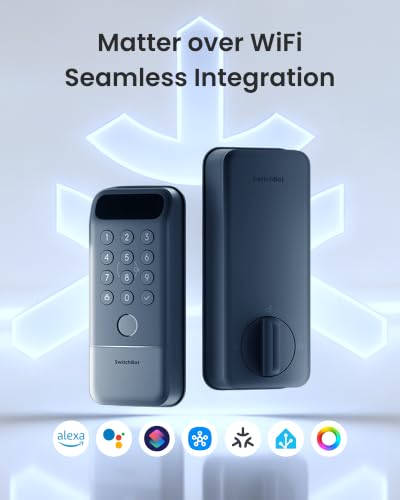
- CSA-certified Matter reaches Apple Home, Alexa, Google Home, SmartThings and Home Assistant
- 10,000mAh battery rated for twelve months, CR123A backup and USB-C emergency power
- Retrofits an existing deadbolt in roughly fifteen minutes with a screwdriver
- IP65 rated, with a built-in door sensor and instant auto-lock on door close
- Biometric data encrypted and stored locally on the device
Cons
- State reporting over Matter has been inconsistent for some owners, who fell back to Bluetooth
- A minority of units would not complete palm or face enrolment out of the box
- One owner could not connect the lock to the app and found support unhelpful
- Apple Home Key is absent, so an iPhone tap is not one of the entry methods
- Wi-Fi is 2.4GHz only
- Only one colour, and a reinforced strike plate is worth budgeting for
Who is the SwitchBot Lock Vision Pro for?
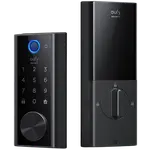
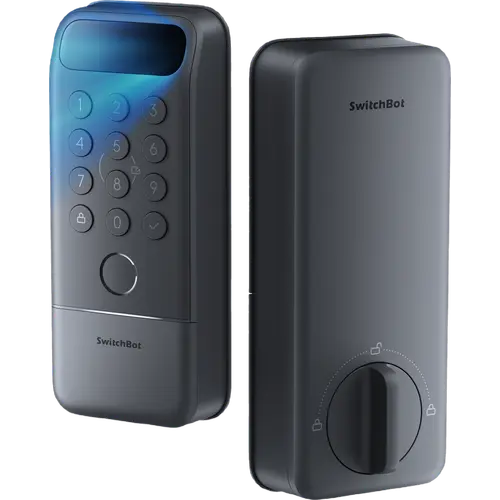
This is a retrofit deadbolt aimed at households where several people need their own way in. The headline is biometrics done three ways: 3D structured-light face recognition that projects 20,000 infrared dots and therefore works in total darkness, palm vein reading that works contactlessly from three to ten inches, and a semiconductor fingerprint reader holding up to 90 prints with 0.3 second recognition. Between those, a physical keypad, up to 100 NFC cards, the app, Bluetooth geofencing and a physical key, it covers a parent who wants to wave a hand, a teenager who taps a finger, and a visitor who gets a temporary code. Biometric data is AES-128 encrypted and stored locally on the device. It joins 2.4GHz Wi-Fi directly with no bridge, and CSA-certified Matter over Wi-Fi puts it into Apple Home, Alexa, Google Home, SmartThings and Home Assistant. Power is a 10,000mAh rechargeable pack rated at twelve months, with a CR123A backup good for 500 unlocks and a USB-C port that takes any power bank. It is IP65 rated and fits standard US deadbolts with a 35-55mm door thickness.
What buyers love
Face unlock is what owners notice daily. It is repeatedly described as fast and reliable, with one owner timing it at about five seconds from approach to open, another confirming it works well at night, and several saying the appeal is walking up with groceries or packages and simply not stopping to find keys or a phone. Having palm vein and fingerprint as equal alternatives rather than afterthoughts is the second recurring theme, since different family members settle on different methods. Installation gets consistent praise: it replaces the deadbolt rather than the whole lockset, owners report finishing in roughly ten to thirty minutes with a screwdriver, and the kit's small touches draw specific compliments, including tape to hold parts in place during fitting, a rubber backing to protect the door, and a marker showing which way the turn piece goes. The built-in Wi-Fi is valued for skipping a separate hub, and Matter made adding it to Apple Home and Home Assistant straightforward for several owners. Battery life is a relief for people coming from locks that needed fresh cells every few weeks, and one owner coming from a Bluetooth-only lock that repeatedly stranded them outside reports no such trouble here. Build quality reads as premium and sturdy, the physical buttons are preferred over a touchscreen keypad, and the built-in door sensor is treated as a welcome extra.
What to know before you buy
The most substantive complaint concerns how the lock reports its state to Matter platforms. One owner using Home Assistant found that lock and unlock events and door open and close events were reported inconsistently, never both dependably at once, and that a firmware update did not resolve it; they ended up relying on the Bluetooth integration for trustworthy status. Control itself worked, so this is about telemetry rather than the connection, but it matters if your automations are triggered by door state. Second, a minority of units have arrived with the biometric enrolment refusing to complete: one owner could set up the fingerprint reader but never the palm or face scan, with the lock reporting a dirty sensor on a brand new device, and another could not get the lock to connect to the app at all and found support unable to help, describing a flip switch in the instructions that was not on their unit. Beyond that, the notes are practical: charge the rechargeable battery block before you start, take care to fit the deadbolt the right way up (there is a small marker for this), and consider a reinforced strike plate with longer screws, since the strongest smart lock is still limited by the door frame it sits in. Apple Home Key is absent, so an iPhone tap is not one of the seven entry methods, and Wi-Fi is 2.4GHz only.
Is the SwitchBot Lock Vision Pro worth it?
For a household that wants genuinely hands-free entry, yes. The combination of face, palm vein and fingerprint on one deadbolt is unusual, and owners report the face unlock in particular being fast and dependable enough that they stop thinking about keys entirely, including at night. Adding built-in Wi-Fi with no hub, a twelve-month battery with a CR123A backup and a USB-C emergency port, and a fifteen-minute retrofit install onto an existing deadbolt makes the practical case strong. Weigh two things before committing. If your smart home depends on door state driving automations, the Matter telemetry reports have been inconsistent enough that you should plan to verify it in your own setup, or use the SwitchBot integration route instead. And if a home key on an iPhone is the feature you actually want, this is not the lock for that. Buy it for the biometrics and the easy retrofit; look elsewhere if rock-solid Matter state reporting or an iPhone tap is the requirement.
Frequently asked questions
Does the SwitchBot Lock Vision Pro need a hub?
No. It connects directly to your 2.4GHz Wi-Fi network, so remote access, notifications and access management work from the SwitchBot app without buying a separate bridge. It is also CSA-certified for Matter over Wi-Fi, which is how it reaches Apple Home, Alexa, Google Home, SmartThings and Home Assistant.
Does it support Apple Home Key?
It does not. You can control the lock from Apple Home over Matter, including with Siri, but tapping an iPhone or Apple Watch against the lock is not one of the supported entry methods. The seven ways in are face, palm vein, fingerprint, keypad code, NFC card, the app and a physical key.
Does the face recognition work in the dark?
Yes. It uses 3D structured light, projecting 20,000 infrared dots rather than relying on visible light, so it recognises faces in total darkness. Owners specifically confirm it works well at night, typically opening the door in about a second once you are in front of it.
How long does the battery last and what happens if it dies?
The 10,000mAh rechargeable pack is rated for up to twelve months. There are two fallbacks: a CR123A backup battery good for around 500 emergency unlocks that operates down to -4F, and an external USB-C port that accepts any power bank. A physical key is also included, and the app warns you when the battery runs low.
Is installation difficult?
It is a retrofit deadbolt replacement rather than a full lockset swap, and owners consistently report finishing in roughly ten to thirty minutes with a Phillips screwdriver, no drilling required. It fits most US doors with 35-55mm thickness. Two tips from owners: charge the battery block before you begin, and check the orientation marker so the turn piece goes in the right way up.
How well does it work with Home Assistant?
Several owners added it easily over Matter and were happy. One owner, however, found that lock, unlock and door open or close events were reported inconsistently over Matter and switched to the Bluetooth integration for reliable status. Control worked either way, so if your automations depend on door state, test that reporting in your own setup early.