Winner
14% OFF
$59.99
$69.99

Full Smart Door Locks comparison in 2026
New releases and the smart home news worth knowing, in your inbox.
No spam. Unsubscribe in one click.
| Feature | TP-Link Tapo DL100 | Wyze Auto-Lock Bolt v2 | Winner |
|---|---|---|---|
| Price | $59.99 | $79.00 | TP-Link Tapo DL100 |
| Weather Resistance | IP54 | IP53 | TP-Link Tapo DL100 |
| Battery Life | 10 months | 8 months | TP-Link Tapo DL100 |
| Integrations | Google Home, Alexa, Samsung SmartThings | Alexa | TP-Link Tapo DL100 |
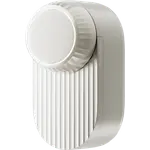
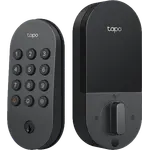
| Lock/Unlock System | Remote, Bluetooth, Passcode, Physical Key | Remote, Passcode, Fingerprint, Physical Key | Wyze Auto-Lock Bolt v2 |
| Doorbell | YES | NO | TP-Link Tapo DL100 |
| Rating | 4.5 | 4.5 | Tie |
| Connectivity | 2.4 GHz WiFi, Bluetooth | 2.4 GHz WiFi | Tie |
| Anti-peep Password | YES | YES | Tie |
| Emergency Fingerprint | NO | NO | Tie |
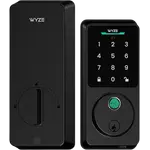
The Wyze Auto-Lock Bolt v2 unlocks with a fingerprint, the TP-Link Tapo DL100 does not. If you want to open the door without typing anything, that decides it.
The TP-Link Tapo DL100 works with Alexa, Google Home and SmartThings. The Wyze Auto-Lock Bolt v2 lists Alexa and its own Wyze app, with Google Home support not documented and no SmartThings.
The TP-Link Tapo DL100 is rated for 10 months on 4x AA, the Wyze Auto-Lock Bolt v2 for 8 months on 8x AA. Owners of the Tapo note the real figure drops when Wi-Fi stays on all day.
The TP-Link Tapo DL100 issues one-time codes, locks the keypad after repeated wrong codes and has a doorbell button on the keypad. The Wyze Auto-Lock Bolt v2 has anti-peep entry like the Tapo, but its one-time codes and failed-attempt alerts are not documented.
IP54 against IP53 is a small gap: both suit a sheltered doorway rather than a door fully exposed to driving rain.
The Wyze Auto-Lock Bolt v2 has a fingerprint reader; the TP-Link Tapo DL100 has none.
The TP-Link Tapo DL100 supports both directly, while the Wyze Auto-Lock Bolt v2 is documented for Alexa only.
The TP-Link Tapo DL100 has one-time codes and a keypad lockout after repeated failed attempts.
The Wyze Auto-Lock Bolt v2 lives in the same Wyze app, which its owners appreciate.
The TP-Link Tapo DL100 sits in the same Tapo app as your cameras.
Owners of both locks describe auto-lock after the door closes as the feature that changed their routine, and both groups call the install quick. The difference is in what they single out next. TP-Link Tapo DL100 owners praise per-person PINs, the activity log and one-time guest codes, and like keeping the lock in the same app as their Tapo cameras; their warnings are about water reaching the key cylinder on an exposed door, battery life shorter than quoted when Wi-Fi stays on and notifications that occasionally drop. Wyze Auto-Lock Bolt v2 owners single out the fingerprint reader that gets faster with use and the USB-C port replacing the 9V terminals they had on older locks, and mention a bulky body, pairing that requires a 2.4 GHz network and no simple way to pause auto-lock.
The TP-Link Tapo DL100, on platform support, guest codes, a doorbell button and a longer rated battery life. The Wyze Auto-Lock Bolt v2 is the better pick for anyone who wants fingerprint unlocking, which the Tapo does not offer.
The fingerprint reader. The Wyze Auto-Lock Bolt v2 opens with a finger, a code, the app or a key, while the TP-Link Tapo DL100 relies on a code, the app, Bluetooth or a key.
Google Home support is not documented for the Wyze Auto-Lock Bolt v2, which lists Alexa. The TP-Link Tapo DL100 works with Alexa, Google Home and SmartThings. Neither works with Apple Home or Matter.
The TP-Link Tapo DL100 is rated for 10 months on 4x AA and the Wyze Auto-Lock Bolt v2 for 8 months on 8x AA. Both have a USB-C emergency port if the batteries run out.
Google Home, Alexa and SmartThings households, hosts who hand out one-time guest codes, and Tapo camera owners who want the lock in the same app.
Anyone who wants fingerprint entry on a standard deadbolt, especially Wyze camera owners and households with kids who find a fingerprint easier than a code.
Spotted something wrong on this page? Tell us and we will fix it.
 Our store on AmazonShop our ideas on AmazonLists of the smart home setups we would put together ourselves, ready to add to your Amazon cart.Shop on Amazon
You are looking at two of them. The full table lines up all Door Locks in the catalog with the same specs, so you can filter by what you need and sort by price or rating.
 22% OFF



 35% OFF




 20% OFF

 23% OFF

 24% OFF
 29% OFF
 7% OFF
 20% OFF
 17% OFF
 12% OFF
 17% OFF
 25% OFF
 37% OFF
 17% OFF
 10% OFF
 15% OFF
 7% OFF
 29% OFF
 18% OFF
 17% OFF
 5% OFF
 37% OFF