Winner
14% OFF
$59.99
$69.99

Full Smart Door Locks comparison in 2026
New releases and the smart home news worth knowing, in your inbox.
No spam. Unsubscribe in one click.
| Feature | TP-Link Tapo DL100 | Wyze Palm Lock | Winner |
|---|---|---|---|
| Price | $59.99 | $129.00 | TP-Link Tapo DL100 |
| Rating | 4.5 | 4.6 | Wyze Palm Lock |
| Weather Resistance | IP54 | IP53 | TP-Link Tapo DL100 |
| Battery Life | 10 months | 6 months | TP-Link Tapo DL100 |
| Integrations | Google Home, Alexa, Samsung SmartThings | Google Home, Alexa | TP-Link Tapo DL100 |
| Doorbell | YES | NO | TP-Link Tapo DL100 |
| Connectivity | 2.4 GHz WiFi, Bluetooth | 2.4 GHz WiFi | Tie |
| Lock/Unlock System | Remote, Bluetooth, Passcode, Physical Key | Remote, Passcode, Physical Key | Tie |
| One-Time Password | YES | YES | Tie |
| Anti-peep Password | YES | YES | Tie |
| Emergency Fingerprint | NO | NO | Tie |
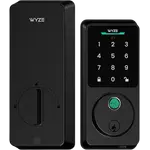
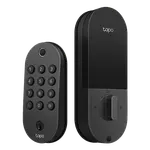
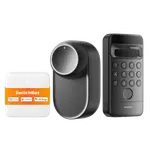
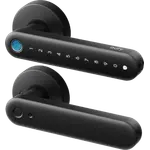
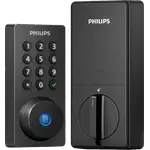
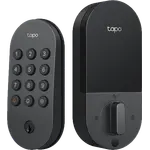
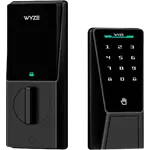
The Wyze Palm Lock reads your palm without a touch, with a keypad and key as backup. The TP-Link Tapo DL100 uses a backlit keypad, Bluetooth and a key. Neither has a fingerprint reader.
The TP-Link Tapo DL100 runs on four AA batteries rated for 10 months. The Wyze Palm Lock uses a rechargeable main battery rated for 6 months, plus a secondary battery that takes over while it charges. Both have a USB-C emergency port.
Both work with Alexa and Google Home. The TP-Link Tapo DL100 adds SmartThings; neither supports HomeKit or Matter.
IP54 against IP53 is not a difference you will notice: both are meant for a doorway with some shelter.
The TP-Link Tapo DL100 is the lower priced lock and holds many access codes.
Owners of the Wyze Palm Lock say palm entry works for family members who could not manage codes or fingerprints.
The TP-Link Tapo DL100 supports SmartThings; the Wyze Palm Lock does not.
Wyze Palm Lock owners report such doors draining its battery in the default proximity mode.
Owners of both locks rely on auto-lock and on the app for guest codes and activity history. TP-Link Tapo DL100 owners single out a timer they set once and never think about again, a metal exterior that feels better than the price and having the lock in the same app as their Tapo cameras, while warning that water reached the key cylinder on exposed doors, that Wi-Fi left on all day cuts battery life and that notifications can drop. Wyze Palm Lock owners talk about palm recognition that reads a hand instantly, works for children and in total darkness, and a backup battery for peace of mind, and their main complaint is storm or screen doors draining the battery in proximity mode.
The TP-Link Tapo DL100 comes out ahead on price, rated battery life, SmartThings support and a doorbell button. The Wyze Palm Lock is better reviewed and is the pick for touchless palm entry.
The way you unlock. The Wyze Palm Lock reads your palm without a touch, while the TP-Link Tapo DL100 relies on its backlit keypad, Bluetooth and the app.
No. Neither supports HomeKit or Matter. Both work with Alexa and Google Home, and the TP-Link Tapo DL100 also with SmartThings.
Budget buyers with a sheltered door who want a keypad, a reliable auto-lock timer, guest codes and long battery life.
Families who want touchless palm entry that works for kids and in the dark, with a backup battery, on Alexa or Google Home.
Spotted something wrong on this page? Tell us and we will fix it.
 Our store on AmazonShop our ideas on AmazonLists of the smart home setups we would put together ourselves, ready to add to your Amazon cart.Shop on Amazon
You are looking at two of them. The full table lines up all Door Locks in the catalog with the same specs, so you can filter by what you need and sort by price or rating.