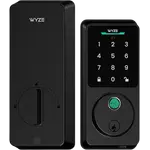


Wyze Auto-Lock Bolt v2 Review: A Fast, Affordable Fingerprint Deadbolt That Just Works
The Wyze Auto-Lock Bolt v2 is a value-focused fingerprint deadbolt that owners find genuinely easy to live with. Installation takes under 10 minutes on a standard deadbolt with a screwdriver, everything (including batteries) is in the box, and the app makes programming simple. The fingerprint reader is the highlight, fast, accurate, and it uses AI learning to get quicker with use, so most owners unlock in about a second, and there is a responsive keypad, temporary codes, and two physical keys as backup. Built-in Wi-Fi adds remote lock/unlock, instant notifications (including if it fails to lock or gets stuck), and an access log with solid user management, and it integrates with Alexa and the wider Wyze app alongside your cameras. Auto-lock gives peace of mind, and if the batteries die there is a USB-C emergency port plus a keyway, a setup owners specifically praise over the finicky 9V terminals on other locks. The main downsides are minor: it is noticeably bulkier than a standard deadbolt, Wi-Fi setup requires a 2.4GHz network (you may need to pause 5/6GHz bands on mesh routers), the keypad beep could be louder, and there is no easy way to hold off auto-lock when you want the door open. It has no HomeKit, Matter, NFC or palm reader (that is the pricier Palm Lock). For a dependable, no-hassle fingerprint lock at a good price, it is an easy recommendation.
- Affordable fingerprint keyless entry
- Wyze ecosystem owners
- Easy DIY deadbolt replacement
- Households with kids
Pros
- Fast, reliable fingerprint reader with AI learning
- Very easy install (under 10 minutes) with batteries included
- Built-in Wi-Fi: remote control, notifications and access log
- Strong anti-lockout: USB-C emergency port plus two physical keys
- Responsive keypad and reliable auto-lock, at a value price
- Integrates with Alexa and the Wyze app alongside your cameras
Cons
- Bulkier than a standard deadbolt
- Wi-Fi setup requires a 2.4GHz network (pause 5/6GHz on mesh routers)
- Enrolling fingerprints can be hard for elderly users
- No easy way to pause auto-lock to hold the door open
- No HomeKit, Matter, NFC or palm recognition
Who is the Auto-Lock Bolt v2 for?
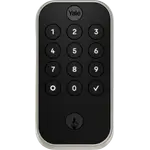
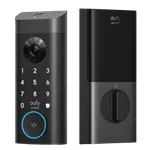
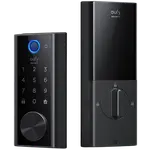
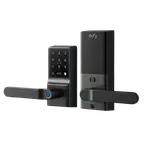
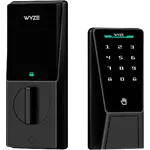
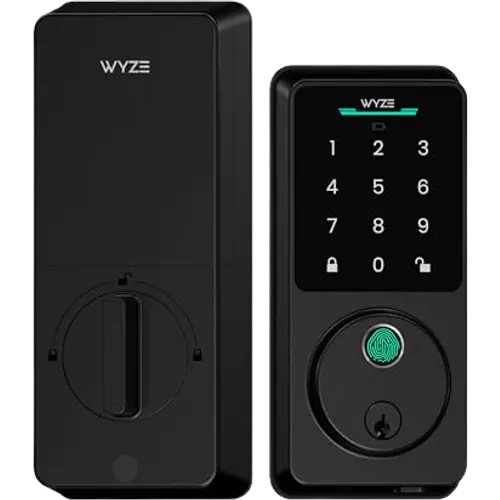
This is an affordable keyless deadbolt focused on fingerprint entry. It unlocks via an AI-learning fingerprint reader, a keypad passcode, the app remotely, and a physical key, with built-in Wi-Fi, auto-lock, and an anti-peep keypad. It runs on 8 AA batteries (rated around 8 months, included) with a USB-C emergency port, and is IP53 rated and BHMA certified. It integrates with the Wyze app and Alexa. It best suits people who want fast, affordable fingerprint entry, existing Wyze owners, DIYers replacing a standard deadbolt, and households with kids. It has no Apple HomeKit, Matter, NFC or palm recognition, so if you need those (palm is on the pricier Wyze Palm Lock), or a compact profile, read the caveats first.
What buyers love
The fingerprint reader is the star: owners call it fast and reliable, unlocking in about a second, and the AI-learning scanner gets quicker and more accurate with use, so it becomes the method most people use. Installation is a big plus, commonly under 10 minutes on an existing deadbolt with a Phillips screwdriver, with everything including batteries in the box, and the app is easy to set up and program. Built-in Wi-Fi adds remote lock and unlock, instant notifications (including alerts if it fails to lock or gets stuck), and an access log, with user management owners describe as excellent, and it lives in the same Wyze app as their cameras, which many appreciate. The keypad is electrostatic but responsive, with an immediate beep and a clear red status light when a code or print is rejected, which makes it easy for kids. Auto-lock with a configurable delay gives peace of mind, temporary codes are handy, and the anti-lockout story is strong: a USB-C emergency port (praised as far better than the 9V terminals that failed for owners on other locks in the cold) plus two included physical keys. The build feels solid and looks modern, and battery life on the 8 AA cells runs several months even through a harsh winter.
What to know before you buy
The trade-offs are mostly minor. It is noticeably bulkier than a standard deadbolt, which owners accept for the feature set but is worth knowing. Wi-Fi setup requires a 2.4GHz network, so on modern mesh or multi-band routers (which broadcast 5 and 6GHz too) you may need to temporarily pause the higher bands, the app's troubleshooting guides you to this. Enrolling fingerprints is easy for most, but can be difficult for elderly users with poor circulation (one owner could not reliably add a 95-year-old's print), in which case the keypad or app is the fallback. A few smaller notes: the keypad beep could be louder for the hard of hearing, and there is no simple way to suspend auto-lock when you deliberately want to leave the door open (one owner wishes for a pause button). Finally, it is fingerprint- and code-based only, there is no NFC, no Apple HomeKit or Matter, and no palm recognition; if you want touchless palm entry, that is the step-up Wyze Palm Lock.
Is the Auto-Lock Bolt v2 worth it?
For a dependable, affordable fingerprint deadbolt, the Wyze Auto-Lock Bolt v2 is an easy recommendation: quick to install, a fast AI-learning fingerprint reader, a responsive keypad, reliable auto-lock, built-in Wi-Fi with remote control and notifications, strong anti-lockout backups, and tidy integration with the Wyze app and Alexa, all at a value price. The downsides are modest, a bulky profile, 2.4GHz-only Wi-Fi setup, a quiet keypad beep, no auto-lock pause, and no HomeKit, Matter, NFC or palm entry. Buy it if you want no-hassle fingerprint keyless entry (especially within the Wyze ecosystem) and can live with the larger size; if you want touchless palm unlocking, step up to the Wyze Palm Lock, and if you need HomeKit or Matter, look elsewhere.
Frequently asked questions
How good is the fingerprint reader?
It is the highlight, fast and reliable, unlocking in about a second, and it uses AI learning to get quicker and more accurate with use. Most owners use it as their main method and kids pick it up instantly. It can struggle to enroll prints for elderly users with poor circulation, where the keypad or app is the fallback.
What happens if the batteries die?
You are well covered. It has a USB-C emergency port to power it and get in (owners praise this over the finicky 9V terminals on other locks, especially in cold weather), plus two included physical keys as a final backup. It runs on 8 AA batteries (included), rated around 8 months, and warns you before they are depleted.
Is Wi-Fi setup difficult?
Setup is generally simple, but the lock connects only to a 2.4GHz network. On modern mesh or multi-band routers that also broadcast 5 and 6GHz, you may need to temporarily pause the higher bands to get it online, the Wyze app's troubleshooting section guides you to a pause option.
Does it work with Alexa, Google or Apple HomeKit?
Owners confirm it integrates with Alexa, and it lives in the Wyze app alongside Wyze cameras for unified control and notifications. It does not support Apple HomeKit or Matter, and there is no NFC. For touchless palm entry, that feature is on the separate Wyze Palm Lock.
How does it compare to the Wyze Palm Lock?
The Auto-Lock Bolt v2 is the more affordable fingerprint-and-keypad model, while the Palm Lock adds touchless palm-vein recognition for a bit more. Several owners run the Bolt v2 on a secondary door and the Palm Lock on their main entrance. Choose the Bolt v2 if fingerprint and code entry meet your needs at a lower price.