Winner

Full Smart Door Locks comparison in 2026
We check the price of every Door Lock in the catalog daily and email you the drops, whichever one you pick.
No spam. Unsubscribe in one click.
| Feature | Wyze Auto-Lock Bolt v2 | Wyze Palm Lock | Winner |
|---|---|---|---|
| Price | $79.00 | $129.98 | Wyze Auto-Lock Bolt v2 |
| Rating | 4.5 | 4.6 | Wyze Palm Lock |
| Battery Life | 8 months | 6 months | Wyze Auto-Lock Bolt v2 |
| Lock/Unlock System | Remote, Passcode, Fingerprint, Physical Key | Remote, Passcode, Physical Key | Wyze Auto-Lock Bolt v2 |
| Weather Resistance | IP53 | IP53 | Tie |
| Connectivity | 2.4 GHz WiFi | 2.4 GHz WiFi | Tie |
| Integrations | Alexa | Google Home, Alexa | Tie |
| Anti-peep Password | YES | YES | Tie |
| Emergency Fingerprint | NO | NO | Tie |
| Doorbell | NO | NO | Tie |
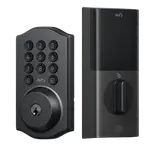
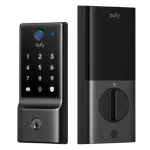
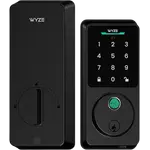
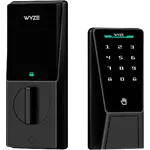
The Wyze Auto-Lock Bolt v2 reads fingerprints with a scanner that learns and speeds up with use. The Wyze Palm Lock reads palm veins instead, touchless and usable in the dark, which owners say helps where fingerprints fail. Neither has NFC or Apple Home Key.
The Bolt v2 runs on eight AA cells rated for about 8 months. The Palm Lock uses a rechargeable main pack rated for about 6 months plus a secondary battery that takes over while the main one charges. Both have a USB-C emergency port.
The Wyze Palm Lock lists Google Home support alongside Alexa. For the Wyze Auto-Lock Bolt v2, Wyze documents Alexa and does not say whether Google Home works, so a Google household should check before buying.
The Wyze Palm Lock offers one-time guest codes and uses millimetre wave radar to wake as someone approaches. The Bolt v2 does not document one-time codes and has no presence sensing.
The Wyze Auto-Lock Bolt v2 is rated for about 8 months on its AA cells.
The Wyze Palm Lock reads palm veins, which owners say works where fingerprints did not.
Palm Lock owners report that a storm door keeps it awake and drains the battery; the Bolt v2 has no proximity wake to trip.
The Wyze Palm Lock lists Google Home support, which is not documented for the Bolt v2.
Owners of both Wyze locks praise an easy install on an existing deadbolt, a clear app that lives alongside their Wyze cameras and a USB-C port that rules out a lockout when the battery dies. What they single out differs. Wyze Auto-Lock Bolt v2 owners love a fingerprint reader that opens in about a second and gets quicker with use, and remote alerts when the lock fails to engage; they mention a bulky body, a 2.4 GHz-only Wi-Fi setup, prints that are hard to enroll for elderly users and no easy way to pause auto-lock. Wyze Palm Lock owners describe a palm read that works in total darkness and helps kids who cannot manage codes, and like the backup battery that takes over while charging; their main complaint is battery drain behind a storm or screen door, plus a learning curve for palm position and several hours to recharge.
Every price change of both, in the same store, so the gap between the two lines is what one costs more than the other.
Loading price history...
The Wyze Auto-Lock Bolt v2 for most buyers: it is the lower priced lock, has a fast fingerprint reader and the longer battery rating. The Wyze Palm Lock is better reviewed and touchless, and suits households where fingerprints or codes do not work well.
How they recognise you. The Wyze Auto-Lock Bolt v2 uses a fingerprint scanner, while the Wyze Palm Lock reads the veins of your palm without contact. Their power also differs: AA batteries on the Bolt v2, a rechargeable pack with a backup battery on the Palm Lock.
The Wyze Auto-Lock Bolt v2 is rated for about 8 months and the Wyze Palm Lock for about 6. Palm Lock owners add that a storm or screen door can drain it much faster in proximity mode, which a tap-to-wake mode fixes.
No. Neither supports Apple Home or Matter. Both work with Alexa and the Wyze app over 2.4 GHz Wi-Fi, and the Wyze Palm Lock also lists Google Home.
Budget buyers who want quick fingerprint entry, a keypad and backup keys on a standard deadbolt, with long battery life and remote alerts in the Wyze app.
Families with kids or relatives who struggle with fingerprints or codes, Google Home users, and anyone who wants touchless entry and a rechargeable lock with a backup battery.
You are looking at two of them. The full table lines up all Door Locks in the catalog with the same specs, so you can filter by what you need and sort by price or rating.