

Wyze Palm Lock Review: A Fast, Touchless Palm-Vein Smart Lock (Watch the Battery With Storm Doors)
The Wyze Palm Lock's standout feature is palm-vein recognition, and owners are impressed: it reads your hand almost instantly, works in total darkness without lighting the keypad, and succeeds where fingerprint readers failed for some users, making it especially handy for kids and family members who struggle with codes or prints. You also get a keypad code and a mechanical key backup, easy installation on an existing deadbolt (about 45 minutes), a clear app for programming palms, codes and temporary access, smart auto-lock that knows when the door is open, and Alexa and Google support, all with no subscription. The dual-battery system is a highlight for peace of mind: the main pack is the same one Wyze cameras use and charges over USB-C, a backup takes over while it charges, and you can plug in a power bank to get in if it dies. The one recurring caveat is battery drain caused by storm or screen doors, which can keep the lock awake in its default proximity mode and drain it quickly (even overnight in bad cases). Switching to a battery-saver mode (tap to wake) fixes it and yields around 1.5 months per charge, at the cost of the walk-up-and-wave convenience. There is a small palm-position learning curve, and it has no HomeKit, Matter, fingerprint or NFC. For a fast, touchless, subscription-free lock, most owners are very happy.
- Touchless keyless entry
- Kids or family who struggle with codes or fingerprints
- Wyze ecosystem owners
- Alexa or Google Home users
Pros
- Fast, accurate palm-vein recognition that works even in total darkness
- Great for kids or anyone who struggles with codes or fingerprints
- Dual-battery backup plus USB-C emergency power guards against lockouts
- No subscription; keypad code and mechanical key backup
- Easy install, smart auto-lock with door-open detection, and Alexa/Google support
Cons
- Storm or screen doors can drain the battery in default proximity mode
- Battery-saver fix (tap to wake) trades away walk-up convenience
- Main battery takes several hours to recharge
- Small palm-position learning curve
- No HomeKit, Matter, fingerprint or NFC
Who is the Wyze Palm Lock for?
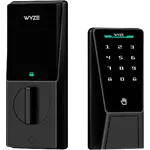
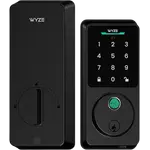
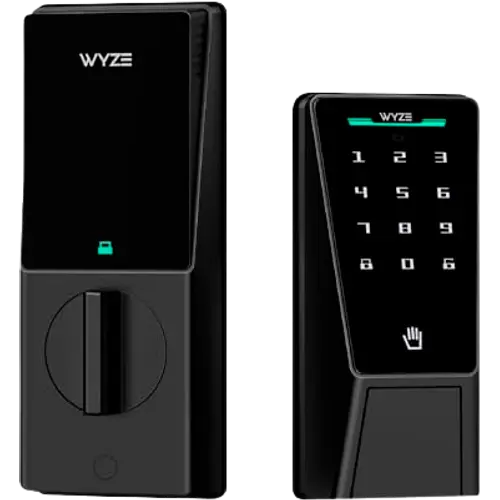
This is a keyless smart deadbolt whose signature feature is palm-vein recognition, a touchless biometric that reads the veins in your palm. It also unlocks via a keypad code, the app remotely, and a mechanical key backup, with built-in Wi-Fi and support for Alexa and Google Home (no Apple HomeKit or Matter, and no fingerprint or NFC). It uses a rechargeable dual-battery system (main pack plus a backup, with a USB-C emergency port) and is IP53 rated and BHMA certified. It best suits people who want fast, touchless entry, families with kids or members who struggle with codes or fingerprints, existing Wyze owners, and Alexa or Google users. If your door has a storm or screen door, or you want HomeKit/Matter, read the caveats first.
What buyers love
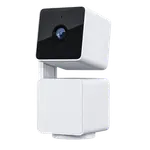
Palm-vein recognition is the highlight and it genuinely delivers: owners describe it as fast and accurate, reading their hand almost instantly even when their arms are full, and working reliably in pitch-black darkness without lighting the keypad. Several note it succeeds where fingerprint readers failed, and it is a favorite for households with young kids or autistic family members who could not manage codes or prints, now they walk up and wave to get in. There are multiple ways in (palm, keypad code, and a mechanical key), with permanent and temporary codes, and no subscription or fees. The dual-battery design earns a lot of praise for peace of mind: the main battery is the same used in Wyze cameras and recharges over USB-C, a backup automatically takes over while you charge it, and a USB-C power bank can get you in if it fully dies, a real anti-lockout advantage over single-battery locks. Installation is easy on an existing deadbolt (around 45 minutes), the app makes programming palms and codes quick, and smart features like door-open detection (it won't auto-lock while open), delayed and after-hours auto-lock, and door-left-open notifications are well liked. It works with Alexa, Google and remote app control, and can even use a compatible Wyze doorbell (Pan Cam v3 or OG) as a video doorbell to open from its screen. Build quality is rated highly, with one 25-year security-industry owner calling it as sturdy as locks costing three times more, and it holds up to rain per its IP53 rating.
What to know before you buy
The main caveat is battery drain with storm or screen doors. In the default proximity (auto) mode the lock wakes whenever something is within a few feet, and a storm or screen door in front of it can keep it awake and drain the battery fast, sometimes overnight. The fix is to switch to a battery-saver mode, in which you tap the face (or get within inches) to wake it, which restores good life (owners report around 1.5 months per charge), but it costs you the walk-up-and-wave magic. The main battery also takes several hours (roughly five) to fully recharge. Beyond that, there is a small learning curve with palm position, you need to hold your hand at the right height and distance, sometimes wave once or twice, program your palm in the real unlocking posture, and wait for the bolt to retract before pushing the door. The motor is strong but not as strong as your wrist, so if the deadbolt meets resistance in the strike pocket it may not fully seat, cleaning up the pocket fixes this. Wi-Fi is required for notifications and remote control (palm and code work on battery alone), the Wyze doorbell integration only works with specific camera models, and there is no fingerprint, NFC, HomeKit or Matter. It comes in black, and a couple of owners wished for a stainless finish.
Is the Wyze Palm Lock worth it?
For fast, touchless keyless entry without a subscription, the Wyze Palm Lock is a strong buy: the palm-vein recognition is quick and reliable even in the dark, it is great for kids and family who struggle with codes or fingerprints, the dual-battery backup guards against lockouts, installation is easy, and Alexa/Google plus smart auto-lock round it out. The key thing to plan for is battery life if you have a storm or screen door, expect to use a tap-to-wake saver mode to avoid rapid drain, which trades away some of the walk-up convenience. There is also a minor palm-position learning curve, slow recharging, and no HomeKit, Matter, fingerprint or NFC. Buy it if you want a modern, touchless, subscription-free lock (especially within the Wyze ecosystem); if you need HomeKit/Matter or have a storm door and want effortless proximity unlock, weigh those points first.
Frequently asked questions
How well does palm recognition work?
Very well. Owners find it fast and accurate, reading their palm almost instantly even with full hands, and it works in complete darkness without lighting the keypad. It also succeeds for people whose fingerprints failed on other biometric locks, and is a favorite for kids and family members who can't manage codes. There is a small learning curve with hand height and distance.
What's this about battery drain with storm doors?
In the default proximity mode the lock wakes whenever something is within a few feet, and a storm or screen door in front of it can keep it awake and drain the battery quickly, even overnight for some. Switching to a battery-saver or extreme-saver mode (tap or get very close to wake it) resolves this, giving around 1.5 months per charge, but you lose the automatic walk-up unlock.
What happens if the battery dies?
You have several safeguards. It uses a dual-battery system where a backup automatically takes over while you recharge the main pack (the same battery Wyze cameras use, charged via USB-C), you can plug in a USB-C power bank to get in, and there is a mechanical key as a final backup, so it is well protected against lockouts.
Does it work with Alexa, Google or Apple HomeKit?
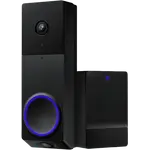
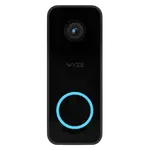
It works with Alexa and Google Home, plus remote control through the Wyze app (Wi-Fi is needed for notifications and remote features, while palm and code entry work on battery alone). It does not support Apple HomeKit or Matter. It can also pair with a compatible Wyze doorbell (Pan Cam v3 or OG) to unlock from the doorbell screen.
Is installation and the motor reliable?
Installation is easy on an existing deadbolt, about 45 minutes, and the app guides programming. The motor is strong but not as strong as your wrist, so make sure the deadbolt slides freely into the strike pocket, if it meets resistance it may not fully seat, which is easily fixed by cleaning up the pocket. It also detects an open door and won't auto-lock while the door is open.