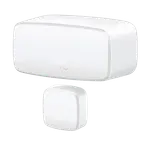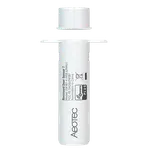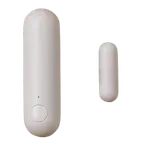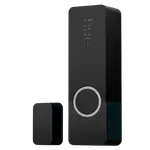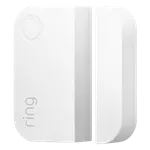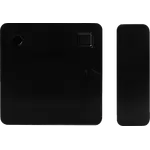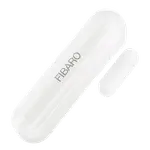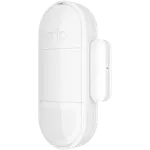





Arlo All-in-One Sensor Review: One Small Device, Eight Ways to Watch Your Home
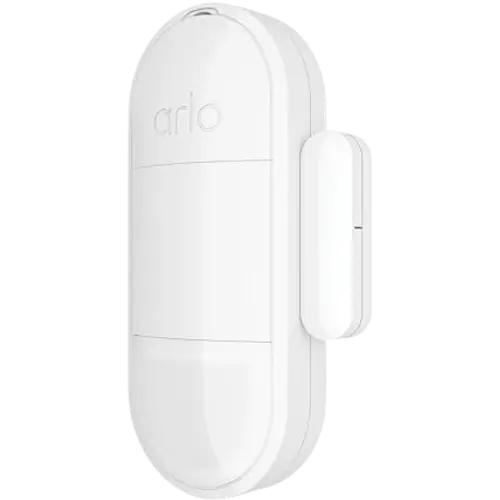
The Arlo All-in-One Sensor packs door/window, motion, light and temperature sensing into one small, budget-friendly puck, and owners specifically praise it for flagging leaks and freezing conditions before they turned into costly damage. The catch is that it has no standalone Wi-Fi, Bluetooth, Zigbee, Z-Wave or Thread radio, so it only works paired with a compatible Arlo Security System hub or keypad. It is a smart pickup for households already in the Arlo/Google Home/Alexa ecosystem, less so for anyone shopping for a universal HomeKit or Matter sensor.
- Existing Arlo ecosystem owners
- Google Home and Alexa households
- Water leak and freeze monitoring
- Budget-conscious multi-sensor shoppers
Pros
- Combines door/window, motion, light and temperature sensing in one compact, lightweight device
- Quick setup with smooth Google Home and Alexa voice-control integration
- Multiple owners credit it with catching a water leak or freeze risk before it caused costly damage
- Supports in-app automations to trigger other actions from its alerts
- Backed by a one-year manufacturer warranty and competitively priced against comparable sensors
Cons
- No standalone Wi-Fi, Bluetooth, Zigbee, Z-Wave or Thread radio; requires a compatible Arlo Security System hub or keypad
- No Apple HomeKit, Home Assistant, IFTTT or Matter support
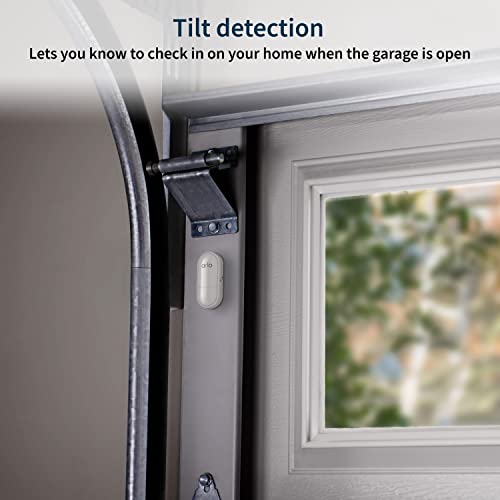
- No weather-resistance rating, so it is meant for indoor use only
- A handful of owners report uneven battery life or a sensor failing after a couple of years
- Magnet alignment can be fiddly on thicker door and window frames
Who is the Arlo All-in-One Sensor for?
This sensor is built for households that already run (or plan to run) an Arlo Security System, since it needs a compatible Arlo hub or keypad to actually connect and send alerts rather than talking directly to a router. Within that ecosystem it integrates with Google Home and Alexa, so it suits buyers who want voice control and app automations rather than a bare-bones contact sensor. It is also a fit for anyone trying to consolidate several single-purpose sensors, door/window, motion, ambient light and temperature, into one small accessory instead of buying and mounting separate devices.
What buyers love
The most consistent praise is for quick setup and smooth pairing with the Arlo app and Google Home. Several owners specifically call out the sensor's temperature and water-leak detection: one reviewer credits it with catching a bathroom leak in its first week of use, saying it prevented what could have been a flooded house, and others mention it flagging freezing conditions before pipes were at risk. Buyers also note the small, unobtrusive size and view the price as competitive next to other named-brand contact sensors, especially for anyone already paying for an Arlo plan who can fold this sensor into an existing setup.
What to know before you buy
The biggest thing to understand before buying is connectivity: this sensor has no direct 2.4GHz or 5GHz Wi-Fi, Bluetooth, Zigbee, Z-Wave or Thread radio, Arlo's own specs list it as requiring an Arlo Security System, and buyer confusion about this shows up in reviews, with at least one owner surprised to learn a keypad was required for it to do anything useful. It also carries no weather-resistance rating, so it is meant for indoor doors and windows rather than exposed exterior use. Platform support is narrower than some competitors too: Google Home and Alexa are covered, but there is no Apple HomeKit, Home Assistant, IFTTT or Matter support. On the reliability side, a handful of reviews mention uneven battery life or a sensor that stopped responding after a couple of years of use, and a couple of buyers found the magnet needs some improvising to align on thicker door and window frames.
Is the Arlo All-in-One Sensor worth it?
For a household already invested in Arlo hardware and Google Home or Alexa, this sensor is an easy, budget-friendly way to add door/window, motion, light and temperature coverage (with buyer-reported water-leak and freeze detection on top) through one small device backed by a one-year warranty, and it also supports in-app automations for triggering other actions. It is a much weaker fit for anyone without an Arlo hub already in place, or for buyers who specifically want a sensor that speaks Zigbee, Z-Wave, Thread or Matter directly, since this one simply cannot do that.
Frequently asked questions
Does the Arlo All-in-One Sensor work without an Arlo hub?
No. It has no direct Wi-Fi, Bluetooth, Zigbee, Z-Wave or Thread radio, so it needs a compatible Arlo Security System base station or keypad to connect and send alerts.
Does it work with Google Home and Alexa?
Yes, it integrates with both Google Home and Amazon Alexa for voice control and routines, but it does not support Apple HomeKit, Home Assistant, IFTTT or Matter.
Can it detect water leaks and freezing temperatures, not just open doors?
Along with door/window open-close, motion and light sensing, buyers report it also flags temperature drops reliably, and several credit it with an early warning before a water leak caused expensive damage.
Is it weather-resistant enough for an exterior door or garage?
No, Arlo does not give it a weather-resistance rating, so it is intended for indoor use rather than exposed outdoor installation.
How long does the battery last?
It runs on a single CR2477 coin battery. Arlo does not publish an official battery-life figure, and buyer experiences vary, some report long stretches without issue while others note faster-than-expected drain or a sensor failing after a couple of years.
Is the Arlo All-in-One Sensor a good value?
For a household already using Arlo hardware, yes, it condenses several single-purpose sensors into one small, budget-friendly device backed by a one-year warranty, though buyers outside the Arlo ecosystem or wanting HomeKit or Matter support should look elsewhere.